
Compatibility
Minecraft: Java Edition
Platforms
Supported environments


Tags
Creators
Details
Links the chat of a Better Than Adventure server with a Discord channel.
Players talk to Discord from the game and Discord talks back. Show the item in your hand or your whole inventory with [item] and [inv], and they appear on Discord drawn just like in the game. Images sent on Discord can be held in game as a map.
Server only. Players don't need to install anything.

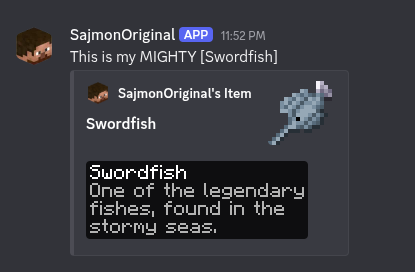
[item] in the game and the picture it sends to Discord.
Chat
- Messages go both ways, with each player's name and head on Discord
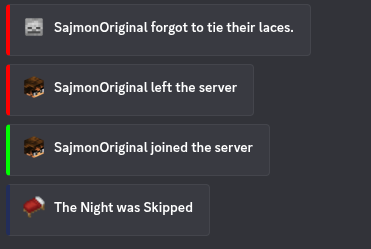
- Joins, leaves, deaths, skipped nights and server start and stop are announced
- Bold, italics, underline, strikethrough and spoilers work in both directions
- Replies, attachments and stickers from Discord show up in the game
@namein the game mentions that person on Discord.@everyoneand@herenever ping
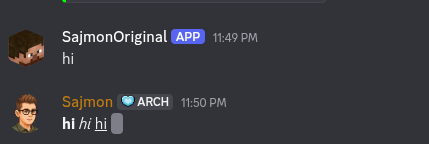

Formatting from Discord in the game. Spoilers stay hidden as scrambled text.
Items and inventories
Write [item] or [i] in chat to show the item in your hand, and [inv] or [inventory] to show your inventory. The pictures use the game's own textures, font and tooltip style, and also cover items from other mods.
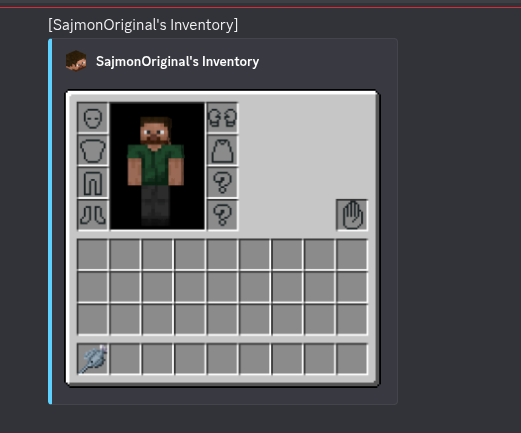
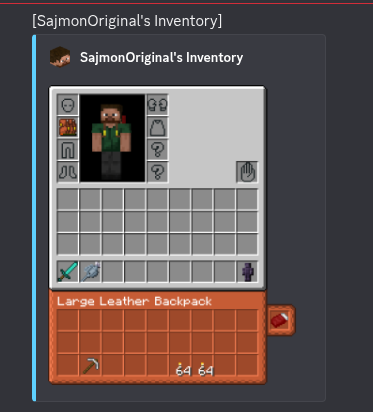
Inventories with Aether accessory slots, the offhand slot and a worn backpack.
- Your skin and armor on the player model
- Backpacks from Better With Bags show their contents, and a worn backpack shows on your back and under the inventory
- Aether accessory slots, gloves, pendants and capes
- The offhand slot from Better With Hands
- Maps are drawn under their tooltip
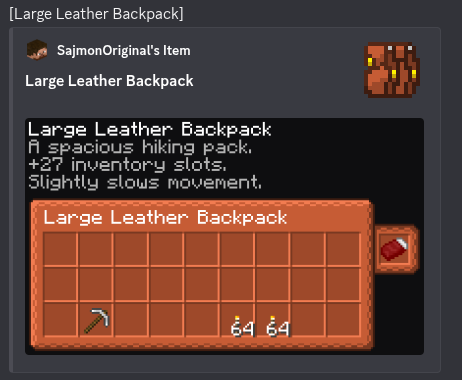
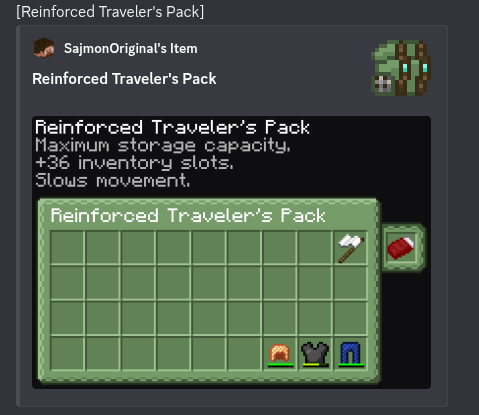
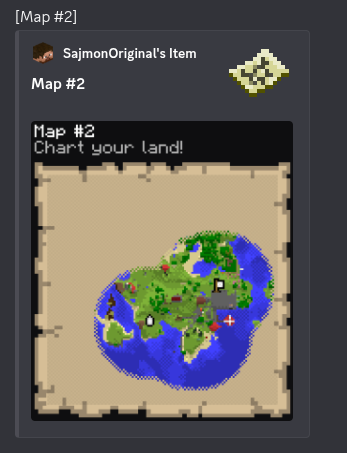
Backpack contents and a map, drawn inside the tooltip.
Images from Discord
When someone posts an image on Discord, the game shows it as [image.png] /preview 3. Type the command to hold the image as a map. GIFs play. Switching slots puts your item back.
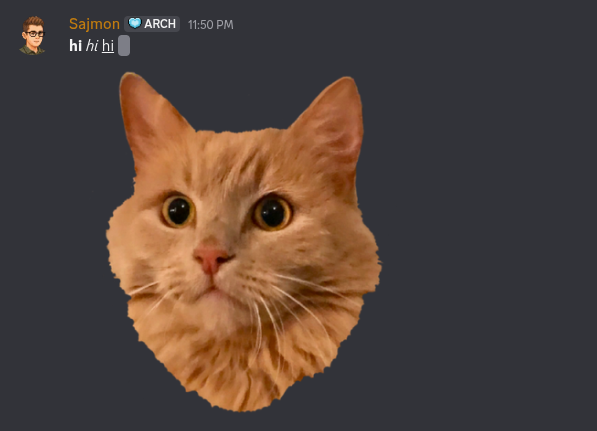
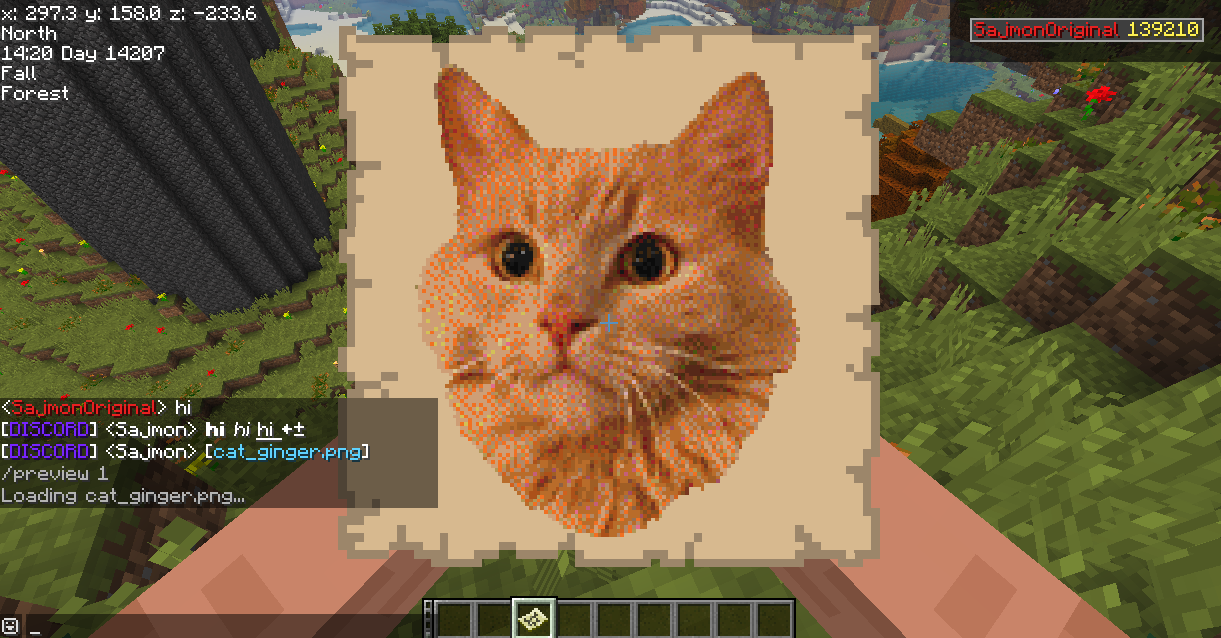
An image from Discord held as a map after /preview.
Commands
| Command | Where | Description |
|---|---|---|
/preview [number] |
game | Hold an image from Discord as a map, the last one if no number is given |
/playerlist |
Discord | Picture of who is online, like the tab list |
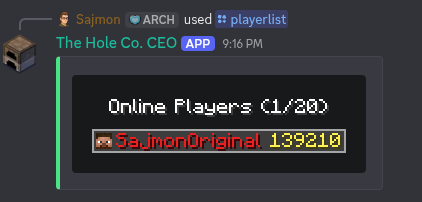
/playerlist on Discord, drawn like the tab list.
Console
The server console can be mirrored to a second Discord channel. Messages sent there run as commands. Commands can be limited with a blacklist or a list of allowed commands, and every command from Discord is written to logs/better_with_discord-commands.log.
Setup
- Create an application in the Discord Developer Portal and add a bot
- Turn on Message Content Intent in the Bot tab
- Invite the bot with the
botandapplications.commandsscopes and these permissions: View Channels, Send Messages, Manage Webhooks, Embed Links, Attach Files - Start the server once, then fill in
config/better_with_discord.cfg - Restart the server
All settings are listed in the README on GitHub.
Requirements
- BTA == 8.0.1
- HalpLibe >= 6.2.0+8.0.1
- Java 17
License
See LICENSE. Short version: free for personal use and free modpacks with attribution, no commercial use without permission.