
Compatibility
Minecraft: Java Edition
Platforms
Supported environments


Links
Tags
Creators
Details
Licensed MIT
Published 11 months ago
Updated 3 months ago
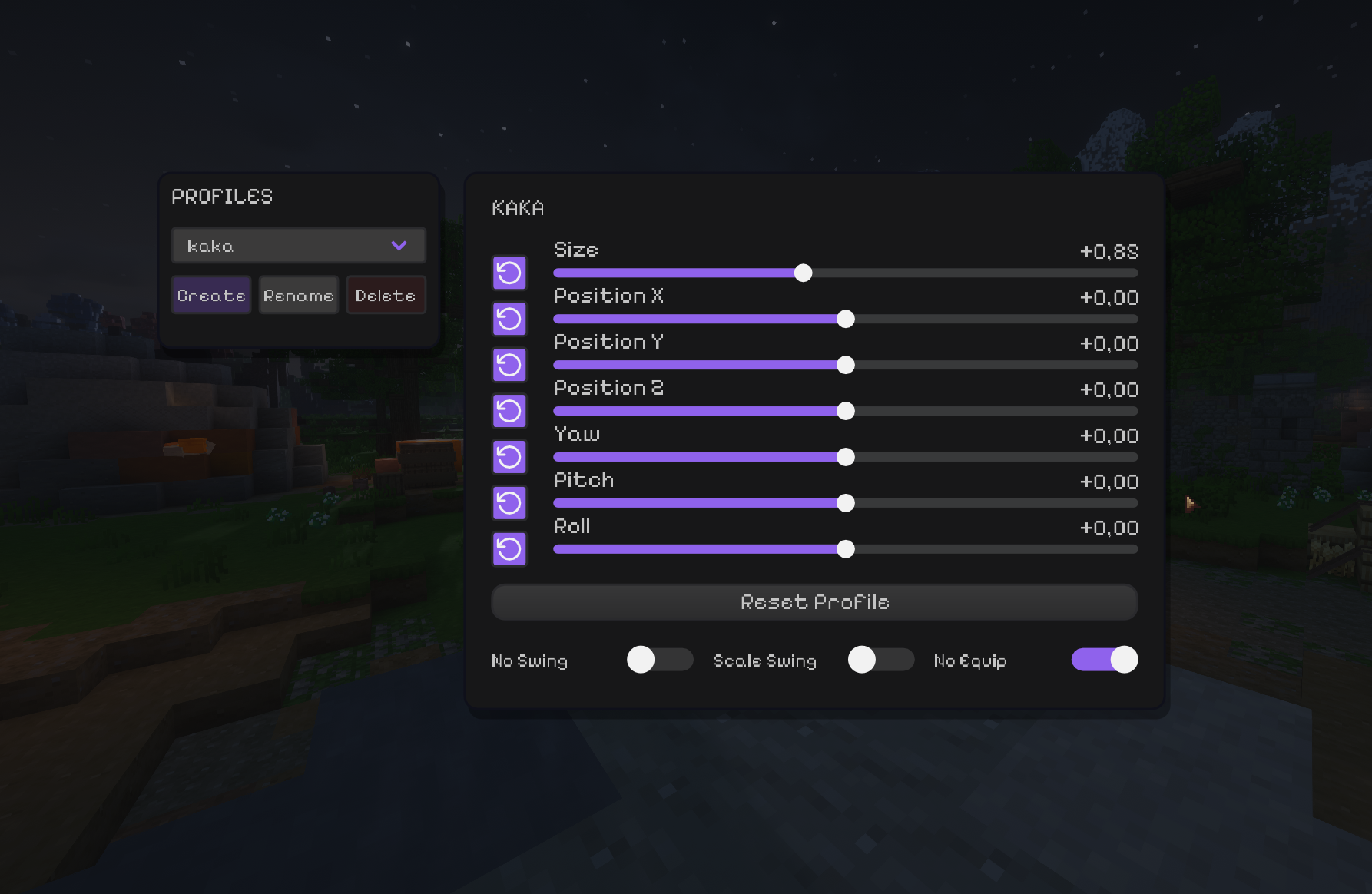
View Model Customizer




Fine-tune the way your held items look in first person.
Move, rotate and scale the viewmodel, save profiles, and control swing/equip animations - all client-side.
🖥️ Client-side only. Install it for yourself; the server does not need the mod.
✨ What you can tweak
| Control | What it does |
|---|---|
| 📏 Size | Changes the held-item scale. |
| ↔️ Position X / Y / Z | Moves the item with a range from -100 to 100. |
| 🔄 Yaw / Pitch / Roll | Rotates the item around its own axis — no flying across the screen. |
| ↩️ Reset controls | Reset one setting or restore the active profile's defaults. |
| 📁 Profiles | Create, rename, delete and instantly switch setups. Everything saves automatically. |
| ⚔️ No Swing | Removes swing side movement while keeping item rotation. |
| 📐 Scale Swing | Makes the swing animation respect your item scale. |
| 🚫 No Equip | Disables the draw/equip animation when switching items. |
🚀 Installation
- Install Fabric Loader and Fabric API for your Minecraft version.
- Download the matching jar:
View Model Customizer-mc1.21.11-3.3.jarfor Minecraft 1.21.11;View Model Customizer-mc26.1.2-3.3.jarfor Minecraft 26.1.2.
🎮 Usage
Press V to open the editor. The keybind can be changed in Minecraft's controls.
Create a profile for each setup, tune its position/rotation, and the changes are saved automatically. Empty hands keep their normal vanilla animation instead of inheriting an item offset.