
Compatibility
Minecraft: Java Edition
Platforms
Supported environments


Links
Tags
Creators
Details
Licensed ARR
Published 2 months ago
Updated last month
📸 Screenshot+
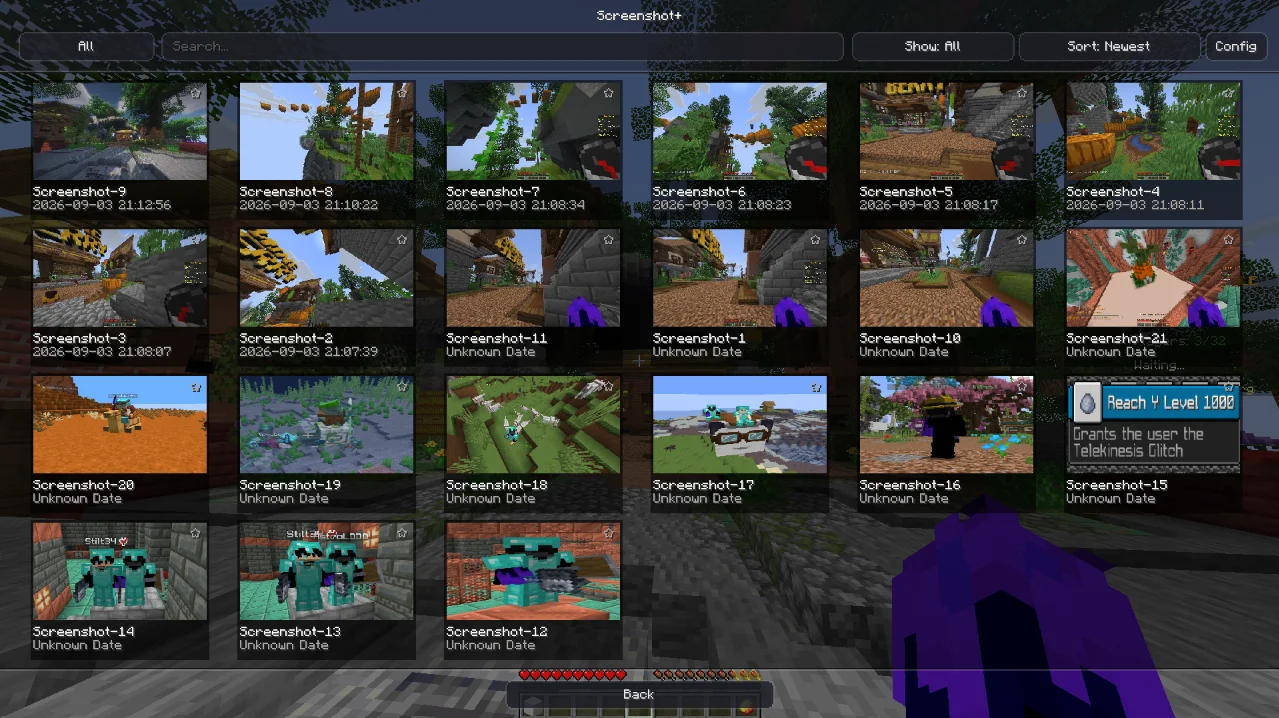
Screenshot+ is a client-side Fabric mod that adds an in-game gallery for the purpose of storing your screenshots. You can use the gallery/mod to view, edit and manage your screenshots and take very high resolution screenshots in the same mod.
✨ Features
- In-Game Gallery
- Favorites & Filtering
- Advanced Metadata Tracking
- In-Game Cropping & Editing
- Quick Actions
- Enhanced UI Integration
- default/4k/8k high resolution pictures
- and a lot more...
Usage
- When in-game press O or press the Screenshot+ button i
- Left click the screenshot you want you view.
- Or search the name/date/time of the screenshot.
- Right click the screenshot for options like- opening Screenshot in folder/teleporting to the place of the ss.
- Zoom in or move the picture around to check it out.
- Use the features to your liking.
important things to know-
- When selecting the picture quality from the setings, keep in mind that 8k and 4k cause brief lag while capturing and while loading in the menu.
- If you select 8k or 4k with png the screenshot size or the file size will be high so jpg is recommended .
- anddd make sure to enjoy it
If there is any problem with the mod or any problem you are facing related to the mod please get back to me through discord.❤️