Compatibility
Minecraft: Java Edition
Platforms
Supported environments


Links
Tags
Creators
Details

Colorful Blocks
ColorfulBlocks makes your world vibrant and colorful. Add a splash of color to your builds with blocks and tools.
The idea for this mod comes from PlatinPython's RGBBlocks. This version is built for Fabric.
Features
- Full RGB Color: Choose from over 16 million colors using the color picker GUI (RGB sliders, HSB sliders, or hex input).
- Paint Bucket: Right-click on concrete to paint it. Shift + right-click on a painted block to copy its color. Shift + right-click in air to open the color picker.
- Color Retention: Color data is preserved when mined.
Items & Blocks

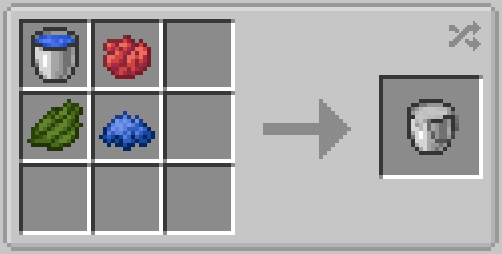
Paint Bucket
The bucket with 500 durability. Open color picker, paint concrete, or copy color.
Controls
Right-click vanilla concrete: Converts it to Stained Concrete in the bucket's current color.
Right-click Stained Concrete: Recolors the block.
Shift + Right-click something other than Stained Concrete: Opens the color picker GUI.
Right-click with empty bucket (in dispenser): Paints the block in front.
The first time you right-click on the concrete, it won't apply color directly; you can apply color by right-clicking again.

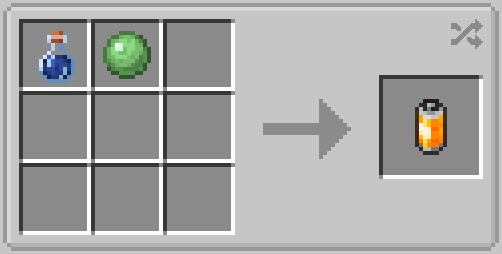
Clean Agent
Right-click on the Stained concrete to use. Shift the color 25% closer to white each time. The darker the color, the more clicks are required.
It has 120 Durability; consumes 1 point per use. No further consumption occurs after turning completely white.

Stained Concrete
Concrete block that displays any RGB color. Drops with color data intact.
This block is created by converting vanilla concrete using the Paint Bucket.
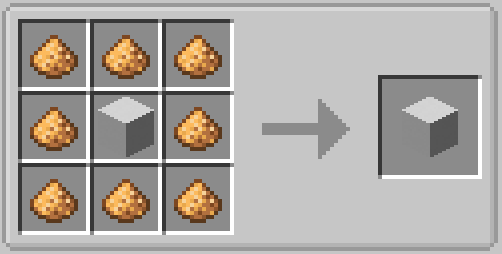
Glowing Stained Concrete
As the name suggests, it's a glowing stained concrete.
This is a variant of common stained concrete. It can help you build glowing things.
Enable Screenspace Colored Blocklight in your shaderpack can achieve a better visual effect.
GUI
Paint Bucket has a GUI.
When you press Shift + Right Click and aim at something other than Stained Concrete,you will see it:
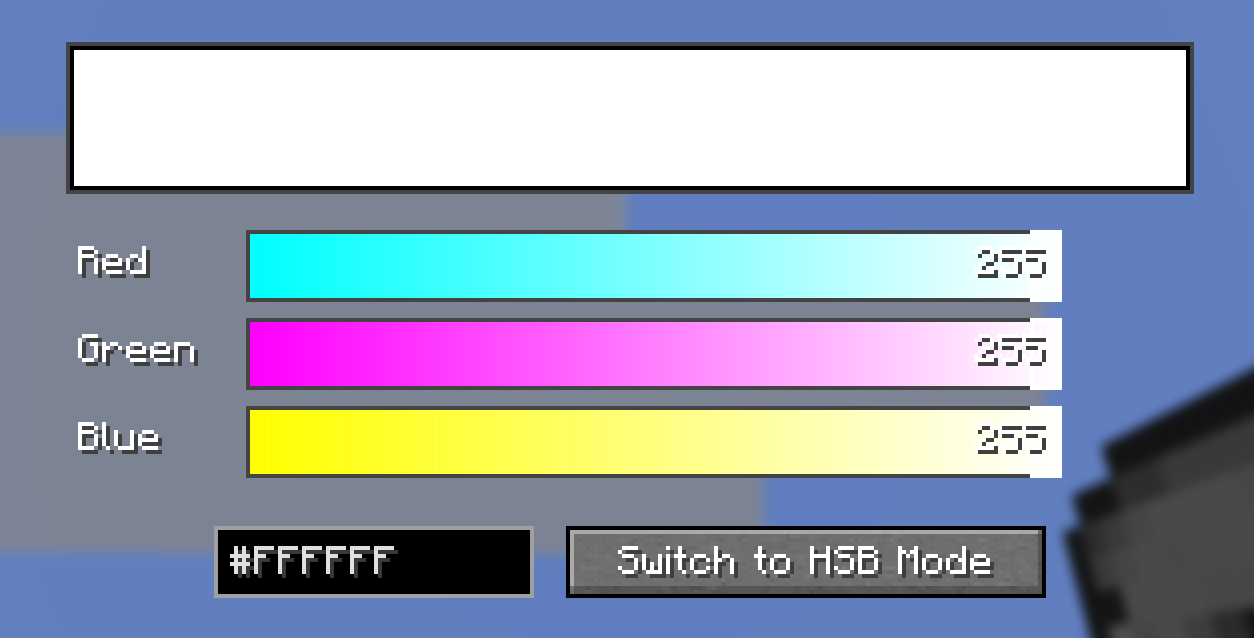
This interface displays a color alongside its appearance on dyed concrete; it shows the color name based on the entered HEX value and allows for color adjustment using HSB sliders and a square colorpicker.
/givec Command
Give yourself a stained concrete block of any color directly, no Paint Bucket needed. Requires cheats / operator permission (level 2).
| Command | Result |
|---|---|
/givec <color> |
Gives 1 Stained Concrete of that color. |
/givec <color> <count> |
Gives the specified amount. |
/givec <color> <count> <glowing> |
Set <glowing> to true for Glowing Stained Concrete. |
<color> is a hex color code, with or without the leading # .
Additional support
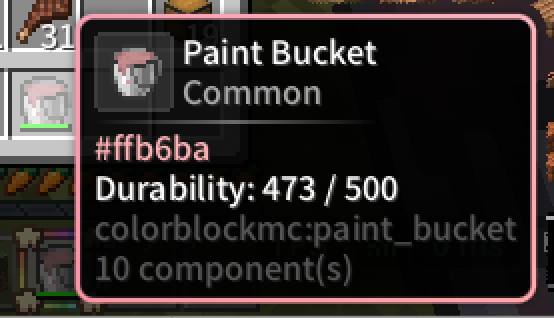
When you install this mod along with ModernUI, the tooltip box will match the color of the stained concrete or bucket.