
Compatibility
Minecraft: Java Edition
Platforms


Tags
Creators
Details
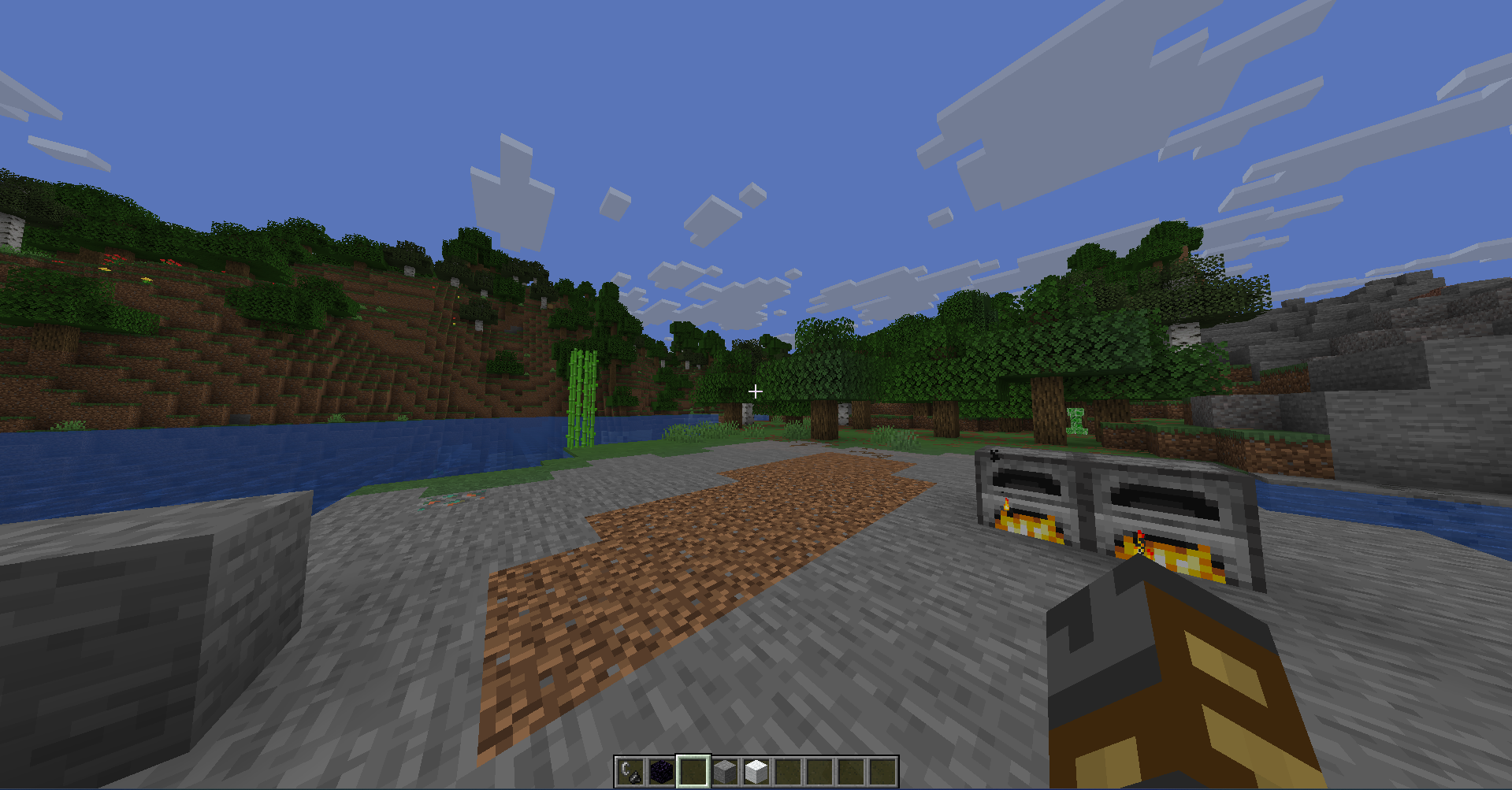
No More Brightness
No More Brightness is a minimal Minecraft Iris shaderpack that makes the game slightly darker without changing the vanilla style too much.
Minecraft daytime can be very bright, especially when playing at night or in a dark room. This shaderpack lowers the overall brightness so the screen feels less harsh, while still keeping Minecraft natural, simple, and easy to recognize.
Features
- Gently darkens Minecraft daylight
- Makes bright screens easier on the eyes
- Keeps a vanilla-like Minecraft look
- Lightweight shaderpack for Iris
- Works without PBR
- No bloom
- No custom shadows
- No reflections
- No extra visual effects
- Keeps the selected block outline visible
Why use this shader?
Many Minecraft shaders try to make the game realistic, colorful, or cinematic. No More Brightness does the opposite. It is made for players who want a darker, calmer version of Minecraft without changing the game into a full realistic shader.
This is useful if you:
- Play Minecraft at night
- Play in a dark room
- Think Minecraft daylight is too bright
- Want a simple darker shaderpack
- Want a vanilla-style Iris shader with minimal changes
Installation
- Install Iris.
- Download the shaderpack ZIP.
- Put the ZIP file in your
.minecraft/shaderpacksfolder. - Open Minecraft.
- Go to
Options > Video Settings > Shader Packs. - Select No More Brightness.
Compatibility
This shaderpack is made for the Iris shader loader.
It is designed to be simple and lightweight. It does not add PBR textures, bloom, custom shadows, reflections, or extra effects.
Author
Made by Pxnk0r.