
Compatibility
Minecraft: Java Edition
Platforms
Supported environments


Links
Tags
Creators
Details
Vodium — a Minecraft optimization mod.

Vodium is a Minecraft optimization and shading system mod that replaces numerous mods with a single, unified system. It optimizes rendering, physics, chunk and entity loading, and also provides a shader system (as mentioned earlier) - you don't need to download a bunch of mods that conflict (Not 100% replacer for all optimization mods! Yes, it works fine, but it isn't too big to replace all mods).
Note: I'm working hard to improve Vodium's shader system, but it's still not a complete replacement for Iris. However, it's already usable - the basic effects and shaders work.
Incompatibles list
Incompatible with:
- Sodium
- (partially - if disable built-in entity physics optimization & AI optim will work) Lithium
- (partially - if disable culling works) EntityCulling
- (Not fully tested) C2ME
- (Partially - disable regionBatching to use) Iris Shaders (however, it replaces their features)
How to download and use
- Download Vodium from the official website (i.e. here, from Modrinth).
- Download shaders from Google Drive.
- Place the .jar file you downloaded from Modrinth in step 1 in the /%Your_Minecraft_Folder%/mods/ folder.
- Place both shaders from the shader ZIP archive from step 2 in the /%Your_Minecraft_Folder%/shaderpacks/ folder.
Optimization showcase
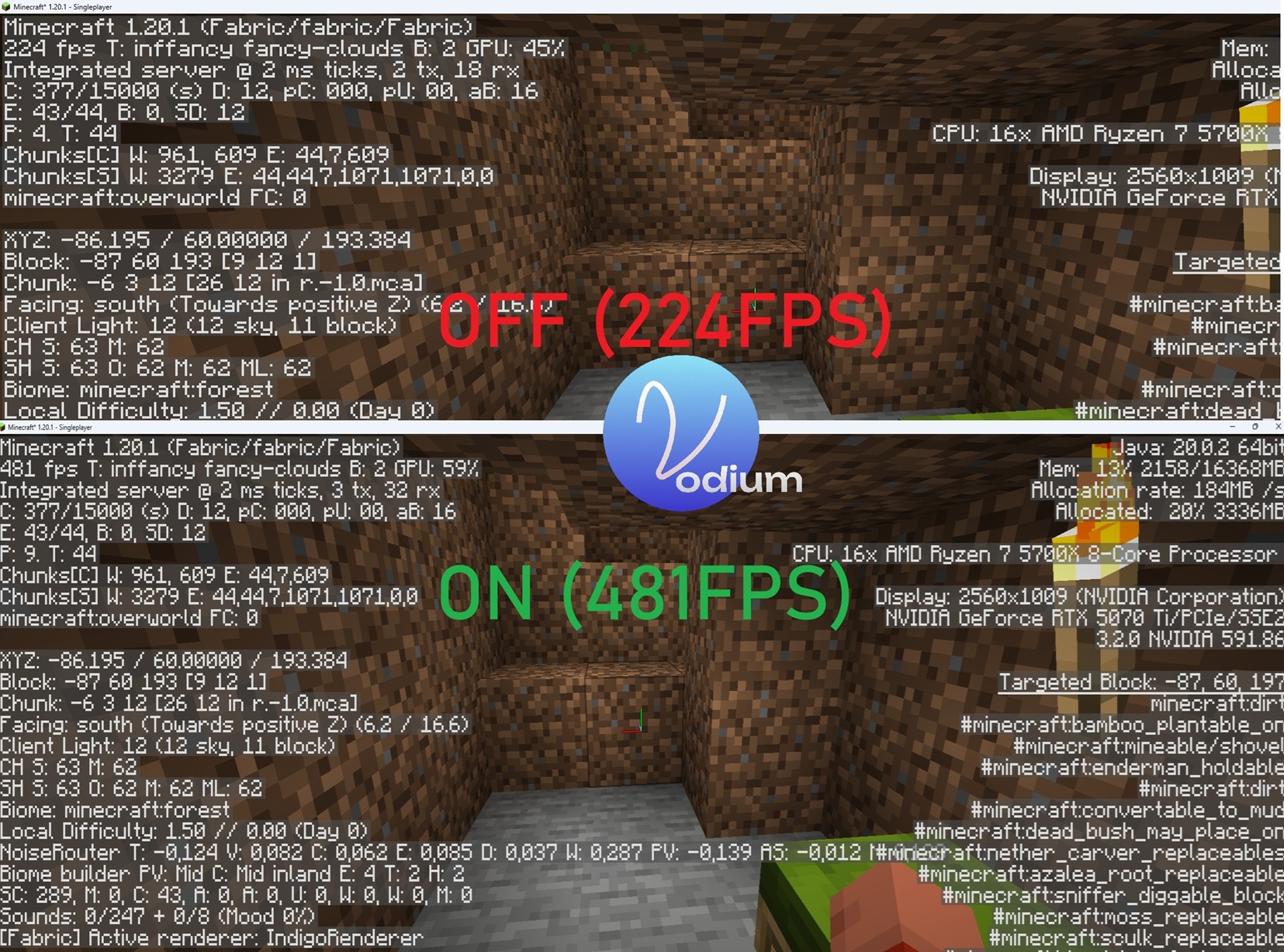
For your tests, you can use /vodium on & /vodium off commands to enable&disable mod's optimizations - on this screenshot I used them (so, please, don't ask "why top has fabric" - I tested using this command too).
If you want, you also can disable mod, run Minecraft again if you want.