
Compatibility
Minecraft: Java Edition
26.3-snapshot-7
26.2
26.1.2
Platforms
Supported environments
Server-side
Singleplayer
Tags
Creators
Details
Licensed MPL-2.0
Published 2 months ago
Updated 2 days ago
Ward lets you write automated tests for your datapacks as plain .mcfunction files in a test/ folder.
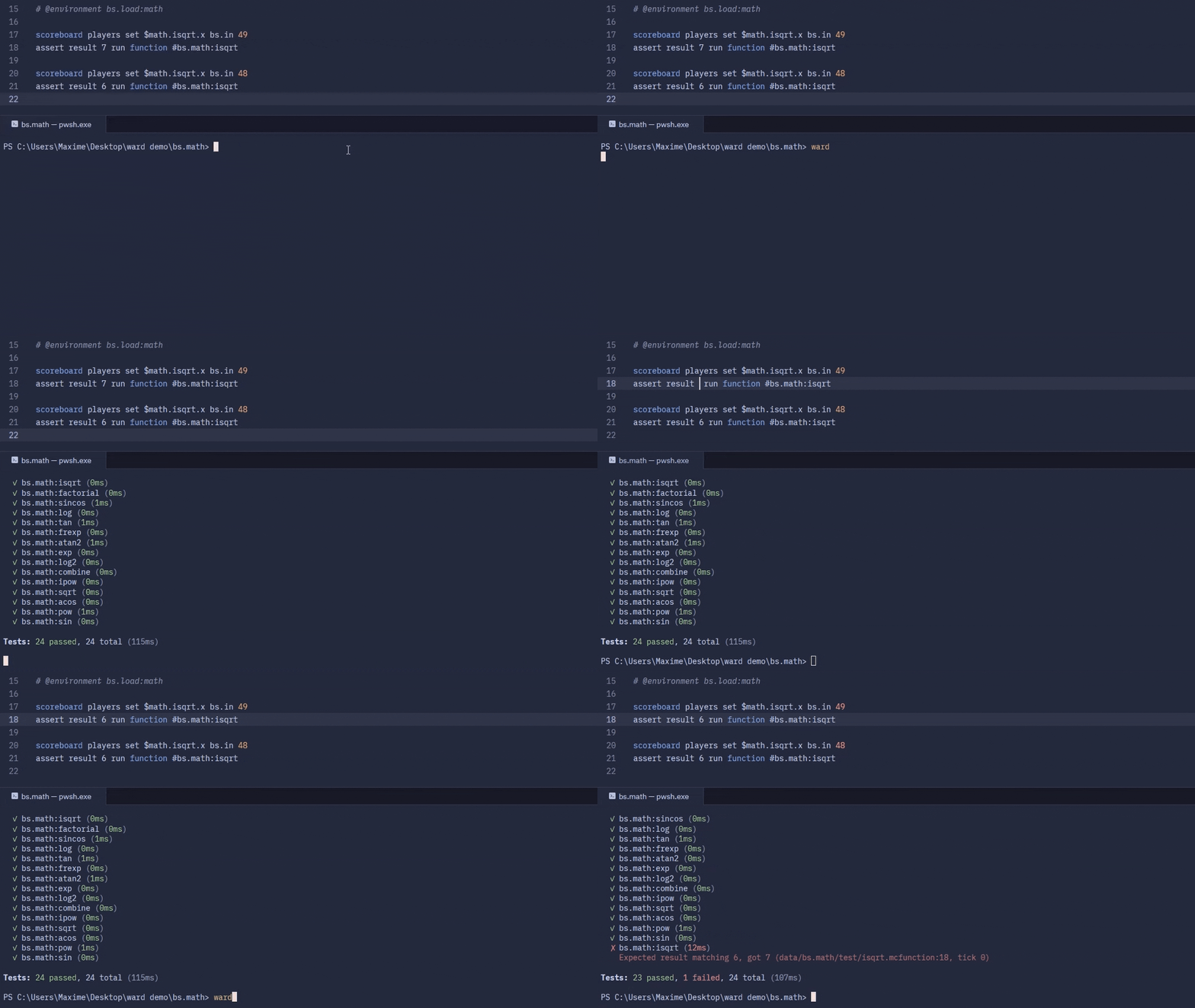
A test run with ward, results stream in live.
Ward comes in two parts:
| 🧩 Mod - Modrinth | Adds the test commands (/assert, /await, /fail, /succeed, /dummy) and a headless test server that streams results live. |
| 🐍 CLI - PyPI | Installs test servers (Java and the mod are fetched for you) and runs your packs on one or several Minecraft versions. Also ships a beet plugin that adds beet test. |
Running tests
Write tests in your datapack under data/<namespace>/test/:
# @timeout 100
summon minecraft:armor_stand ~ ~ ~ {Tags: ["target"]}
assert entity @e[tag=target]
await not entity @e[tag=target]
Comment lines starting with @ are directives that
configure the test, and assert is one of the test commands.
In-Game
/test run <name>- Run a specific test/test runall [namespace]- Run all tests (optionally filtered by namespace)/test runfailed- Re-run previously failed tests/test runthis- Run the closest test/test runthese- Run all tests within 200 blocks
Console
Install then run the CLI:
uv tool install mcward[cli] # or: pip install mcward[cli]
ward # discovers your packs, picks compatible versions, runs the tests
Documentation
- CLI — the
mcwardCLI andbeet test - Dummies — fake players and the
/dummycommand - Directives —
@max_ticks,@environment, ... - Test commands —
/assert,/await,/fail,/succeed - Test environments — world setup/teardown around tests
Acknowledgements
Ward is heavily inspired by packtest by misode, and implements its full command set.