
Compatibility
Minecraft: Java Edition
Platforms
Supported environments


Links
Tags
Creators
Details

A new kind of Minecraft challenge
Craft & Block Lock changes how you approach survival by limiting two of Minecraft's most basic actions.
Every recipe can only be completed once per player. The optional block rule also allows each player to have only one active placement of every block type at a time. Break the tracked block and that block type becomes available again.
The result is a challenge where planning matters. Resources, crafting routes and block placement decisions can affect the rest of your world.
Main features
- Craft each Minecraft recipe ID once per player
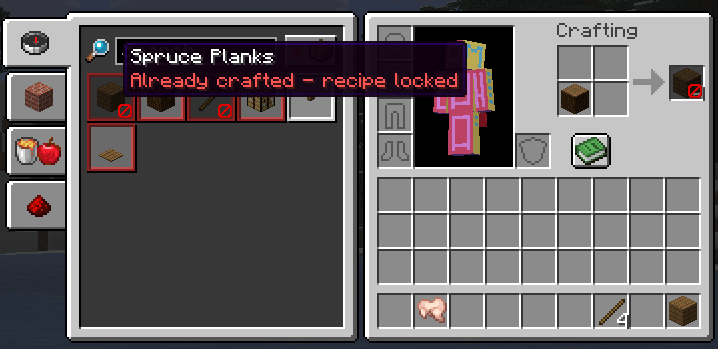
- Place one active block of each block item type per player
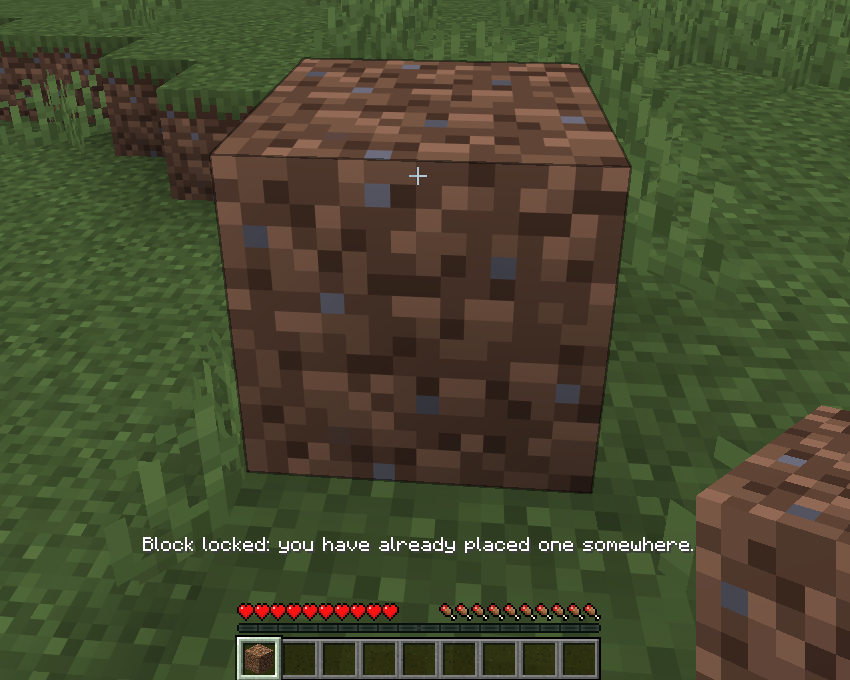
- Break a tracked block to place that block type again
- Persistent progress across logouts and world restarts
- Locked recipe visuals in the recipe book and result slot
- Server-side enforcement with client-side prediction blocking
- Configurable messages, sounds and visual feedback
- Recipe and block exception lists
- Creative mode bypass enabled by default
- Commands for settings, progress lists and resets
- Optional Mod Menu configuration screen
Supported recipe paths
Recipe locking supports:
- Player inventory crafting
- Crafting tables
- Furnaces
- Blast furnaces
- Smokers
- Stonecutters
- Smithing tables
- Brewing stands
- Crafters
- Campfires and soul campfires
- Compatible modded recipes using the corresponding vanilla processing paths
Anvils, enchanting tables, grindstones, looms and cartography tables remain freely usable.
Block tracking
Block locks continue to work when tracked blocks move or change.
- Pistons transfer the lock to the block's new position
- Slime and honey block chains are supported
- Falling blocks remain locked while airborne
- The lock transfers to the position where a falling block lands
- Block transformations update the tracked block type
- A background reconciliation check handles unusual world changes
Use /cbl blocks list to view active block locks and /cbl recipes list to view locked recipe IDs.
Configuration
The recipe rule and block rule can be enabled independently.
Messages, sounds, locked-recipe visuals, Creative mode bypass and exception lists are configurable through commands or the optional Mod Menu screen.
Blaze Powder and Eyes of Ender are exempt by default so normal survival progression remains possible.
Inspiration
The recipe-lock concept was inspired by the Craft Lock mod (https://modrinth.com/mod/recipelock). Since Craft Lock was not available for Minecraft 26.2, I wanted to create an updated and independent implementation with different behavior, broader workstation support, configurable feedback and an additional block-placement challenge.
This project is not affiliated with or endorsed by the original Craft Lock developer.
Installation
- Install Fabric Loader for Minecraft 26.2.
- Install Fabric API.
- Place the mod JAR in your
modsfolder. - Install Mod Menu if you want the optional graphical configuration screen.
For experimental multiplayer use, install the mod on the server and all connecting clients.
Testing status
Version 0.9.0 is the complete, tested single-player release.
Multiplayer support is implemented but has not yet been fully tested.
Please report bugs with your Minecraft version, Fabric versions and clear reproduction steps.