Compatibility
Minecraft: Java Edition
Platforms
Supported environments


Tags
Creators
Details
Simple HUD
Simple HUD is a lightweight, fully customizable heads-up display mod for Minecraft 1.21.11 (Fabric) that puts all the information you actually need right on your screen — without the clutter of the F3 debug menu.
Whether you're speedrunning, building massive structures, exploring far-out coordinates, or just playing survival and want to know where you are at a glance, Simple HUD has you covered.
What does it do?
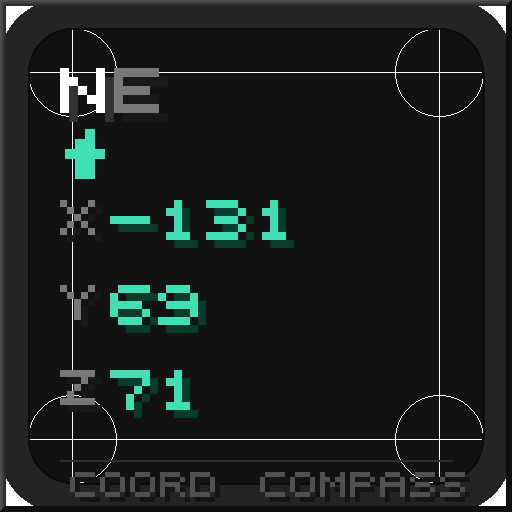
Simple HUD renders a small, clean text overlay directly on your game screen. By default it shows your current coordinates and compass direction in the top-left corner, exactly like the image you'd see in a server's HUD or a minimap mod — but fully standalone, with zero dependencies beyond Fabric API and Cloth Config.
Every single element of the overlay is optional. Don't want FPS? Turn it off. Only care about Y level for caving? Show just that. Want a two-line display with direction on top and coords below? Done. The mod gets out of your way and lets you configure exactly what you want to see.
Features
Coordinate Display
Shows your X, Y, and Z position in real time. You can configure how many decimal places are shown (0 for clean integers, up to 2 for precise positioning), making it equally useful whether you're locating a specific block or navigating rough terrain.
Compass Direction
Displays the direction you're currently facing. Choose from four styles:
Short — N, NE, E, SE, S, SW, W, NW Long — North, Northeast, East, etc. Degrees — 0° through 359°, updates live as you rotate Short + Degrees — SE (135°) — the best of both worlds
Biome Display
Shows the name of the biome you're currently standing in, prettified automatically (so minecraft:dark_forest becomes Dark Forest).
Dimension Display
Shows which dimension you're in — Overworld, Nether, or End — useful when using mods that add custom dimensions.
FPS Counter
A clean, no-nonsense frames-per-second readout, always up to date.
Custom Format String
For power users: disable the individual toggles and write your own format string using placeholders. Build a single-line layout, a multi-line layout, rearrange elements however you like — the mod just renders whatever you give it.
Available placeholders:
PlaceholderOutput%dir%Short direction (SE)%dirlong%Long direction (Southeast)%deg%Degrees (135)%x%X coordinate%y%Y coordinate%z%Z coordinate%biome%Current biome name%dim%Current dimension%fps%Current FPS%n%Line break (for multi-line layouts)
Example:
%dir% (%deg%°)%n%X: %x% Y: %y% Z: %z%%n%%biome%
Results in a three-line HUD showing direction, full coordinates, and biome name.
Appearance & Positioning
Everything about how the HUD looks is configurable:
Position — 6 anchor points: top-left, top-center, top-right, bottom-left, bottom-center, bottom-right Offset — Fine-tune X and Y position in pixels to fit perfectly around other HUD elements Scale — Resize the entire overlay from 50% to 300% Text color — Full RGB color picker Text shadow — Toggle the classic Minecraft drop shadow on/off Bold text — Make the entire overlay bold Background — Optional dark background rectangle behind the text (disabled by default) with configurable color and opacity