
Compatibility
Minecraft: Java Edition
Platforms
Supported environments


Links
Tags
Creators
Details
Licensed ARR
Published 2 months ago
Updated 2 months ago
Portal Glimpse
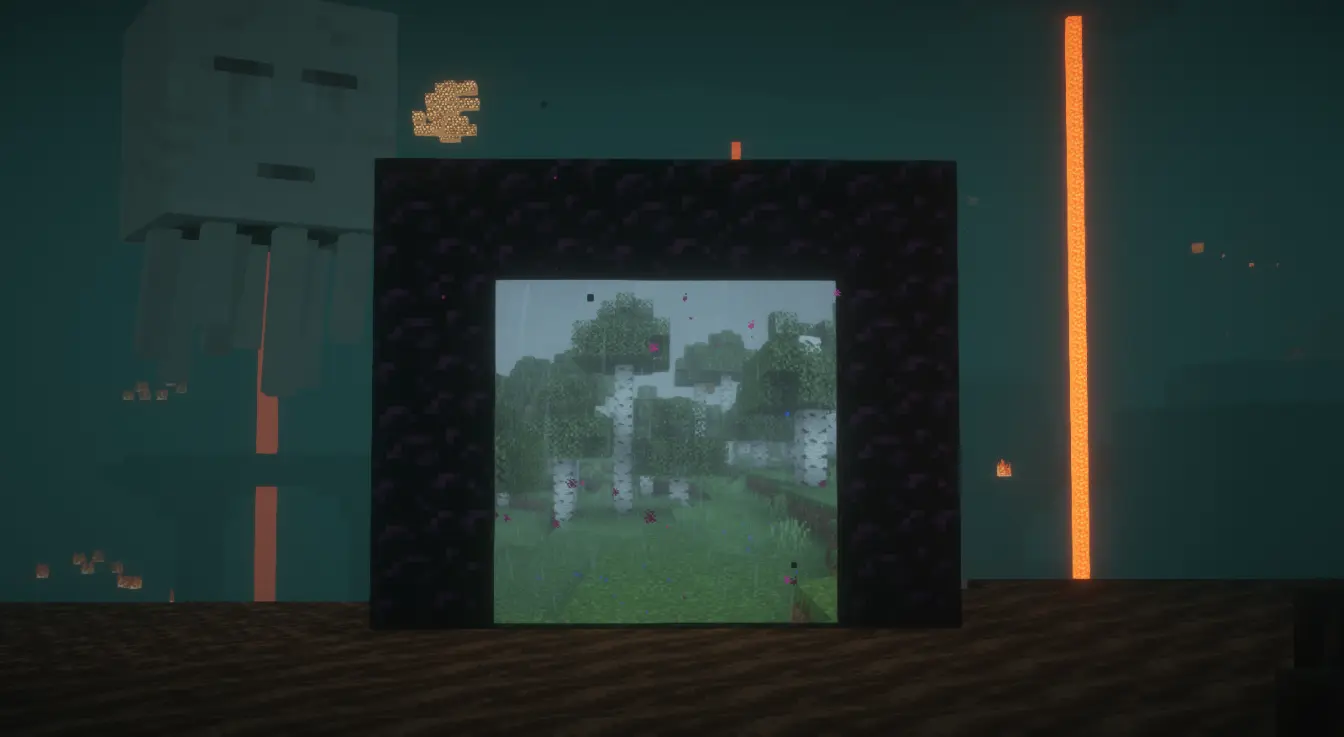
Nether portals show you where they lead.
How it works
Travel through a portal and Portal Glimpse quietly photographs the other side. From then on, that portal shows the destination instead of a purple screen.
You only ever see places you have actually been.
- Walk up to a portal and the view shifts with real perspective
- Step back and it settles into a still image
- Stand inside one and you appear to be standing in the destination

Shaders
Tested and calibrated per pack, with the level of support shown in the settings.
- BSL — full support
- Photon — full support
- Solas — partial, some edge artifacts
Other packs still work, but are uncalibrated and may look too dark or washed out. Sodium is supported throughout.
Showcase
Settings
In game
A small portal beside Advancements in the pause menu opens the settings. Right-drag it to move it, or turn it off entirely.
Worth knowing
- Captured images are stored per world and per server
- The settings screen shows how much disk they use, and can clear them per world
- The portal swirl, view distance, and capture quality are all adjustable
Notes

- Requires Fabric API and Cloth Config
- This is a beta. It works, but expect rough edges
- If you face any bugs, come directly to my discord and tell me about it : rinke_