
Compatibility
Minecraft: Java Edition
Platforms
Supported environments


Tags
Creators
Details
Disable My Mods Please lets you disable and enable mods without searching through your mods folder.
If the mod does well then I shall create a server for bugs and issues and more updates
How it works: it changes the names of the mods from .jar to .jar.disabled
This mod is more useful if you use the normal minecraft launcher, because modrinth already uses a way to disable mods. that used to be to rename it to .jar.disabled when i created this but now they changed it to something else
Larger modpacks take longer to load ofcourse!
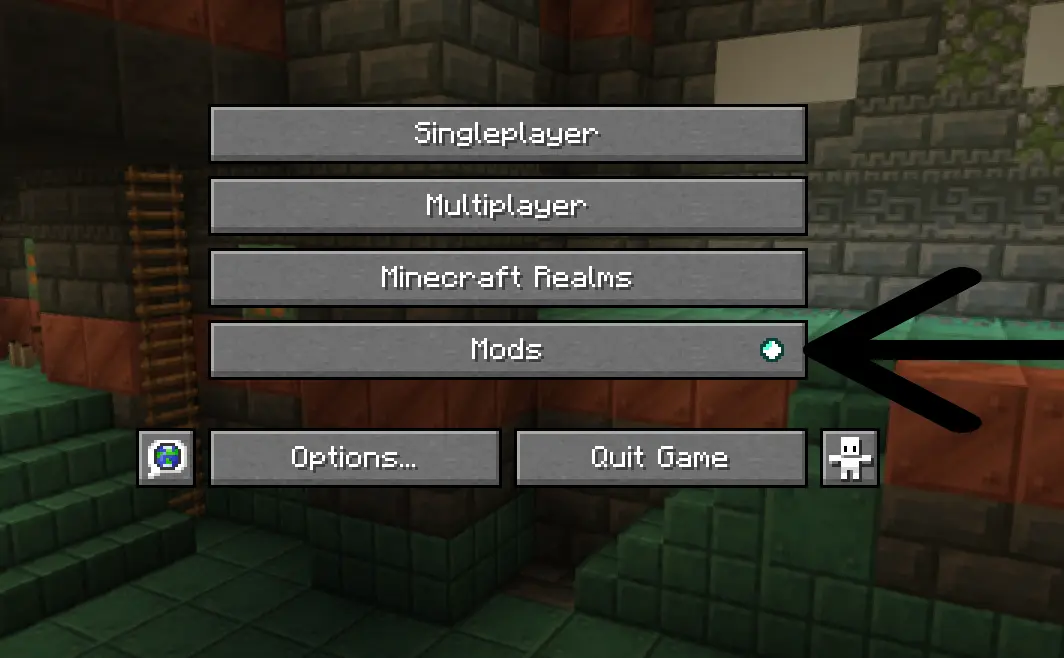
Step 1. Click the mods tab from mod menu in the main menu
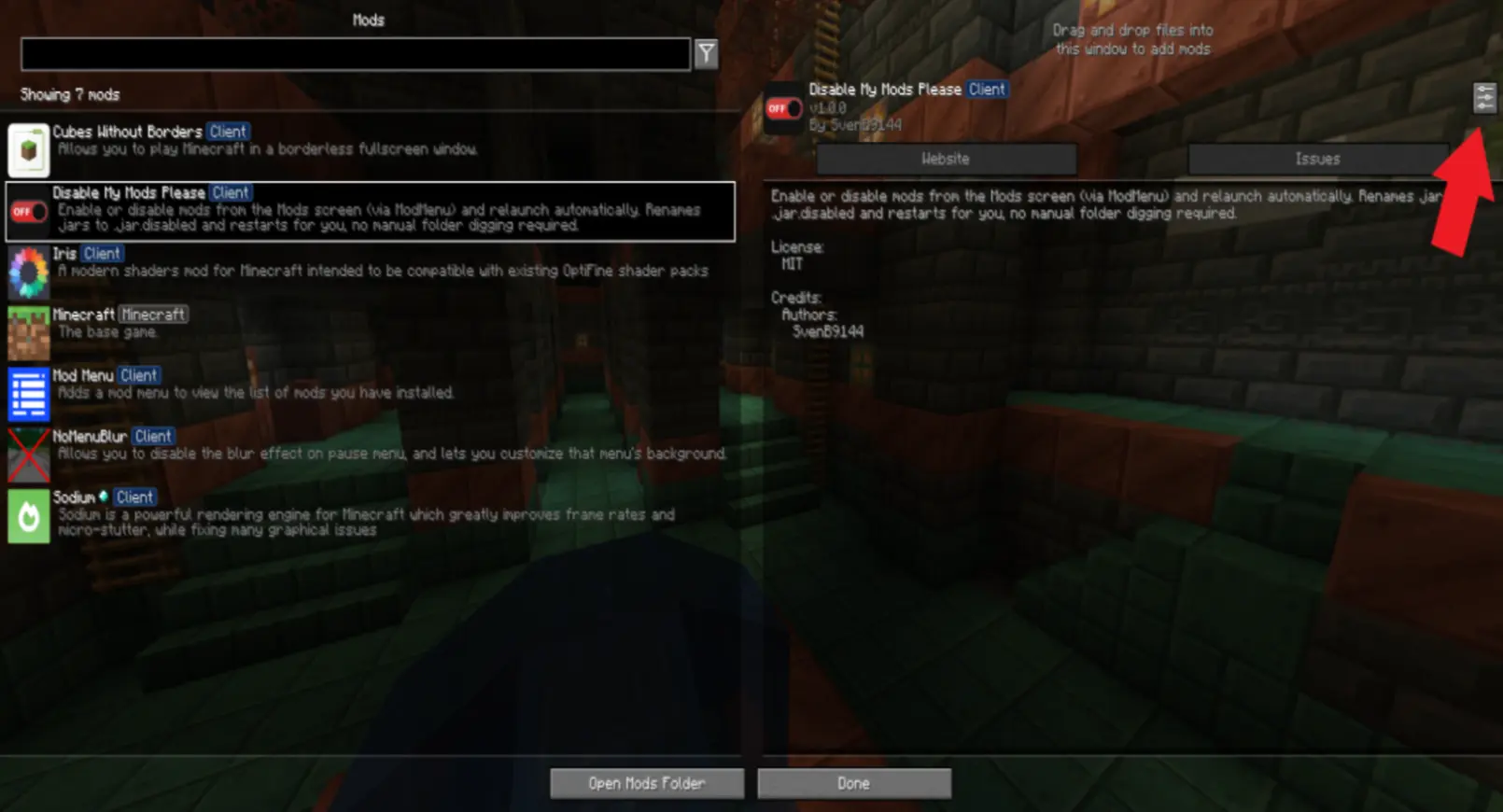
step 2. Look for the Disable My Mods Please mod on the left sidebar and click the config button (I had to make the image blurry because of the image size limit)
step 3. Search for the mod that you want to disable or enable and press the button on the right next to that mod.
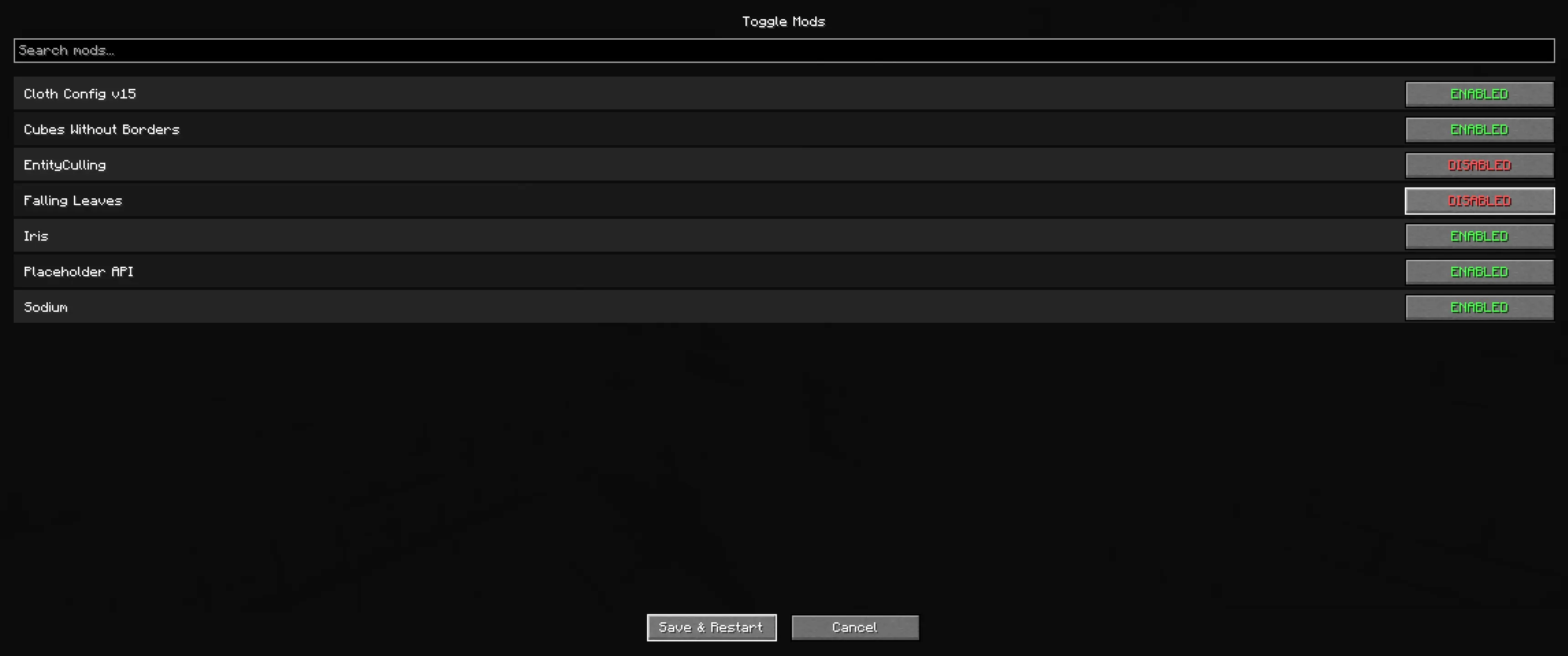
step 4. Press Save and restart
step 5. Watch it restart automatically
Extra features:
- a menu blur toggle in versions 1.1.0 and higher!
- support for shader packs and resource packs in version 1.1.0 and higher!
Futre plans
- way to make the instance not restart.
- a warning if disableing the mod breaks other mods.
Supported versions
1.20.1 - Supported 1.20.5 and 1.20.6 - Supported
1.21.X - Supported
26.X - Supported
1.20.2, 1.20.3 and 1.20.4 are not supported
Thank you for downloading my mod! :)