
Compatibility
Minecraft: Java Edition
Platforms
Supported environments


Links
Tags
Creators
Details
Licensed MIT
Published 7 months ago
Updated 7 months ago
Teleprompter Mod
An in-game, highly customizable teleprompter designed for Minecraft content creators, actors, and directors. Read your scripts, stage directions, and dialogue directly on your screen while recording without ever having to Alt-Tab!
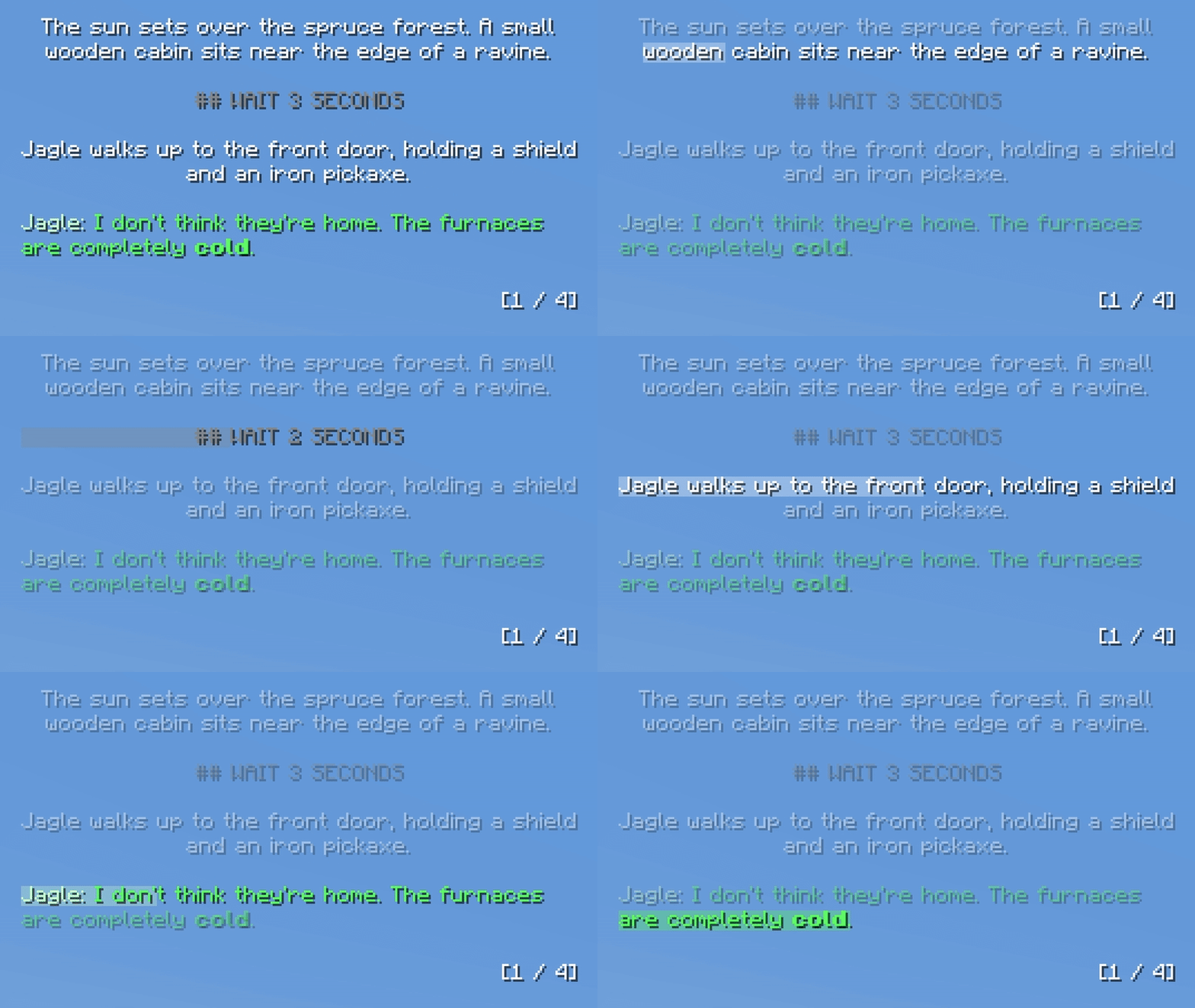
Note: This mod renders directly in-game. If you are capturing your own screen for a video (via OBS, etc.), the teleprompter will show up in your final footage.
Features
- Live File Syncing: Edit your scripts in your text editor. As soon as you hit
Ctrl + S, the teleprompter updates in-game instantly. - Line Highlighter: The active line tracker smoothly progresses down the page based on a customizable WPM setting.
- Dialogue Formatting: Automatically detects character names and colors them differently from stage directions. Set your username in the settings for a unique color.
- Markdown Support: Use standard Markdown in your text files to make words bold, italic, or underlined.
- UI-Responsive Scaling: Pin the prompter to any corner of your screen. It smoothly scales with your native Minecraft GUI scale, allowing you to fine-tune the box padding, text scale, and pixel offsets.
- Multi-Script Support: Drop as many
.txtfiles as you want into theconfig/scripts/folder and instantly cycle between them in-game via hotkey.
Writing Scripts
When you launch the game for the first time, the mod will generate a config/scripts/ folder with a built-in tutorial script. You can edit this or add your own.
Formatting Tips:
- Page Breaks: Type three dashes (
---) on a new line to force a smooth, hard page flip. (Paragraphs are also dynamically protected, ensuring sentences are never cut in half by a page break!) - Wait Commands: Type
## WAIT 10 SECONDSor## WAIT 2 MINUTESon its own line. The line highlighter feature will slow, and the text will physically count down to 0 live on your screen before moving to the next line. - Dialogue Formatting: To trigger the dialogue coloring and smart-alignment feature, you must use a colon and quotation marks.
- Example:
Michael: "Hello?" - Note: The quotation marks are used purely for the mod to detect the dialogue. They will be removed and hidden from the final text in-game.
- Example:
- Stage Directions: Any standard text or list (without the dialogue formatting) will automatically be centered in the box.