
Compatibility
Minecraft: Java Edition
Platforms
Supported environments


Links
Tags
Creators
Details
WynnCompare
A client-side Fabric mod that adds equipment tooltip comparison for Wynncraft.
Yes, it finally works in the Fruma update!
Features
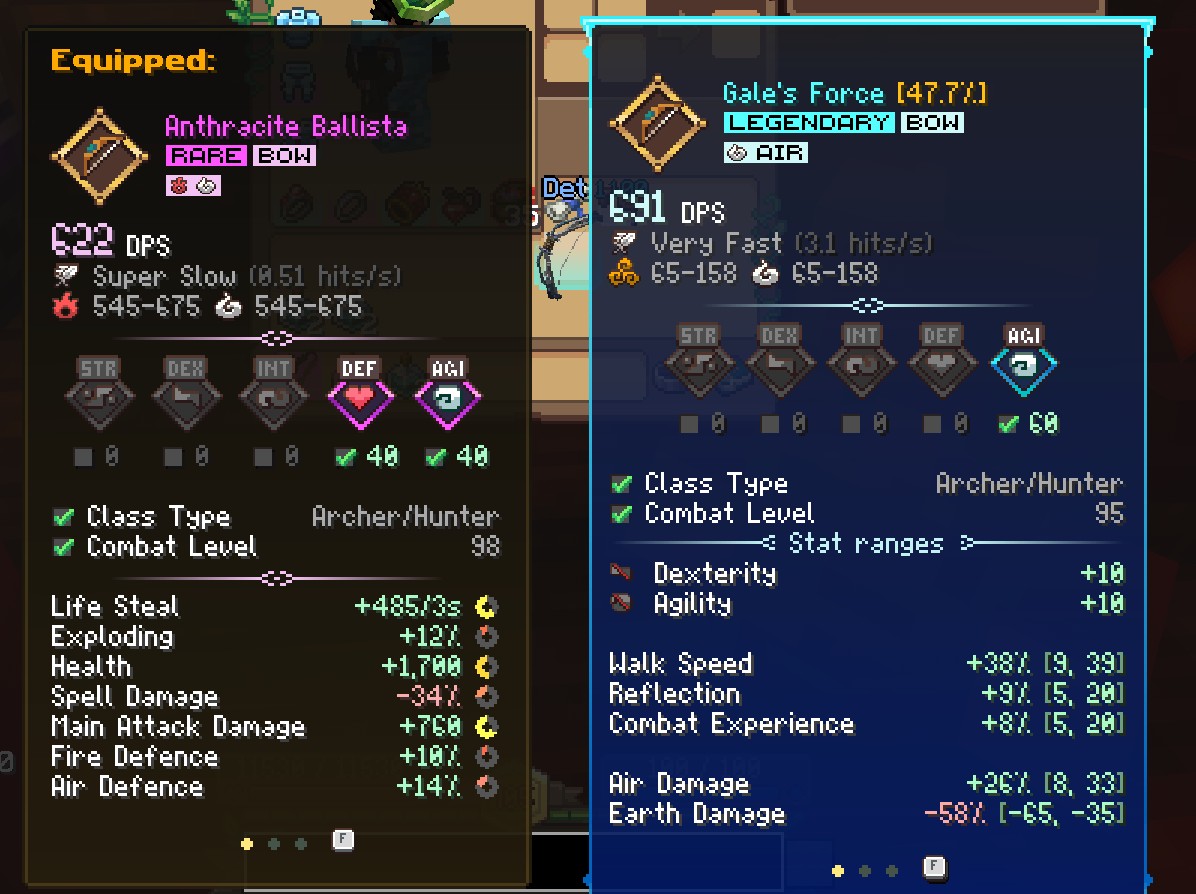
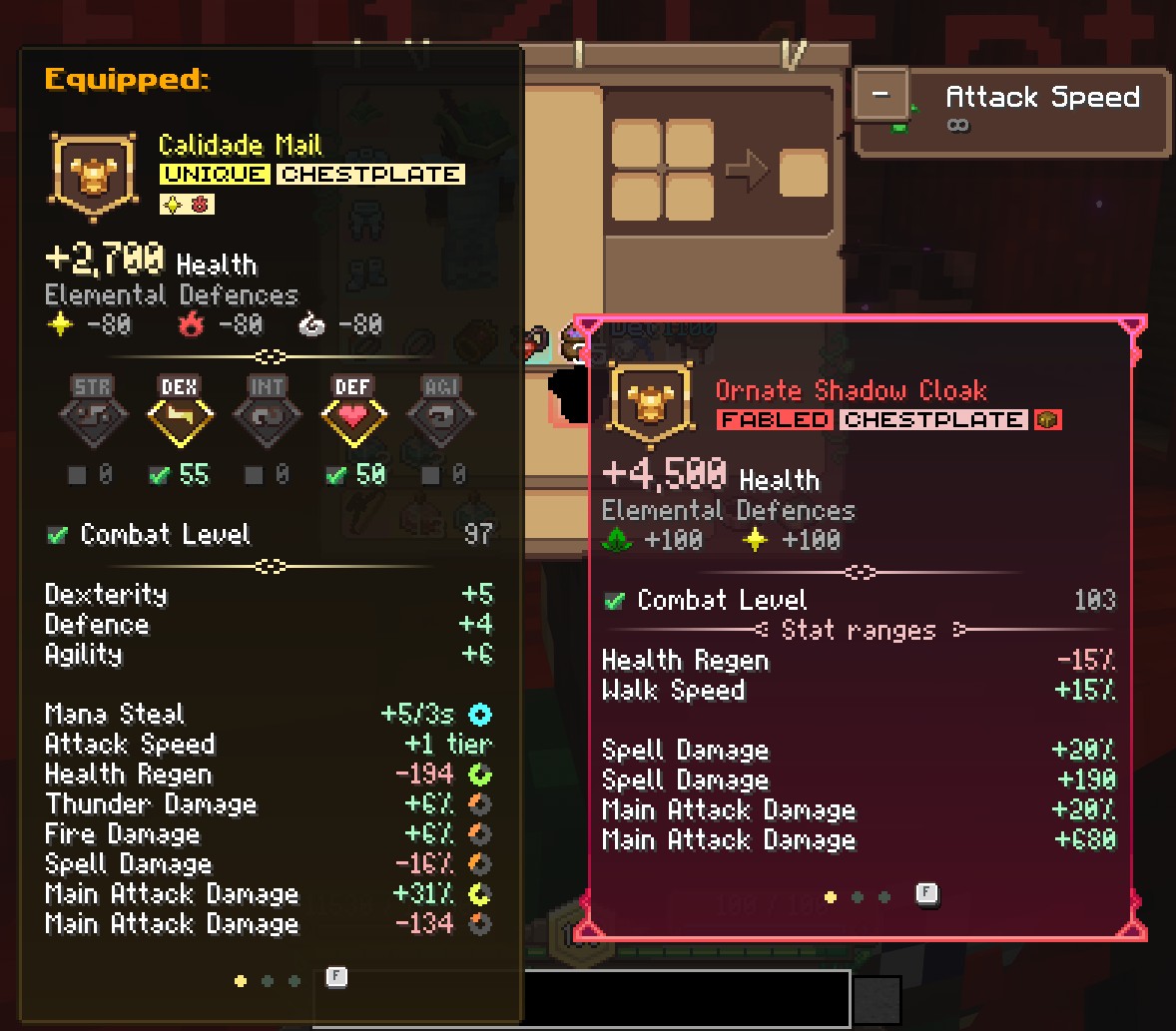
Equipped Tooltip (Hold C)
See your currently equipped item's full tooltip alongside the one you're hovering over. When multiple items match (e.g., two rings), all are shown side-by-side with indicators like Equipped (1/2).
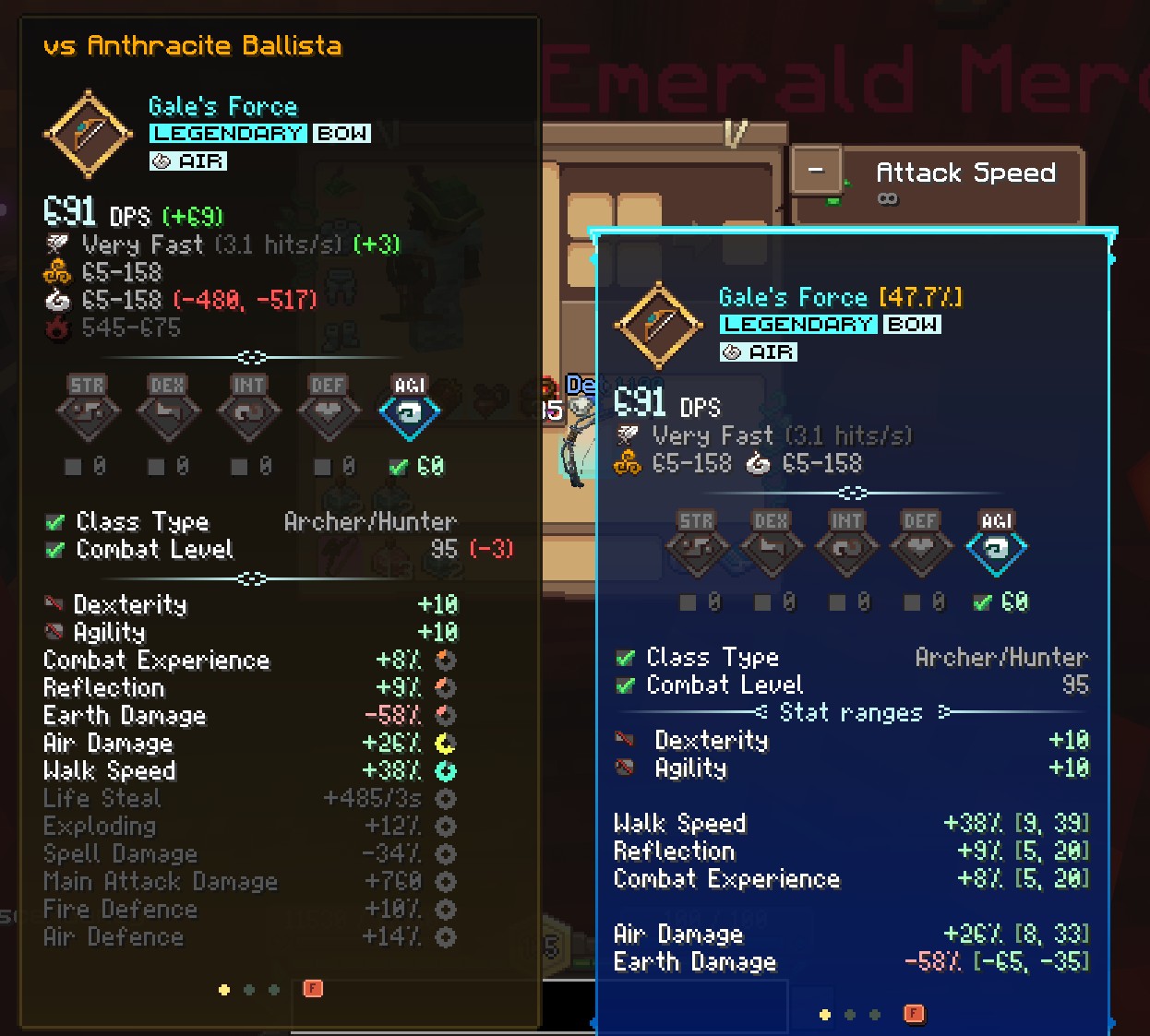
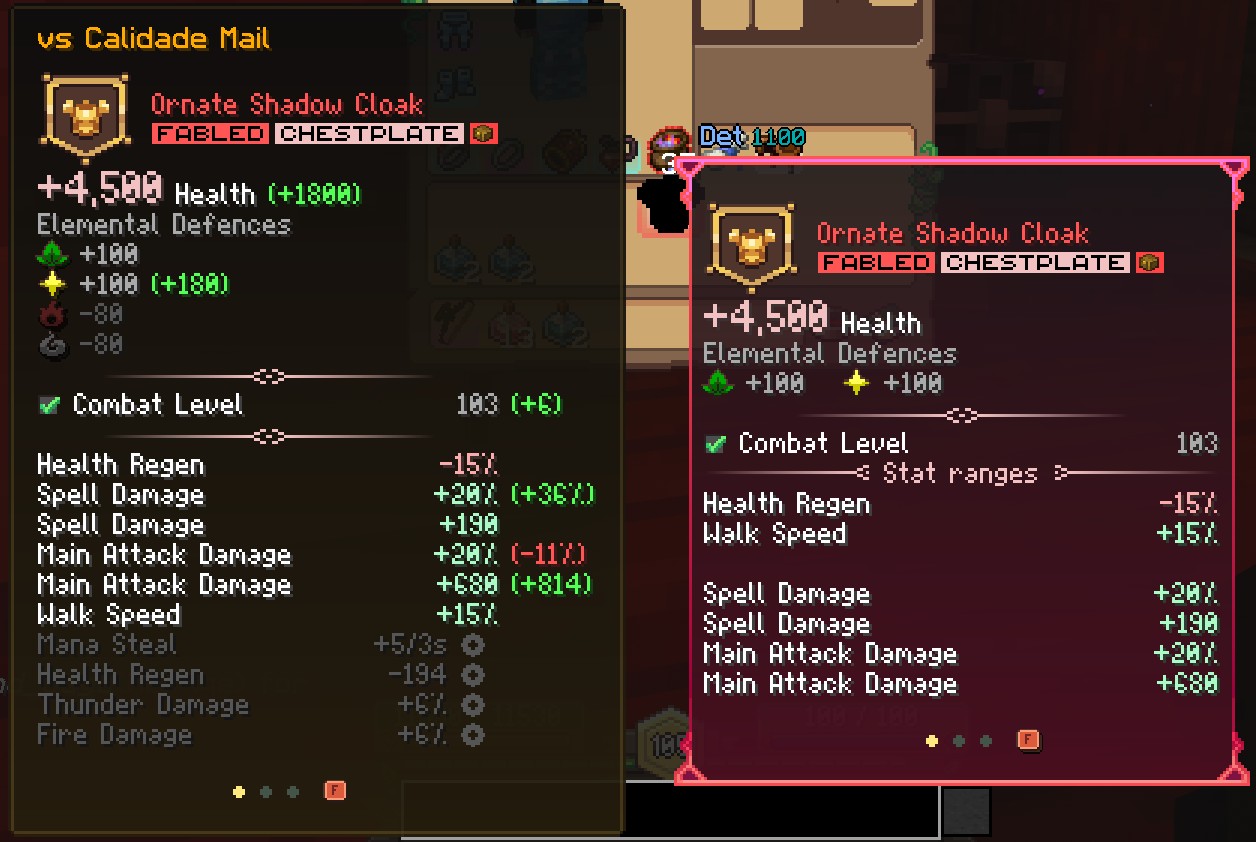
Stat Comparison (Hold X)
Get a stat-by-stat breakdown comparing the hovered item against your equipped gear.
If the two items share the same stats you can see the difference highlighted in different colors:
- Green for improvements
- Red for downgrades
- Gray for no change
- Yellow for mixed results (range stats)
Stats that are only on your equipped item are shown grayed out, so you can see what you'd lose by swapping.
Compared stats include:
- Health, Elemental Defences, Damage (including ranges and DPS)
- Attack Speed (with tier difference, e.g.
+2) - Attributes (Strength, Dexterity, Intelligence, Agility, Defence)
- Requirements (Combat Level, skill points)
- All other stats (XP Bonus, Mana Regen, Spell Damage, etc.)
Works Everywhere
Compare items in your inventory, bank, and any other container. Your equipped gear is always read from your own inventory.
Smart Positioning
Tooltips are displayed to the left of the cursor and automatically clamped to stay within screen bounds.
Configurable Keybindings
Both keys can be rebound in Options > Controls > Key Binds under the WynnCompare category.
| Action | Default Key |
|---|---|
| Show Equipped Tooltip | C |
| Show Stat Comparison | X |
When both keys are held, the comparison tooltip takes priority.
Supported Equipment
- Armor (Helmet, Chestplate, Leggings, Boots)
- Weapons (Bow, Dagger, Wand, Spear, Relik)
- Accessories (Ring, Bracelet, Necklace)
Requirements
- Minecraft 1.21.11
- Fabric Loader 0.16.0+
- Fabric API
- Wynntils (optional, recommended)
Wynncraft changes how items are identified whenever it updates its resource pack. With Wynntils installed, WynnCompare picks up those changes automatically from Wynntils' data, so item detection keeps working after future Wynncraft updates. Without Wynntils, it uses built-in values that are current as of the Fruma update.
Known Issues
- Keybinds set to mouse buttons are not detected. Bind the compare keys to keyboard keys instead.
Found a bug? Report it on GitHub.