Compatibility
Minecraft: Java Edition
Platforms
Supported environments
Links
Tags
Creators
Details
Better group controls for Simple Voice Chat: password-free invites, join requests, group leaders, member removal, and leadership transfer.
The Paper/Folia plugin handles group management through chat commands. The optional Fabric mod adds buttons, a leader crown, and a group pause with password-free return.
โจ Features
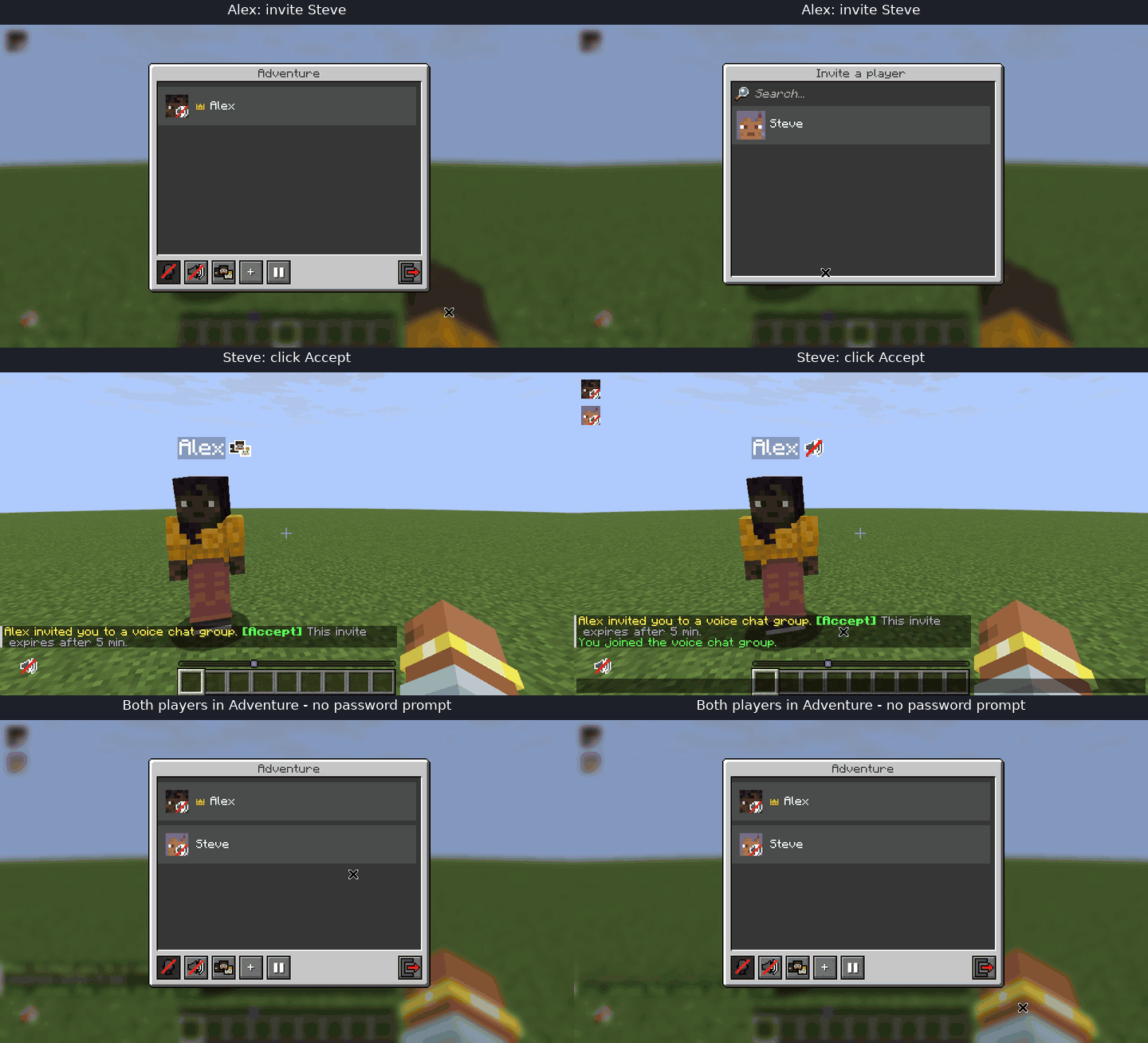
- One-time invites that expire without exposing a group password.
- Join requests for visible, password-protected groups. The leader accepts them with one click.
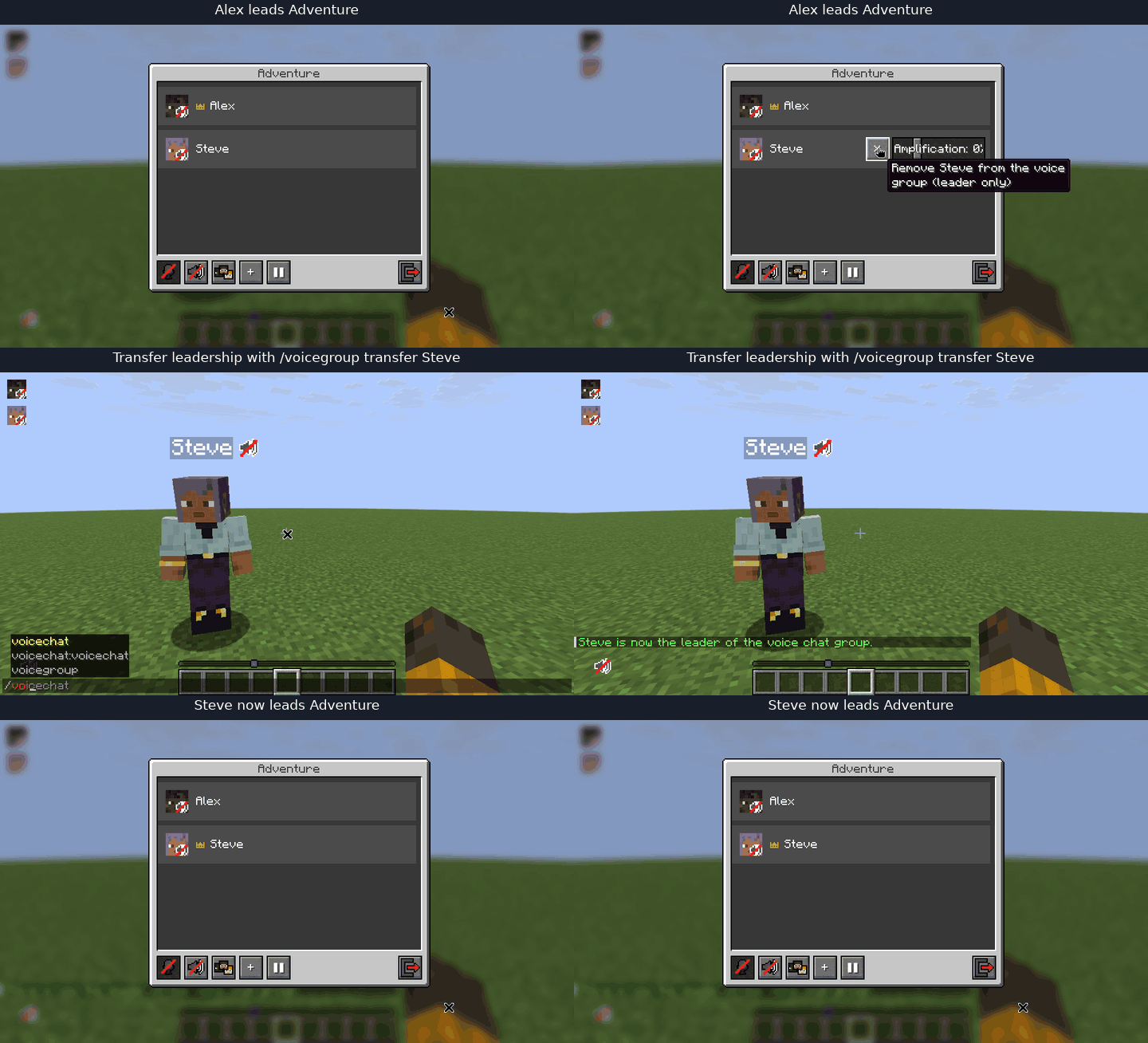
- A group leader who can remove members or transfer leadership.
- Automatic succession to the longest-standing member when the leader leaves.
- Group chat announcements when a player joins, including who invited them.
- In-chat notifications in 15 languages, selected based on each playerโs Minecraft locale.
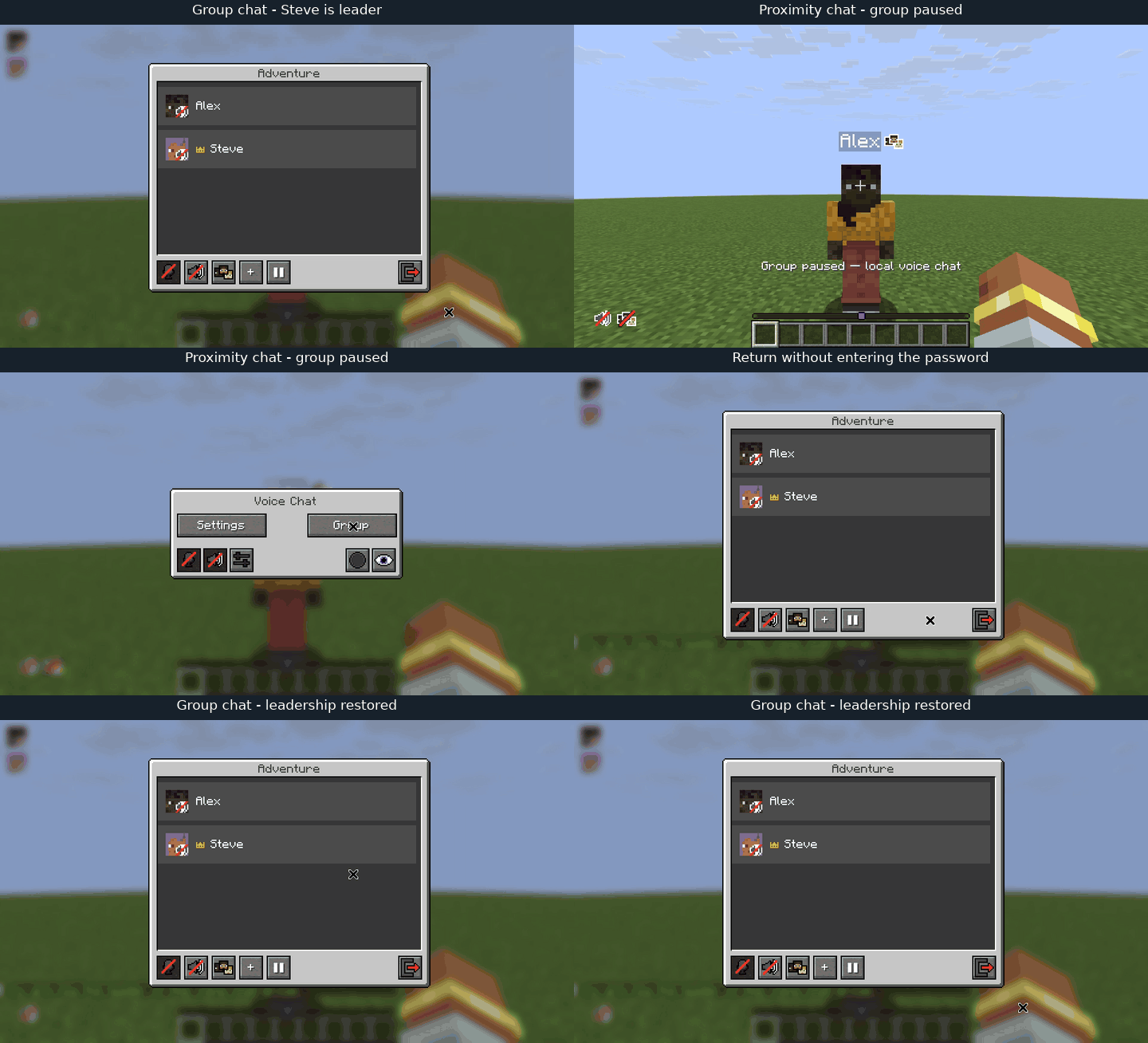
- Group pause: temporarily leave for local voice chat and return with one key, without entering the password again.
๐ฆ Installation
Server
Place the server artifact in the server's plugins directory and restart the server. Simple Voice Chat is a required dependency. The same server JAR runs on Paper and Folia; no extra scheduler library or configuration is needed.
Client (optional)
The client mod is optional but recommended: the server plugin works without it, while the mod makes group management much easier.
Without the Better Groups server plugin, the client mod still provides the + invite button and player picker, using Simple Voice Chat's /voicechat invite <player> command. With the plugin available, it uses Better Groups invites automatically.
Use Pause group in the group screen, or assign Pause / return to group under Controls โ Key Binds โ Better Groups (unbound by default). This requires the updated Better Groups plugin on the server and works with every SVC group type. Press the same key again, or use Return to group on the group selection screen, to rejoin without entering the password. The return permission stays on the server; no password is stored by the client mod.
Pause and return use the Minecraft connection and remain available even when voice UDP is disconnected; actual proximity audio still requires a working SVC connection. The last operation status is also shown in the pause/return button tooltip.
Pausing performs a real SVC group leave. You disappear from the member list and use normal proximity voice, including SVC's usual distance, whisper, spectator, permission, and group-type rules. An OPEN group member nearby can still hear and be heard locally; an ISOLATED group retains SVC's isolation. Individual player volumes remain unchanged. Leaving as leader transfers leadership normally. Pause remembers whether the player was leader; a successful return to the same group restores that role, replacing the current leader. Manual joining, disconnecting, or removal of the group clears this saved role together with the return permission. If the last participant pauses, SVC disbands the empty nonpersistent group and all saved return permissions for it are cleared.
A crossed-out group icon beside the normal voice chat status icon indicates that a group is paused and available for return, even when the group member list is hidden. HUD position, scale, and visibility settings still apply. There are no additional badges on other players' avatars.
Pause does not keep empty groups alive. Persistent groups retain SVC's native lifetime rules. Manual group joining/creation, voice or server disconnection, and plugin shutdown release the player's return permission; unused nonpersistent groups are then eligible for deletion. Persistent groups remain intact. Group pause does not survive a server/plugin restart.
Microphone transmission pauses until the server acknowledges a transition. If confirmation is lost, it stays paused and displays a message; pressing the key again or clicking Retry retries the same operation. Repeated requests cannot accidentally toggle the state twice. If the server unregisters the pause channel, the pending operation is cleared and the microphone is unblocked, with a message to check the actual SVC group membership. The pause protocol uses its own channels, preserving the existing version-2 leadership/invite protocol. New controls have English and Russian text; other locales currently use English for these controls.
๐ฎ Usage
All commands are player-only and use /voicegroup.
/voicegroup invite <player>โ send a clickable invite to an online player who is not in a group./voicegroup accept <token>โ accept an invite issued to you. The chat button fills this command automatically./voicegroup kick <player>โ remove a member from your group; leader only./voicegroup transfer <player>โ make another member the leader; leader only./voicegroup request <group>โ ask to join a visible password-protected group by name or UUID.
The optional client mod adds:
- a + button with a searchable player list;
- a golden crown beside the current leader;
- a remove button beside each member, visible only to the leader;
- a join-request button on the password screen.
๐ Leadership
The group creator becomes its first leader. If the leader leaves the group or quits the server, the longest-standing remaining member takes over. A returning former leader joins the end of that order. The current leader can hand the role to another member with /voicegroup transfer.
โ๏ธ Server configuration
Settings are stored in
plugins/SVCBetterGroups/config.yml. See the comments in the file for descriptions and examples.
The vanillagame.svc_better_groups.use permission allows /voicegroup and is granted to all players by default. Leader-only commands always require actual group leadership.