
Compatibility
Minecraft: Java Edition
Platforms
Supported environments


Links
Tags
Creators
Details

This pages mod description only accurately portrays version 1.7+ of the mod.
New versions of this mod (v1.6+) are for Fabric and NeoForge only.
You can use this mod in modpacks.
I have zero issue with this mod being in modpacks and I don't need to be credited.

Version 1.7 Notes:
This update, called the 'Bugs & Burdens Update' addressed a large number of cave-in bugs, added QoL configuration options with fine-tuned logic to ensure players can enjoy the mod without being griefed or burdened, added a small buffer before a cave-in begins after it's been triggered, improved sound effect logic (and a few new sounds!) and added extra commands for bug-testing and experimentations.

Version 1.6 Notes:
This update, called the 'Annoyance Fix Update' addressed a notable lack of 'power' to prevent cave-ins, issues with environments being griefed and turned ugly, and caved-ins happening inappropriately, incorrectly and far too frequently.
What This Mod Does
You mine a block below ground. Sometimes the ceiling above you falls.
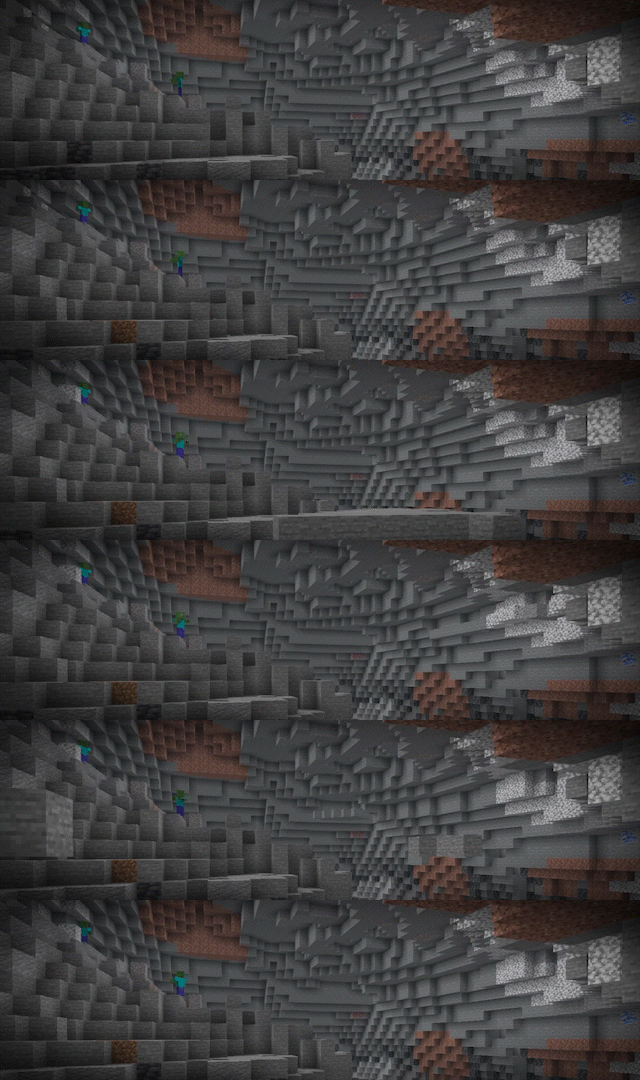
When a cave-in starts, the screen shakes and you hear a deep rumble. The first 3 seconds are a warning. No block falls in this time. Use the warning to move to a safe position. This time is part of the time of the cave-in. The mod does not add it to the end.

After the warning, groups of blocks fall from the ceiling. The blocks hurt players and mobs, they make dust when they hit the ground, produce a sound effect and stay in the position where they land.

A cave-in has a fixed centre at the block that you broke. It does not follow you. If you move away from the centre, you are safe.
How A Cave-In Starts
These blocks can start a cave-in when you break them:
- Stone and the different types of stone
- Deepslate
- All ore
- Dirt, clay and the different types of dirt
- Gravel
- Sulfur and cinnabar, in the newer versions of the game only

Each applicable block that you break has a 1 in 512 chance to start a cave-in.
"Cave-In Possible" Conditions
These rules also apply:
- You cannot start a cave-in if you can see the sky.
- The block that you break must also not see the sky.
- You must be at or below the sea level of the world plus 15 blocks. In the Overworld this is Y 78.
- You cannot start a cave-in for 20 minutes after you log in.
- You cannot start a new cave-in for 20 minutes after your last one.
- A tool with the Gentle enchantment never starts a cave-in.
- No more than 3 cave-ins can occur at the same time.

Some blocks do not hide the sky from you.
- Leaves, logs, glass, glass panes, beehives, mangrove roots, snow layers, grass, vines and the other small plants let the sky through.
- You cannot put leaves above your head and mine in safety. If a solid block is above these blocks, the sky is hidden and a cave-in is possible again.
- The mod reads the sea level from the world generation. If a mod or a data pack moves the sea level, the height limit moves with it. You can turn off this limit in the settings file. You cannot set the sea level, because the world gives this value.
Cave-In Sizes
There are three sizes. A small cave-in is the most frequent size.
| Size | Chance | Time | Blocks in each group | Distance to the side | Height above you |
|---|---|---|---|---|---|
| Small | 60% | 60 seconds | 14 to 17 | 16 blocks | 24 blocks |
| Medium | 30% | 90 seconds | 18 to 21 | 24 blocks | 32 blocks |
| Large | 10% | 120 seconds | 22 to 35 | 32 blocks | 48 blocks |
The screen shake and the rumble sound go to 10 blocks past the distance to the side in the table. They are at full strength at the centre, and they decrease to nothing at that limit. After the warning, one group of blocks falls each second, approximately. A group is a set of blocks that touch each other. The mod can also divide the group into more than one shape.
Which Blocks Fall
The mod is careful about the blocks that it selects. A block falls only if all of these conditions are true:
- The block is part of the ceiling of the open space that you are in. A different cave behind a wall does not fall.
- There is air below the block.
- The block cannot see the sky. Leaves, logs, glass and the other blocks in the list above do not hide the sky.
- A player did not put the block in position.
The third condition keeps the surface of the world safe. The blocks at the top of a cave fall, but the blocks that hold up the ground stay in position. A block keeps its type when it falls. Stone stays stone and ore stays ore. The blocks fall at two fifths of the usual speed, thus you have time to move away.
The Gentle Enchantment
Gentle is a new enchantment for pickaxes and other mining tools. Modded tools also accept it.
- You can get Gentle from an enchanting table.
- The maximum level is 1.
- A tool with Gentle never starts a cave-in.

Use Gentle when you must mine in a large cave and you do not want the risk.
Damage
A falling block causes 2 points of damage for each block of the fall distance.
The limit is 6 points, which is 3 hearts.

One block does not kill you.
If the blocks cover you, suffocation causes more damage.
Motion Sickness Mode
The movement of the screen can make some players ill.
Set MotionSicknessMode to true at the top of the settings file to remove it.

With this mode on, the screen does not shake. The mod shows a message across the middle of your screen instead. The message is Cave-In Triggered! when a cave-in starts, and Cave-In Over! when it ends. Each message stays for 3 seconds. This setting is for your game only. It does not change the game for the other players on a server.
Configuration
The mod writes a settings file with the name collapsingcaves.conf in the config folder. There are 27 settings in the file. Each setting has a short description and its permitted values.
You can change these values and more:
- The motion sickness mode
- The chance of a cave-in
- The number of cave-ins at the same time
- The height limit above the sea level
- The length of the warning before the blocks fall
- The time, the group size and the distance of each cave-in size
- The speed and the damage of the falling blocks
- The grace period and the cooldown
- The screen shake, the sounds and the dust
- The blocks that can fall or must never fall
The default values are balanced. The mod does not become an annoyance with them.
Commands
An operator can use these commands.
| Command | What it does |
|---|---|
/triggercollapse <size> <player> |
The next applicable block that the player breaks starts a cave-in of this size. The command also removes the cooldown of the player. If a block break does not meet the rules, the mod tells you which rules stop it. |
/cancollapsecheck |
Shows if your position and your current conditions permit a cave-in. The command also examines the block that you look at. If a rule stops you, the command gives the rule. |
/collapsecooldown <player> |
Shows if a cooldown prevents a cave-in for this player. |
/setcooldown <seconds> [player] |
Sets your cooldown, or the cooldown of the player that you give. A value of 0 removes it. |
Bugs/Feedback
Report bugs, make suggestions or give feedback in the issues section of the mod Github page. When you report a bug, give your mod loader and your game version.
Special Thanks & Credits
Cave-Ins by Lettooce was the inspiration for this mod. It is an excellent datapack and everyone must try it. This mod uses a different approach, but that datapack gave me and my friends some of our best memories in Minecraft. Without it, this mod would not exist.
Made by CCDelic.
