
Compatibility
Minecraft: Java Edition
Platforms
Supported environments


Links
Tags
Creators
Details
Ever built a nice custom decoration, turned your head slightly, and watched the whole thing blink out of existence? Yeah. That one. Fixed.
Tiny client side mod that stops armor stands and item frames from getting yoinked from existence. Drop it in and forget this bug exists.
Client side mod only, from 1.21.1 to 1.21.11
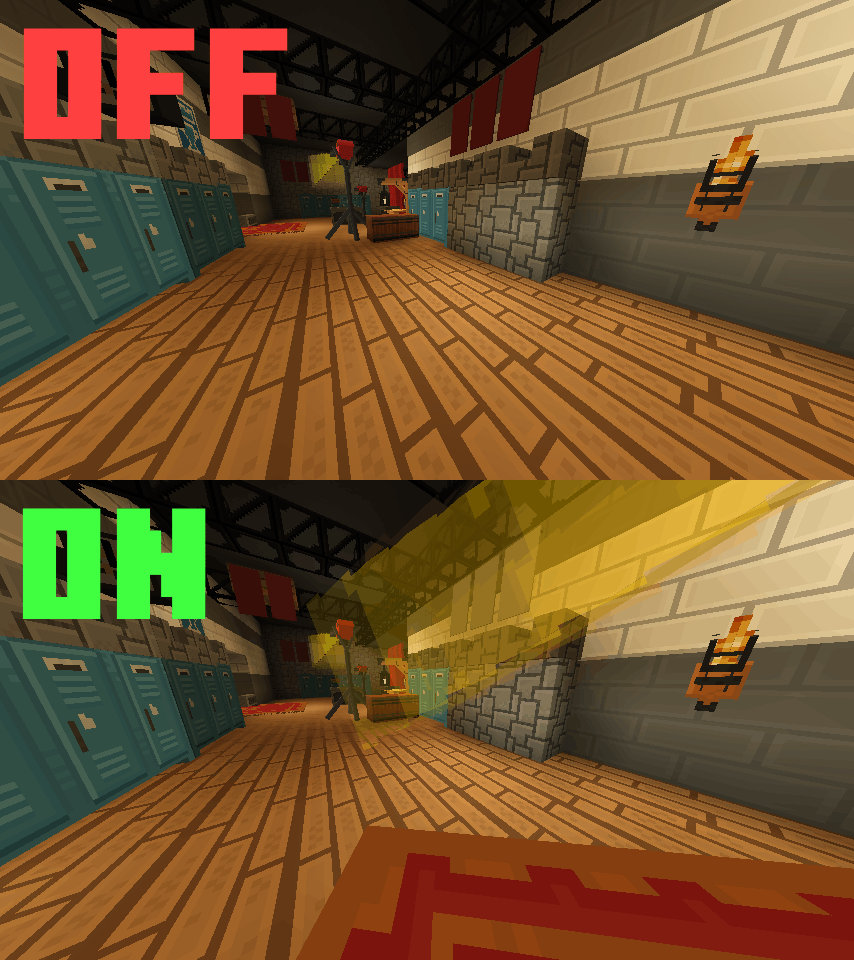


What does this mean?
Minecraft decides what to render using the hitbox, not what you actually see
- An armor stand has a tiny hitbox. The model on top of it can be enormous, the game does not care
- The second that little box slips off the edge of your screen, the entire decoration disappears
- It is still clearly in view. It is just gone
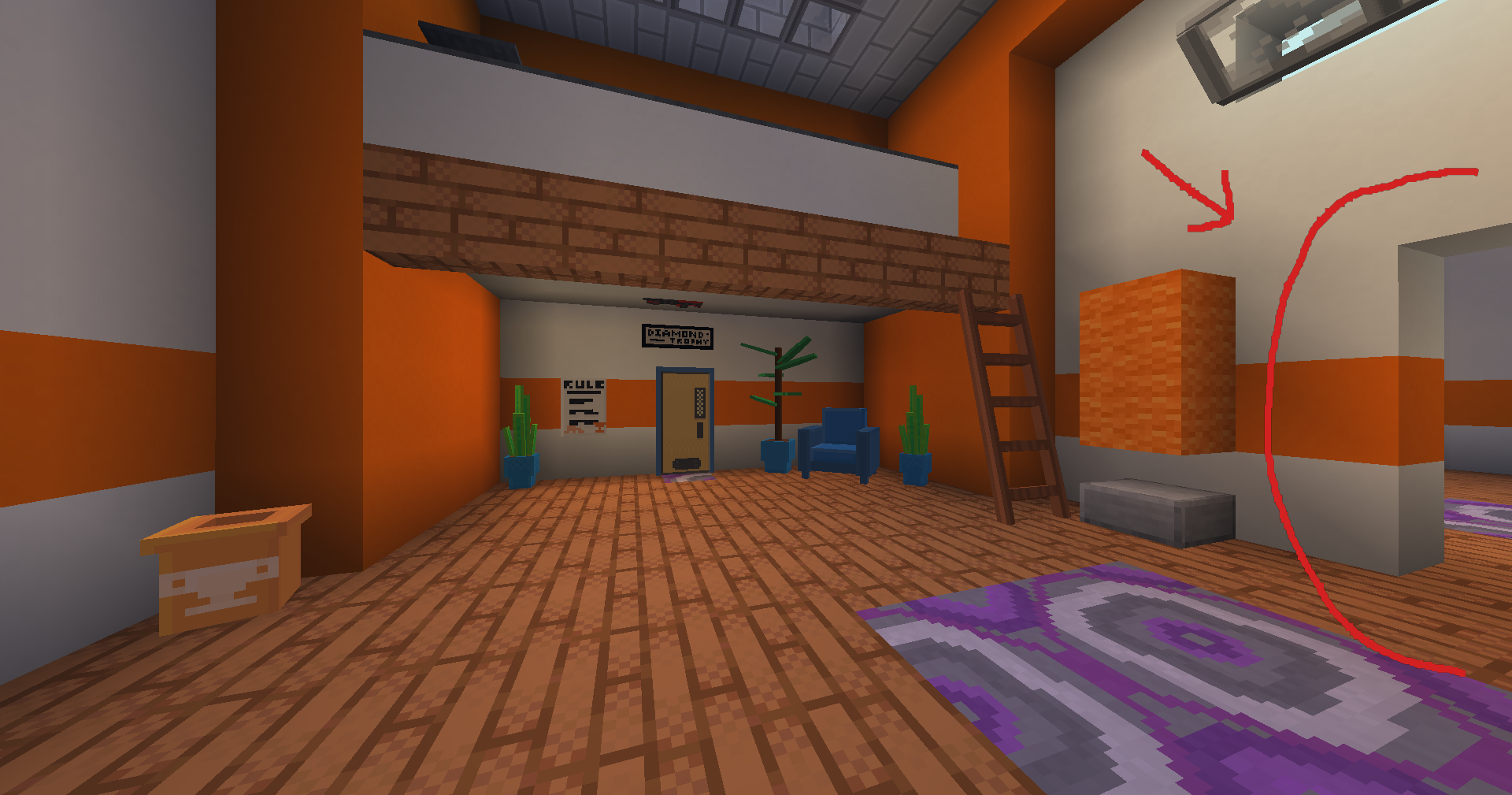
It hits furniture and wall decor the hardest
- ItemsAdder and Oraxen furniture 🪑
- Item frames used as wall decorations 🖼️
- Basically any big resource pack model riding on an armor stand 🌴
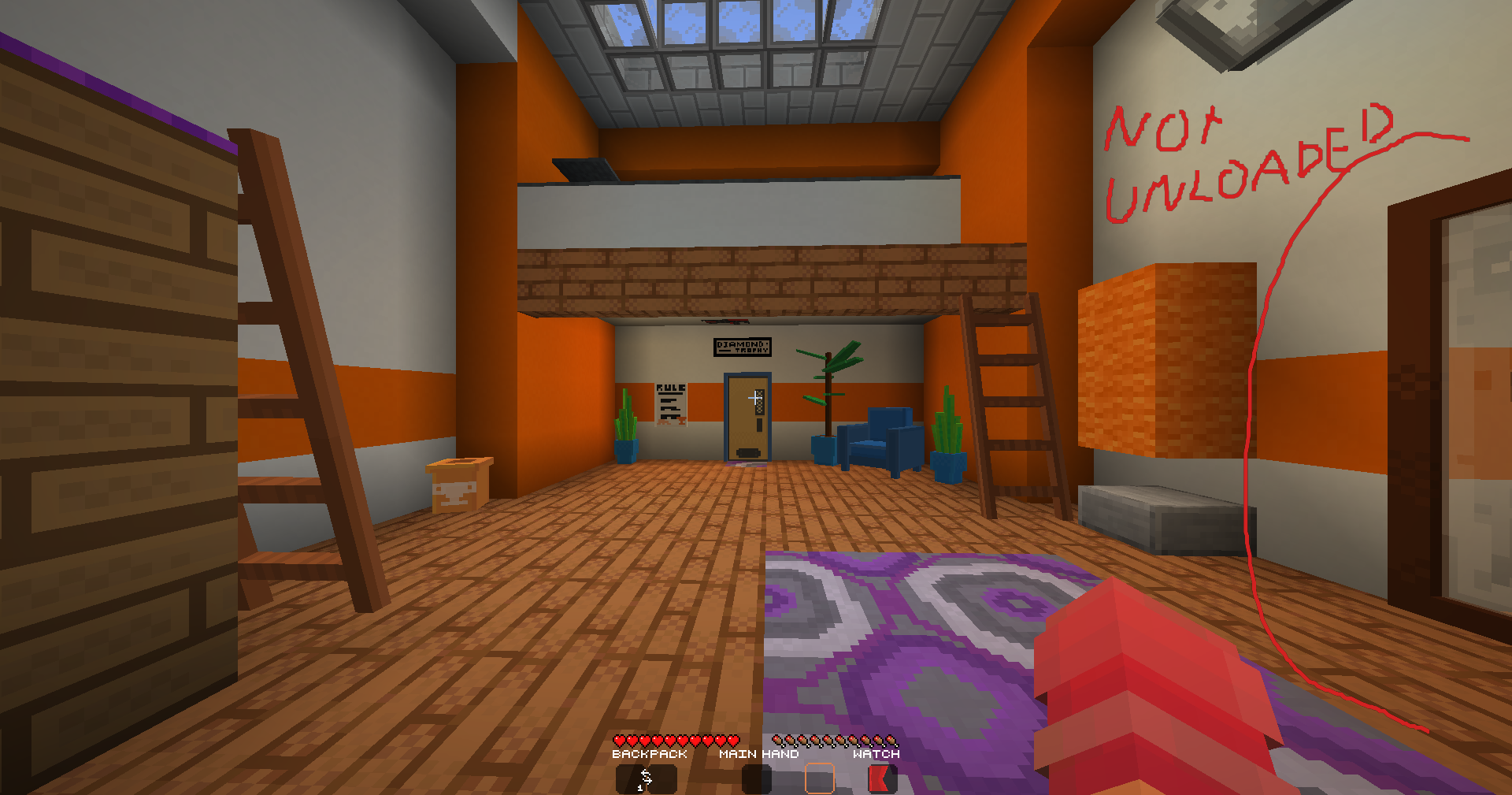
ForceRender just tells the renderer to knock it off
- Inside your configured distance, armor stands and item frames always render.
- Walk away, and vanilla culling takes back over, so nothing is wasted on entities you cannot see anyway
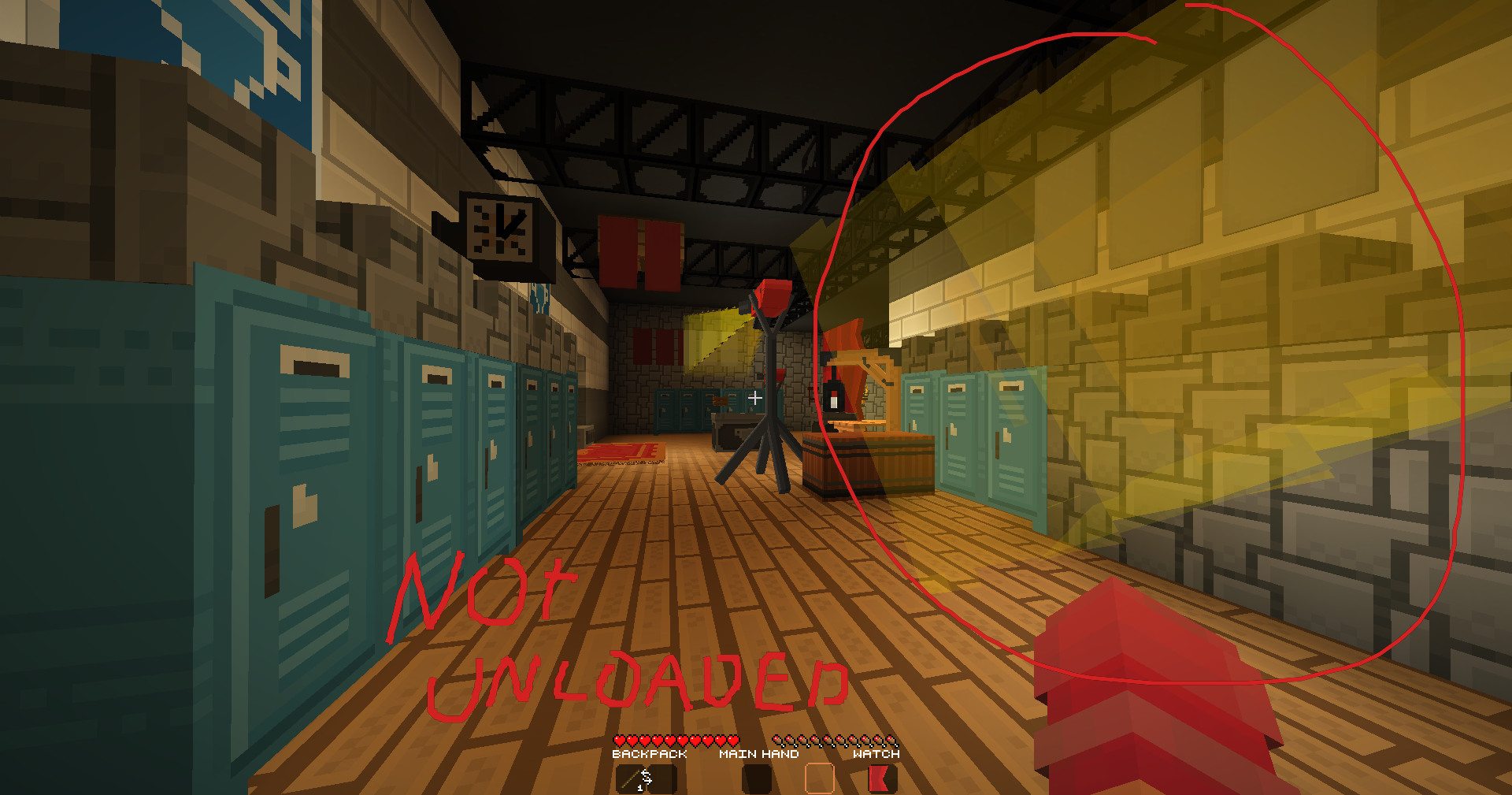
Everything is tunable, nothing is forced on you (get it?)
- Master toggle if you want to flip it off without uninstalling
- Set the distance yourself, default is 5 blocks
- Armor stands and item frames have separate switches, turn off whichever you do not need


Installation
It takes about a minute (or less)
- Grab the Fabric Loader from https://fabricmc.net/use/installer/
- Grab the Fabric API from https://modrinth.com/mod/fabric-api, this one is required
- Grab Mod Menu from https://modrinth.com/mod/modmenu and Cloth Config from https://modrinth.com/mod/cloth-config, these two run the settings screen
- Drop the forcerender jar into your mods folder
That is genuinely it. 🤯 (might take longer if you have no idea what you are doing)
Works on Minecraft 1.21.1 to 1.21.11
Config
Open Mod Menu, find ForceRender, hit Settings
- Everything is in one screen, there is not much to get lost in
| Option | Default | What it does |
|---|---|---|
| Enabled | On | Master toggle for the whole mod |
| Render Distance | 5 blocks | Force render anything inside this range |
| Affect Armor Stands | On | Fix culling for armor stands |
| Affect Item Frames | On | Fix culling for item frames, normal and glow |
FAQ
Does the server need this mod?
- No. Fully client side, install it wherever you want
Will it tank my FPS?
- Only entities inside your configured distance get touched, everything beyond that culls exactly like vanilla
- If you are worried, lower the distance. That is what the slider is for
Does it work with Display Entities?
- No. This targets
ArmorStandEntityandAbstractDecorationEntityonly- Display entities go through a different renderer, so they are outside what this mod hooks
Does it work with Sodium or Iris?
- Yes, both. Tested and fine
License
ForceRender is MIT licensed. Short version first, boring version after.
The short version
- Take the code, build whatever you want with it, commercial use included
- Just keep the copyright notice attached
- Credit is not required, but it is always nice to see
The boring version
MIT lets you use, modify and redistribute the code freely. The one condition is that the copyright notice and license text travel with any substantial copy of the source.

Made by ReimaginedPixel