
Compatibility
Minecraft: Java Edition
Platforms
Supported environments


Links
Tags
Creators
Details
MP4player GUI:
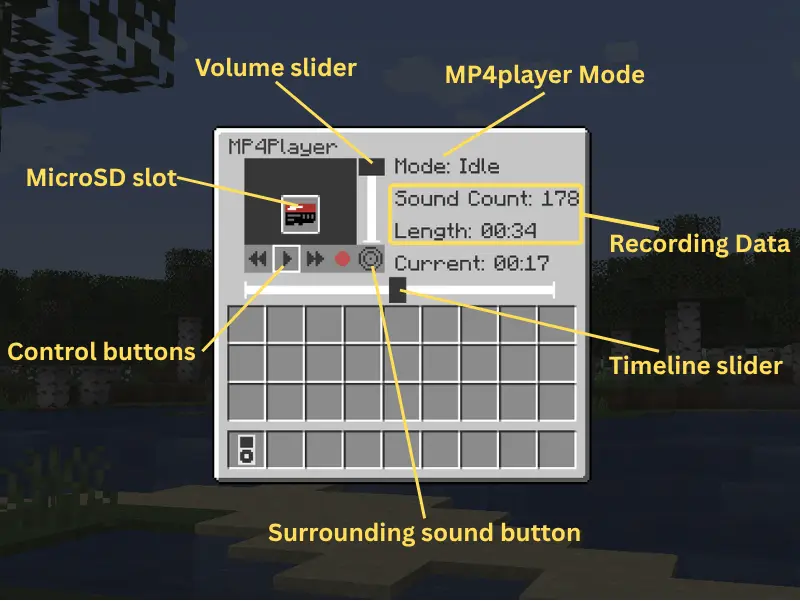
- Spacebar to pasue.
- Left/Right arrow to move the timeline slider.
How to Record:
-
Shift and right-click the MP4player to open the GUI. (You can also right-click to play/pause the recording.)
-
Insert the microSD into it.
-
Click the red button to start recording. (The old recording data in microSD will be removed.)
-
Now the sounds you heard should be recorded. (It is not allowed to take away the microSD from the MP4player while recording.)
-
Open the GUI again and click the square button to save the recording to the microSD.
How to play your recording from speaker:
-
Right-click the speaker with the microSD to insert.
-
The recording should loop automatically.
-
Give a redstone signal to the speaker to pause the loop.
-
Right-click the speaker with your hand to get back the microSD.
This mod is still under development.
More playable features are coming soon.
If you find any bugs, please tell me.
This is my first mod. Hope you enjoy it!