
Compatibility
Minecraft: Java Edition
Platforms
Supported environments


Links
Tags
Creators
Details
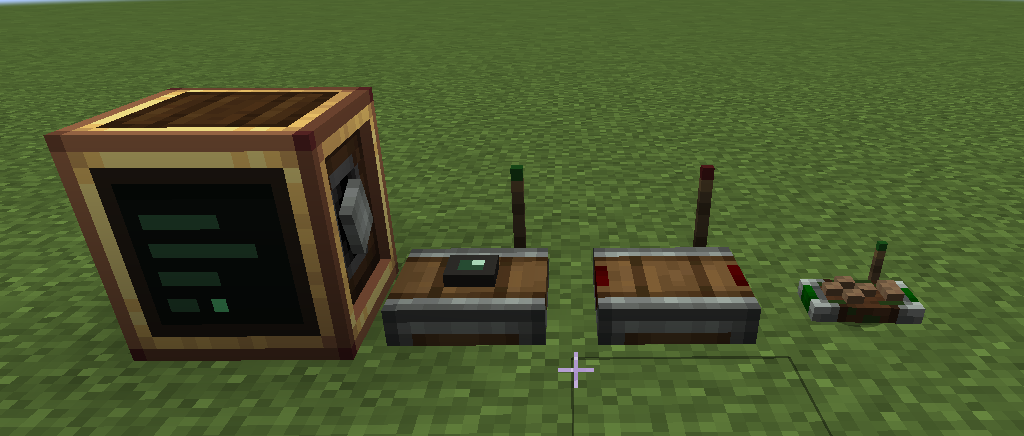
Create Microcontrollers
This mod adds a computer block to Create (NeoForge 1.21.1). You power it with rotation or Forge Energy, open it, write a Lua program, and flash it onto the block. The program runs as long as the computer has power. You can use it to automate contraptions, make your machines really smart, or coordinate things across your base.
You don't necessarily need to know how to code to use this mod. The entire documentation linked at the bottom can be copied into ChatGPT, Claude, or any other LLM of your choice, giving it full context of the mod.
The computer does not interact with blocks directly. Two helper blocks do that:
- Sensor: mounts on any block and reads it: inventory contents, fluid tanks, energy, blockstate, and the block's full NBT data. Because it reads NBT, it works with blocks from any Create addon and most other mods, without needing special support. It publishes what it sees on a channel.
- Receiver: listens to a channel and outputs a redstone signal from 0 to 15. This is how your program drives machines, lamps, clutches, and anything else redstone can control.
A channel is a named wireless connection. Sensors publish to them, programs read and write them
with channel() and emit(), and receivers turn them back into redstone. They have unlimited range
and can carry numbers, text, booleans, and tables. There is also a handheld Controller item that
binds keys, mouse buttons, and the scroll wheel to channels, so you can control things by hand.
The computer
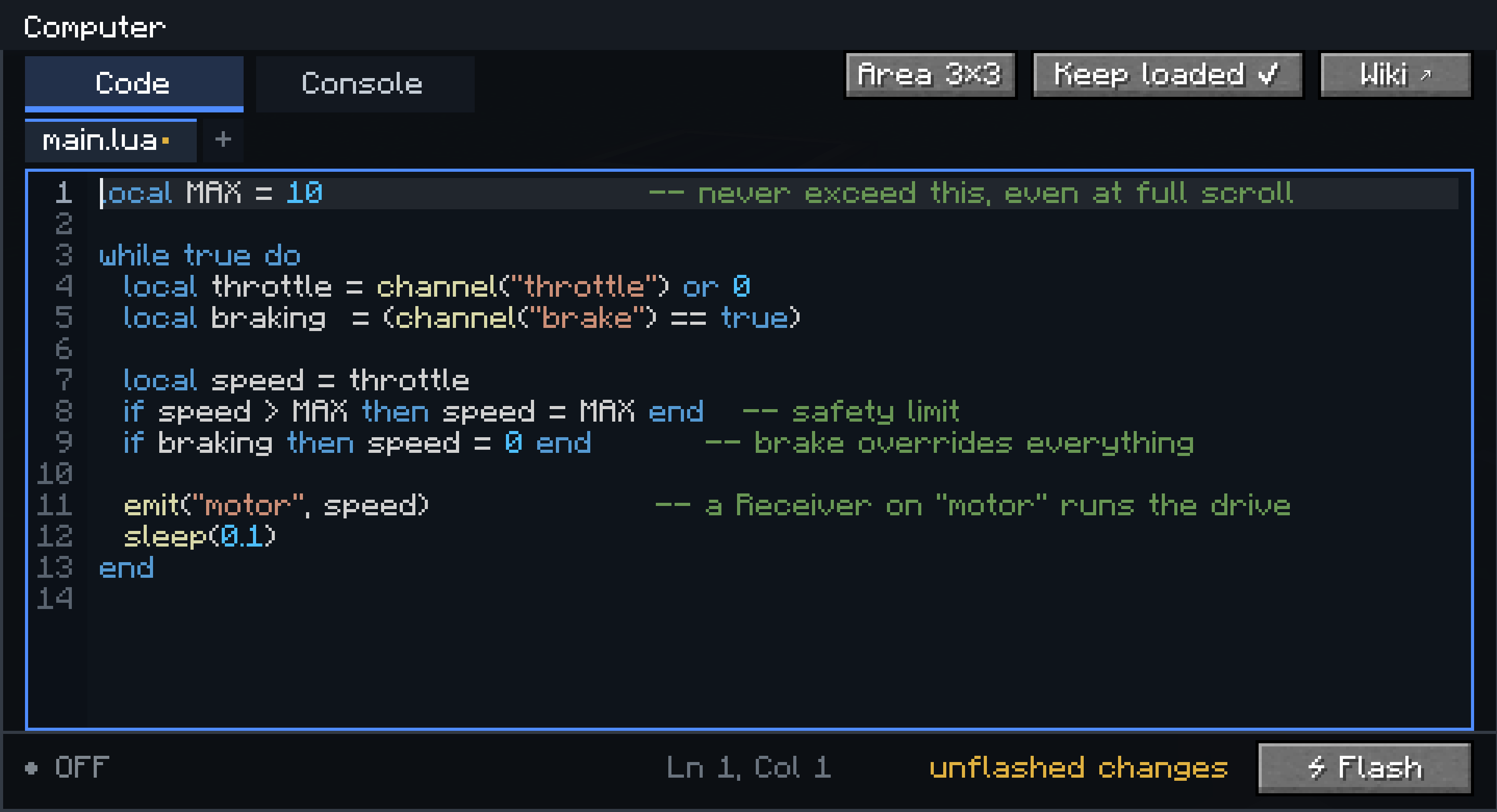
- Programs are written in Lua 5.1, in the block's own editor (file tabs, syntax highlighting, find, undo, a console for print output and errors).
- A program can be split into multiple files:
main.luaruns at boot, other files are loaded withrequire(). - Flashed code is stored in the block and survives power loss and world reloads. Variables do not:
losing power wipes them, like a real microcontroller. The block also has a small persistent disk
(
disk.set/disk.get) for values that should survive a reboot. - Programs run on their own thread with a capped instruction budget, so a busy loop cannot lag the server.
The sensor
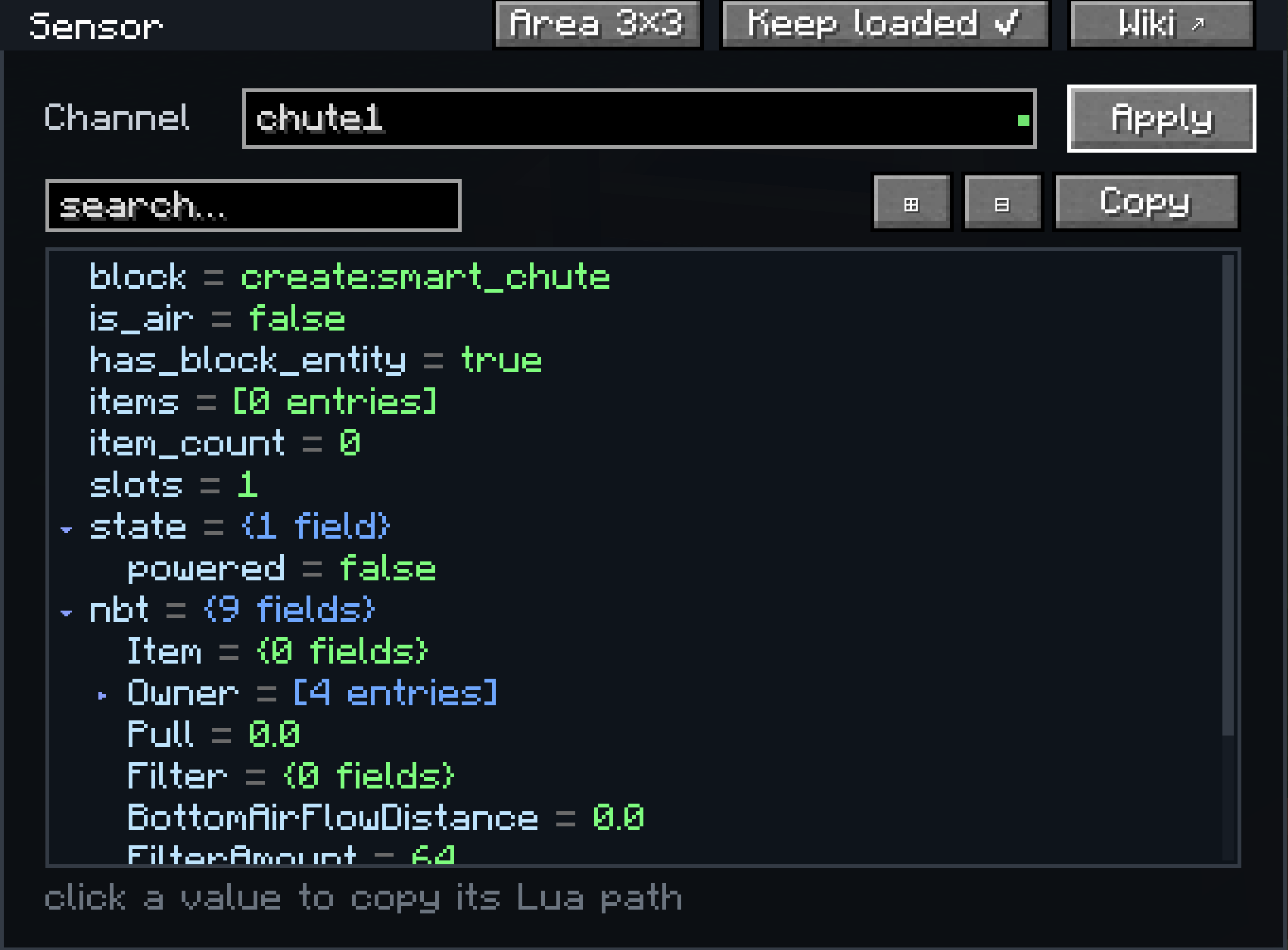
Open a sensor and it shows everything it currently reads from the block it is mounted on, as a live tree you can search and expand. Clicking a value copies the Lua expression that reads it, so you can paste it straight into your program. This is also the easiest way to find out what data a modded block exposes.
Chunk loading
The computer, sensor, and receiver keep their surrounding chunks loaded by default, so whatever you build keeps running when no player is nearby. This can be turned off per block, and the loaded area size is adjustable (1x1, 3x3, or 5x5 chunks).
Recommended setup
Create plus this mod plus Aeronautics is a good combination (autopilots, navigation between beacons, and so on). Any other Create addon works fine with this mod too. It is compatible with ANY create addon.
Documentation
Full documentation is at oliviermor.github.io/computer-mod: a getting started guide, a Lua introduction, the complete API reference, and worked examples. The same site is reachable from the Wiki button in every GUI.