Compatibility
Minecraft: Java Edition
Platforms


Links
Tags
Creators
Details

VelocityToolbox
Plugin management, virtual-host diagnostics, per-server client version rules, and optional resource-pack hosting for Velocity networks.
VelocityToolbox puts several day-to-day proxy operations behind one command. Load or reload a small plugin without a full proxy restart, see which domain each online player used to join, or turn a local directory of resource packs into ready-to-use URLs and SHA-1 hashes.
Source code · Issue tracker · Chinese documentation · Architecture notes


Features
- Load, unload, and reload plugin JARs already inside Velocity's
plugins/directory - Inspect a loaded plugin's dependencies, registered runtime resources, and unload risk without changing its state
- Refuse unloads when another loaded plugin declares a required dependency on the target
- Report cleanup of listeners, tasks, commands, plugin-message channels, executors, and class loaders
- Group online players by the virtual host they joined through, including source IPs for live diagnostics
- Set per-server client version ranges, allowlists, and blocklists using Velocity's protocol API, without ViaVersion
- Optionally host any number of local resource-pack
.zipfiles over HTTP - Calculate SHA-1 hashes and generate a multi-pack VelocityResourcepacks configuration snippet
- Use backward-compatible administrator access or layered base, parent, and action permissions
- Keep read-only commands quiet while logging concise plugin and configuration operations
- Use color-coded Adventure console output for startup, pack status, and critical plugin operations
- Reload language, configuration, server version rules, and pack hosting without reloading other plugins
- Built-in Chinese and English messages with MiniMessage formatting
The resource-pack HTTP server is disabled by default and listens only after you explicitly enable it.
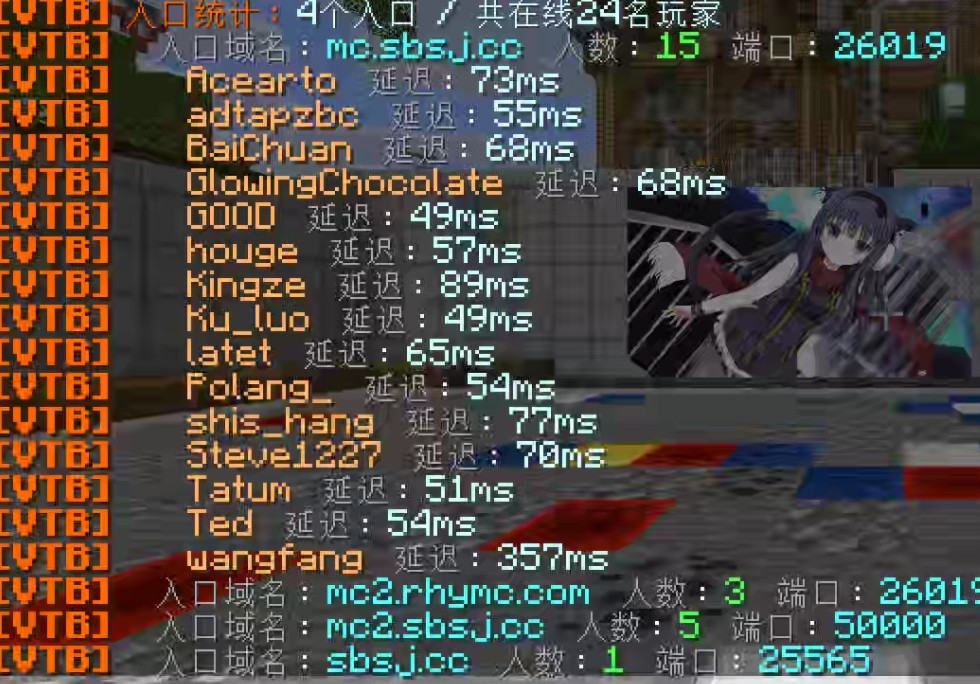
Player counts and ping grouped by the domain used to join
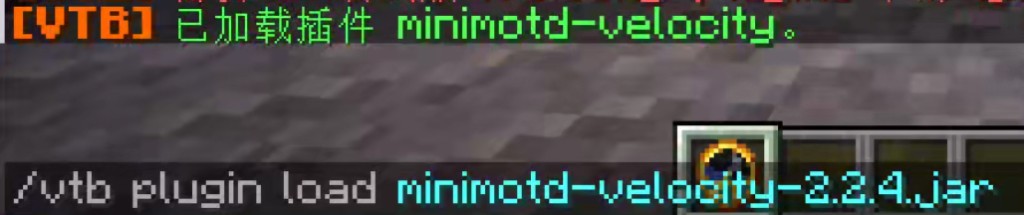
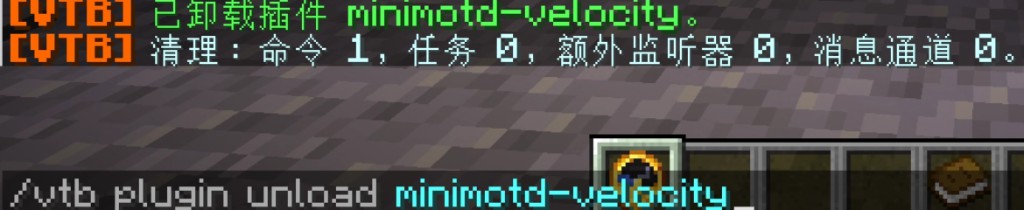
Load or unload a plugin at runtime, with a cleanup report

Players see the standard pack prompt after hosting is enabled
Requirements
- Proxy: Velocity 4.0 or newer
- Java: 25 or newer
- Dependencies: none
- Optional companion: VelocityResourcepacks 1.9.0+ for assigning hosted packs to players and using the generated multi-pack list
Installation
- Download the latest file from the Versions tab.
- Place the JAR in Velocity's
plugins/directory. - Fully start the proxy once to generate
plugins/VelocityToolbox/config.yml. - Grant trusted administrators
velocitytoolbox.admin. - Run
/vtoolbox helpor/vtb help.
Commands
The main command alias is /vtb. velocitytoolbox.admin remains a backward-compatible all-access permission. Read-only commands stay quiet in the console; plugin load/unload/reload and configuration reload emit concise status messages.
| Command | Purpose |
|---|---|
/vtoolbox help |
Show help |
/vtoolbox info |
Plugin, proxy, Java, plugin-count, server version rules, and pack-host summary |
/vtoolbox packs |
List hosted pack URLs and SHA-1 hashes |
/vtoolbox vhosts |
Group players by entry domain/port and player count; click an entry for names and pings |
/vtoolbox reload |
Reload language, configuration, server version rules, and pack hosting |
/vtoolbox plugin list |
Names, versions, and authors; hover for full metadata |
/vtoolbox plugin inspect plugin-id |
Four-section metadata, dependency, runtime, and risk report |
/vtoolbox plugin load file.jar |
Load a JAR from plugins/ |
/vtoolbox plugin unload plugin-id |
Unload a plugin |
/vtoolbox plugin reload plugin-id |
Unload and load a plugin again |
Fine-grained permissions
Without velocitytoolbox.admin, grant the base permission velocitytoolbox.command, then the matching subcommand permission.
General commands:
velocitytoolbox.command.infovelocitytoolbox.command.packsvelocitytoolbox.command.vhostsvelocitytoolbox.command.reload
Plugin-management parent:
velocitytoolbox.command.plugin
Plugin actions:
velocitytoolbox.command.plugin.listvelocitytoolbox.command.plugin.inspectvelocitytoolbox.command.plugin.loadvelocitytoolbox.command.plugin.unloadvelocitytoolbox.command.plugin.reload
For example, inspection-only access requires velocitytoolbox.command, velocitytoolbox.command.plugin, and velocitytoolbox.command.plugin.inspect. Help output only lists commands the source can use.
Per-server client version rules

Configure version ranges, allowlists, and blocklists under server-versions in config.yml. The module is disabled by default and uses Velocity's protocol API without ViaVersion. /vtoolbox info lists the active rules for each server, and /vtoolbox reload applies changes. Versions sharing a protocol are displayed as compact ranges; hover a rule for protocol IDs.
See the configuration guide for examples.
Optional pack hosting
pack-host:
  enabled: false
  bind: 0.0.0.0
  port: 8765
  public-url: ""
  packs-directory: packs
To enable hosting, place any number of .zip files in plugins/VelocityToolbox/packs/, set enabled: true, and run /vtoolbox reload. Every ZIP receives an independent download URL and SHA-1. With VelocityResourcepacks 1.9.0+, the generated global.packs list stacks all of them on Minecraft 1.20.3+ clients; older clients use only its first entry.
Remove packs that should not be global. Use restricted / permission for player-specific combinations, or configure per-server and per-version assignments in VelocityResourcepacks. VelocityToolbox hosts and describes the files; it does not send them to players itself.
VelocityToolbox only serves files from the proxy machine. It does not configure firewall rules, port forwarding, DNS, or HTTPS. Set public-url to an address players can actually reach when serving packs over the internet.
Important hot-reload note
Velocity does not provide a public plugin load/unload API. VelocityToolbox performs dependency checks and extensive cleanup, but no tool can guarantee safe hot-unloading for every third-party plugin.
Small, self-contained utility plugins are the best candidates after testing. Permission systems, protocol/packet plugins, connection managers, and plugins with large in-memory state should still be updated with a full proxy restart.
Support
Bug reports and feature suggestions are welcome on the GitHub issue tracker. Ideas around automatic rollback, multi-proxy operations, virtual-host diagnostics, and pack availability checks are especially welcome.
If VelocityToolbox saves you a proxy restart, consider giving the project a Star🌟.
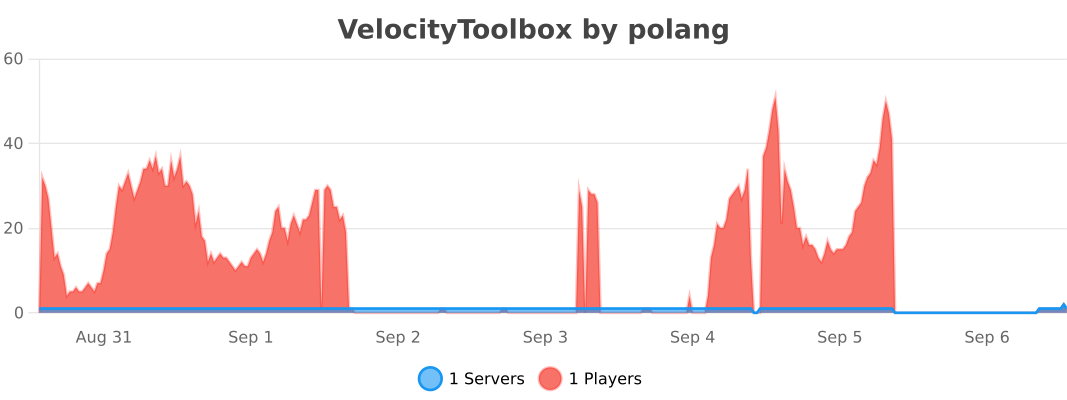
Usage statistics