Compatibility
Minecraft: Java Edition
Platforms
Supported environments


Tags
Creators
Details
Salt's Inventory Update
Salt's Inventory Update turns Minecraft's inventories into a desktop of movable windows. Open several containers at once, compare their contents and move items between them without repeatedly replacing the whole screen.
Core 0.1.5 works on its own. Choose the file for your Minecraft version and loader. All current releases are Alpha.
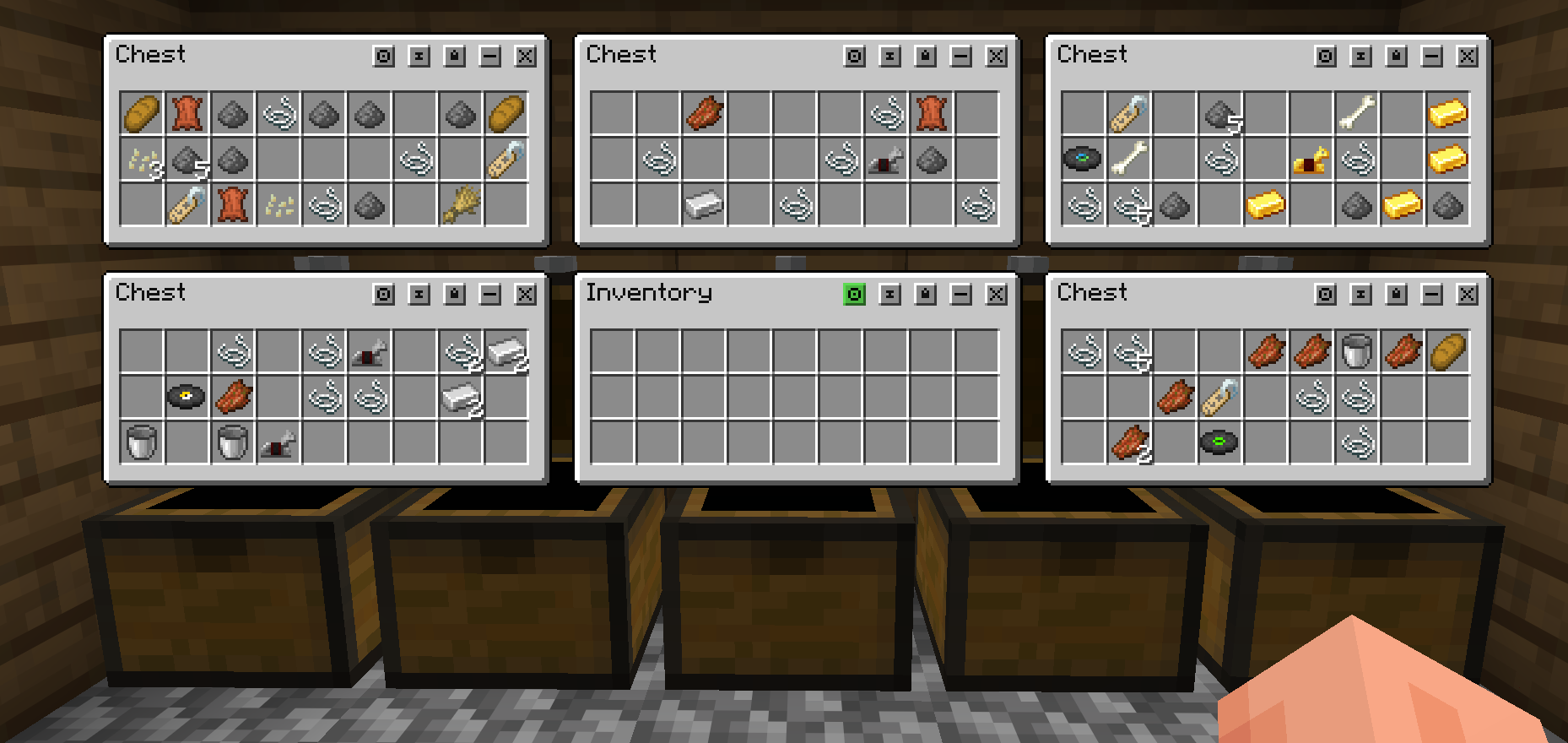
Desktop inventory windows
Player inventory, Character, creative inventory and supported containers open as separate windows. Move, focus, pin, lock and, where supported, resize them. Windows stay fully inside all four screen edges, including after changing resolution or GUI scale.
Use normal pins and Persistent Windows to return to saved layouts. Window positions, sizes and lock states are saved per world or server. Minimize and Ghost Pins are no longer included.
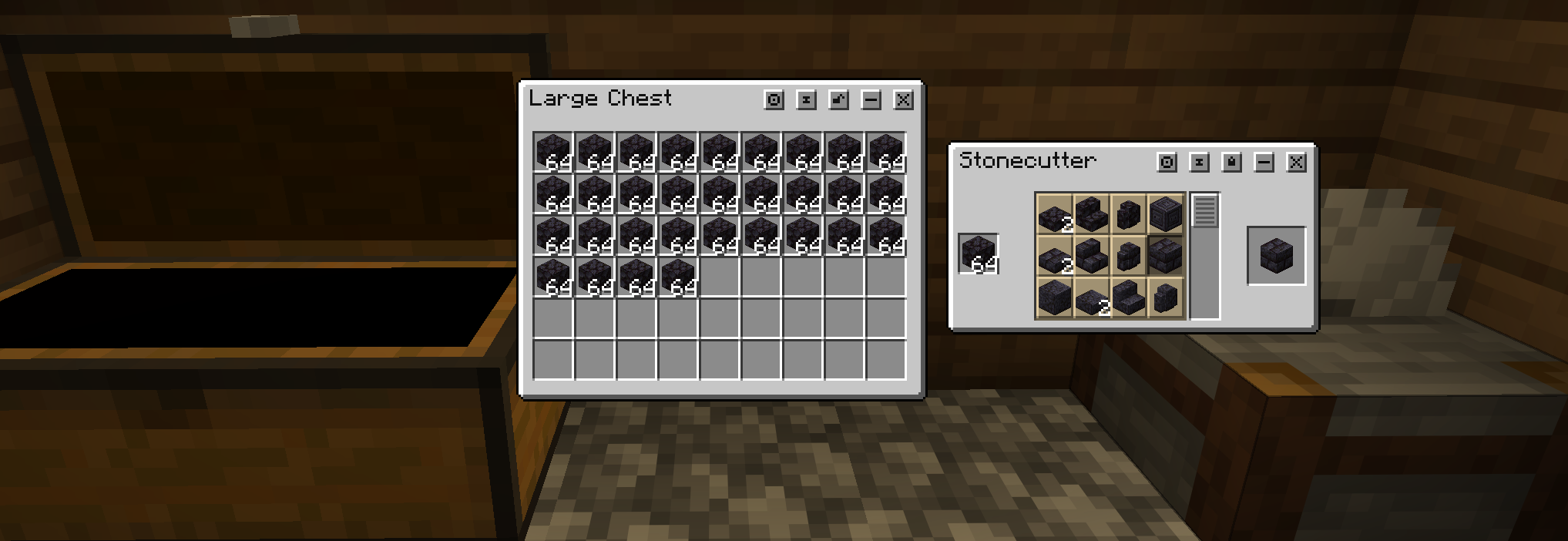
Inventory sorting
Sort this inventory arranges items inside the current inventory without moving them to another container. It merges compatible stacks, puts valuables near the top, groups related resources and supplies, and places bulk terrain near the end. The separate Sort into open containers button handles transfers to other open inventories.
Character and crafting
Open Character with C by default for armor, the player preview and the 2x2 crafting grid in a compact vanilla-style arrangement. Its offhand slot follows the Return Hotbar to Inventory setting. Your main inventory remains a separate storage window.
Interactive hotbar and movement
Use the real hotbar and offhand directly while the desktop is open. Window Movement Control gives the mouse back to camera control so you can look around and move while keeping windows open. Its default is Left Alt, and it can be rebound in Minecraft Key Binds under Salt's Inventory Update. Choose Hold or Toggle in the mod settings or Minecraft Controls.
With Return Hotbar to Inventory enabled, the hotbar's slots appear in the inventory window and the ordinary hotbar indicators stay hidden while managing windows. Movement control temporarily restores the native hotbar and indicators so held-item selection works normally. When that hotbar is hidden and movement control is inactive, scrolling and number keys cannot switch your held item.
Hold-to-close follows your vanilla Inventory binding, including custom keyboard and mouse bindings.
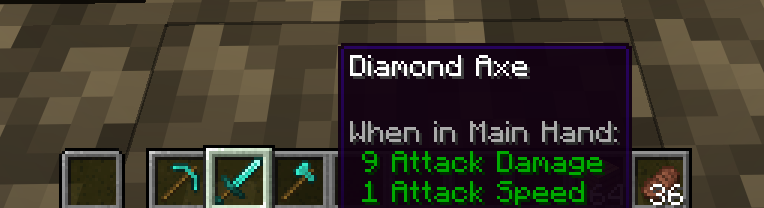
Optional expanded storage
Enable expandable inventory in the settings to unlock extra storage slots by spending XP levels. Extra slots save with the player, synchronize in multiplayer and behave as real inventory storage.
Configuration
Open settings with the in-game configuration command, the loader's mod configuration screen, or the Key Binds shortcut where available. Configure inventory expansion, placement, resizing, snapping, hotbar placement, movement control and hold-to-close timing.
Optional companion mods
- Salt's Inventory Compatibility brings supported modded inventories, accessory panels and recipe browsers into the window system. Compatibility 0.1.2 requires matching Core 0.1.5.
- Salt's Inventory Controlify provides the controller workspace, recipe wheels and on-screen typing. Companion 0.1.1 requires matching Core 0.1.5 and its own dependencies.
Both companions are optional, separate downloads. Match the Minecraft version and loader across installed files.
Public API
Developers can use the public API to create custom windows, render their own interfaces, handle input, expose real or virtual item grids, synchronize inventory state, add Character attachments and joined panels, and coordinate custom HUD layouts.
API documentation · Source code
Installation and multiplayer
Install Core for your Minecraft version and loader. Fabric also requires the matching Fabric API. For multiplayer desktop features, install matching Core on both client and server. Servers without desktop support retain ordinary inventory behavior.
The supported targets are Fabric/Forge 1.20.1 and Fabric/NeoForge 1.21.1, 1.21.11, 26.1.2, 26.2 and 26.3.
Report an issue with your Minecraft version, loader, mod versions and reproduction steps. Include a screenshot for visual problems.