
Compatibility
Minecraft: Java Edition
Platforms


Creators
Details
📦 ZMenu: custom menus, built and edited in game



Version: 1.1.0 Author: sti_moi Platform: Spigot / Paper 1.21 → 1.21.x (Java 21) Type: GUI menu creator and editor
ZMenu lets you build chest menus without touching a single config file:
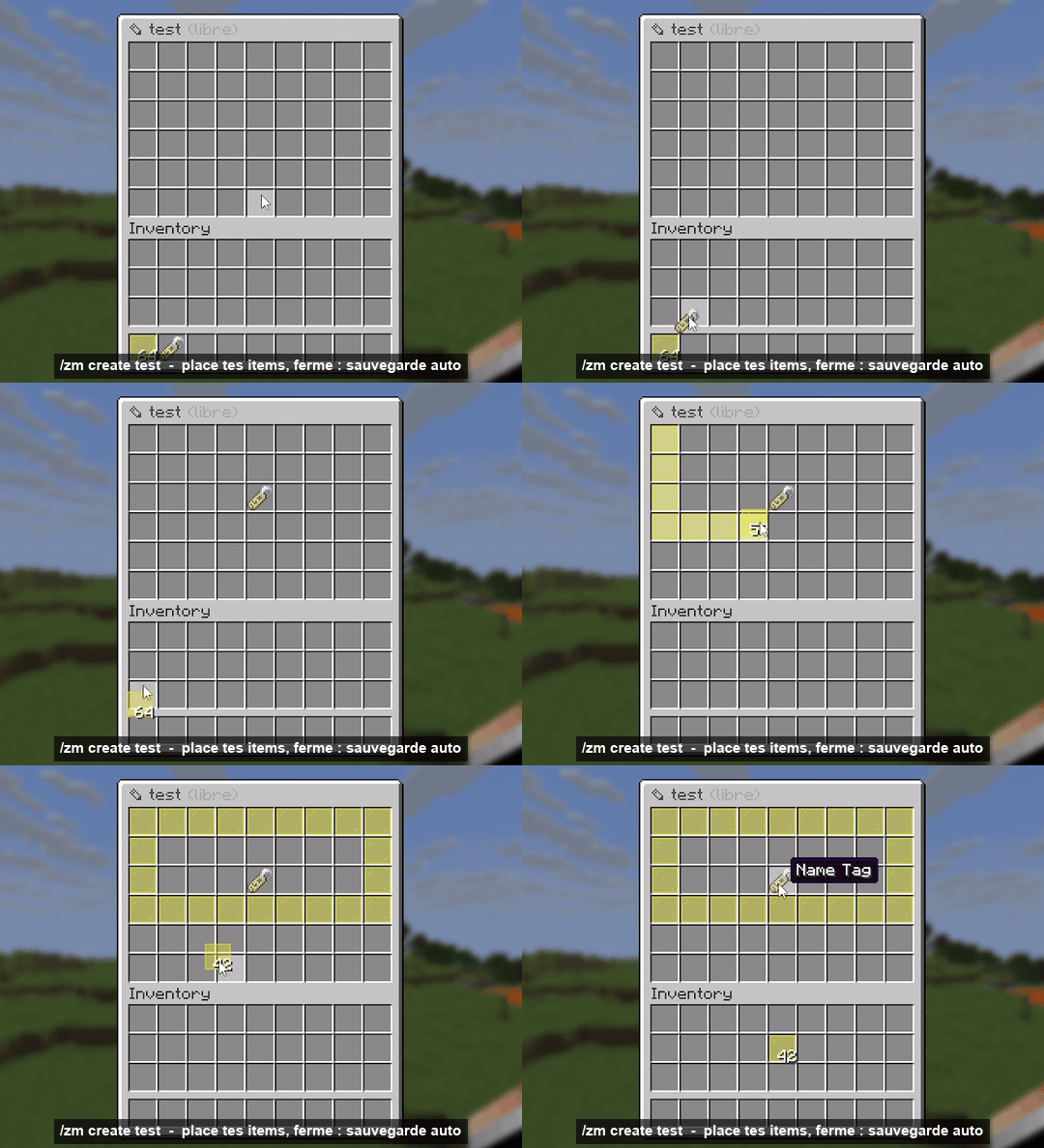
- create a menu by dropping items into a chest, saved automatically;
- edit everything in game: name, lore, item, amount, glow, commands, permission...;
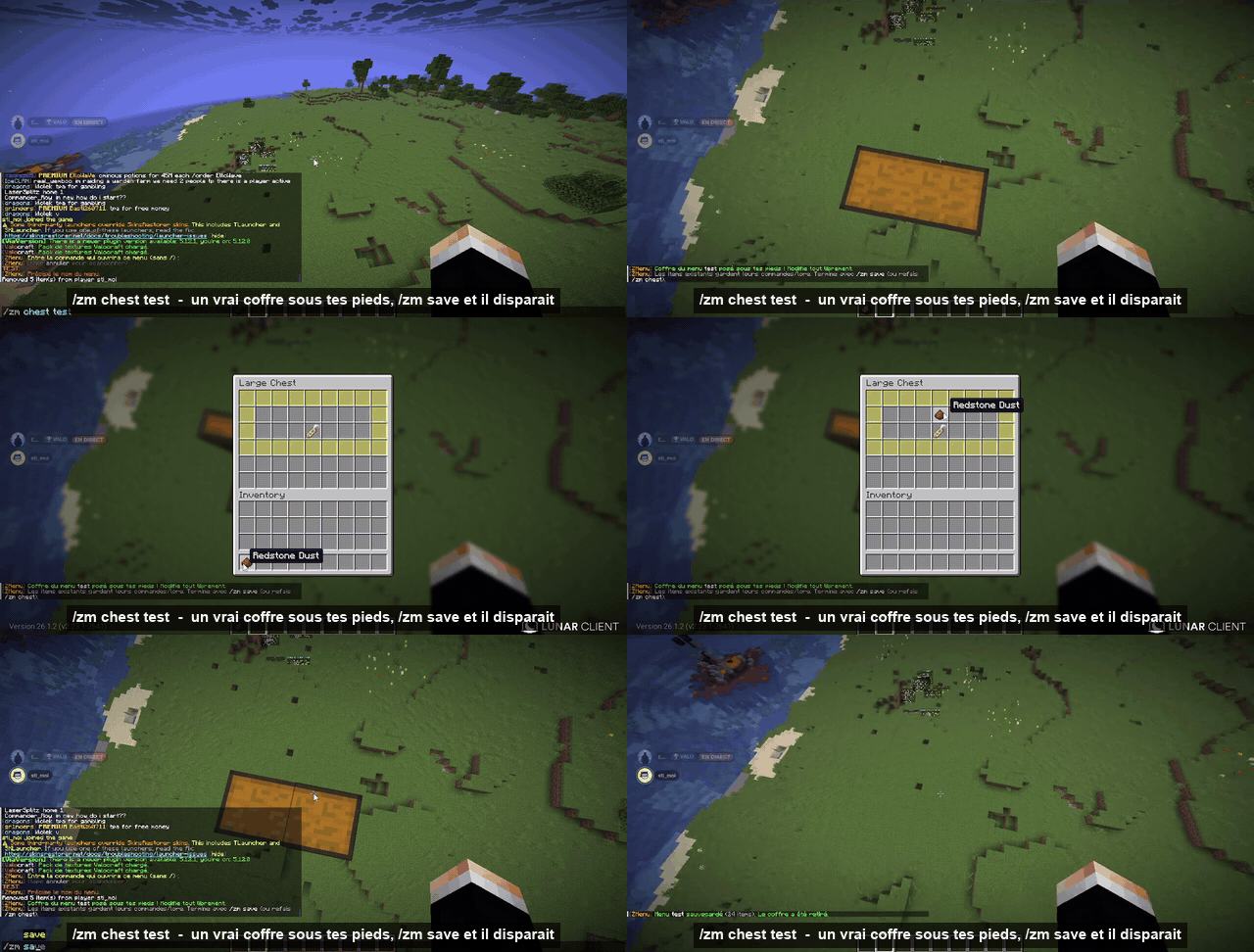
- edit a menu inside a real chest placed under your feet, then save it with one command;
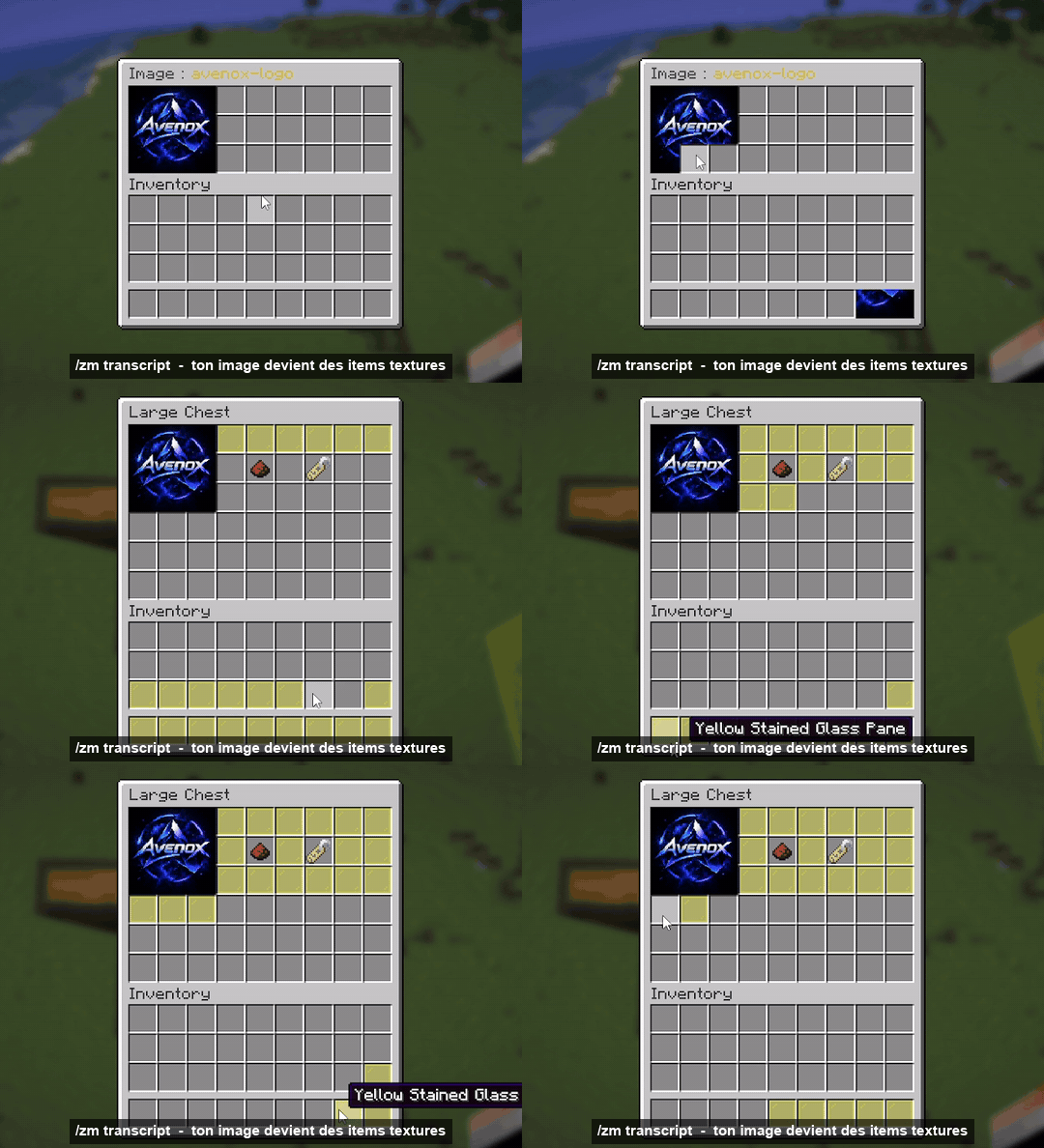
- turn your own images into textured items (up to 9×6), with the resource pack generated and hosted for you.
✨ Create a menu in seconds
/zm create <name> [rows] opens an empty chest. Drop your items in, close it: the menu is saved.
✏️ Edit everything in game
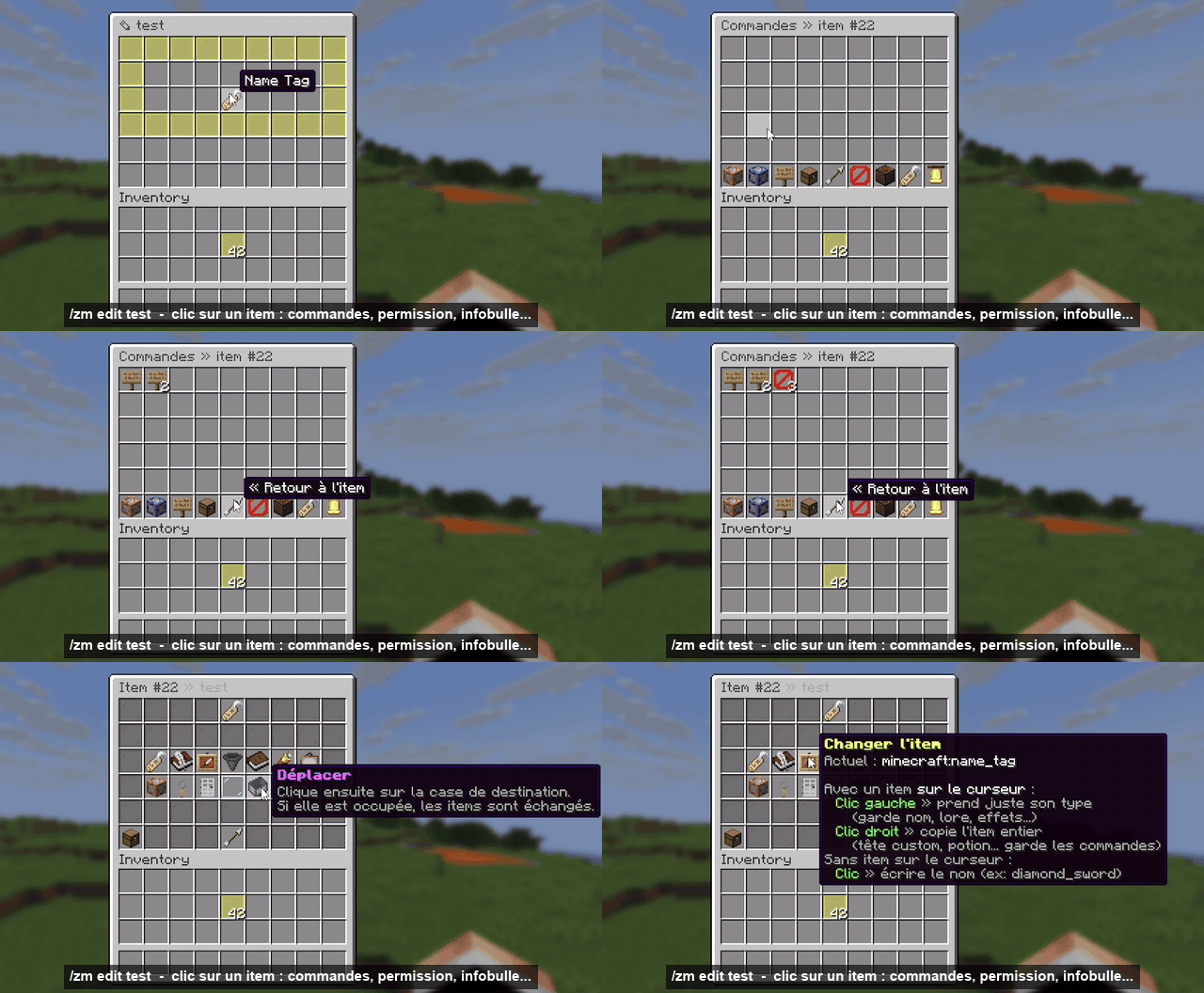
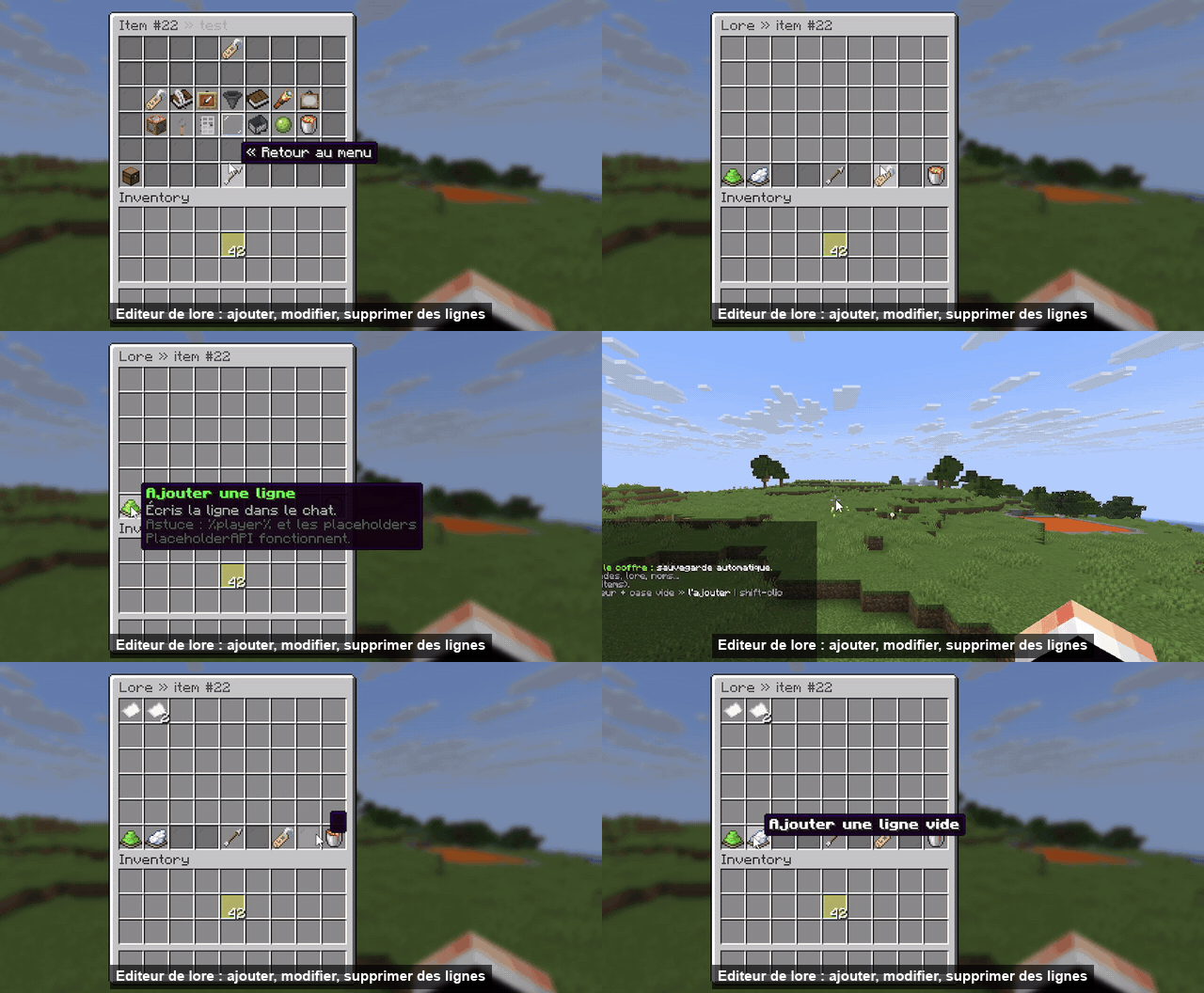
/zm edit <name> opens the exact menu. Click an item to open its editor:
| Button | What it does |
|---|---|
| 🏷️ Rename | & color codes and hex colors &#FF8800 |
| 📖 Lore | Add, edit, insert or remove lines one by one |
| 🖼️ Change item | Click with an item on your cursor: keeps the name, lore and commands |
| 🔢 Amount | 1 to 64 |
| ✨ Glow / 🔍 Hide info / 💬 Hide tooltip | One click toggles |
| 🎨 Model | CustomModelData or item_model (custom textures) |
| ⚙️ Commands & actions | What happens on click (see below) |
| 🔑 Permission / 🚪 Close on click | Per button |
| ↔️ Move / 📄 Duplicate / 🗑️ Delete | Rearrange your menu |
Shortcuts in the menu: item on cursor + empty slot = add, Shift-click in your inventory = quick add, Q on an item = delete.
📦 Edit inside a real chest
/zm chest <name> places a real chest (a double chest for 4+ rows) under your feet, with the right items in the right slots. Change anything, then run /zm save (or /zm chest again): the menu is saved, the chest disappears and the original blocks come back.
Items you didn't change keep their lore, name, commands and options, even if you moved them. The edit chest is protected: it can't be broken, hoppers can't pull from it, and explosions don't affect it.
⚙️ Menu settings
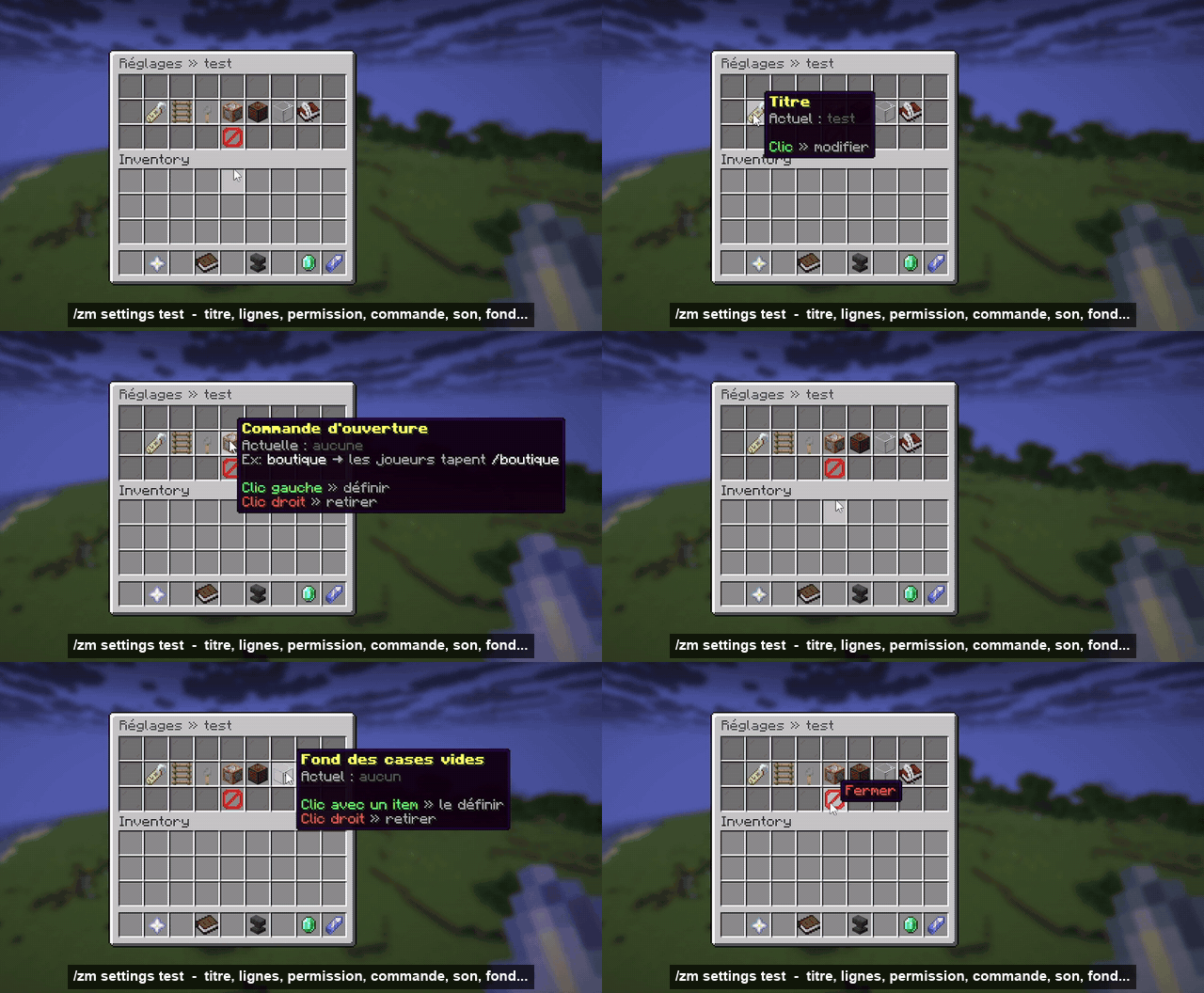
/zm settings <name>: title, rows, open permission, custom open command (/shop), open sound, and an item that fills empty slots.
🖼️ Your images as items
- Drop a PNG or JPG into
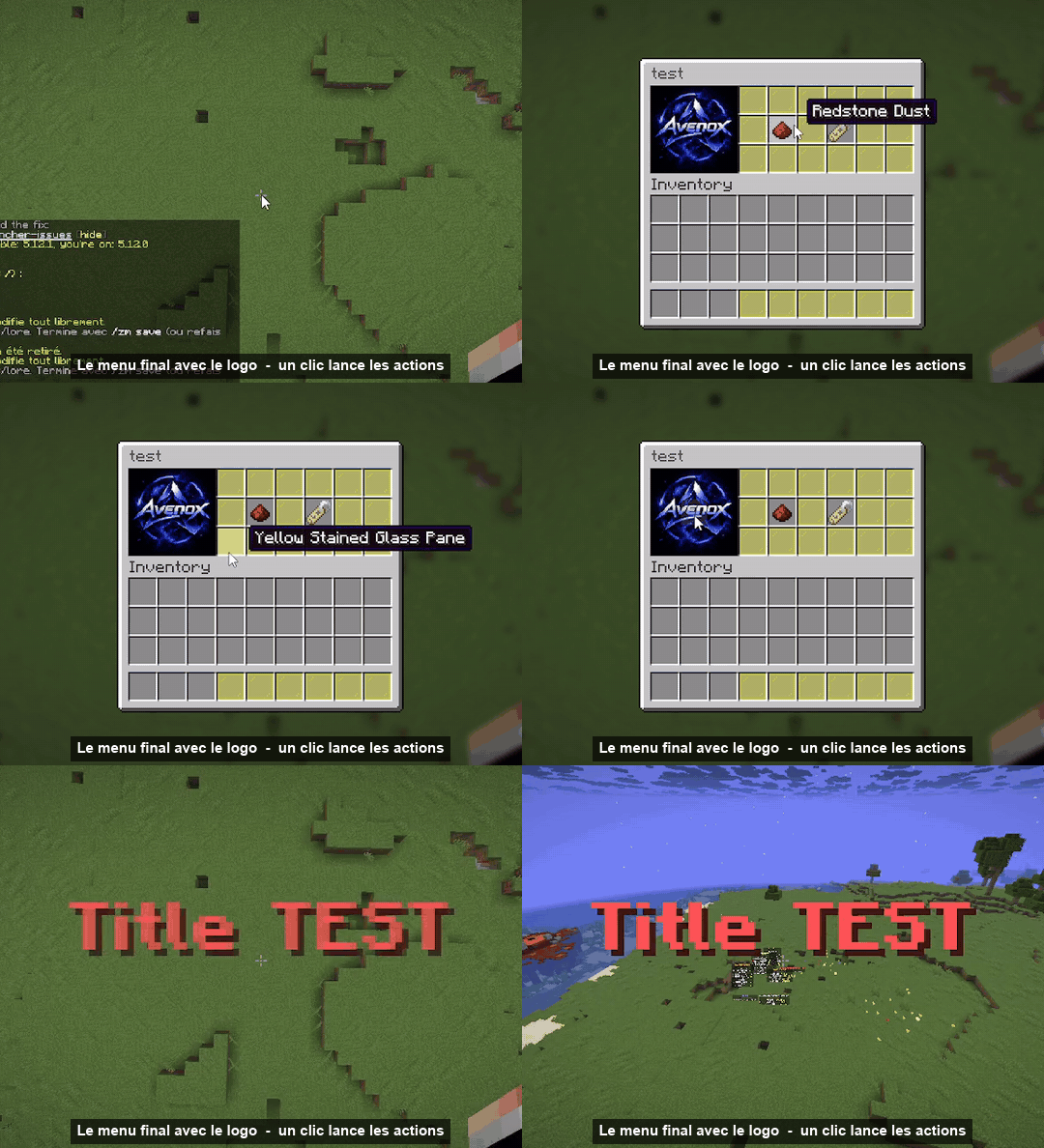
plugins/ZMenu/images/. /zm transcript logo.png(auto size) or/zm transcript logo.png 9 6.- ZMenu cuts the image (up to 9×6, a full double chest), builds the resource pack, sends it to online players and opens a chest with the tiles laid out like the image.
- Take the items, or place the whole image into a menu with
/zm image apply logo <menu> [slot].
Tiles are scaled to fill the whole slot, so the image shows without grid lines.
🎯 Actions
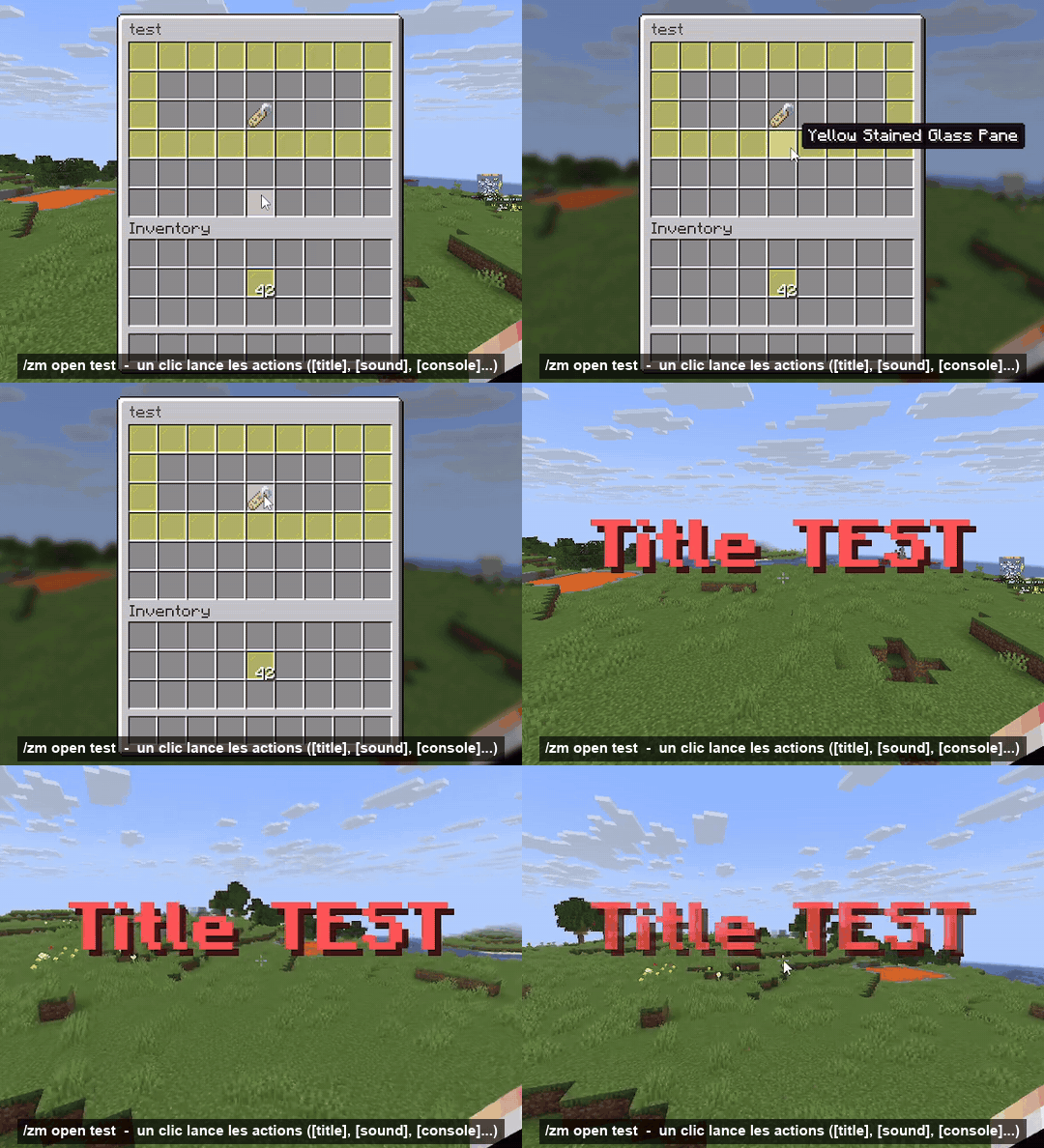
Each button runs its actions in order:
| Action | Example |
|---|---|
[player] |
[player] spawn |
[console] |
[console] give %player% diamond 5 |
[message] |
[message] &aWelcome %player%! |
[broadcast] |
[broadcast] &6%player% opened the shop |
[open] |
[open] shop |
[close] |
[close] |
[sound] |
[sound] entity.experience_orb.pickup 1 1.5 |
[title] |
[title] &6Hello;&7subtitle |
[actionbar] |
[actionbar] &ePurchase complete |
Placeholders: %player%, %uuid%, %world%, plus every PlaceholderAPI placeholder (titles, names, lore and actions).
📜 Commands
| Command | Description |
|---|---|
/zm create <name> [rows] |
Create a menu (free chest, auto save) |
/zm edit <name> |
Edit the exact menu, click an item to configure it |
/zm chest <name> |
Real chest under your feet |
/zm save |
Save the chest and remove it |
/zm layout <name> |
Rearrange the menu in a free virtual chest |
/zm settings <name> |
Title, rows, permission, command, sound, background |
/zm open <name> [player] |
Open a menu |
/zm list · delete · rename · copy · settitle · setrows |
Manage menus |
/zm transcript <image> [cols rows] [name] |
Image → textured items |
/zm image list · get · apply · delete |
Transcribed images |
/zm pack info · send · rebuild |
Resource pack |
/zm reload |
Reload everything |
Permissions: zmenu.admin (everything, op), zmenu.open (everyone), zmenu.open.others, zmenu.bypass.
✅ Requirements
- Server: Spigot or Paper 1.21 → 1.21.x
- Java: 21
- Dependencies: none (standalone)
- Optional: PlaceholderAPI
- Resource pack: generated and hosted by the plugin. On Paper it goes through the Minecraft port, so there is nothing to open or configure (works on Pterodactyl). On Spigot, open port
8165or set anexternal-url.
🔫 Valocraft integration
Detected automatically with Valocraft 2.3.2+:
- both resource packs are sent side by side, on the same Minecraft port, without conflicts;
- menus and editing are blocked during a match (configurable,
zmenu.bypass); - Valocraft lobby items can't be copied into menus;
- placeholders:
%valocraft_rank%,%valocraft_radianite%,%valocraft_level%,%valocraft_kd%,%valocraft_winrate%... - buttons to Valocraft:
[player] vc join,[player] vc shop,[player] vc pass...
💬 Questions, bugs, ideas: join the Discord.