
Compatibility
Minecraft: Java Edition
Platforms


Tags
Creators
Details

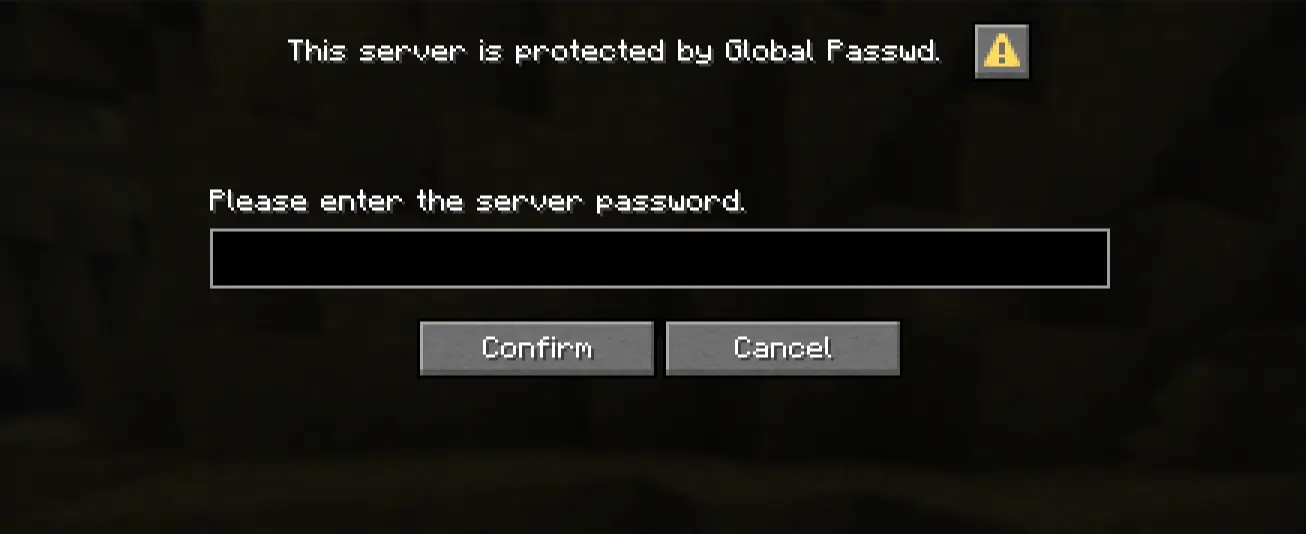
Global Passwd is a Minecraft plugin that, once installed on your server, lets you set a global password that locks the server. When the server is locked, every player trying to connect will be prompted to enter the password. If the password is correct, they will successfully be connected; otherwise they will be disconnected.
This screen will appear when you try to join the server :
Security
The password is stored on the server hardware and never leaves it. It is stored using SHA256 hashing, meaning the password can't be read at all after being saved. This also means you won't be able to recover your server password if you forget it.
The version of the plugin shipped by me uses a randomized salt that is not committed to GitHub. See the "Documentation" section in this file to see how to compile your own version of the plugin with a custom salt to enhance your server security.
Sessions
To enhance the user experience, this plugin is shipped with a system called "sessions". When a player trying to connect types in the right password, their UUID will be saved in a local database stored directly on your server.
Sessions don't last for a lifetime. By default, a session lasts 30 days. You can change this value; see the 'Configuration' part of the documentation below.
This system can be disabled. See the "Configuration" part of the documentation below.
Customization
Any server owner can customize the plugin to their liking by directly typing into the chat the "passwd" command, or by editing the config.yml file on your server.
For further information, please refer to the documentation below.
Start using the plugin
You can download the plugin on Modrinth and Curseforge. You can also use the Releases tab on the GitHub page of this plugin.
Once downloaded, move the .jar file into the ./plugins directory of your Minecraft server.
Warning: The plugin isn't shipped with a default password. This means that if you don't set up a password, no password will be asked of the player.
Please use the 'passwd change <password>' command once the plugin is installed.
Documentation
You can find the Documentation of this plugin in the README of the GitHub project.
Report a bug
Feel free to open an Issue on the GitHub page of this plugin if you encounter any bugs or things you would like to change, add, etc., in this plugin.
Credits
This plugin was developed entirely by me. No AI was used during the process.
The use of the Dialog API provided by Paper and the timeout system were inspired by the Password plugin developed by foenichs. Please check his work, he makes very cool stuff!