
Compatibility
Minecraft: Java Edition
Platforms
Supported environments


Links
Tags
Creators
Details
MoeMusic Mod for Minecraft
MoeMusic adds an in-game music player for servers and single-player worlds. Players can search, request, skip, and manage songs from the player screen, while servers can coordinate one shared playlist for everyone who has the mod installed.
MoeMusic 为服务器和单人世界提供游戏内音乐播放器。玩家可以在播放器中搜索、点歌、切歌和管理歌曲;当安装在服务器上时,所有安装了客户端 Mod 的玩家都可以同步收听歌曲。
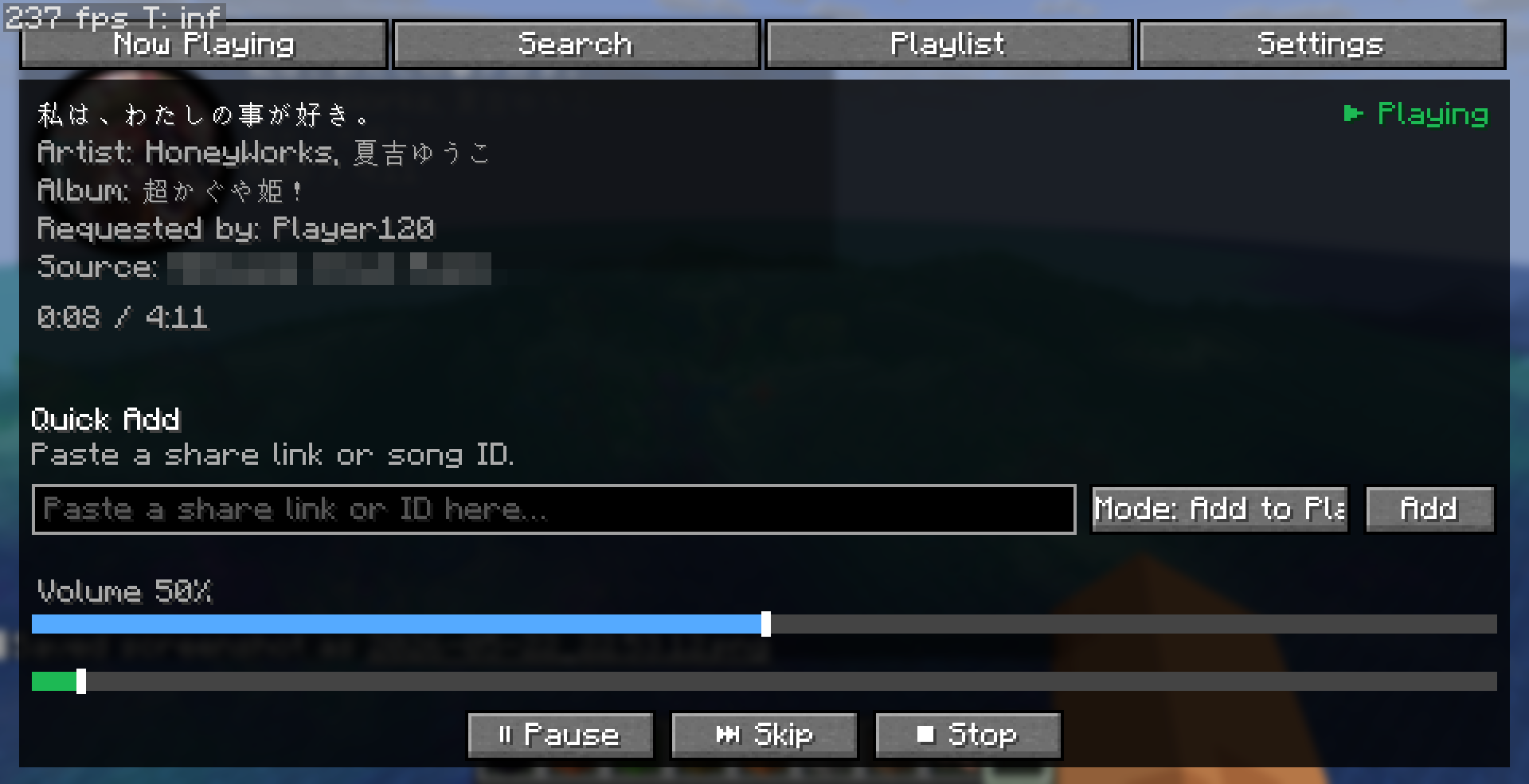
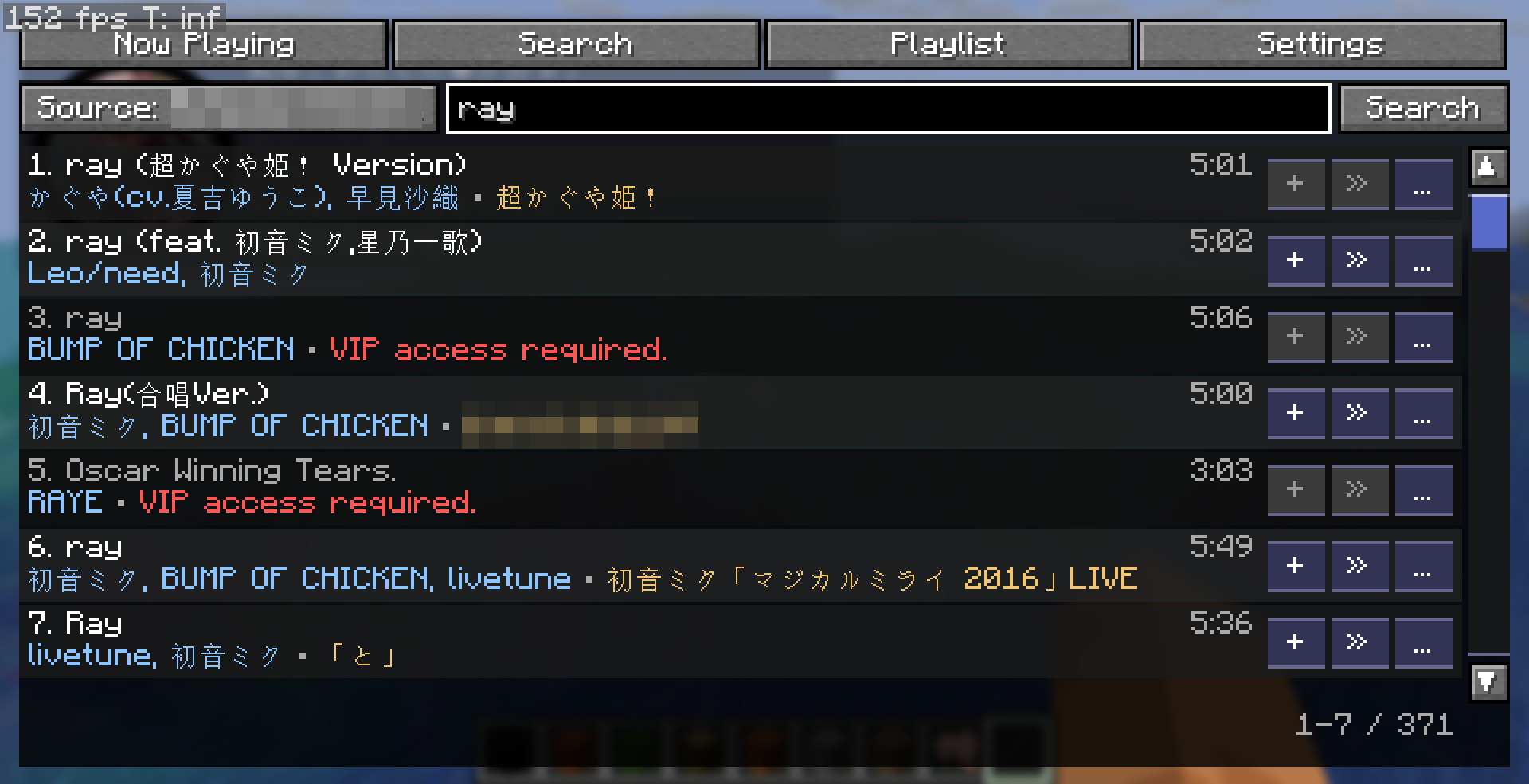
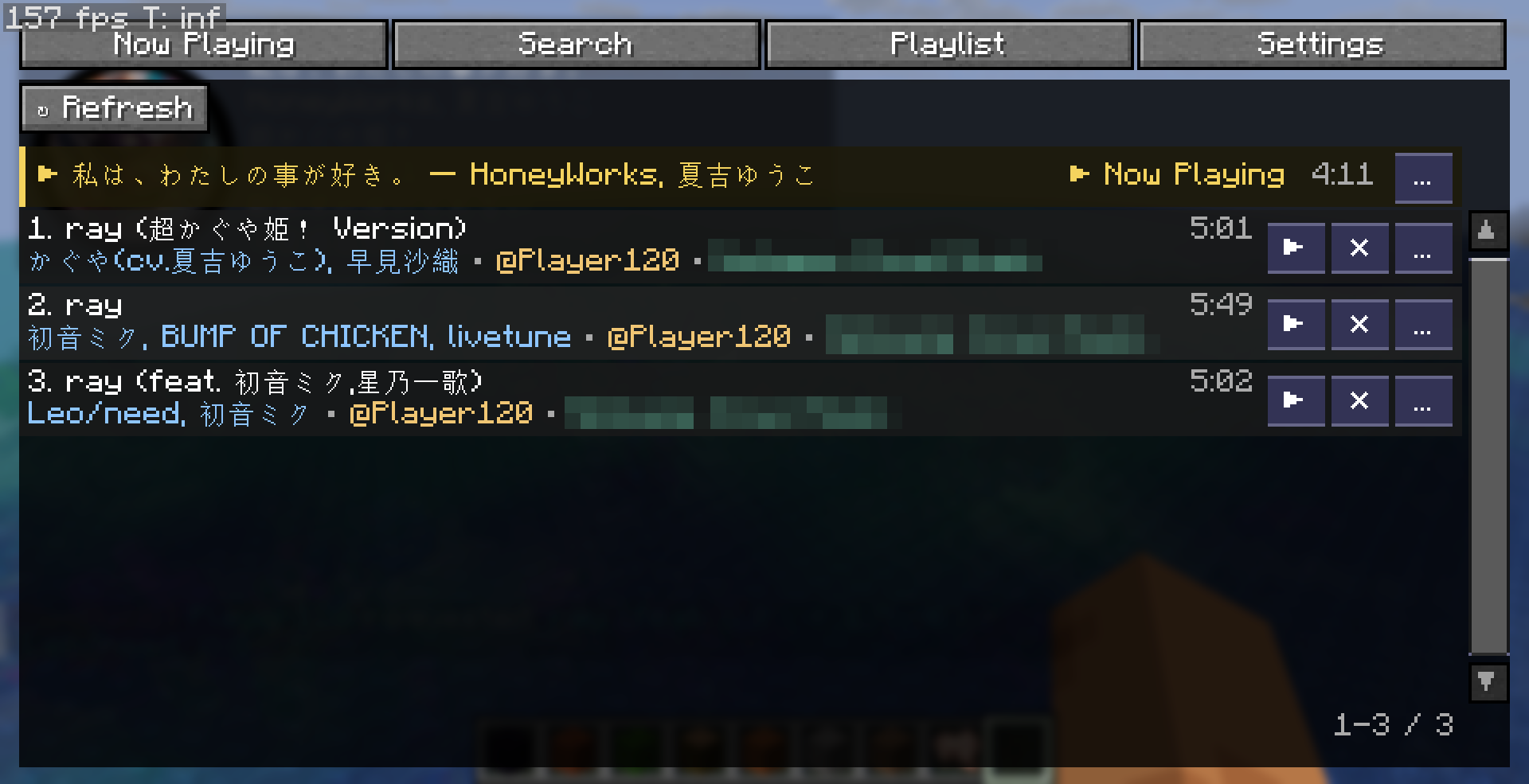
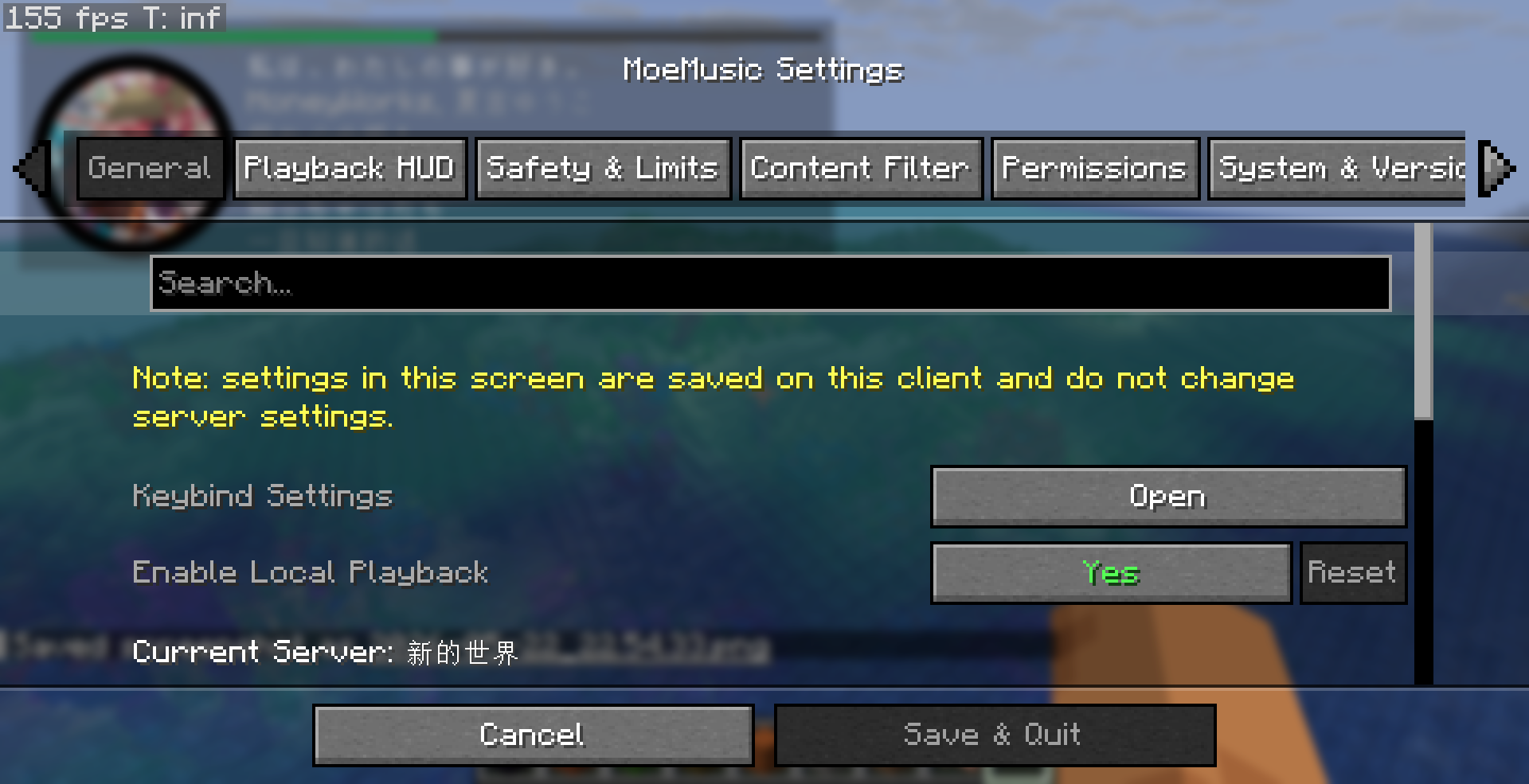
📷 Click to view in-game screenshots 点击查看游戏内功能截图
 |
 |
 |
 |
 |
 |
Core features:
- In-game music player opened with the default
Mkey. - Search, queue management, playback controls, volume control, seeking, and track blocking.
- Shared server playlist with synchronized playback for participating clients.
- HUD display with current track info, cover art, progress, and lyrics.
- Plugin-based music sources, with support for multiple sources at the same time.
- Audio decoding powered by
lavaplayer, including common formats such as MP3, OGG, WAV, FLAC, and playlists like m3u. - Content filtering, request rate limits, media firewall rules, and permission checks for server safety.
- Optional integrations with Cloth Config, Mod Menu, LuckPerms, and Fabric Permissions API.
核心功能:
- 默认按
M打开游戏内音乐播放器。 - 支持搜索、播放列表管理、播放控制、音量调整、进度调整和歌曲屏蔽。
- 服务器共享播放列表,并同步参与播放的客户端进度。
- HUD 显示当前歌曲信息、封面图、播放进度和歌词。
- 基于插件扩展音源,并支持同时使用多个音源。
- 基于
lavaplayer解码音频,支持 MP3、OGG、WAV、FLAC 等常见格式,以及 m3u 等播放列表。 - 提供内容过滤、请求限流、媒体防火墙和权限检查,适合服务器使用。
- 可选集成 Cloth Config、Mod Menu、LuckPerms 和 Fabric Permissions API。
Basic setup:
- Download the MoeMusic file that matches your loader and Minecraft version.
- Install the required dependencies for your loader.
- Install MoeMusic on the server (if you need server support) and on every client that should hear music.
- (For server) Start the server once to generate
config/moemusic/moemusic.toml, edit it as you need. You can also use the client's settings screen to edit, then upload the config file to server. - Install the music source plugins you want to use into
modsorconfig/moemusic/plugins/. - Open a world or join a server, then press
Mto open the player.
Security note for servers: direct HTTP/HTTPS audio links require administrator-level permission by default. For regular players, using trusted music source plugins is recommended instead of allowing arbitrary links.
For detailed setup, dependencies, configuration, permissions, plugin installation, and language overrides, etc. see the README and wiki:
- README: https://github.com/lolicode-org/MoeMusic-Minecraft
- Plugin list: https://github.com/lolicode-org/MoeMusic/wiki/Plugins---插件列表
- Core library and plugin API: https://github.com/lolicode-org/MoeMusic
基础安装步骤:
- 下载与你的加载器和 Minecraft 版本匹配的 MoeMusic 文件。
- 安装对应加载器所需的依赖。
- 在服务器(如果你需要在服务器上使用)和需要收听音乐的客户端上都安装 MoeMusic。
- (对服务器)启动一次服务器,生成
config/moemusic/moemusic.toml,并按需编辑它。你也可以先在客户端完成需要的设置后,直接将客户端的配置文件上传到服务器。 - 将需要使用的音源插件放入
mods或者config/moemusic/plugins/。 - 打开世界或进入服务器,按
M打开播放器。
服务器安全提示:默认情况下,直接提交 HTTP/HTTPS 音频链接需要管理员级权限。更推荐为普通玩家安装受信任的音源插件,而不是开放任意链接提交。
更详细的安装说明、依赖列表、配置项、权限节点、插件安装和语言文件覆盖等,请参考 README 与 Wiki: