
Compatibility
Minecraft: Java Edition
Platforms


Tags
Creators
Details
Licensed ARR
Published 6 months ago
Updated last week
English
Guide
-
If you have troubles, it may help you
-
When you get the crafted materials, you'll unlock the recipes for the items in the datapack, so don't worry about unable to craft them
Install Tips
-
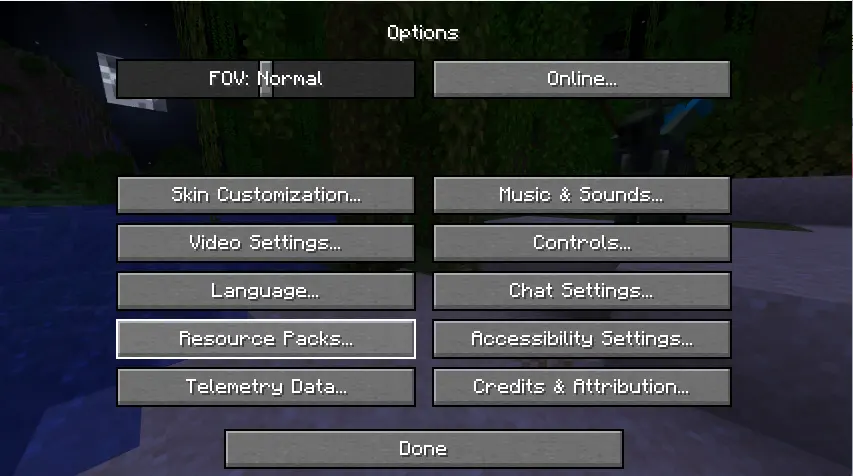
Step 1
Open"Resource Packs"
-
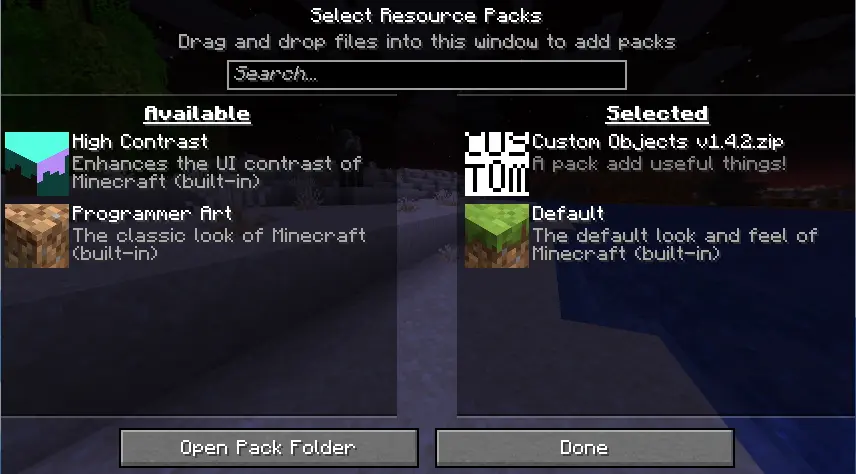
Step 2
Put it in your resource pack list and enable it
-
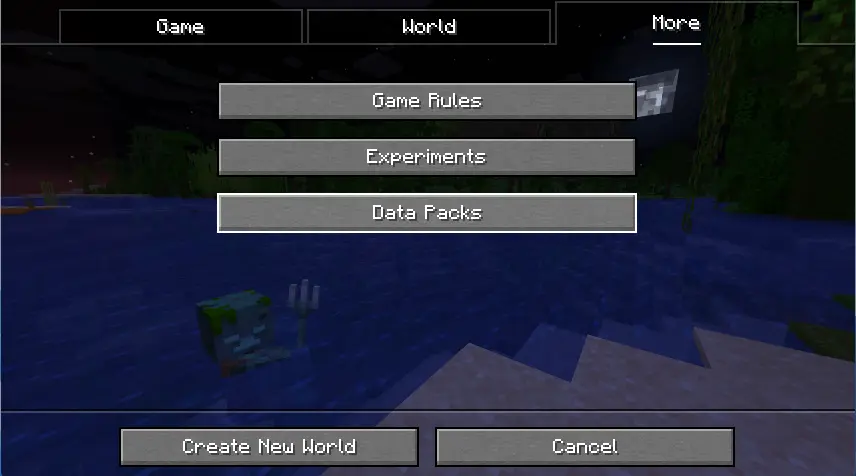
Step 3
Create a new world and open"Data Packs"
-
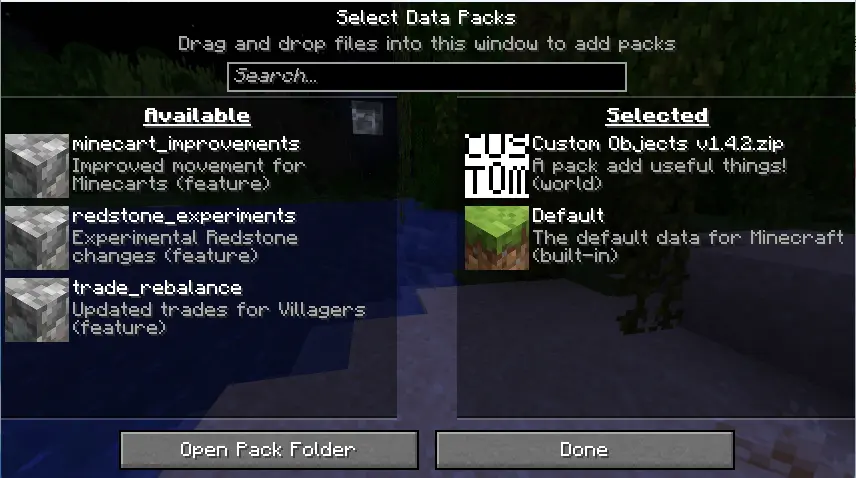
Step 4
Put it in your data pack list and enable it
-
Step 5
Enjoy it :)
-
It support English !
-
It's still a test version...
Description update in 2026.11.7
简体中文
指南
-
如果你遇到了麻烦,看这个或许有点用。。。
-
每当你拿到合成的材料,就会解锁数据包中物品的配方,不用担心不会合成啦
不会安装数据包的看这里
-
第一步
打开“资源包”

-
第二步
把你下载到的数据包包长按左键拖动到资源包目录里并启用(这个数据包既是数据包,也是资源包,不用担心冲突)

-
第三步
点击“创建新的世界”,在顶部选项中的最后一个“更多”中找到“数据包”

-
第四步
把你下载到的数据包包长按左键拖动到数据包目录里并启用

-
第五步
好了这就是全部了,玩去吧awa
-
支持中文()
-
目前还在测试,有bug很正常(遇到了记得告诉我!)
简介于2026.10.27更新