Compatibility
Minecraft: Java Edition
Platforms
Supported environments


Links
Tags
Creators
Details
Licensed MIT
Published 2 years ago
Updated 3 months ago
Player Size Changer
&color=orange)
)
&color=red)
&color=green)
)
)
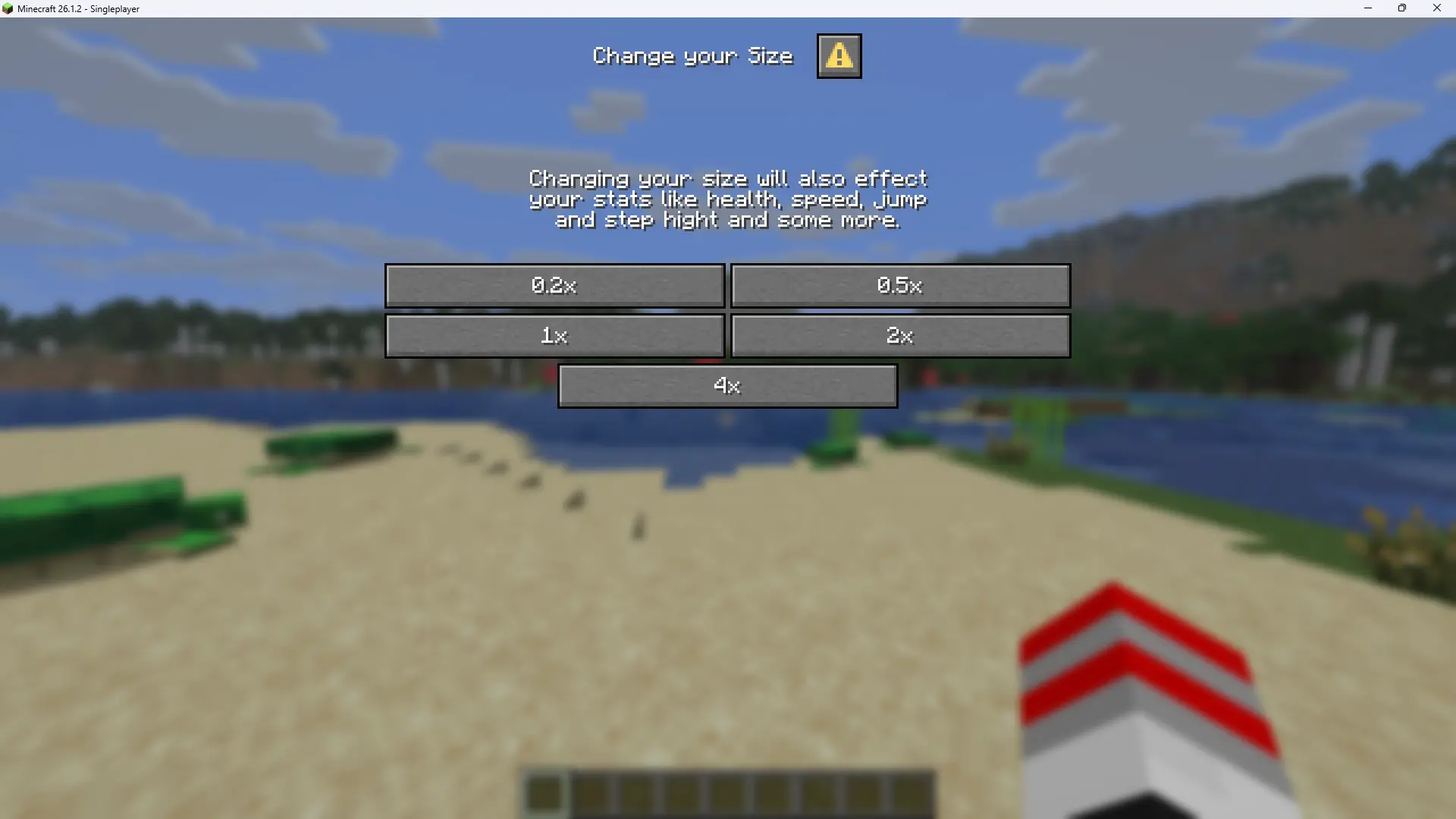
There are currently 5 different sizes:
- Very small (0.2x)
- Small (0.5x)
- Normal (1x)
- Large (2x)
- Very large (4x)
This pack WORKS WITHOUT CHEATS now!
To change you size, you have 3 options:
-
[Recommended] You can change your size by opening the change size menu in the pause screen of the game:
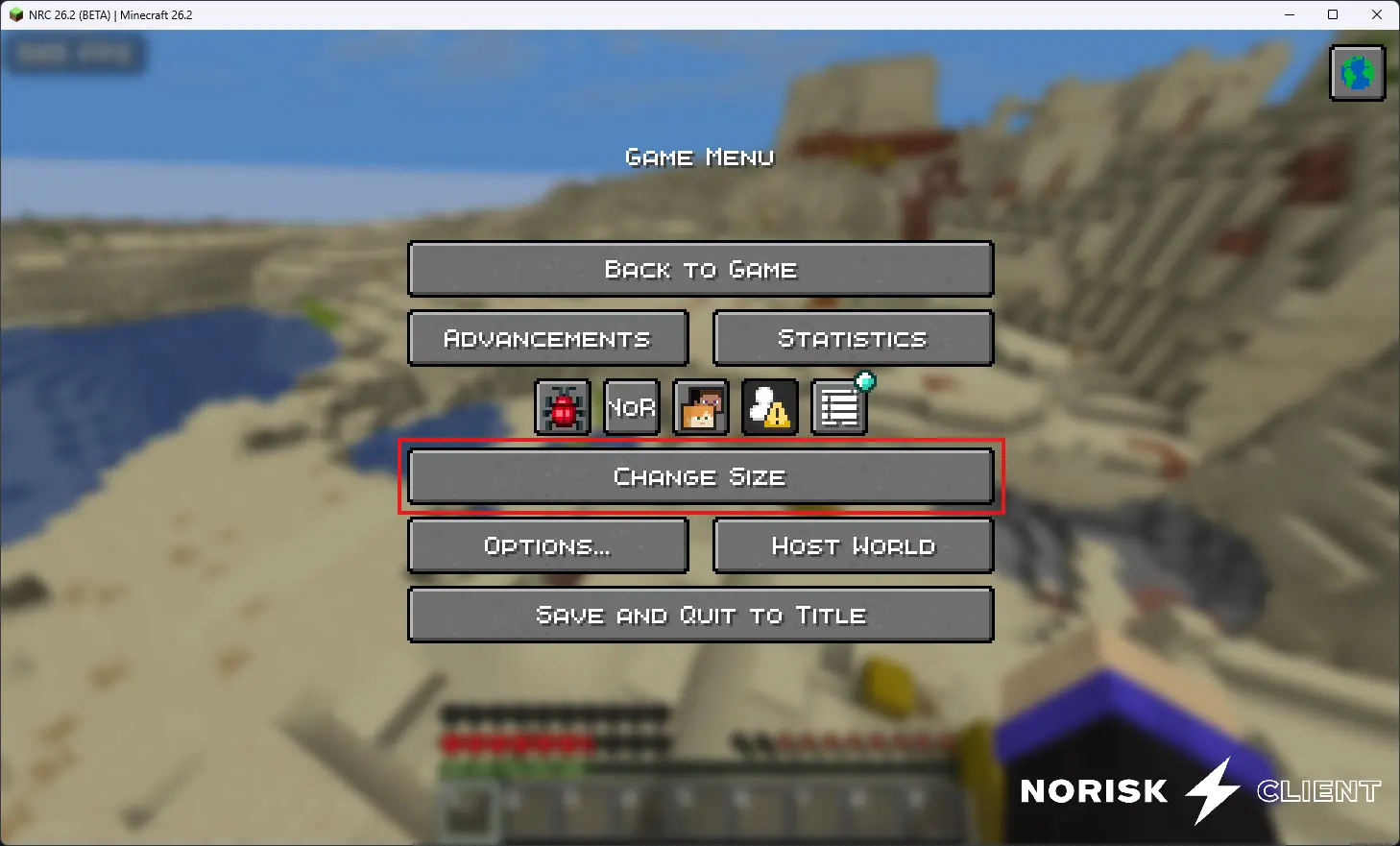 Press on "Change Size" (here marked in red) and the following menu will open where you'll be able to change your own size:
-
If clicking the change size button opens a menu from a mod (like Mod Menu), you'll have to use the following command to manually open the menu:
/dialog show @s size:change-size
- If you are using an earlier version of minecraft or of the datapack/mod, your only option is to use the following commands to change your size:
/trigger 0.2x
/trigger 0.5x
/trigger 1x
/trigger 2x
/trigger 4x