
Compatibility
Minecraft: Java Edition
Platforms
Supported environments


Links
Tags
Creators
Details
Absolute Cinema Camera
A client-side Fabric mod that turns Minecraft into a film. One key puts the game into cinema mode: black bars slide in, the HUD goes, the picture is graded and softened, and the camera either smooths out your own movement or detaches entirely and shoots the scene for you.
Built for roleplay servers — nothing is required on the server side, and other players do not need the mod.
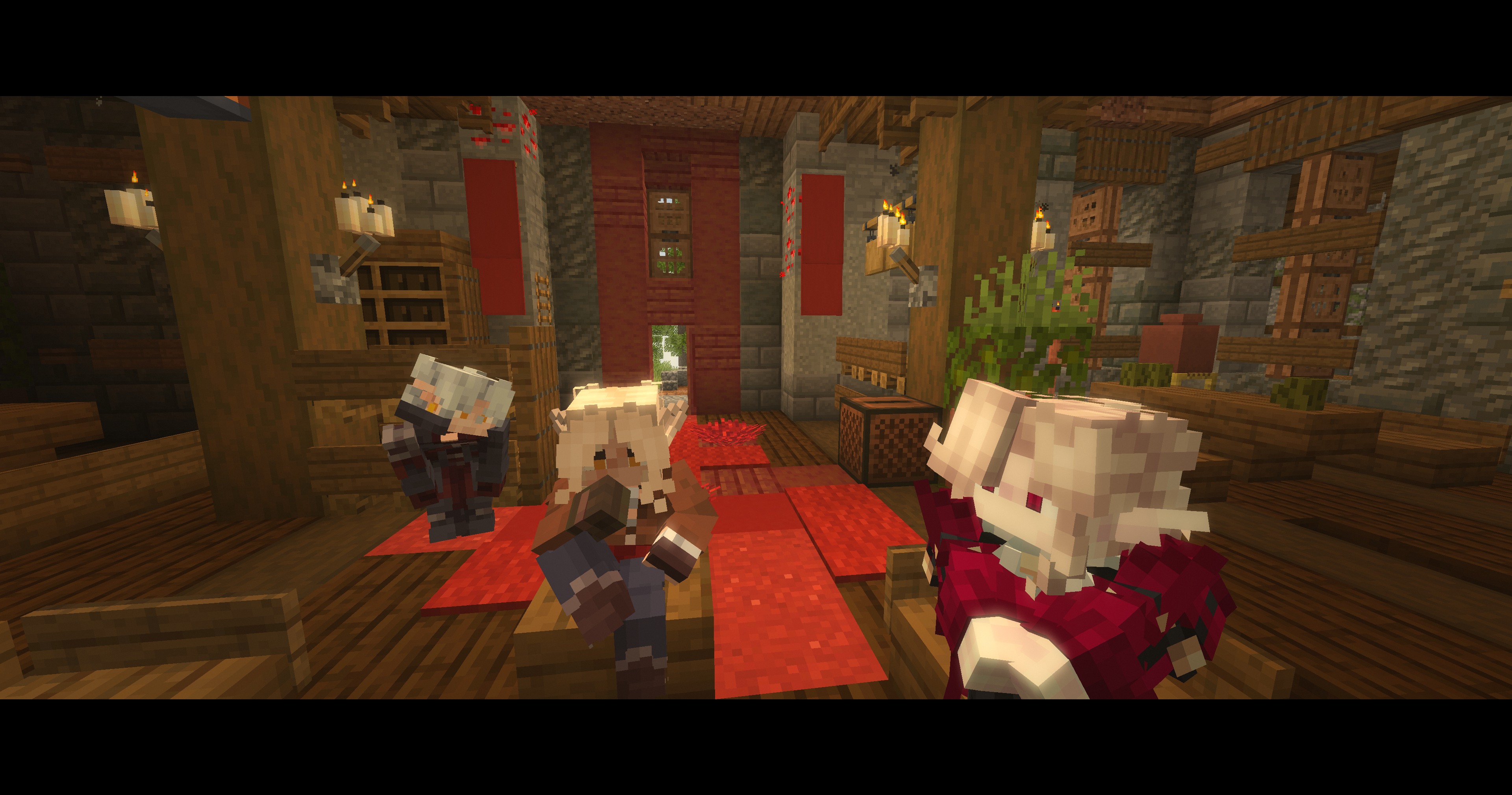
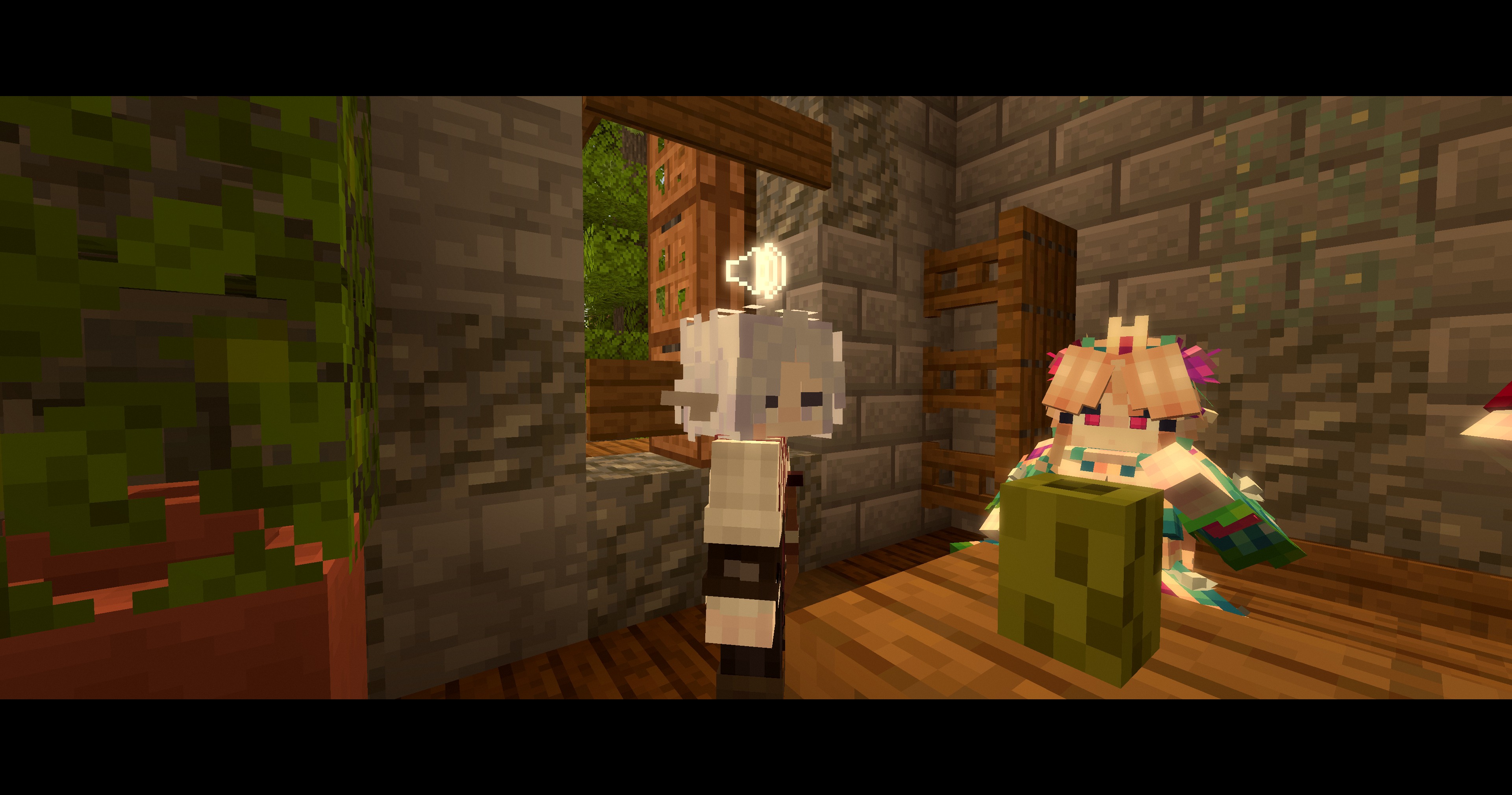
Watch it film a conversation — one continuous take, nothing cut afterwards. Every change of frame is the mod deciding who has the floor.
What it does
Letterbox and HUD. Cinemascope mattes at the top and bottom, sliding in over a configurable fade. The HUD, the held item and the hand can all be hidden — each separately. The chat stays visible by default and is lifted clear of the bottom matte, because on a roleplay server half the scene happens in text; hide it too if you want a completely clean frame. The crosshair goes regardless of what else you keep — in the directed modes the camera is nowhere near your eyes, so it would sit in the middle of the picture pointing at nothing. The F3 debug overlay deliberately stays visible so you can still read the framerate while filming.
Colour grading. Twenty looks, applied through a three-way colour corrector (lift / gamma / gain) plus saturation, contrast, glow, grain, chromatic aberration, exposure flicker, image warp and double vision. They are ordered by the kind of look they give, so cycling through them with the key stays predictable:
| Preset | Look |
|---|---|
| No grade | Untouched picture, filters still available |
| Bright | |
| Golden hour | Amber low sun, soft contrast, light hazing off every surface |
| Noble study | Candlelit gold on the faces, warm shadows, the light slowly breathing |
| Grand ball | Chandeliered hall: lifted gold, airy contrast, glow everywhere |
| By the campfire | Warm firelight, cool deep shadows, gentle grain |
| Deep frost | Pale, cold and flat, light bouncing off snow |
| Distorted | |
| Drunk | The room sways, edges split into a second faint copy, lights smear |
| Fever | Sickly yellow-green over bruised shadows, the picture swimming |
| Colour led | |
| Romance | Rose shadows, magenta highlights, a glow on everything bright |
| Bloodlust | Everything drowns in red — the shot before someone draws a blade |
| Enchantment | Violet shadows against cyan light, glowing and fringing |
| Dark | |
| Overcast morning | Cold, flat, milky lifted shadows |
| Foul weather | Cold grey-blue, hard contrast, everything wet and glinting |
| Moonlight | Blue, dim, desaturated, quiet |
| Conspiracy | Blue-green gloom with one warm candle holding the faces |
| Interrogation | One harsh lamp: bleached colour, brutal contrast, dark corners |
| Bad dream | Sickly green-magenta, crushed, heavy grain and vignette |
| Stylised stock | |
| Memory | Soft sepia, lifted, glowing at the edges |
| Old film | Scratched sepia, heavy grain, gate flicker, hard vignette |
| Black and white | Full desaturation with a hint of warmth in the highlights |
Vignette and film grain are separate toggles that apply to every preset, and the whole grade has a strength slider.
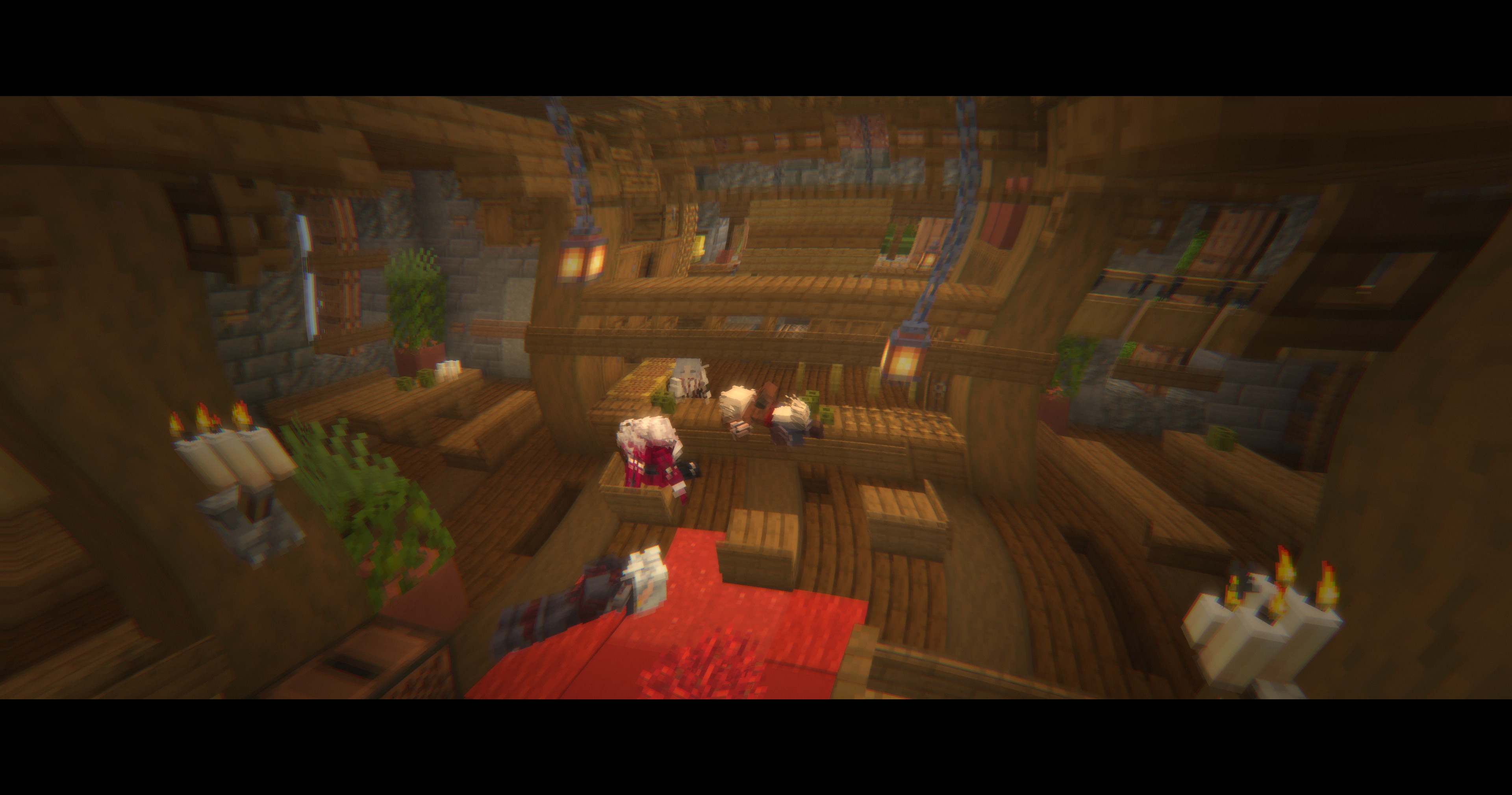
Combat interrupt. Taking damage drops the mode instantly, with no fade — so nobody can ambush you while you are watching a camera orbit. It can be switched off.
Depth of field. A real depth-buffer effect, not a screen-space fake: the distance to what the camera is aimed at is measured every frame and the focus is pulled smoothly towards it. The foreground is left sharp by default (blurring it ghosts the ground at your feet), and can be softened separately if you want it. It only applies to the presets a soft background actually suits — the bright and stylised looks stay sharp across the whole frame even with the filter on.
Six camera modes.
-
First person — you keep control. The camera follows your mouse with a configurable lag, the position is smoothed, and the walking sway is switched off entirely: vanilla rocks the view from side to side on every step, and no camera on a real set does that.
-
Dynamic camera — the camera detaches and shoots the whole scene: you and every player within the scene radius (named creatures can be counted in as well, off by default). It composes around the group centre at a distance wide enough to hold everyone, and picks from orbits, wide frames, tracking moves, dollies, cranes and locked-off frames. It never approaches a face, and never swings behind the group — that is reserved for the third mode.
-
Focus on speaker — the same scene coverage while the room is quiet, but the moment Simple Voice Chat reports someone talking, the camera cuts to their face: a close-up or a push-in from 1.35–2.3 blocks, angled off their own gaze so you see the face, not the back of the head. Two separate timings decide when it lets go, because a conversation and a silence are different things: a quarter of a second's pause is enough for somebody else to take the frame, while a room that has simply gone quiet holds the last speaker a while longer. A turn also has a maximum length, so an open mic or a held talk key cannot own the camera for the rest of the evening.
-
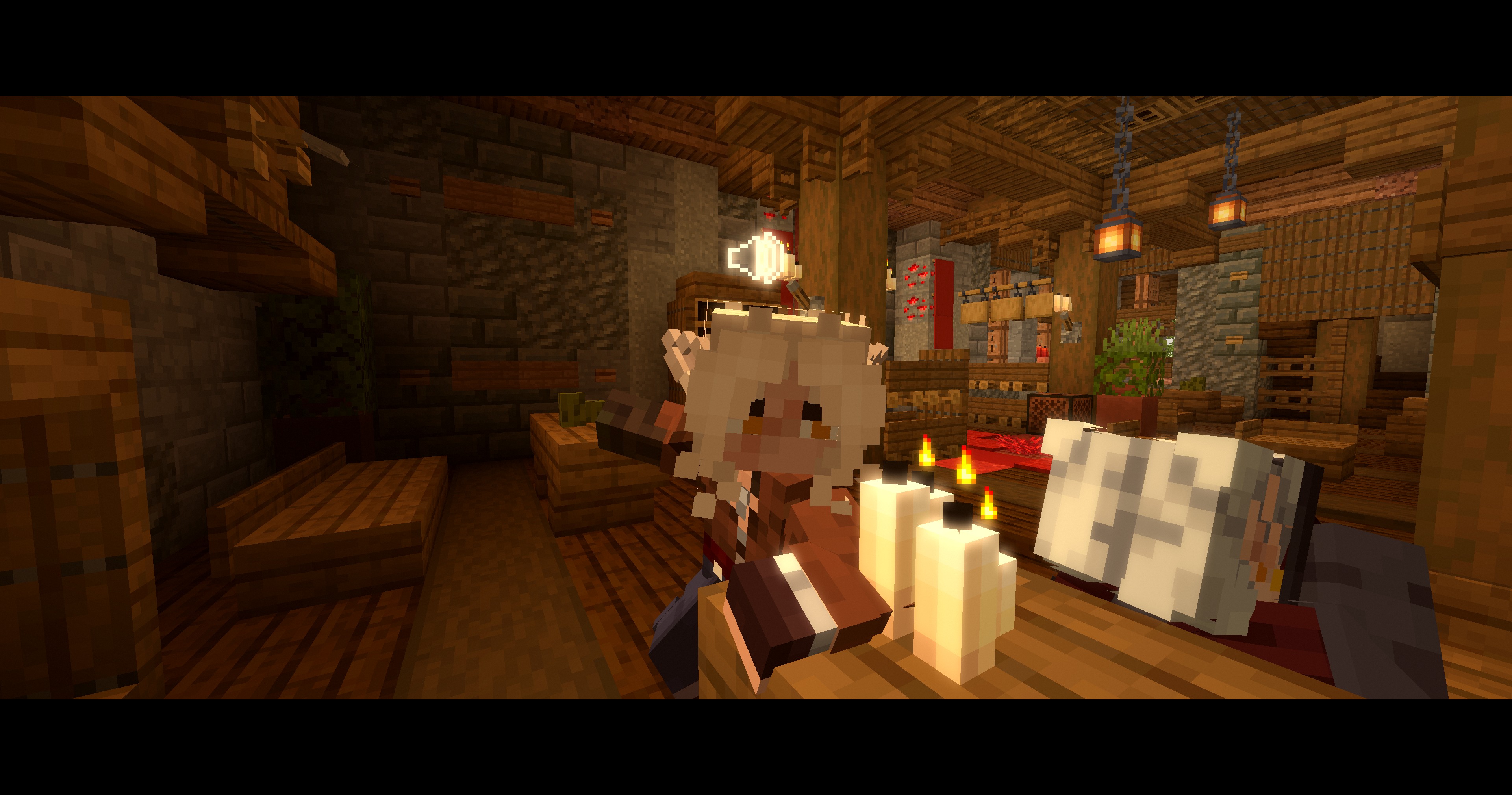
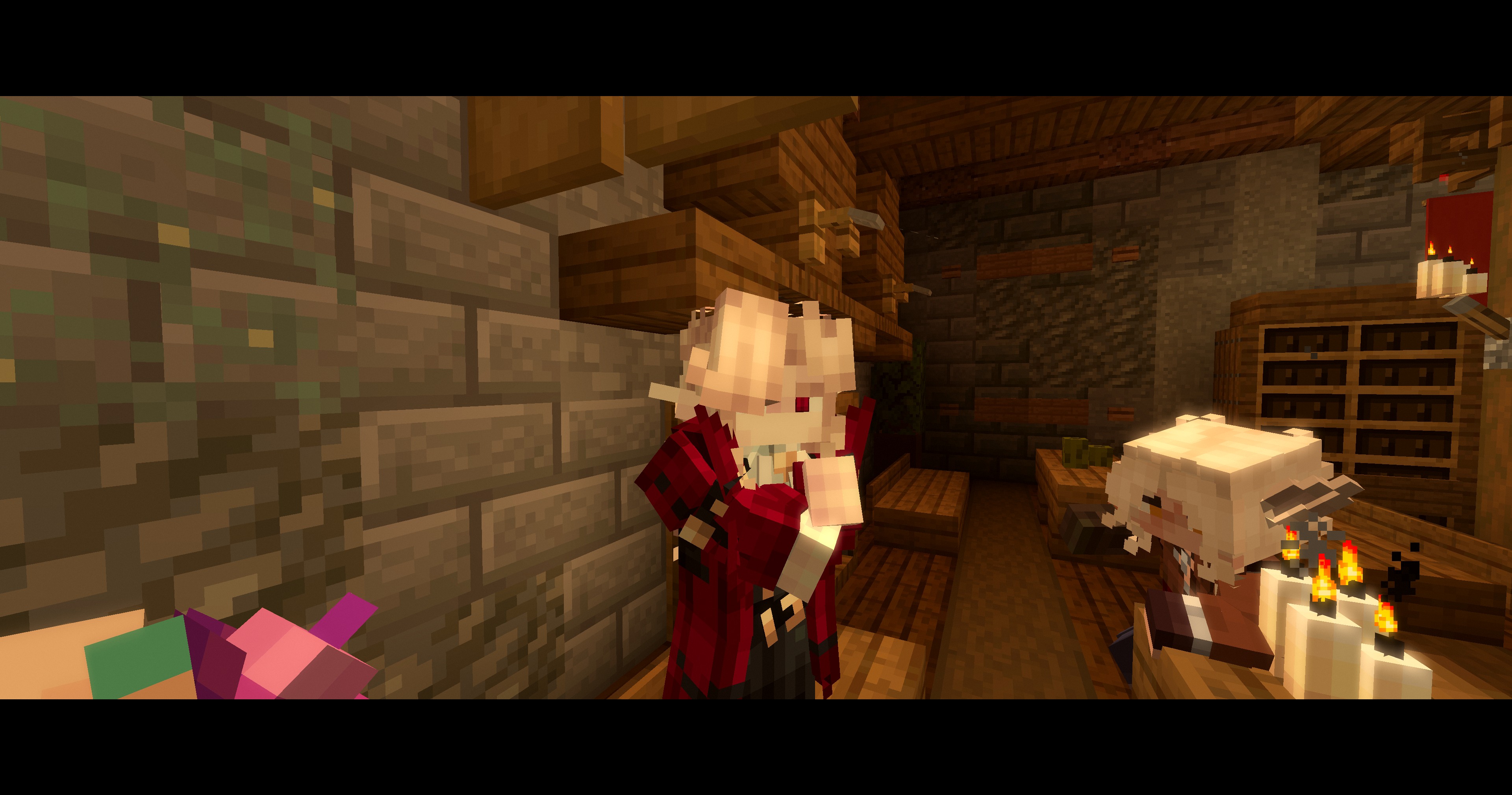
Dialogue — how one operator with one camera covers a conversation: hold everybody in a master shot, cut in to whoever starts speaking, cut back out the moment they stop. Two people or a table of five makes no difference — nobody is dropped from the film for not being in the pair, which is what a strict two-person shot-reverse-shot did here. Who counts as the speaker comes from Simple Voice Chat, or from the chat — see below. The camera keeps to one side of the group and never crosses it, because crossing makes everyone swap sides of the screen between cuts and the scene stops reading. Cuts here are instant on purpose — gliding between opposite angles would fly straight through the people.
Three consecutive frames from one conversation, with nobody touching a key between them:
-
Tripod — locked off wherever you planted it, turning only to keep the scene in frame. Put the camera down, walk into shot, play the scene. For speeches, trials, performances, and long talks where constant orbits get tiring.
-
Side track — travels alongside the scene at a fixed angle, keeping pace. For walks, processions and rides. It swaps sides every twenty seconds or so, and immediately if the current side runs out of room.
Shots respect the room: eight rays measure the free space around the scene a few times a second and shots are aimed at whichever side has room for them; the camera is clipped against walls along all four corners of its near plane; a shot that stays jammed against geometry is recomposed from a different angle. In a room too small for travelling shots the camera switches to looking down from the ceiling, and if a wall ever squeezes it inside the people it is filming, it climbs out of them.
Shots also respect the people. Every frame the camera checks each participant against its real field of view — the letterbox included, since the mattes eat the top and bottom of the picture — and backs off by exactly what is missing, so nobody is left outside the frame however the group is spread out. A few rays a second confirm the scene is actually visible and not behind a pillar; a shot of nothing is dropped for a better angle. Signs, item frames and other clutter with no collision cannot be pushed away from the lens, so anything that ends up right in front of it is simply not drawn.
Roleplay played out in text. Half of every scene on a roleplay server is typed rather than
spoken — a /me, a /do, a line of dialogue — and a camera that only listens for voices spends
that half filming the wrong person. So a message counts as a turn too, and the camera cuts to
whoever wrote it.
Finding out who wrote it takes no server-side plugin. Ordinary player chat carries the sender in
the packet. Everything a chat plugin has reformatted arrives as a system message with no author
attached anywhere — but servers habitually decorate the name with the vanilla show_entity
hover, the tooltip you get pointing at somebody's message, and that hover is by definition an
entity type and a UUID. The author is therefore read out of decoration the server was already
sending.
A message is not treated as speech, because it is not one. Speech is a duration; a message is an
instant with a reading time attached, so the frame is held for a couple of seconds plus however
long the line takes to read, capped. A live voice always outranks writing. Anything containing a
marker you have listed — an out-of-character ((, a global channel prefix — is ignored, and so is
anybody too far away to be in the shot.
The camera belongs to whoever switched it on. Walk ten blocks away from everybody else and you have left the scene, whatever the scene radius says — so the camera leaves with you, rather than staying behind to film a conversation you are no longer part of. The distance is configurable, and can be switched off.
Cutting by hand. The angle can be changed on a key at any time, and the automatic change can be switched off altogether — then a frame stands until you ask for another one. Only while the camera is filming the room: whoever starts speaking still takes the frame at once, since being told who has the floor is the point of those modes and no key is quicker than a voice. A shot jammed against a wall is still recomposed without asking, because holding a frame is worth doing and holding a broken one is not.
One thing the camera deliberately ignores is where people are looking. A shot's angle belongs to the shot: it is fixed when the shot is composed and only follows someone who genuinely turns around, slowly. Otherwise whoever was on screen would be steering the camera with their mouse — for everybody watching.
Controls
| Key | Action |
|---|---|
F7 |
Toggle cinema mode |
| unbound | Open the settings screen |
| unbound | Next camera mode |
| unbound | Next colour grade |
| unbound | Next scene profile |
| unbound | Plant the tripod here |
F9 |
Change the angle |
All of them are rebindable in the vanilla controls screen, under Absolute Cinema Camera.
Scene profiles
A profile is a named staging setup — camera mode, colour grade and which filters are on — that switches in one keypress or one command. Nobody wants to open a settings screen in the middle of a scene, and cycling grades by key means remembering the order. So: set the rig up once, save it under a name, call it whenever that kind of scene happens.
/cinema scene                  list the profiles, marking the active one
/cinema scene set <name>       apply it
/cinema scene save <name>      save the current setup under that name
/cinema scene delete <name>    remove it
Five come ready as examples: talks (dialogue coverage, noble study), ball (dynamic, grand
ball, wider framing), tavern (speaker focus, campfire), duel (dynamic, bloodlust, closer
framing) and stage (tripod, grand ball). Rename, rework or delete them freely — a profile is
just a line in the config.
Only what belongs to staging is stored: mode, grade, the filter toggles, grade strength and shot distance. Preferences like smoothing, shot length and scene radius stay global, so profiles never fight your personal settings.
Commands
/cinema                       open the settings
/cinema on | off | toggle     switch cinema mode
/cinema mode <mode>           first_person | dynamic | speaker_focus | dialogue | tripod | side_track
/cinema grade <grade>         any preset id, with tab completion
/cinema scene ...             see scene profiles above
/cinema tripod                plant the tripod where you are standing
/cinema shot                  change the angle, the same as the key
Building
Gradle 8.14.3 with Loom 1.11.8, Java 21. ./gradlew build produces the jar in build/libs.
./gradlew runClient starts a dev client straight into a test world; pass
-Dabsolutecinema.debug=true (already set for that task) to have the post processor and the
director log what they are doing.
Settings
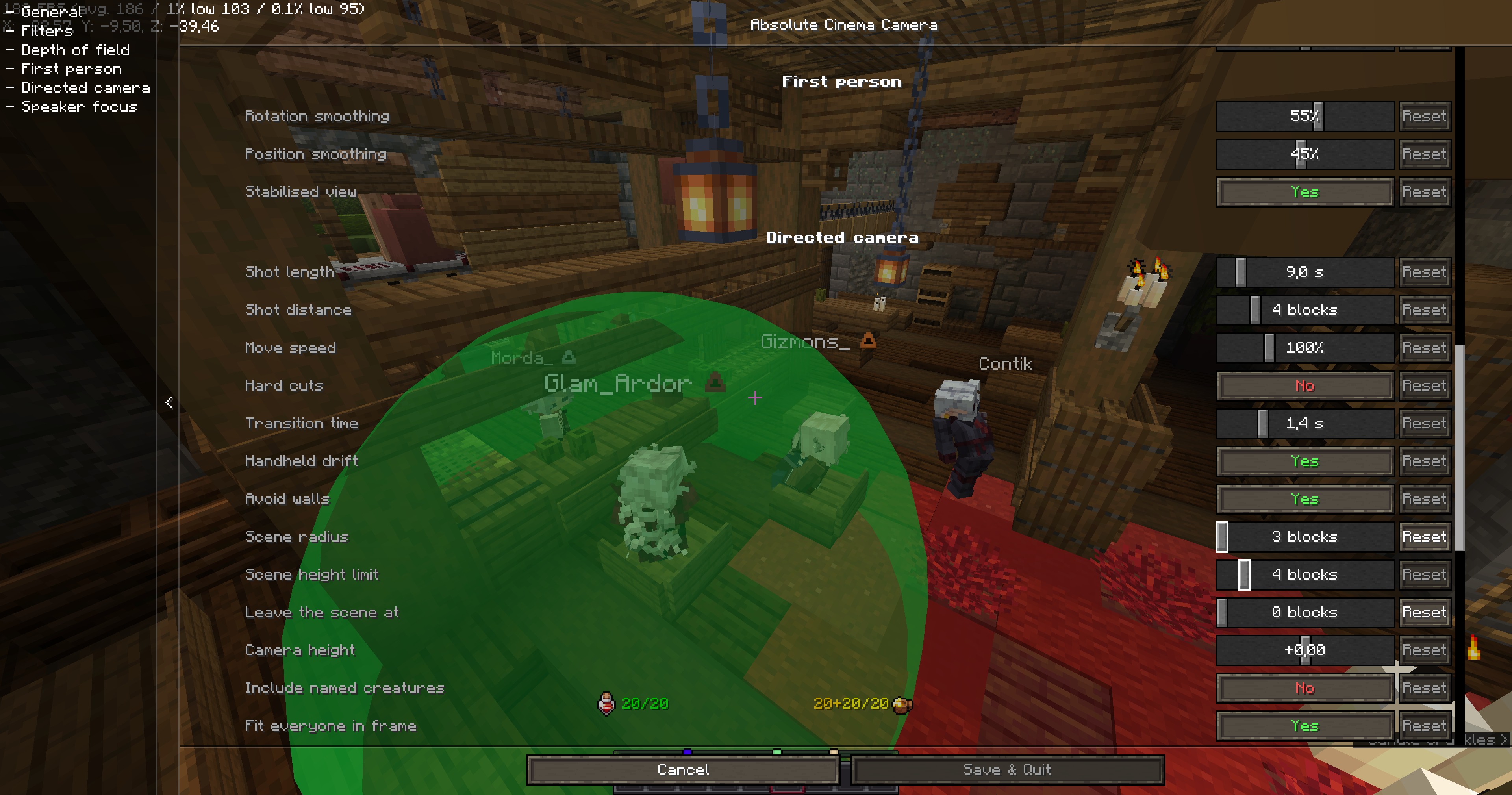
With Cloth Config installed the settings open from Mod Menu as one searchable list; remember to press Save changes, since Cloth discards edits on Escape. Without Cloth the mod falls back to its own built-in screen, which applies everything immediately and covers exactly the same settings.
Every setting takes effect while the screen is open, so a shot can be framed by looking at it rather than by guessing, saving, closing and going back in. The background behind that screen is left clear for the same reason. And while the scene radius is being changed, the shape it actually tests is drawn around the player in green — a sphere of that radius, cut flat top and bottom by the height limit — so it can be set by seeing who falls inside it. It stays up for a few seconds after the settings close, which is long enough to turn round and look.
Requirements
- Minecraft 1.21.6 – 1.21.8, Fabric Loader 0.16+, Fabric API
- Optional: Cloth Config (fuller settings screen), Mod Menu (settings button)
- Optional: Simple Voice Chat — what the speaker focus and dialogue modes use to know who is actually talking. Install it on the server as usual; this mod only listens on your own client, and nothing here needs a server-side plugin. Both modes still work without it, they just cannot follow a voice.
Other versions need a separate build: 1.21–1.21.5 use the old shader system, and 1.21.9+ reworked the renderer again.
Thanks
Thanks to Contik, Cmetanochkaa, Gizmons_ and Morda_ for testing the mod.
Licence
LGPL-3.0-or-later. See LICENSE.