
Compatibility
Minecraft: Java Edition
Platforms
Supported environments


Links
Tags
Creators
Details
English
AE2 Utility is an Applied Energistics 2 companion mod for Minecraft 1.21.1 + NeoForge. It provides recipe ingredient transfer, JEI/EMI pattern encoding and upload, a recipe finder, and pattern-provider utility cards.
Key Features
Recipe Ingredient Transfer
- Use the recipe viewer
+button in ME, wireless, crafting, and wireless crafting terminals to fill the current recipe from the ME network. - Transfer ingredients from the player inventory or wireless terminal network into furnaces, smokers, blast furnaces, stonecutters, smithing tables, AE2 inscribers, and other supported machine menus.
- Automatically supports built-in integrations for the AdvancedAE Reaction Chamber and the ExtendedAE Crystal Assembler, Circuit Cutter, and Extended Inscriber.
- Shows missing slots before transfer, supports maximum-batch transfer, and can request auto-crafting for missing terminal ingredients.
JEI / EMI Pattern Encoding and Upload
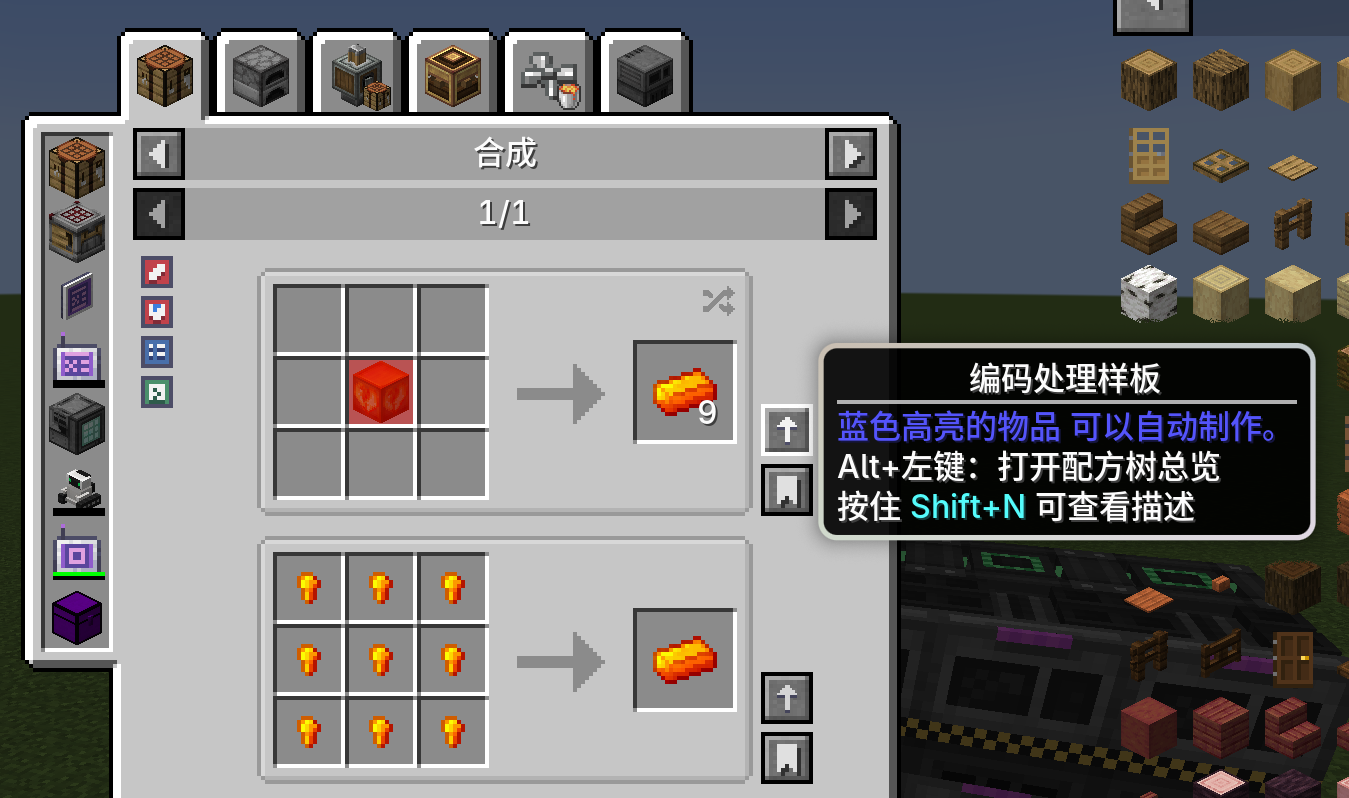
- Encode AE2 patterns directly from JEI/EMI recipes while a pattern encoding terminal is open or a usable wireless pattern terminal is available.
- Supports crafting, processing, smithing, and stonecutting patterns. A failed structured recipe never silently falls back to a processing pattern.
- Supports batch encoding for the current page or an entire machine category, subject to the server-side per-session limit.
- Supports item/fluid substitution, input order, multiple ingredient alternatives, and duplicate-pattern checks against the ME network.
- Prefers matching JEI bookmarks or EMI favorites for inputs with multiple alternatives. This client option is enabled by default and can be disabled to preserve the original alternative order.
- Uploads patterns to matching pattern providers when ExtendedAE Plus is installed; crafting patterns can also be written to an assembly matrix.
- Uploads supported structured patterns to the crafting subsystem of Neo ECO AE Extension (
neoecoae) with duplicate checks. - JEI can bookmark ingredients that do not have an auto-crafting pattern; EMI provides equivalent single-recipe and batch encode/upload actions.
AE2 Utility's built-in recipe tree was removed in
1.7.0. Use JEI Crafting Tree when a recipe tree is needed; AE2 Utility can act as its AE2 encode/upload backend.
Recipe Finder
- Open the global JEI recipe filter with the Recipe Finder item.
- Filter recipes by sample, source mod, machine, input/output material features, and exclusions.
- Show only recipes that can currently be encoded, select matching recipes, and encode them as a batch.
NBT Tear Card
- Install the card in a pattern provider to relax component/NBT matching for pattern inputs and outputs by item id.
- An empty filter applies to every item not excluded by the server blacklist; the card can also target selected items only.
- Includes safeguards for high-risk Productive Bees and Draconic Evolution items and supports additional server-defined blacklist entries.
Redstone Signal Card
- Install the card in a compatible pattern provider to emit redstone according to provider activity.
- Supports a pulse when an order is dispatched, a pulse when output returns, or a continuous signal from dispatch until recipe completion.
- Supports configurable pulse duration and multiple AE2 addon provider implementations.
JEI Crafting Tree Integration
With a recent JEI Crafting Tree version installed, AE2 Utility provides the AE2 backend for editable node pattern drafts:
- Converts editable drafts into AE2 inputs, alternatives, and outputs.
- Supports up to 81 input slots and 27 output slots for processing patterns.
- Preserves primary and secondary outputs, exact amounts, substitution settings, and input order.
- Keeps crafting, smithing, and stonecutting recipes as structured patterns instead of silently downgrading them.
- Performs a client-side blank-pattern precheck, then validates the draft, duplicate rules, and upload limits again on the server.
This integration loads only when JEI Crafting Tree is installed and does not affect other features when absent.
中文
AE2 Utility 是面向 Minecraft 1.21.1 + NeoForge 的 Applied Energistics 2 辅助模组,提供配方拉料、JEI/EMI 样板编码与上传、配方查找器以及样板供应器功能卡。
主要功能
配方拉料
- 在 ME、无线、合成和无线合成终端中使用配方查看器的
+,从 ME 网络填充当前配方。 - 支持从玩家背包和无线终端网络向熔炉、烟熏炉、高炉、切石机、锻造台、AE2 压印器等机器菜单拉料。
- 自动兼容已内置的 AdvancedAE 反应仓、ExtendedAE 晶体装配室、电路切割机和扩展压印器。
- 转移前显示缺失槽位;支持最大批量转移,终端内还可请求自动合成缺失材料。
JEI / EMI 样板编码与上传
- 在样板编码终端,或携带可用的无线样板终端时,直接从 JEI/EMI 配方编码 AE2 样板。
- 支持合成、处理、锻造和切石样板;结构化配方编码失败时不会静默降级为处理样板。
- 支持当前页面和整个机器分类的批量编码,受服务端单次会话上限约束。
- 支持物品/流体替换、输入顺序、多候选原料和 ME 网络重复样板检查。
- 多候选输入优先采用匹配的 JEI 书签或 EMI 收藏项;该客户端配置默认开启,关闭后保留原始候选顺序。
- 安装 ExtendedAE Plus 后可上传至匹配的样板供应器;合成类样板可写入装配矩阵。
- 安装 Neo ECO AE Extension(
neoecoae)时,可将支持的结构化样板上传到其合成子系统,并执行重复检查。 - JEI 支持对缺少自动合成样板的输入创建书签;EMI 提供对应的单条与批量编码/上传入口。
1.7.0已移除 AE2 Utility 自带的配方树界面。需要配方树时请使用 JEI Crafting Tree;AE2 Utility 可作为其 AE2 编码/上传后端。
配方查找器
- 使用“配方查找器”物品打开全局 JEI 配方筛选界面。
- 可按样本、来源模组、机器、输入/输出材料特征和排除项筛选。
- 可仅显示当前能够编码的配方,并批量选择、编码筛选结果。
NBT 撕裂卡
- 放入样板供应器后,可按物品 id 放宽样板输入和产物的数据组件/NBT 匹配。
- 空过滤列表表示作用于全部未被服务端黑名单排除的物品;也可配置为仅作用于指定物品。
- 内置 Productive Bees 和 Draconic Evolution 高风险物品保护,并支持服务端追加黑名单。
红石发信卡
- 放入兼容样板供应器后,根据供应器工作状态输出红石信号。
- 支持“下单时脉冲”“产物返还时脉冲”“从下单持续到配方完成”三种模式。
- 可配置脉冲持续 tick;兼容多种 AE2 扩展供应器实现。
JEI Crafting Tree 集成
安装新版 JEI Crafting Tree 后,AE2 Utility 可为节点样板草稿提供 AE2 后端:
- 将可编辑草稿转换为 AE2 输入、备选原料与输出。
- 支持处理样板最多 81 个输入槽和 27 个输出槽。
- 保留主要/次要输出、精确数量、替换设置和输入顺序。
- 合成、锻造、切石配方保持结构化编码,不静默降级。
- 客户端预检空白样板,服务端再次验证草稿并执行重复检查与上传限制。
该兼容层按需加载;未安装 JEI Crafting Tree 时不影响其他功能。