
Compatibility
Minecraft: Java Edition
Platforms
Supported environments


Tags
Creators
Details

A client-side Minecraft editor for items, entities, and villager trades.
Supports Fabric and NeoForge for Minecraft 1.21–1.21.11 and 26.1–26.2.
Features
Editing Modes: Visual Simple Mode for common operations and Advanced Mode for complete NBT tree editing.
Item Editing: Edit main-hand or inventory-hover items, including names, counts, durability, enchantments, Lore, attributes, potions, appearance, and other components.
Entity Editing: Edit spawn eggs and live entities, including names, health, common states, undo, asynchronous saving, and server readback.
Villager Editing: Manage offers, buy and sell items, trade properties, profession, level, type, live saving, and server readback.
Interface: Redesigned tabs, grouped fields, searchable localized selectors, live previews, consistent bitmap icons, and Chinese or English language support.
Configuration: Custom key bindings, editor dimensions, independent scaling, opacity, theme color, attribute notes, live entity preview, and configurable export paths.
Item Editor
Edit the item in your main hand or hover over an inventory slot and press the configured editor key.
General: Item name, count, durability, maximum stack size, repair cost, rarity, fire resistance, unbreakable state, nutrition, saturation, and version-specific components.
Enchantments: Search by localized name or identifier; add, remove, and clear enchantments; edit levels; filter entries for the current item.
Lore: Multi-line editing, line reordering, color and formatting codes, built-in palette, live preview, Ctrl+A, cursor movement, Shift selection, mouse drag selection, and Chinese IME support.
Attributes: Search localized attributes; add or remove modifiers; edit values, operations, and equipment slots; display optional notes; support version-specific formats.
Potions and Appearance: Base potions, custom colors, multiple effects, duration, amplifier, particles, effect icons, enchantment glint, dye color, item-name color, tooltip visibility, and custom model data where supported.
Tools: Copy NBT, copy a /give command, reset the item, import or export NBT files, and organize saved data with categories and aliases.
Entity Editor
Edit spawn eggs and live entities through a dedicated visual interface.
Entity Properties: Custom name, current and maximum health, health restoration, common entity states, and other supported properties.
Operations: Undo unsaved changes, save asynchronously, and read the final entity state back from the server.
Villager Trade Editor
Create and manage complete villager offers through a visual interface.
Trade Operations: Add, copy, move, delete, and undo offers; configure two buy items and one sell item; search items by localized name or identifier; edit item counts and supported components.
Offer Properties: Current and maximum uses, villager XP, price multiplier, demand, special price, experience rewards, and additional supported fields.
Villager Properties: Profession, level, type, live offer saving, and server readback.
Simple Mode
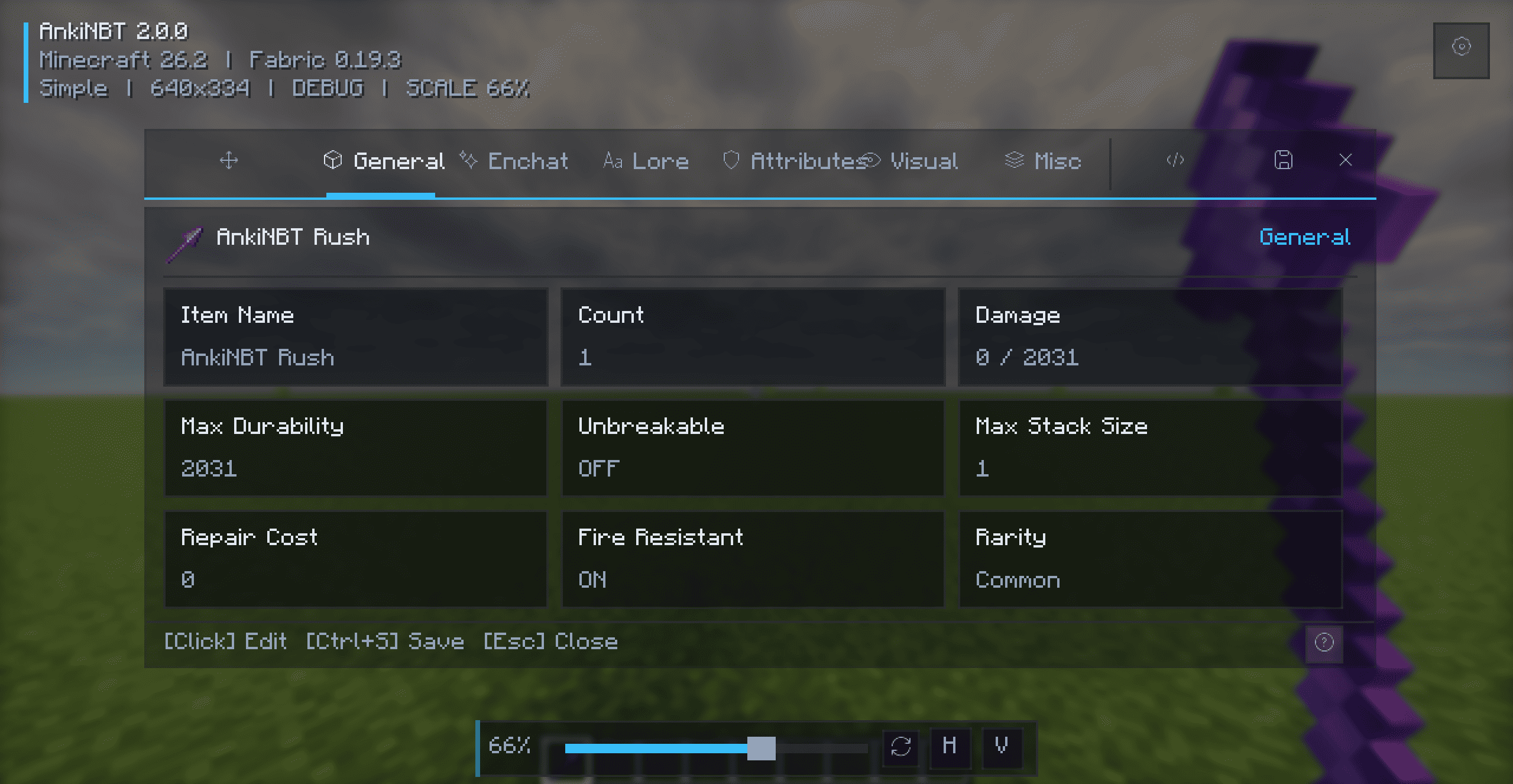
Simple Mode organizes common item properties into focused tabs with searchable selectors, grouped fields, row actions, and immediate visual feedback. No direct NBT knowledge is required.
Advanced Mode
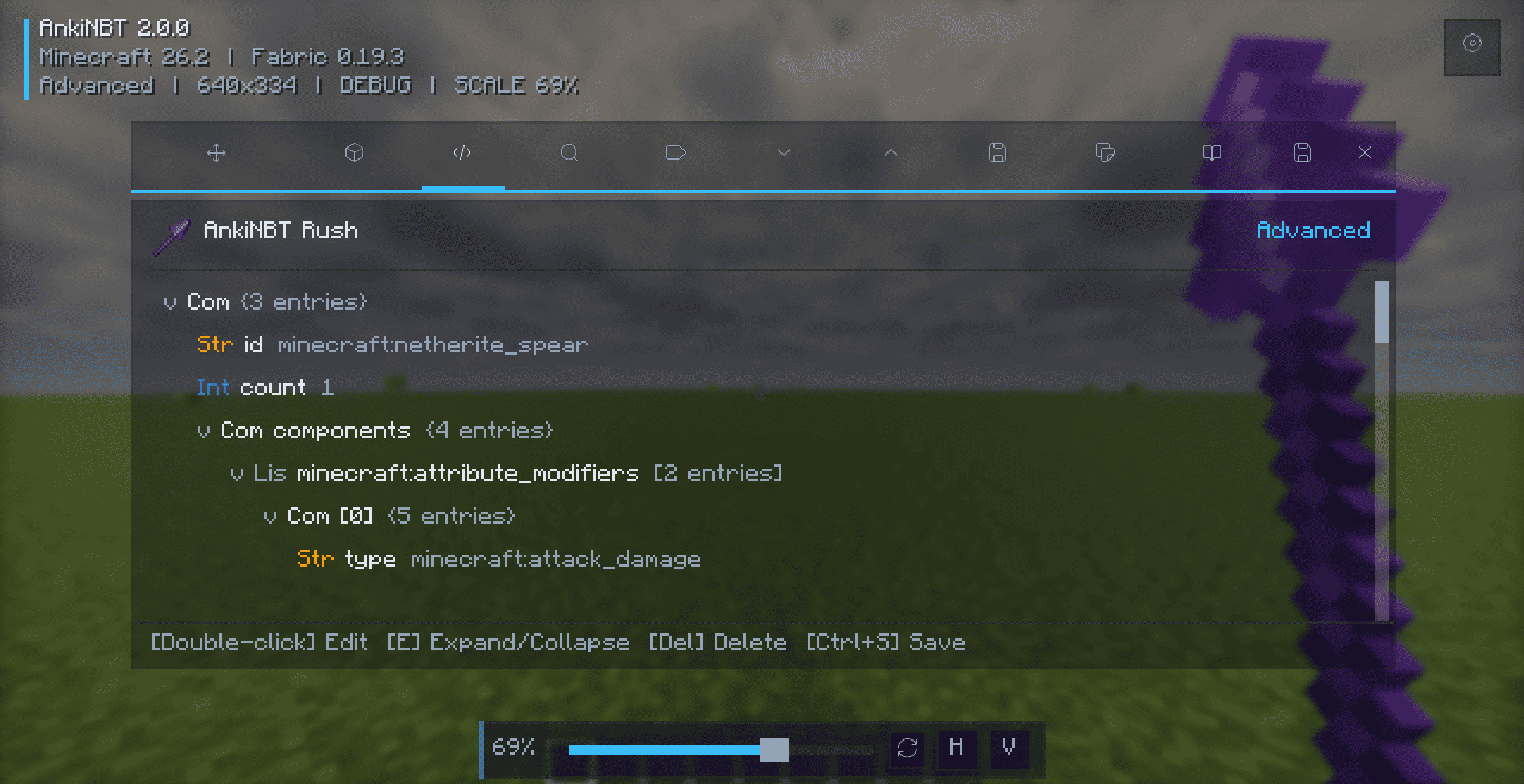
Advanced Mode provides direct access to the complete item data tree.
Tree Editing: Hierarchical tree view, color-coded data types, key/value/type search, expand and collapse controls, supported NBT tag creation, automatic type validation, node removal, and item component information.
Controls: Double-click or press Enter to edit, press E to expand or collapse, press Delete to remove a tag, and use the arrow keys to navigate.
Installation
- Install the matching Fabric or NeoForge loader.
- Install Fabric API when using Fabric.
- Download the JAR matching your loader and Minecraft version.
- Place the JAR in
.minecraft/mods/. - Launch the game.
Do not install Fabric and NeoForge builds together.
Usage
- Hold an item and press
N, or hover over an inventory item and pressN. - Use the in-game editor action for supported entities and villagers.
- Press
Ctrl+Sto save andEscto close.
Saving item changes requires Creative Mode. Item editing is view-only outside Creative Mode.
Shortcuts
| Key | Action |
|---|---|
N |
Open the item editor |
Ctrl+S |
Save changes |
Esc |
Close the editor |
Ctrl+A |
Select all text |
E |
Expand or collapse the selected NBT node |
Enter |
Edit the selected NBT value |
Delete |
Remove the selected NBT tag |
| Arrow keys | Move the cursor or navigate lists and trees |
The editor key can be changed under Controls → AnkiNBT.
Configuration
Interface: Default editor mode, width, height, independent scaling, opacity, and theme color.
Editing: Live entity preview, smart entity-editing shortcut, attribute notes, NBT export path, and configurable key bindings.
Compatibility
| Loader | Supported Minecraft versions |
|---|---|
| Fabric | 1.21–1.21.11, 26.1, 26.1.1, 26.1.2, and 26.2 |
| NeoForge | 1.21–1.21.11, 26.1, 26.1.1, 26.1.2, and 26.2 |
Java: Java 21 for Minecraft 1.21–1.21.11 and Java 25 for Minecraft 26.1–26.2.
Always download the JAR matching your loader and Minecraft version.