
Compatibility
Minecraft: Java Edition
Platforms
Supported environments


Links
Tags
Creators
Details
Better Shulker Boxes

Better Shulker Boxes is a highly interactive UI/UX mod that revolutionizes how you interact with Shulker Boxes in Minecraft. Instead of the tedious cycle of placing down a Shulker Box, opening it, interacting with it, breaking it, and picking it back up, this mod allows you to interact with Shulker Boxes and Ender Chests directly from your inventory using an advanced interactive tooltip!
Key Features
The Modern Tooltip
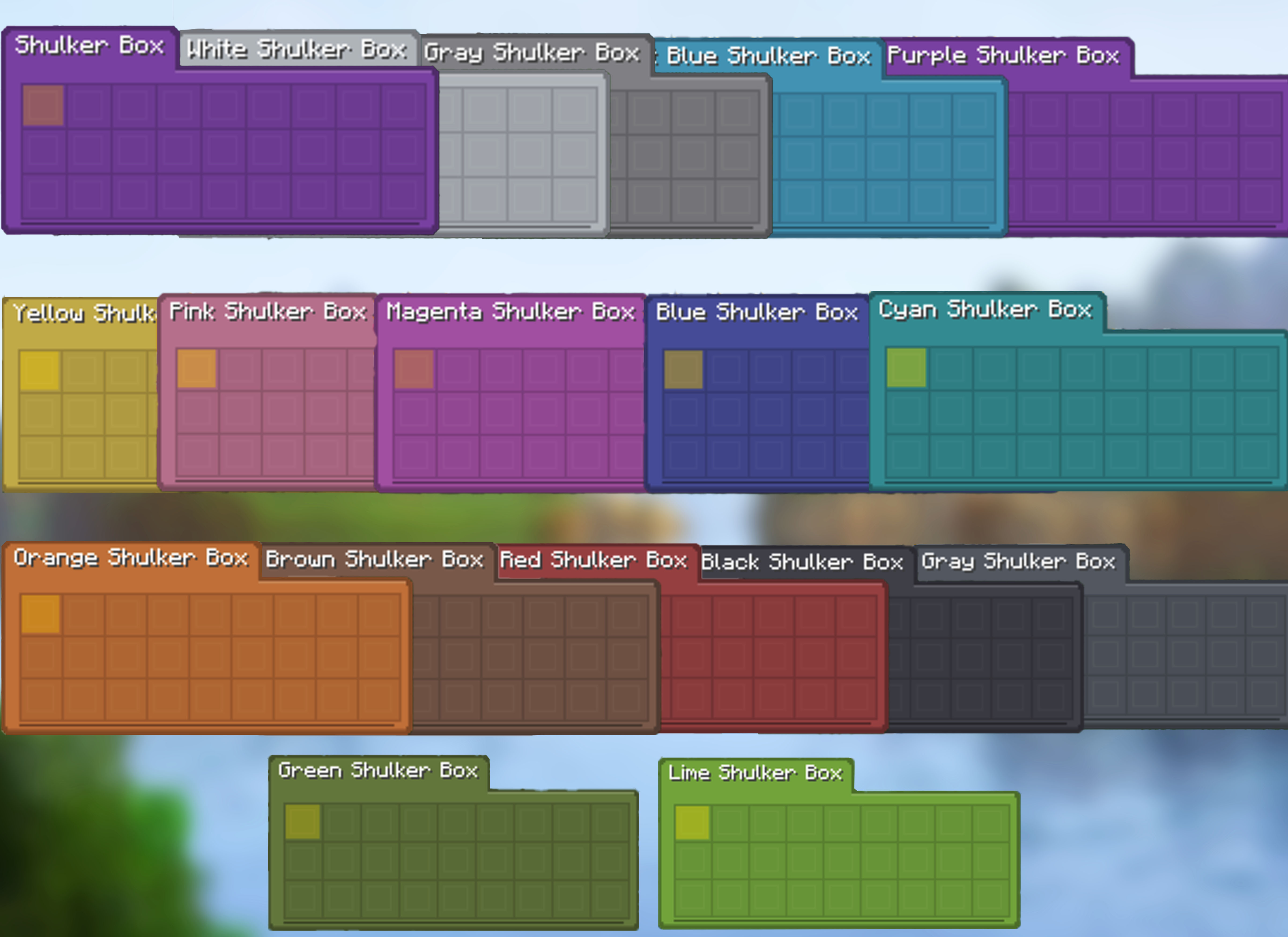
A flat rounded card, coloured by the box's own dye, with the container name and the selected item's name in tabs along its top edge. It is the default style as of 1.5.0, and the previous look is still available as the Vanilla style.
- Modern — a dye-coloured card, no vanilla tooltip frame
- Vanilla — built from the container's GUI texture, as before
- Every dye has its own card colour, and Ender Chests have theirs
- Theme and colour sliders apply to the Vanilla style; Modern colours itself
Full & Compact Tooltips
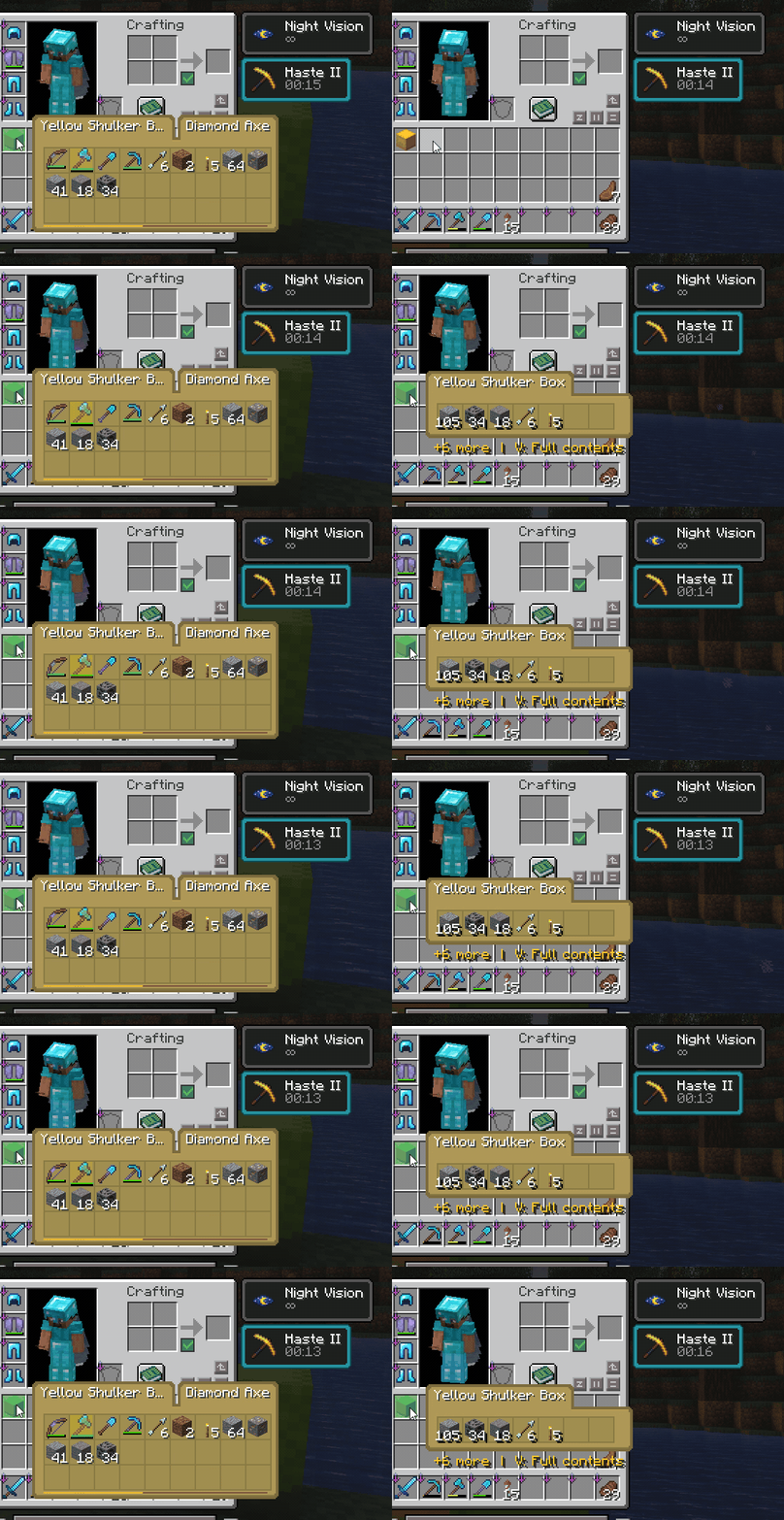
Quickly check what is inside a Shulker Box without placing it down. Use the full 9×3 preview when you want to see every slot, or compact mode when you only need a small summary of the most important contents.
- Full 27-slot preview for complete box contents
- Compact mode with merged duplicate stacks
- Compact shows the five largest stacks and a
+N morefooter for the rest - Total item counts in compact view, reading as
1.7krather than999+ - Merged tools keep their durability bar
- Empty compact containers stay hidden to reduce clutter
Fast Insertion & Extraction
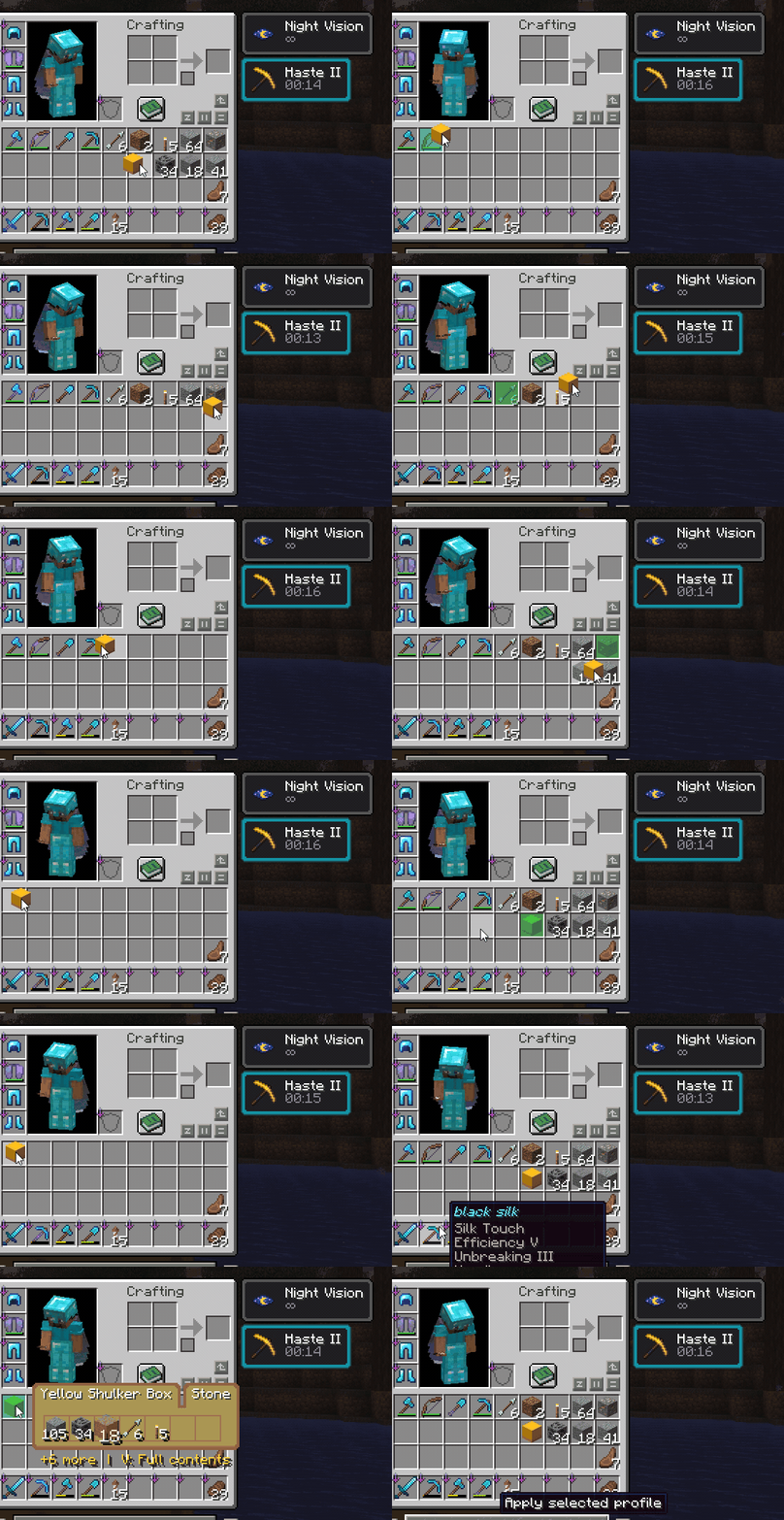
Move items in and out of Shulker Boxes directly from the tooltip. The mod gives instant visual feedback while still keeping the server authoritative.
- Hold left-click and drag to insert and right-click and drag to extract
- Insert cursor-held items directly into boxes
- Extract items directly from preview slots
- Smart merging with existing stacks
- Smooth client-side feedback with server-side validation
Select Slots and Extract with E
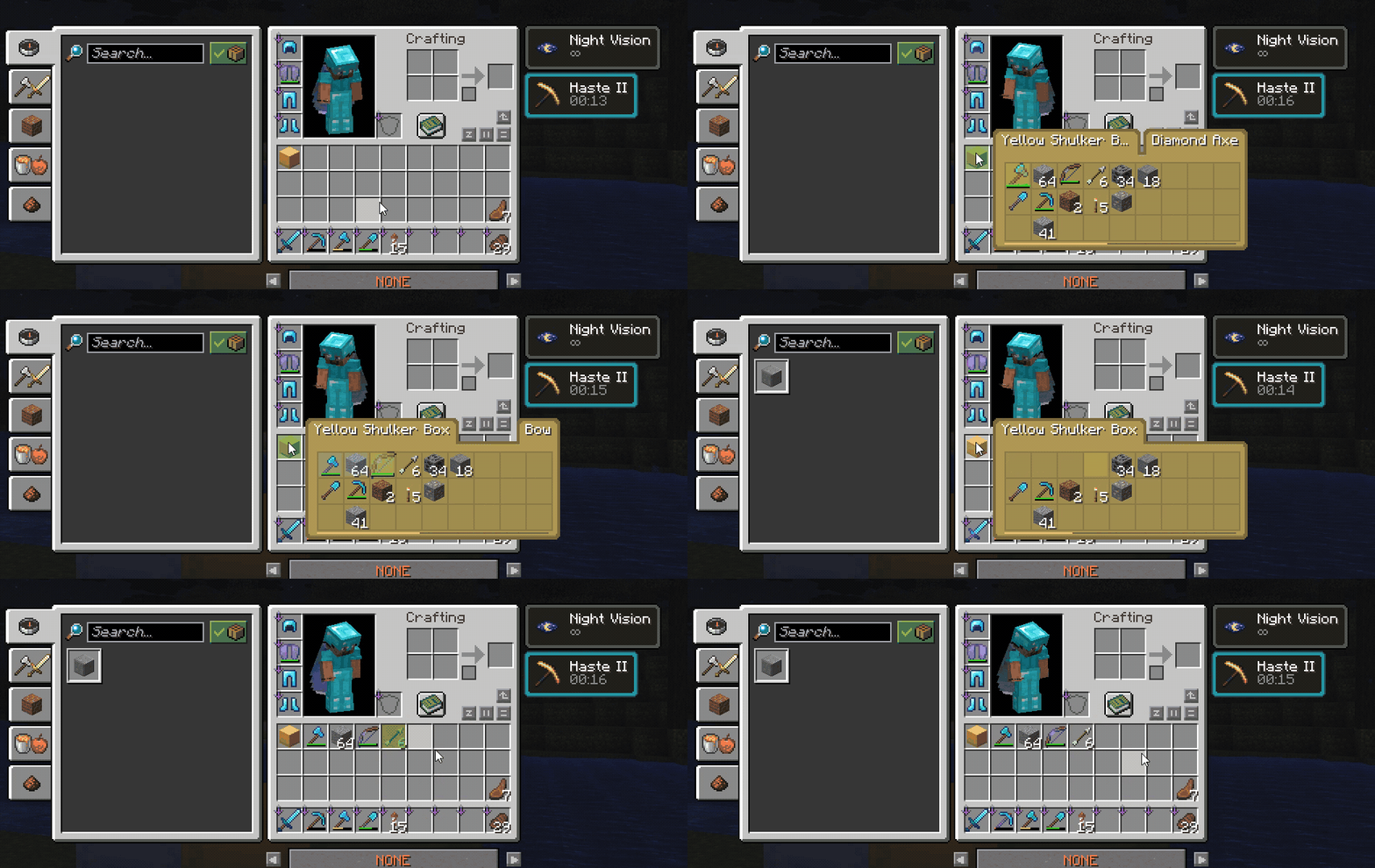
Select specific slots from the tooltip and extract them together. This makes it easy to grab only the items you want without opening or placing the box.
Spaceselects or toggles tooltip slotsEextracts selected slots- If no slots are selected,
Ebehaves normally and closes the inventory - Selections clear when you move to another container, so you never empty the wrong box
Keyboard & Scroll Navigation
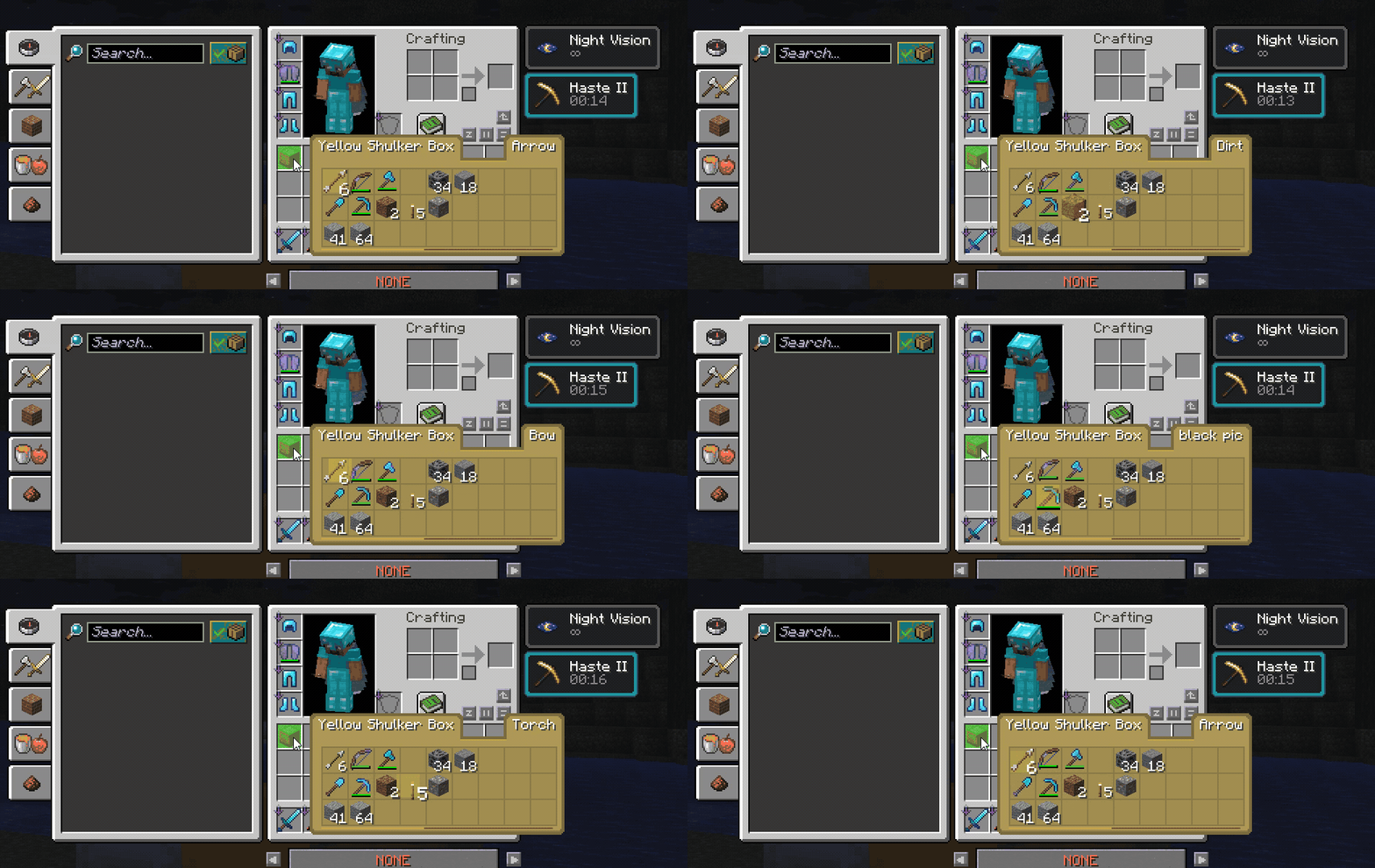 Navigate tooltip slots with the mouse wheel or arrow keys for faster control, especially when managing boxes with many items.
- Mouse wheel selection movement
- Arrow-key slot navigation, wrapping to the same column
- Selection steps to the next slot that holds something instead of stopping on every empty one
- Stable selected-slot highlight
- Smooth selection behavior while hovering tooltips
Restock & Deposit
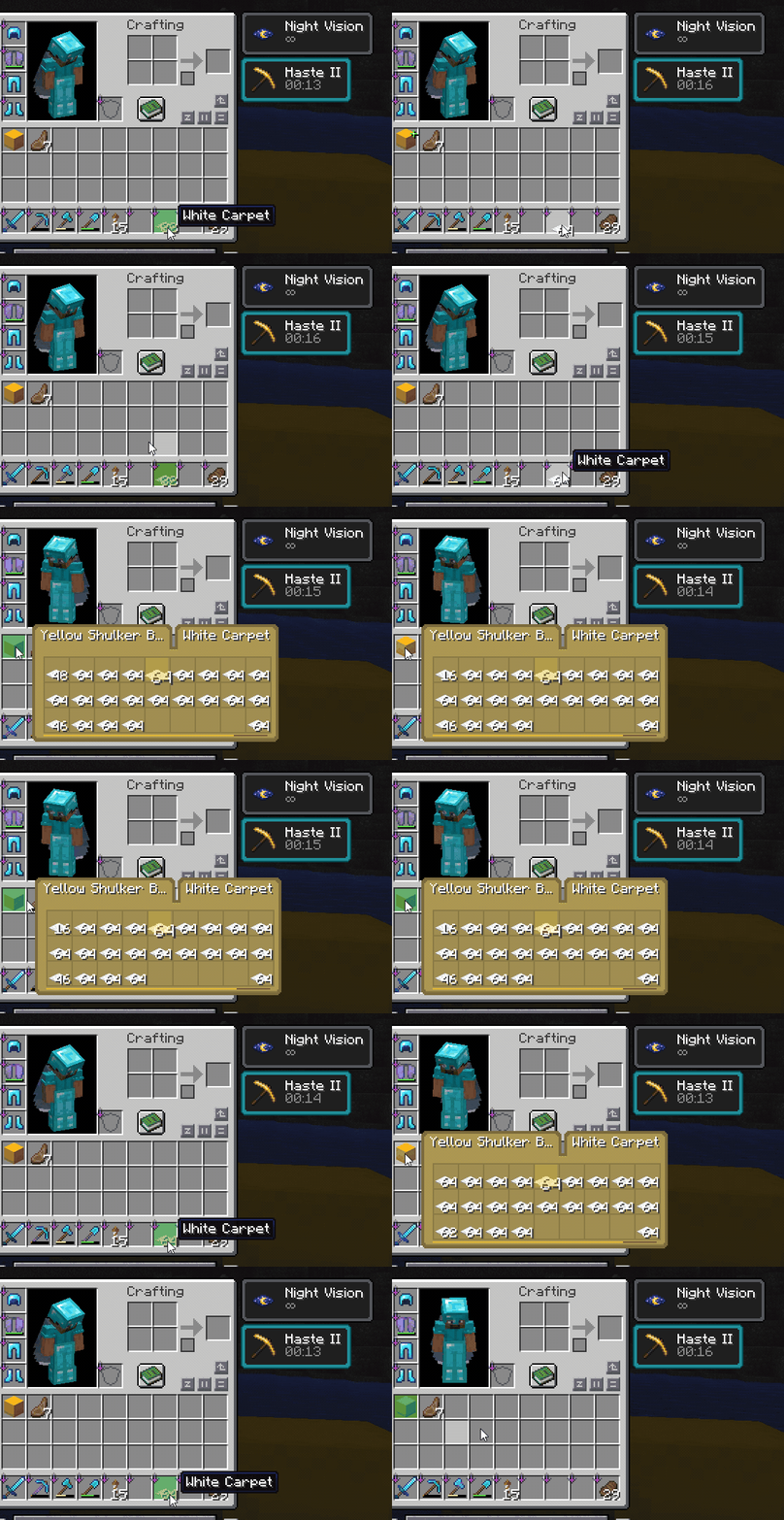
Use the Restock / Deposit key to quickly move matching items between your inventory and the hovered container. By default this key is R.
- Press
Rwhile hovering a container preview to restock matching items - Use the same shift+
Rkey to deposit matching inventory items into storage - Works with Shulker Boxes and Ender Chests
- The keybind can be changed in Minecraft's controls menu
Resource Pack Compatibility
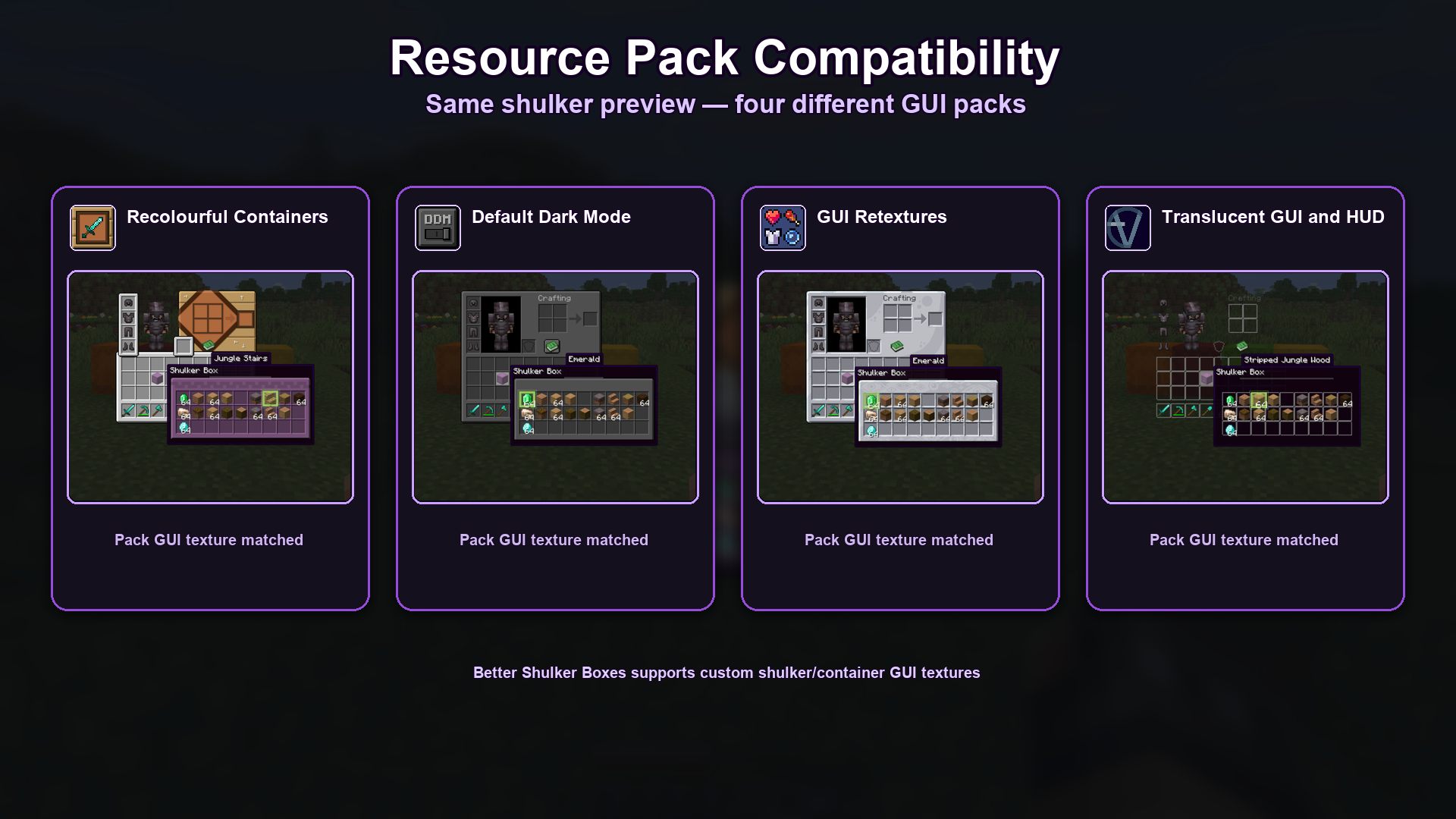
Better Shulker Boxes is designed to respect custom GUI textures from resource packs, so previews can match the style of your current pack instead of looking out of place. This applies to the Vanilla tooltip style, which is drawn from the container GUI texture.
- Supports custom shulker/container GUI textures
- Supports colored shulker GUI styles where available
- Automatic layout profiles for OptiGUI/OptiFine-style packs
- Packs can ship their own slot layout at
assets/bettershulker/layouts/*.json - X/Y slot offsets and bottom-cap controls in the settings screen for unusual packs
- Tested showcase packs include:
- Recolourful Containers
- Default Dark Mode
- GUI Retextures
- Translucent GUI and HUD
This Packs Has Been Tested And 100% Working Other Packs Might Face Some Issues.
More Features
- Wireless Ender Chest preview
- A Shulker Box bounces in its slot while you carry an item it still has room for, and can be turned off
- Fill indicator on the slot and along the tooltip's lower edge
- Shulker Box previews work in the creative inventory
- Alt Force tooltip while holding a box
- Colored shulker support
- Selected item name tooltip
- Multiple tooltip themes
- Custom theme colors
- Cloth Config settings screen
- Live Theme & Colors preview
- Sound and volume options
License
This mod is licensed under the MIT License