
Compatibility
Minecraft: Java Edition
Platforms
Supported environments


Links
Tags
Creators
Details

Biology Dictionary
Discover, highlight, inspect, modify - your vanilla & modded mob encyclopedia



Sound familiar?
| Problem | Solution |
|---|---|
| Want to explore all mobs | Check your discovery progress in the dictionary |
| Want spawn biomes, drops, food, speed, hitbox... all at once | View all base properties on a single page |
| Curious about horse, panda, or villager variants | Browse all variants (and change them in Creative) |
| Baby mobs are too adorable to grow up | Lock growth, keep them babies forever |
| Dozens of chickens in a cooker are deafening | One-click mute — offspring inherit it too |
| Can't find the villager's job site in your trading hall | One-click locate, no more blind digging |
| Villagers keep crafting bread, breaking your auto-farm | Steal their inventory, fill with junk, stop wheat pickup |
| Bees flew off — which hive did they go to? | View hive honey levels and bee counts, track them home |
| Cross-dimension mob transport is a nightmare | Lock or force nether portal teleportation |
| Want static NPCs in your survival builds | Disable AI + set invulnerable, done |
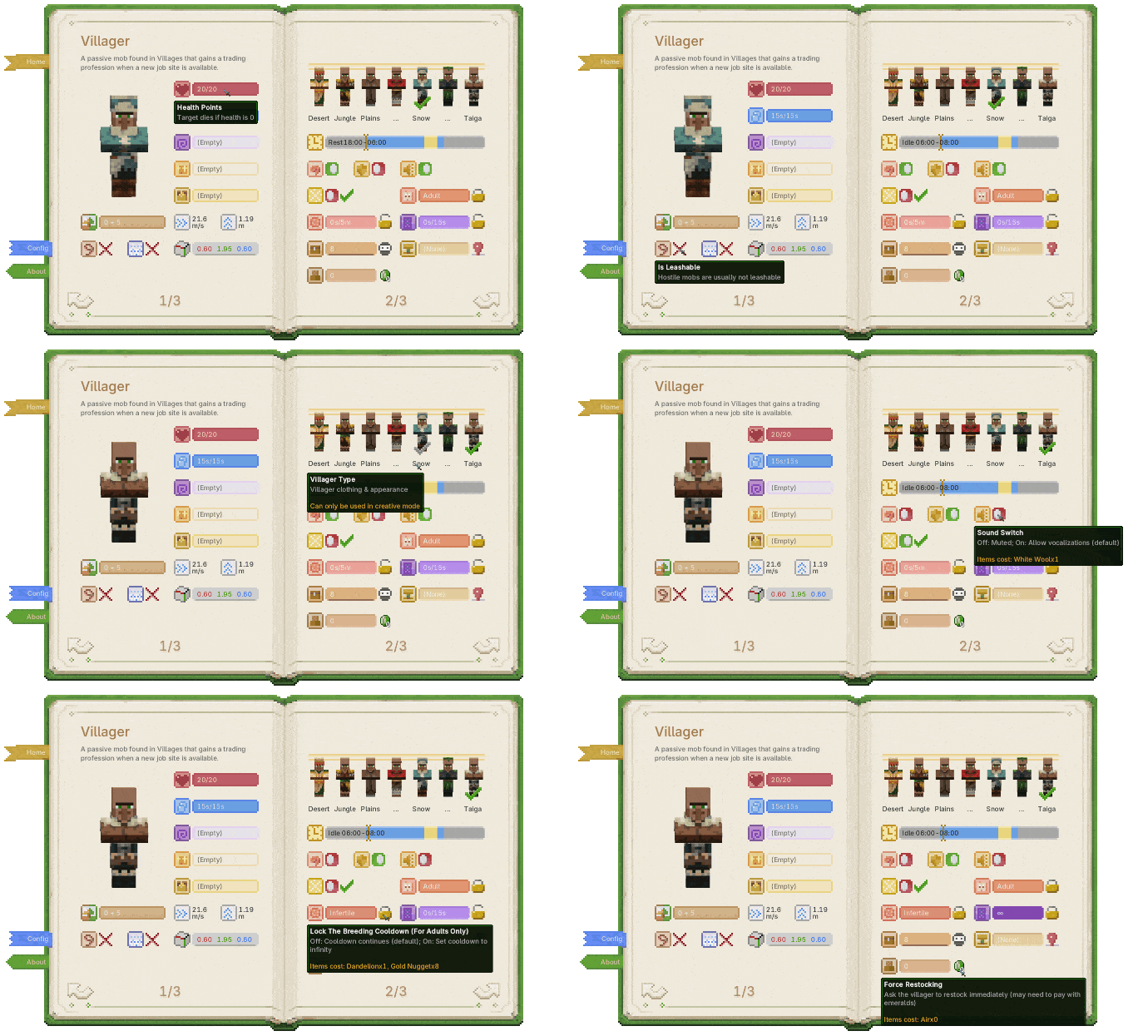
One screen for all of those problems.
Gameplay Preview
- No new blocks or entities. The book is implemented with NBT and stays vanilla-friendly.
- Works with vanilla and modded mobs.
Open the Dictionary
| Biology Dictionary | Discovery Progress |
|---|---|
 |
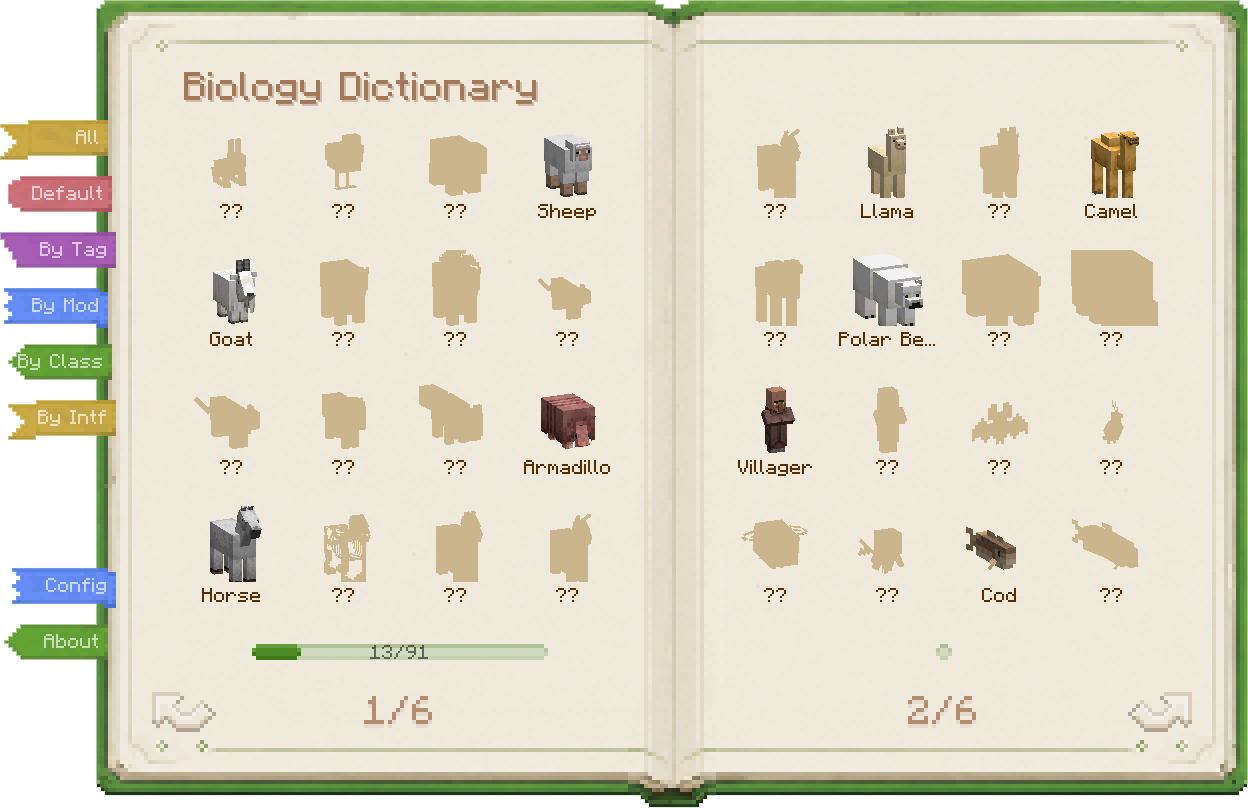 |
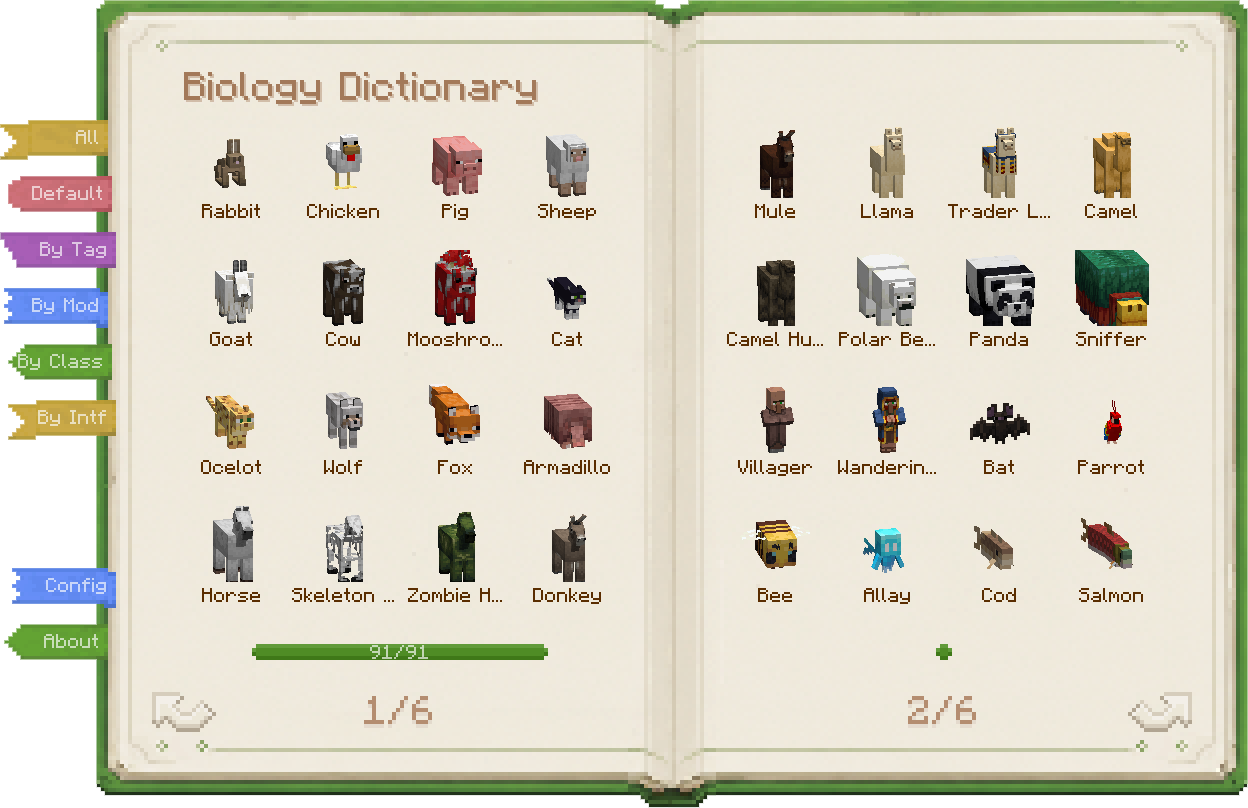
| Vanilla mobs, modded mobs, all in one book. | Build your encyclopedia one discovery at a time. |
- Full mob catalog — Vanilla and modded mobs are collected automatically, no setup required.
- Discovery progress — Track which mobs you have found and which ones are still waiting.
- Multiple discovery rules — Use a simple "all unlocked" mode, vanilla kill statistics, or Biology Dictionary's own discovery system.
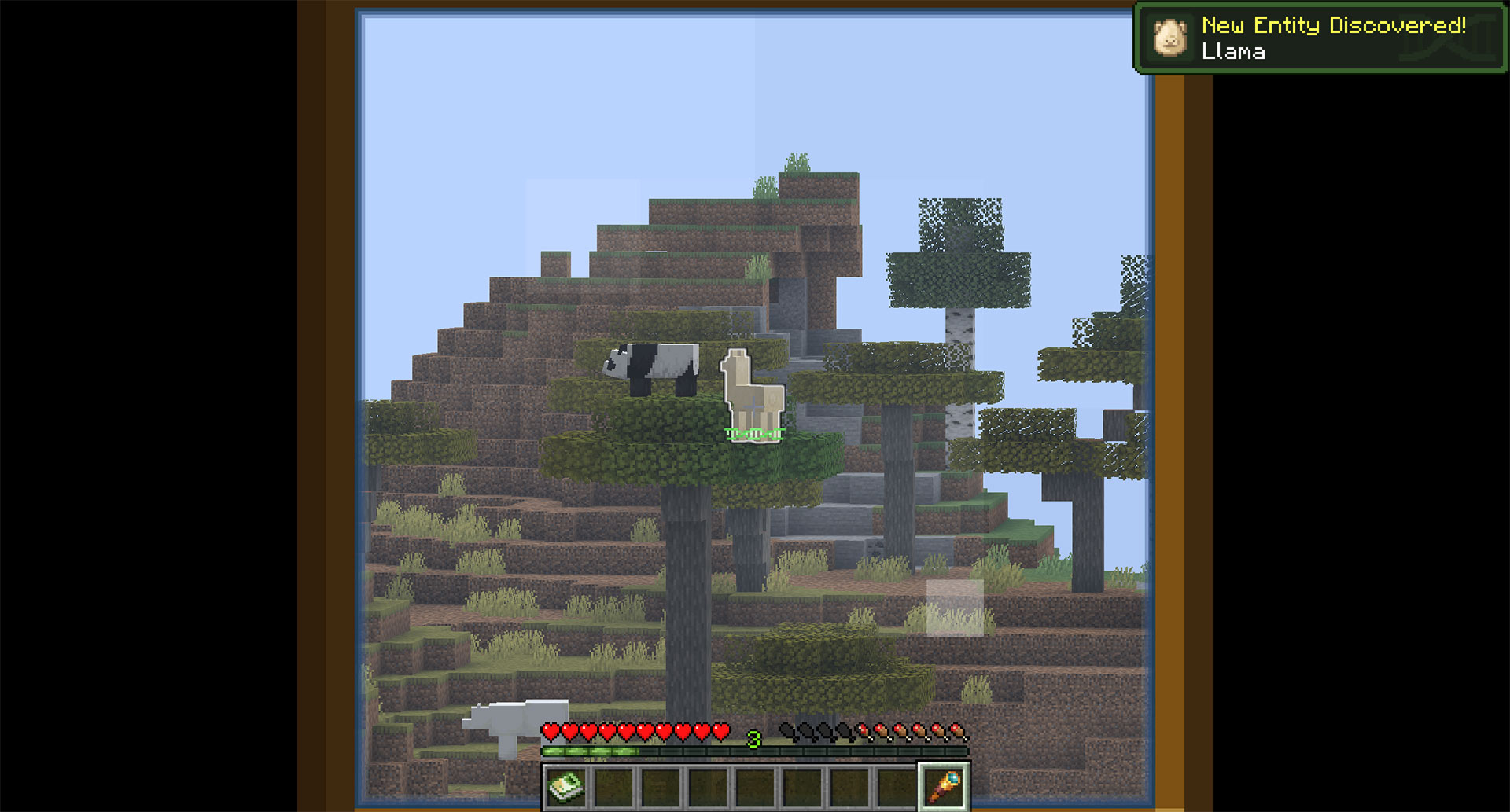
- Configurable discovery actions — Detail screens, telescope observation, interaction, kills, and more can count as discovery.
- Discovery records — Biology Dictionary mode can record how, when, and where you first met a mob.
- Configurable module behavior — By default, undiscovered mobs hide their details; you can also make discovery a pure collection layer.
- Entity highlight — Highlight nearby mobs of the same type, with different ranges and costs.
| Telescope Discovery | Entity Highlight |
|---|---|
 |
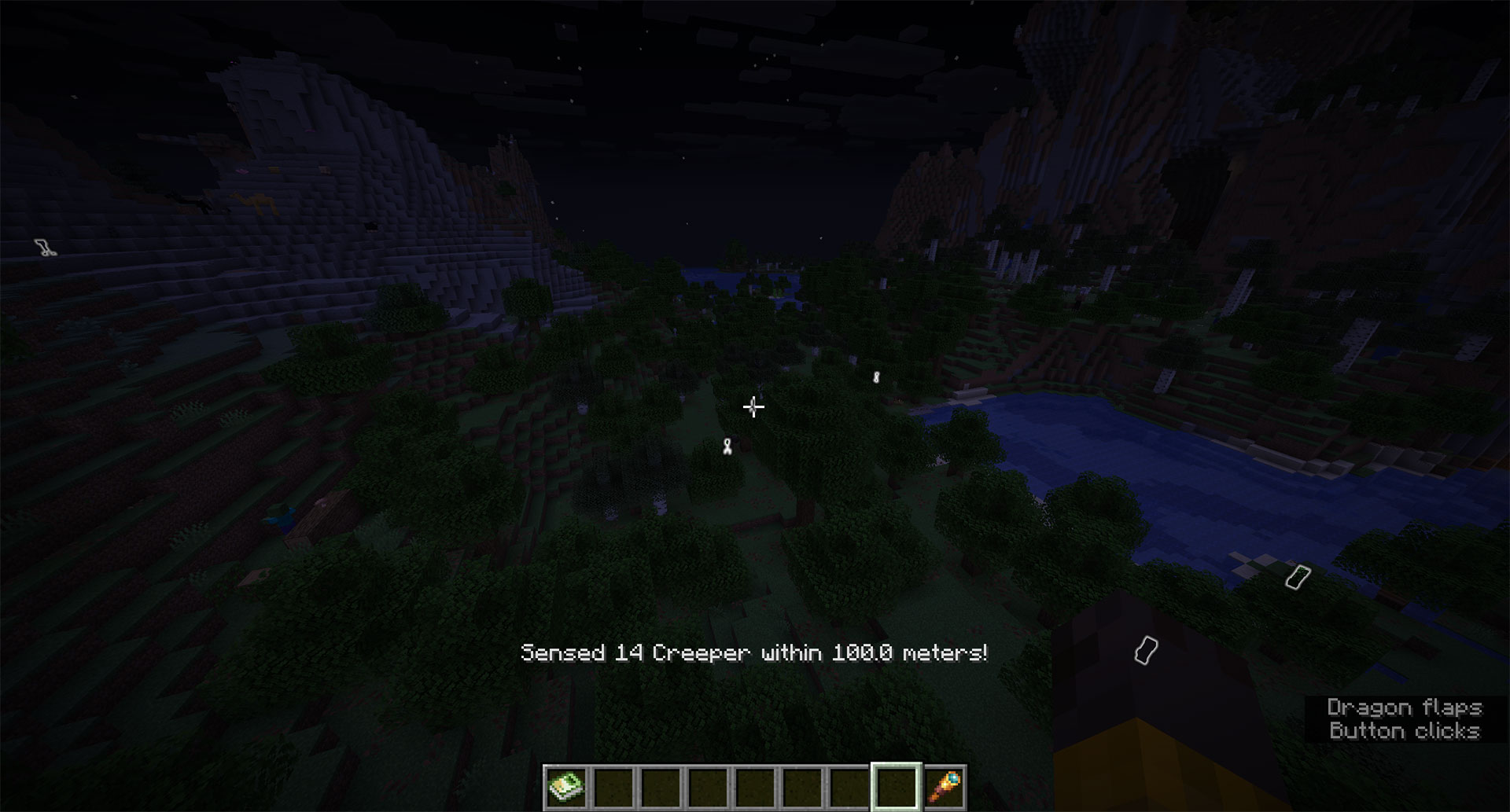 |
| A telescope sighting can count as a real discovery. | Highlight nearby mobs when rare targets are hard to spot. |
Open a Mob Page
| Entity Details | Entity Tags |
|---|---|
 |
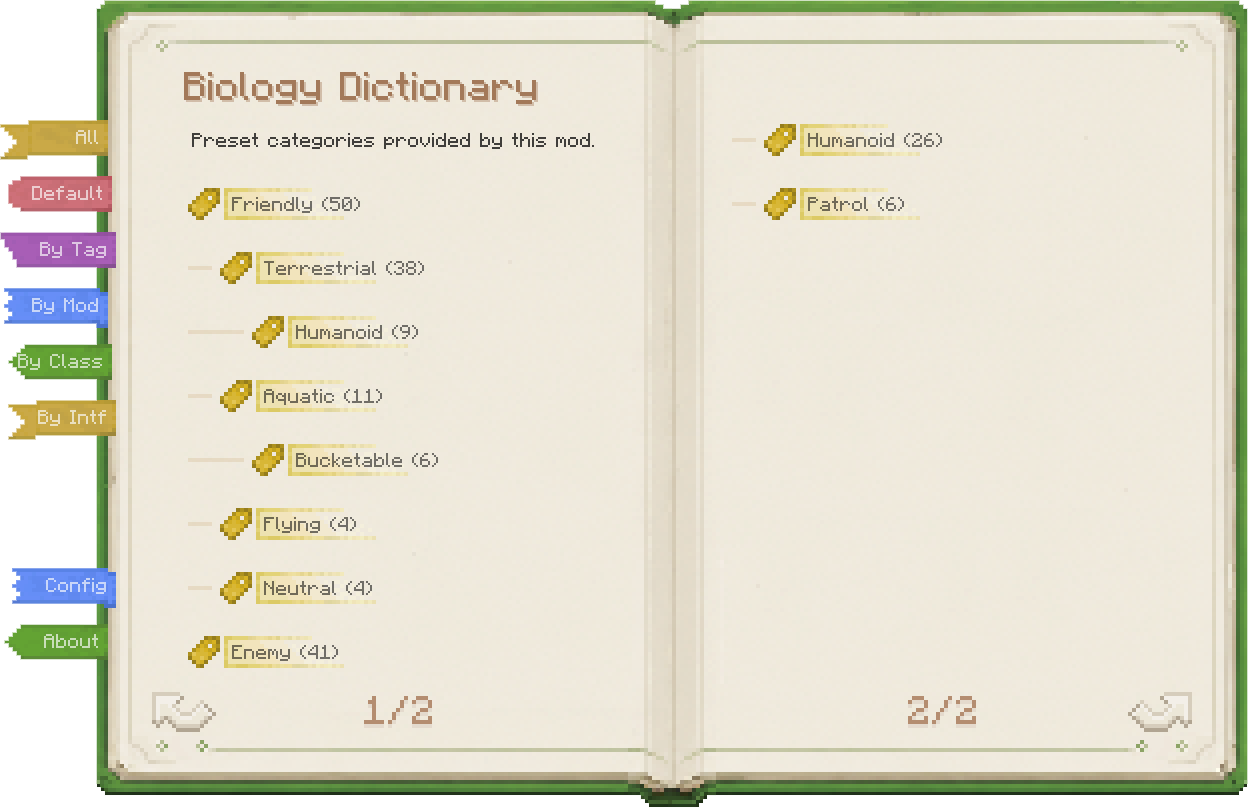 |
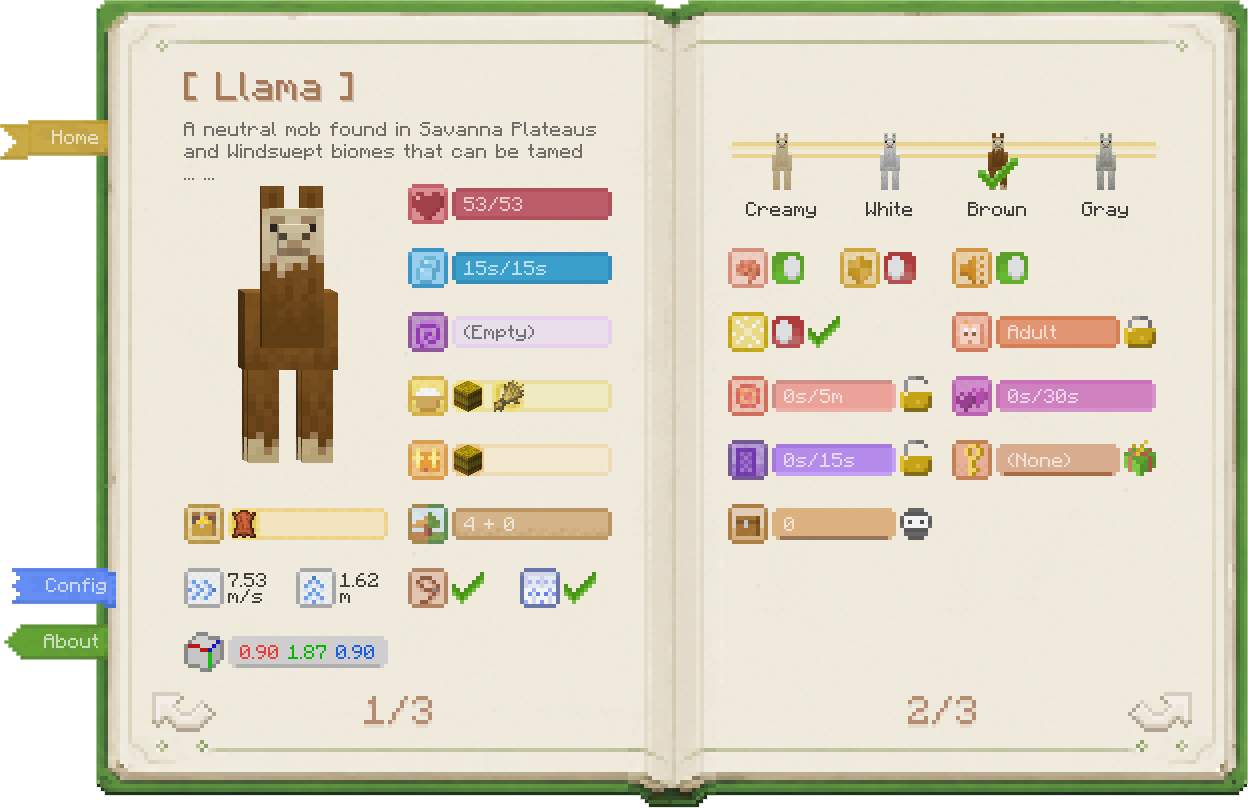
| Inspect properties, use skills, and change behavior. | Classify mobs from several angles for faster lookup. |
- Overview / detail pages — Overview pages show default or reference data; detail pages show the live state of the entity you are looking at.
- Base stats — Health, air, effects, speed, jump strength, hitbox, and whether the mob counts toward spawn caps.
- Ecology — Habitat, loot table, edible items, tempting items, and leashability.
- Variants — Standard variants, horse markings, panda genes, villager types, and more.
- Behavior state — AI, invulnerability, silence, persistence, portal cooldown, growth, breeding cooldown, and love status.
- Special mob data — Villager schedules, restocks, job sites, bee hives, dolphin moisture, screaming goats, pet owners, wandering trader despawn timers.
- Entity skills — Lock growth, block breeding, control portals, disable AI, force persistence, mute, force restock, retain traders, gift pets, get spawn eggs, and more.
- Skill costs — Skills require XP, items, permissions, or Creative mode by default; costs can be configured.
The tag page supports several views: built-in groups, MC tags, mod namespaces, and Java class/interface categories.
Special Screens
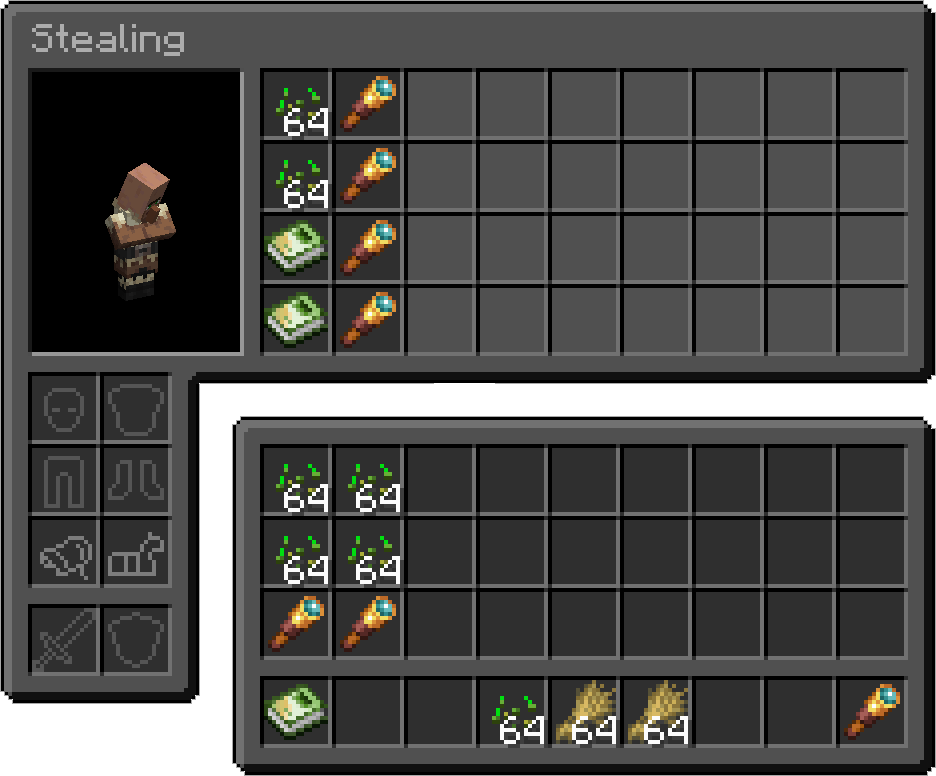
- Inventory access — View, take from, or fill supported mob inventories. In Survival, this is stealing, so stay out of the target's sight.
- Beehive info — Open a dedicated beehive or bee nest screen to inspect honey level, bee count, and bees inside.
| Inventory Access | Beehive Info |
|---|---|
 |
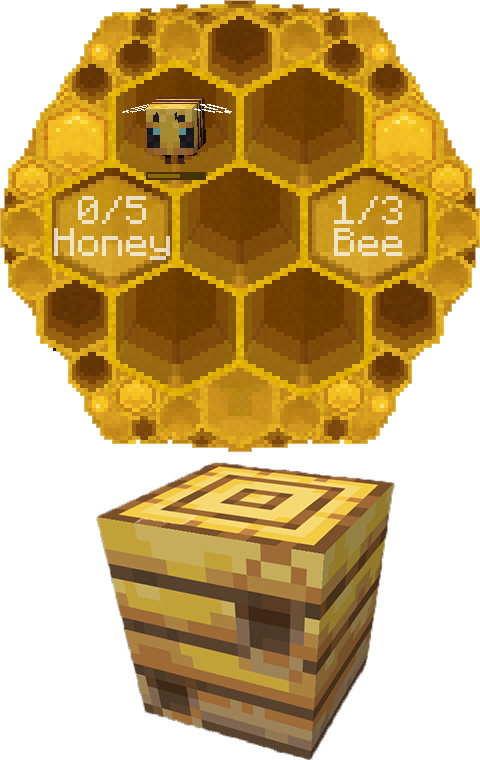 |
| Steal or fill inventories so villagers stop picking up wheat. | Use the dictionary on a hive to check bees and honey. |
Controls
Biology Dictionary is built around screens. Open it by:
- Right-clicking while holding the Biology Dictionary book
- Pressing the hotkey (default
`); Survival needs the book unless configured otherwise, while Creative can always open it
The screen depends on what you are looking at.
| Looking at | Opens |
|---|---|
| Block / Air | Home screen |
| Entity | That entity's detail screen |
| Beehive | Beehive info screen |
| Straight up | Home screen (forced) |
| Straight down | Your own detail screen |
Obtaining
How to get the Biology Dictionary book:
- In Creative mode, or when Survival hotkey access is enabled, the physical book is optional.
- The book is just
minecraft:writable_book+ NBT. No custom item is added.
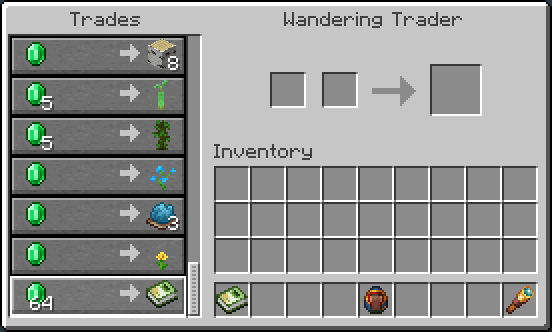
| Wandering Trader | Creative Inventory |
|---|---|
 |
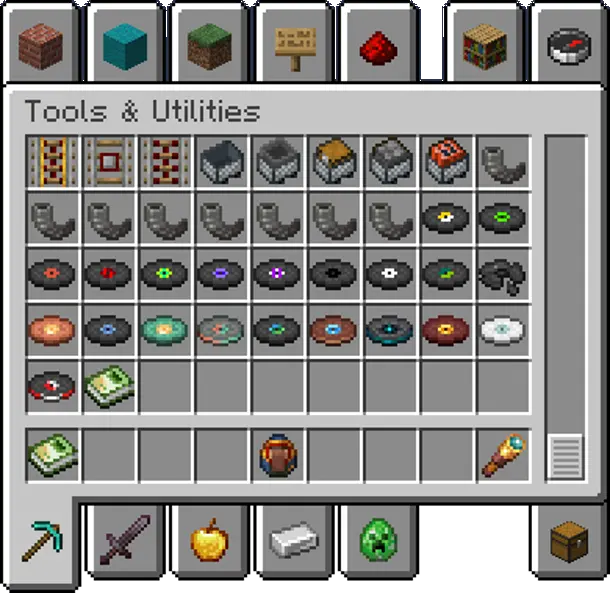 |
| In Survival, buy the Biology Dictionary from Wandering Traders. | In Creative, find it at the end of Tools & Utilities. |
Survival
Buy from Wandering Traders. Sell chance starts at 100% and gradually drops to 20% over time, without taking up any vanilla trade slots.
Easy to find early when you're broke, impossible to find later when you're rich (cue evil laugh)~
Kidding — it takes about 2 real-time days (144 in-game days) to hit 20%. You'll be fine.
Pack authors can disable trader sales in the config and add their own recipes instead.
Creative
Find the Biology Dictionary book at the end of the Tools & Utilities tab.
Mod & Datapack Support
- Custom Entity Descriptions — Add or override mob descriptions via resource pack (github doc)
- Custom Spawn Descriptions — Manually adjust spawn biome and structure descriptions via datapack (github doc)
Dependencies
| Loader | Required |
|---|---|
| Fabric | Fabric API, Cloth Config |
| NeoForge / Forge | Architectury API, Cloth Config |
About
- Vanilla-Friendly — No new blocks or entities. The book reverts to a normal writable book on uninstall; reinstall to restore it.
- Mod-Friendly — Compatible with virtually all modded mobs, with extension support for mod developers.
- Balanced — Every modification has a resource cost to respect game balance.
- A complete rewrite of Bole.
