
Compatibility
Minecraft: Java Edition
Platforms
Supported environments


Tags
Creators
Details
Blockgame+
Everything you wish Blockgame had, in one client-side mod. A live team map, roll-quality item tooltips, party health bars, an Auction House, a friends-and-forums community hub, emotes, leaderboards, a new-player tutorial, an idle minigame, and a pile of HUD tools - install it yourself, no server access needed.
Built for the Blockgame Minecraft server (mc.blockgame.info) - Fabric, Minecraft 1.21.4.
Visit the site at bgplus.ca
Client-side only. Drop it in your mods folder and play - most features work standalone. The team map, party sync, community hub, and leaderboards use an optional self-hosted backend (more on that below).
💬 Discord chat bridge
Bridge your community's Discord to in-game chat - messages flow both ways, with player heads on the Discord side. It's a bot you add yourself, no hosting required:
- Add the Blockgame+ bot to your Discord server, then a server admin runs
/setupin the channel you want bridged. - Players link their Minecraft account (
/linkin Discord, then/bgplus discord link <code>in game) so every bridged message shows a verified name - unlinked messages are gently nudged to link first. - One shared bot serves any community that invites it, so there's nothing to host or configure beyond
/setup.
Turn it on under Settings → Community in-game.
👥 Community hub
A built-in social layer over your community account - open it with /bgplus social:
- Friends and direct messages, community forums with threads, reactions, and image posts, plus an admin bulletin board for announcements.
- Who's online across everyone running the mod, with join/leave toasts.
- Everything is opt-in and gated behind your community account.
🎭 Emotes & chat media
- Body emotes - a bindable emote wheel plays full-body animations on your character, with a shared library the community can publish to and moderate, plus a built-in keyframe animation editor (
/bgplus anim) to make your own. - GIFs and image emotes in chat - paste a GIF link or type
:name:and it renders right in chat, no browser needed.
🗺️ A real in-game map (and minimap)
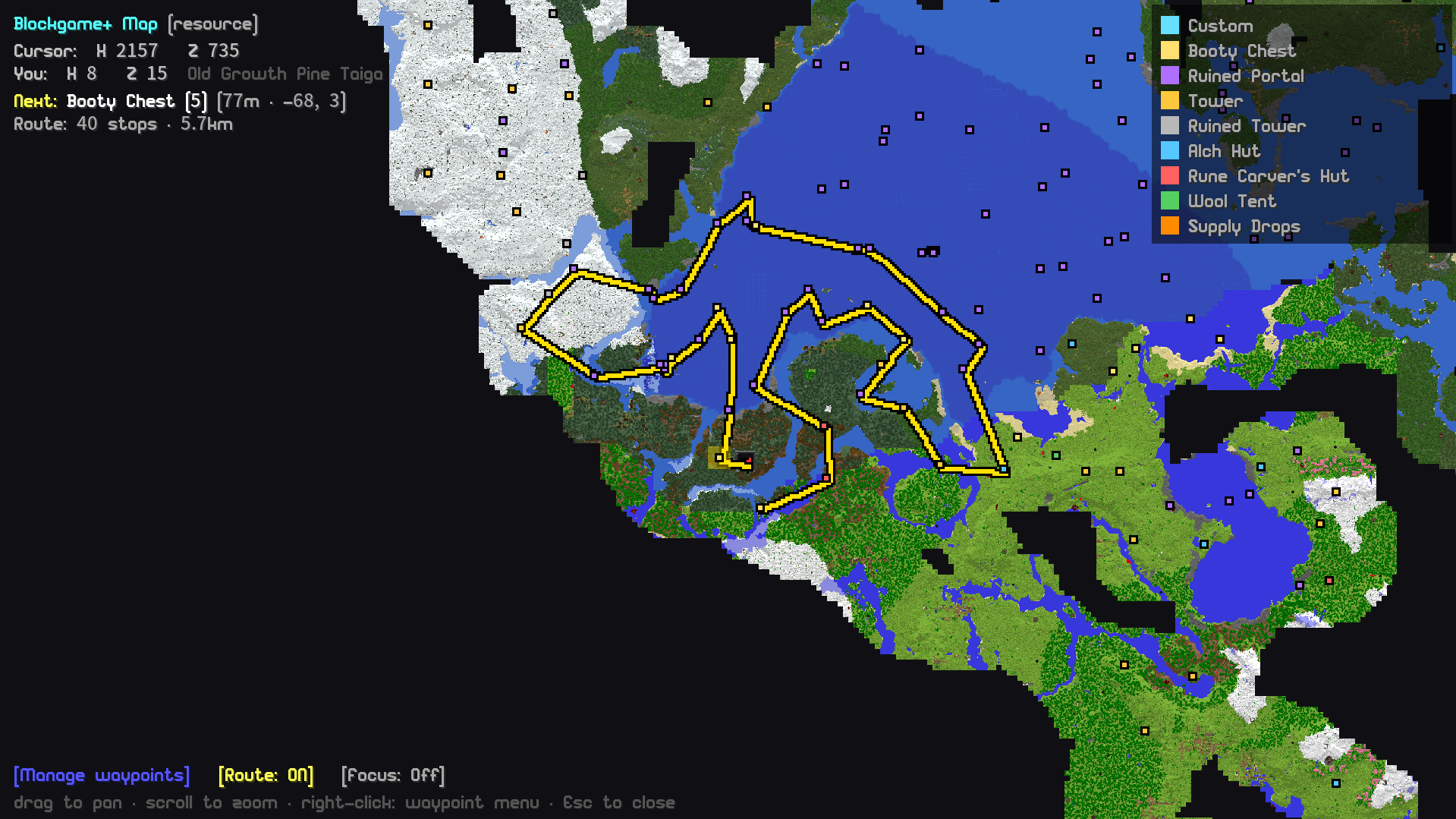
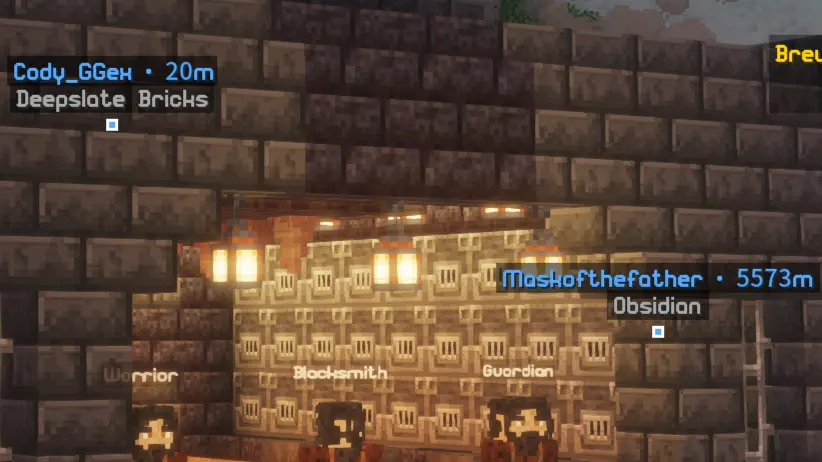
No more alt-tabbing. Blockgame+ renders its own fullscreen map and corner minimap, drawn from the world as you explore - structures, booty chests, and supply drops all show as live waypoints. Zoom all the way out to the whole world thanks to server-built overview tiles, or right-click anywhere to drop a waypoint or a travel destination.
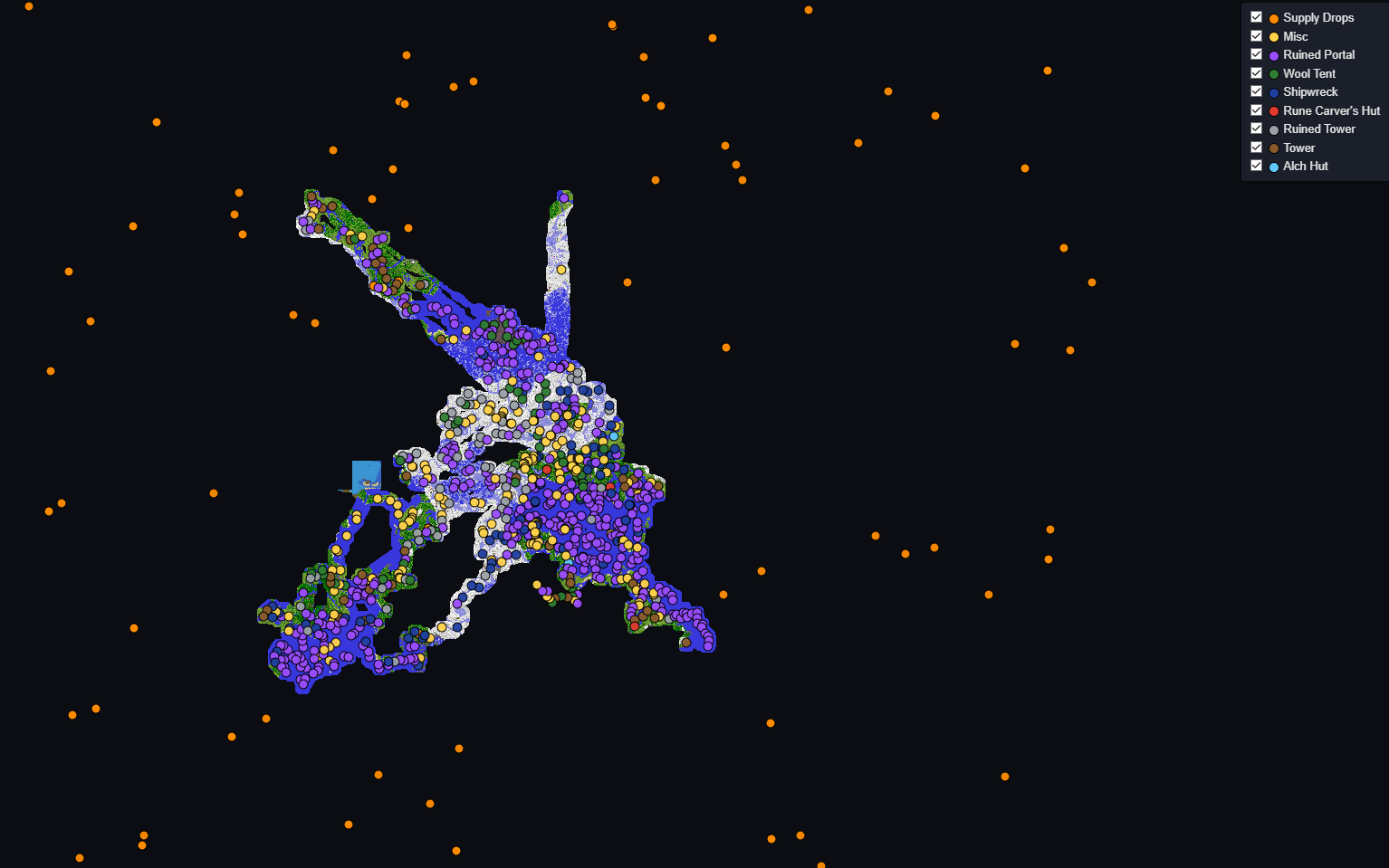
Every player's exploration also merges into one compounding community map - a growing, shared web map of everywhere the community has been, with a dark-mode viewer at bgplus.ca.
🧭 Waypoints & exploration routes
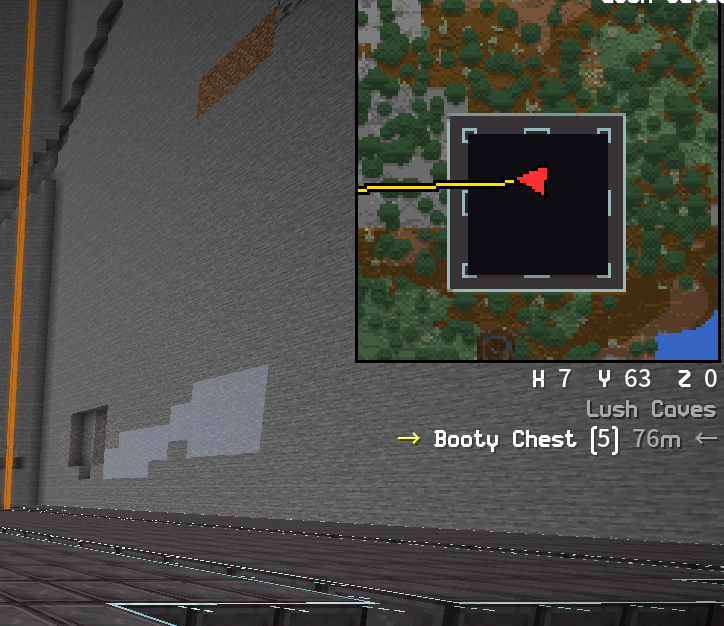
- Custom waypoints with a right-click menu - name a spot, mark it as your travel destination, or show it as a floating in-world marker you can run toward with no map open.
- Exploration routes that draw on the map and minimap, with an in-world "go here next" marker, a next-stop readout, and a Focus mode that beelines for a chosen category (e.g. Supply Drops).
- Booty tracking auto-clusters nearby chests into structures and labels them, filters by structure type, and hides ones you've already looted. All on the native map - no Xaero required (prefer Xaero? One command exports everything to it).
🏷️ Item stat tooltips
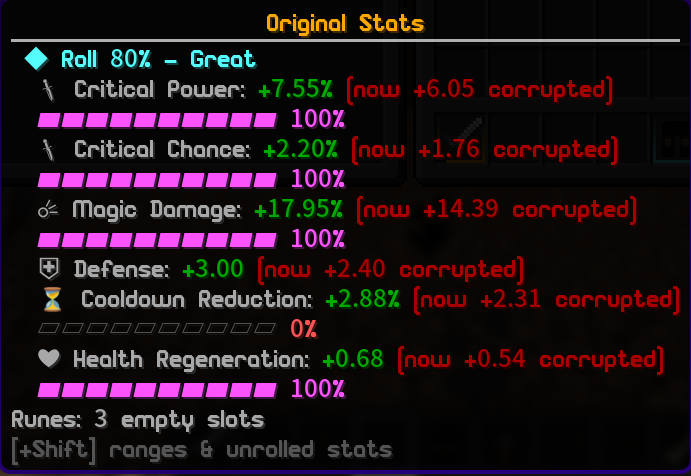
Blockgame items hide their true stat rolls in the item data - the lore only shows rounded numbers. Blockgame+ reveals them:
- A colored roll-quality
[%]on each stat, right on the item. - Hold Ctrl for the full breakdown: exact values, roll-quality bars, and an overall "this item rolled 84% - Great" verdict.
- Archetype-aware scoring - the verdict weights stats by how much they matter to that piece (weapon damage on a warrior sword, projectile on a bow), so a junk profession roll doesn't drag a good weapon's score down.
- Rune-aware and corruption-aware - it shows the item's true base roll with rune bonuses and corruption broken out separately, so you always know what the gear actually rolled.
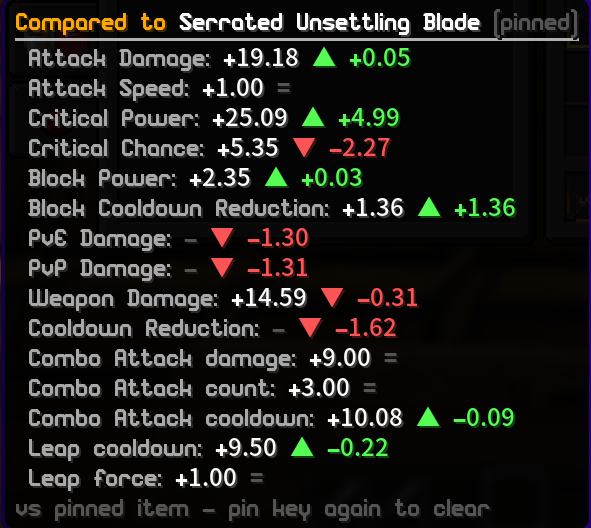
- Hold Alt to compare any item against what you've got equipped, with green/red per-stat deltas. Pin an item to compare two arbitrary pieces.
- Ranges ship built-in from the shop catalog and sharpen further from every item the community sees.
🏛️ Custom menus & Auction House
Blockgame+ swaps the server's plain chest-grid menus for clean, house-style screens:
- Auction House - a real Browse / Sell interface with search, sort, pagination, item tooltips, live expiry, your active listings, Purchased + Expired + History tabs, and staged bulk selling.
- Tabbed character profile, a Ranks shop with the full future-tier price list, and dedicated party management screens.
- One master Custom Menus toggle - turn it off any time to fall back to the vanilla server screens.
⚔️ Talent build manager
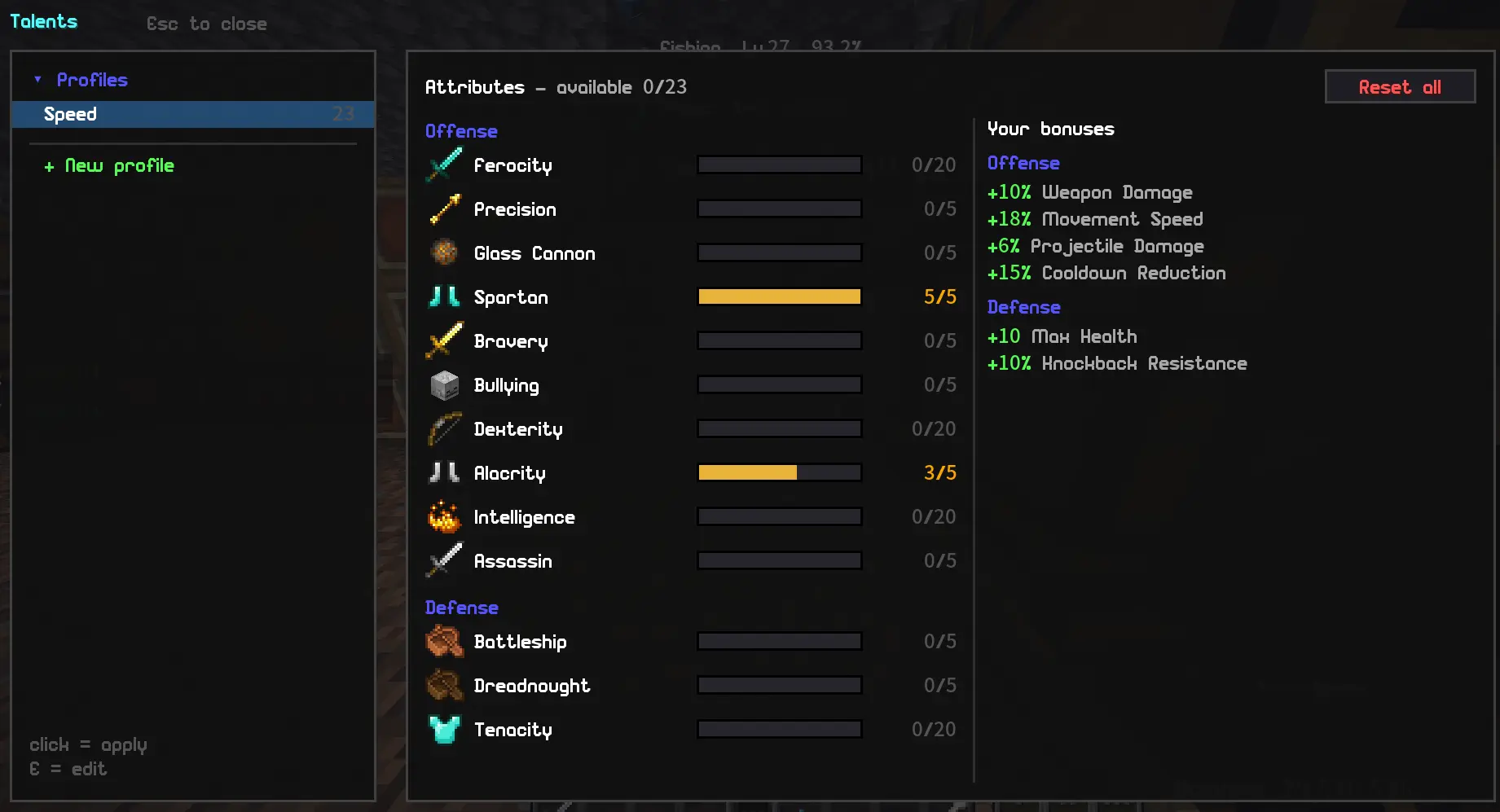
The Talents screen becomes a full build manager:
- Save unlimited stat builds and switch between them with one click - reset and reallocation handled automatically.
- Preview a build client-side, watch your aggregated bonuses update live, then save.
- A small HUD widget shows which build you're running. Press V to open Talents any time.
📊 Stats & trackers
- Loot Stats - every chest you open, logged and aggregated by dimension and time window.
- Fishing Tracker - catches, sizes, personal-best flags, and a leaderboard.
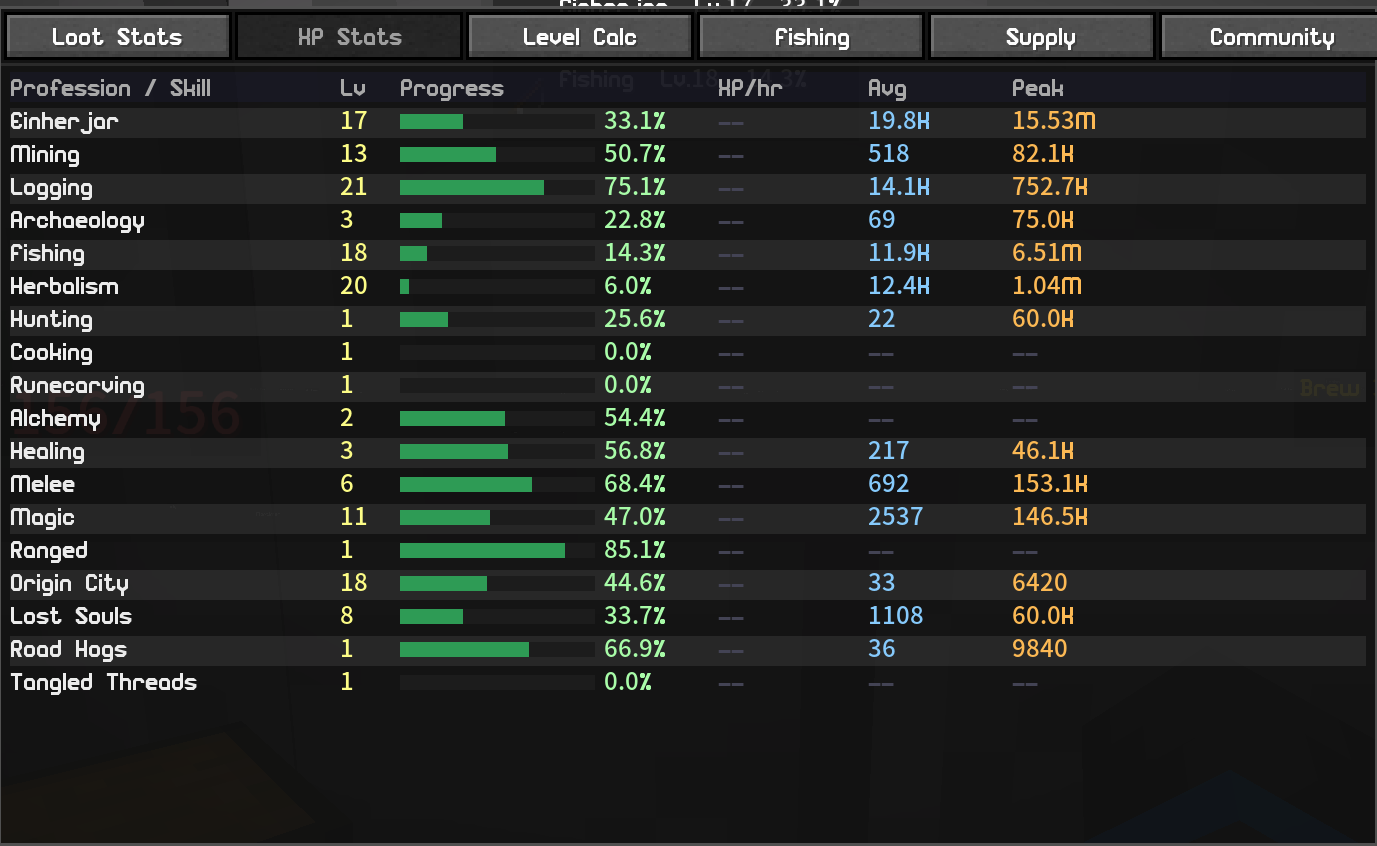
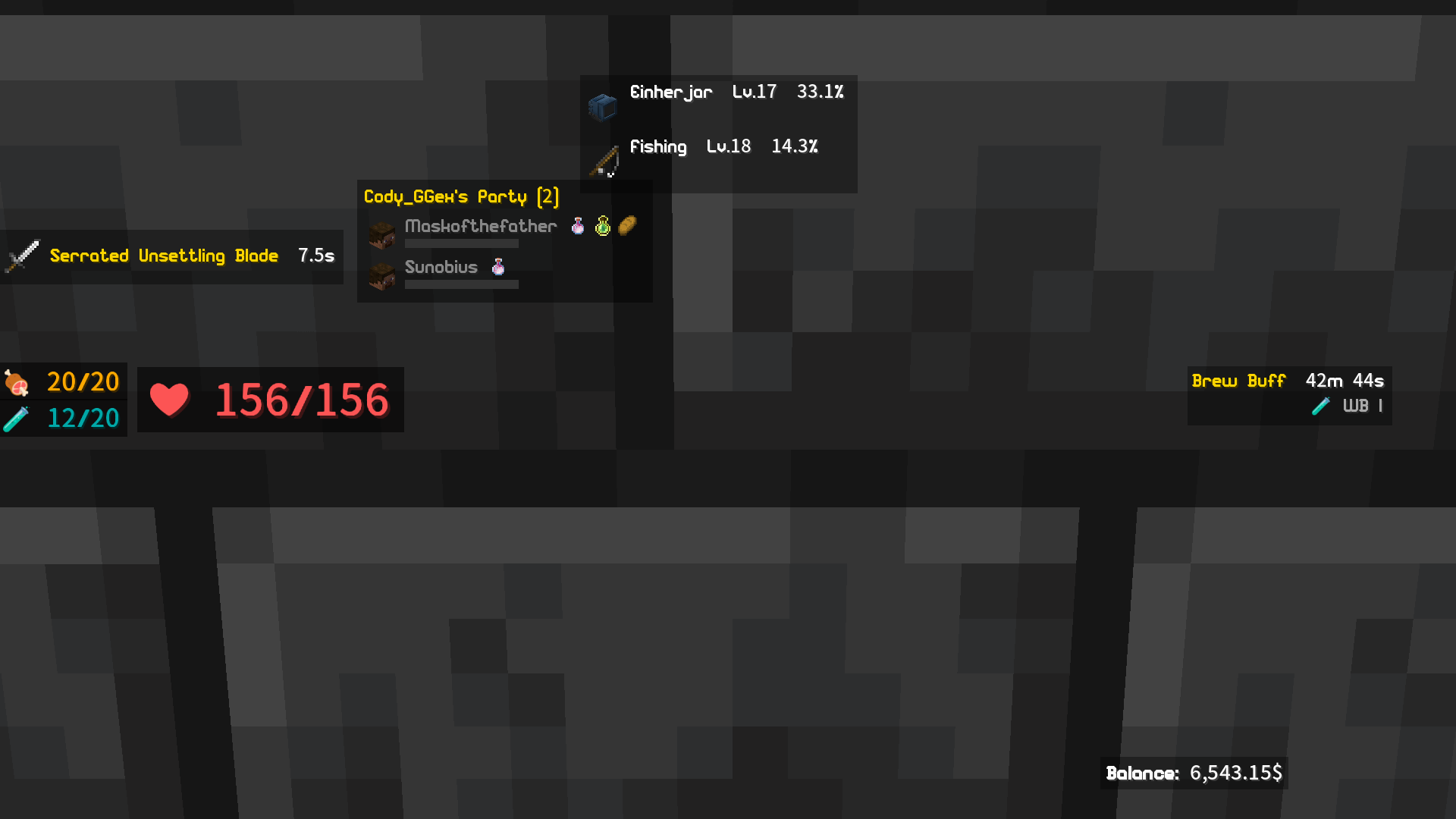
- XP Tracker - live profession / proficiency / reputation / class levels with a movable HUD widget and XP-rate display.
- Coin Counter - animated balance HUD, spend tracking, and a coins-per-hour rate.
- Session summary (
/bgplus session) - coins, XP, fish, and chests for your play session.
🎯 HUD widgets
Every widget is draggable and resizable in the layout editor: cooldown timer, profile-buff timers, booty/supply counters, air/drowning bar, a relocatable action bar, a recent-pickup tracker, and a chat-channel widget.
📦 Loot & inventory tools
- Loot All / Loot Some / Deposit All / Deposit Match buttons on every chest, with a per-item ignore list, so you move stacks in one click instead of dragging. The buttons are individually moveable and resizable.
- Slot Locker - lock inventory slots so the Deposit buttons skip them and Loot All won't pile loot in; each lock remembers its item (or that the slot should stay empty), so coming back from farming keeps your hotbar layout.
🤝 Party tools
Live teammate health bars (a healer's dream), low-health sound alerts, buff icons, client-side glow to spot your party, and in-world pings.
👺 Goblin Hoard (idle minigame)
A fully sandboxed idle/incremental game that runs alongside Blockgame - /bgplus goblins. Its own currency (Plunder) that never touches your coins, items, or the world:
- Hire goblins, buy upgrades, and trigger Frenzy bursts to dig faster.
- Run expeditions to collect 51 goblin characters across five rarities, chasing set bonuses.
- Prestige into a branching Gem Web of permanent upgrades, then descend an endless Abyss that ranks your deepest layer on a public leaderboard.
- On by default - turn it off in Settings if it's not your thing.
💎 Rune Vault & Shops
- Rune Vault - wall in a small altar room and search hundreds of runes in one screen, with best-fit-for-this-item ranking and single-rune withdraw out of a bundle.
- Rune Shops - publish your spare runes for sale at a linked altar; customers browse and reserve them, and you fill orders from an in-game order list.
🗣️ Talking NPCs
Quest-giver NPCs get a dialogue box with an animated puppet, typewriter text, and reply choices - a friendlier face than the plain server menu, with the gear-vendor and daily-quest NPCs written up.
📸 Cosmetic & Photo Mode
Client-side, render-only glamour tools for clean screenshots: a one-key Photo Mode (hides HUD, held item, and nametags together), standalone hide players / mobs / nametags, fog control, and forced time / weather / sky / biome looks.
🎨 Built-in custom item textures
Blockgame+ reads Blockgame's item data directly, so a modern-format server or community resource pack reskins custom items and worn armor with no separate "Resourcepacks Helper" mod needed. Just add the pack.
♿ Accessibility
- Spell Cycler - cast a spell book and auto-advance to the next, with cooldown-aware skipping (tap or hold).
- Custom sound alerts for fishing bites, low hydration, loot pings, and party low-health - drop your own
.ogg/.wavfiles in.
🏆 Community & leaderboards
Optional shared leaderboards - class, professions, proficiencies, reputations, coins, fishing, lifetime coins, and the Goblin Abyss depth board - plus supply-drop and loot sharing. Browse them in-game or on the public site at bgplus.ca/leaderboard (no account needed to look).

🎓 New-player tutorial
First time on Blockgame? Blockgame+ layers a friendly Guide over the server's own tutorial quest - a dialogue box explains each step and waypoints point you to the tricky spots (like that Forge everyone gets lost looking for). It turns itself off once you've finished.

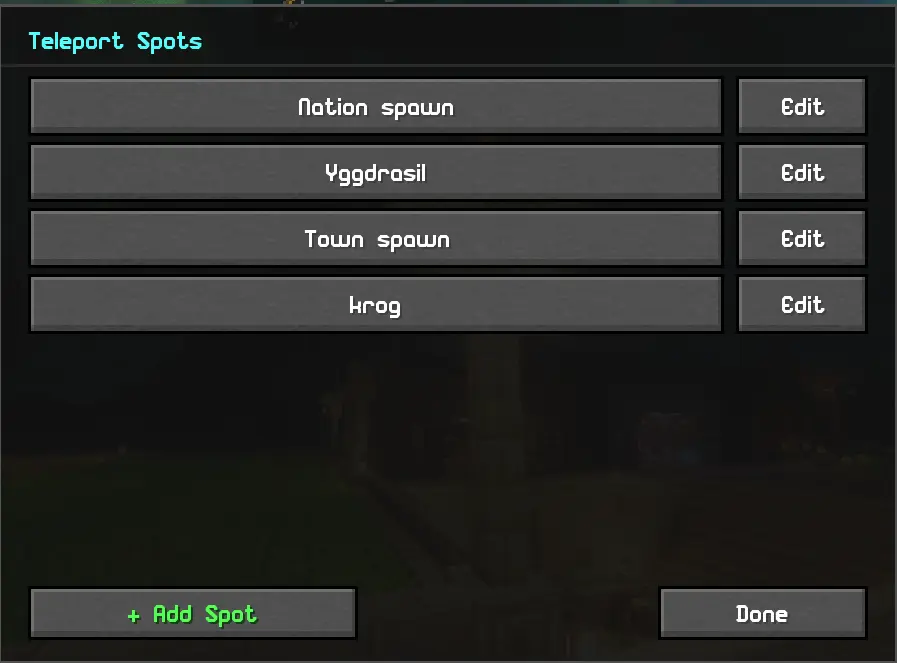
📌 Teleport Spots
Make your own command buttons - e.g. "Nation spawn" runs /n spawn.
🖥️ Play from the main menu
A Blockgame+ button on the title screen opens a hub for the community tab, the goblin game, the leaderboards, and the live map - so you can stay connected and keep playing even while the game server is down.
⚙️ Setup
- Install Fabric Loader, Fabric API, Cloth Config, and Mod Menu.
- Drop Blockgame+ in your
modsfolder. - All keybinds are unbound by default - set them in Options → Controls → Blockgame+.
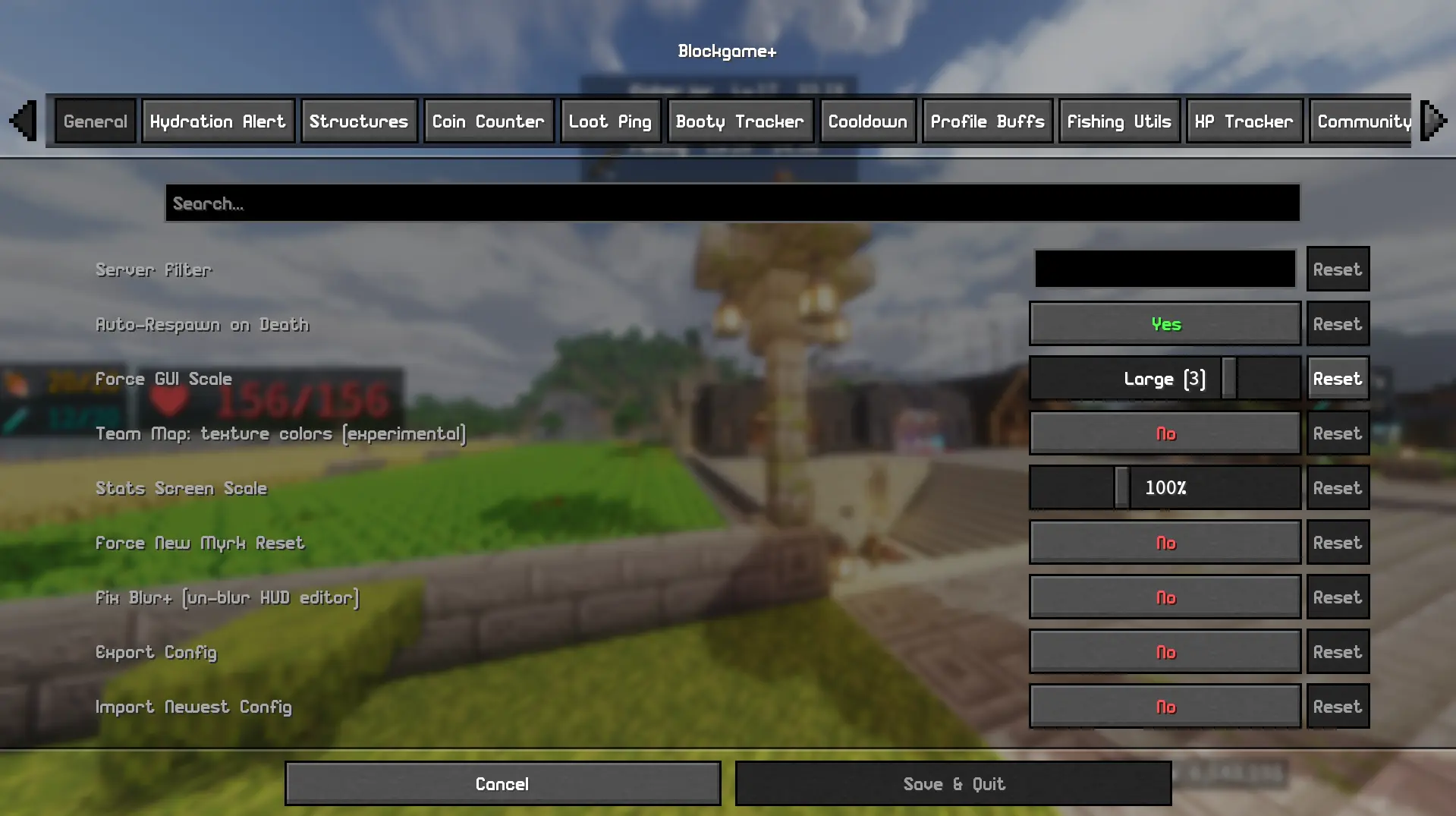
- Configure everything in Mod Menu → Blockgame+, and browse the built-in guide with
/bgplus guide.
⚠️ Notes
- Designed for Blockgame; features are gated to the server by default.
- The team map, live party sync, community hub, and leaderboards use a self-hosted backend (provided currently by the mod owner - that's me!). They're not required for the rest of the mod, and they need you to request to join the community so an admin can approve you.
- Known issue: party HUD faces currently show the default skin.
- This mod is made with the help of AI. If you don't support that, then don't download! Or do... I don't care.
Found a bug? Reach me on Discord: codyggex or report it on bgplus.ca