
Compatibility
Minecraft: Java Edition
Platforms
Supported environments


Links
Tags
Creators
Details
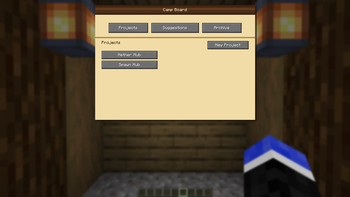
Main Project Screen
Projects that are added are displayed on the main project screen.
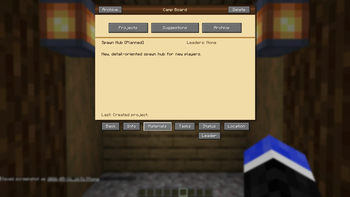
Info Screen
Inside each project is an Info screen. This displayer the name, the status of the project, the Leader(s), and a description.
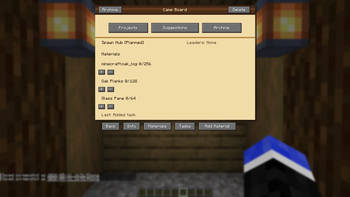
Materials Page
The Materials page lists all resource needed to be gathered. 3 resources are listed at a time per page. If more are added, it adds a new page to navigate to. You can use standard text like "Oak Planks" or "minecraft:oak_planks", both will work.
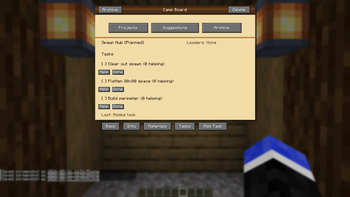
Tasks Page
The Tasks page displays any tasks needed to be done for the project. You can select "Help" to list yourself as a helper. Selecting "Done" will mark the tasks as complete. After 3 tasks are added, a new page will be added with more tasks.
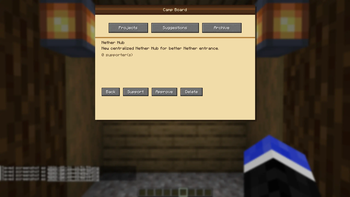
Suggestions Page
By default, only admins on the server can create the project (configurable). The suggestions page allows for any player to create a suggestion for a project. Admins can refuse or reject the suggestions.
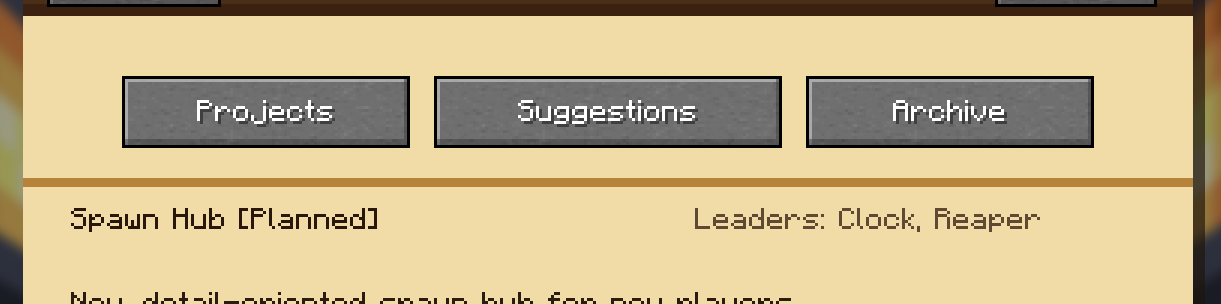
Leaders
Admins can select 1-3 Leaders for a project. Click the "Leaders" button, and type in a username or nickname, either is fine, and it will be displayed on the project info page.
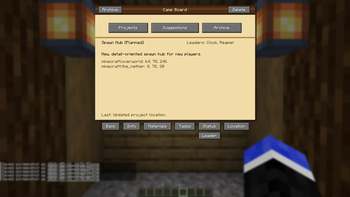
Locations Page
The location page allow Admin/Leader(s) to select the location for the project. It will prompt you to input the Dimension and corresponding coordinates. It will then display coordinates for the Overworld and Nether, for quick travel to/from.
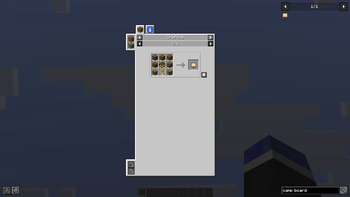
JEI Compatible
Camp Board is compatible with JEI. It will be displayed in the JEI sidebar, and also provides an info page so players can see a description of the new item.
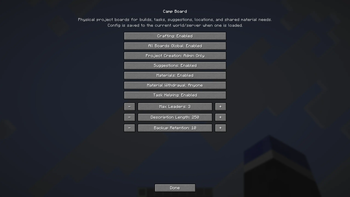
Mod Menu Compatible
Camp Board is compatible, and configurable, with Mod Menu. This allows for easy adjustment and toggles to fit your server's play-style.