
Compatibility
Minecraft: Java Edition
Platforms
Supported environments


Links
Tags
Creators
Details

Provides you with capes!
You can choose from various providers or add your own.
Improved/Reworked version of the "Capes" mod:
- Improved and easier cape provider integration
- Allows ordering providers
- Support for custom providers
- More options to fine tune how capes are applied
- Written only in Java (no Kotlin needed)
- Various fixes and improvements
Creating a custom cape provider
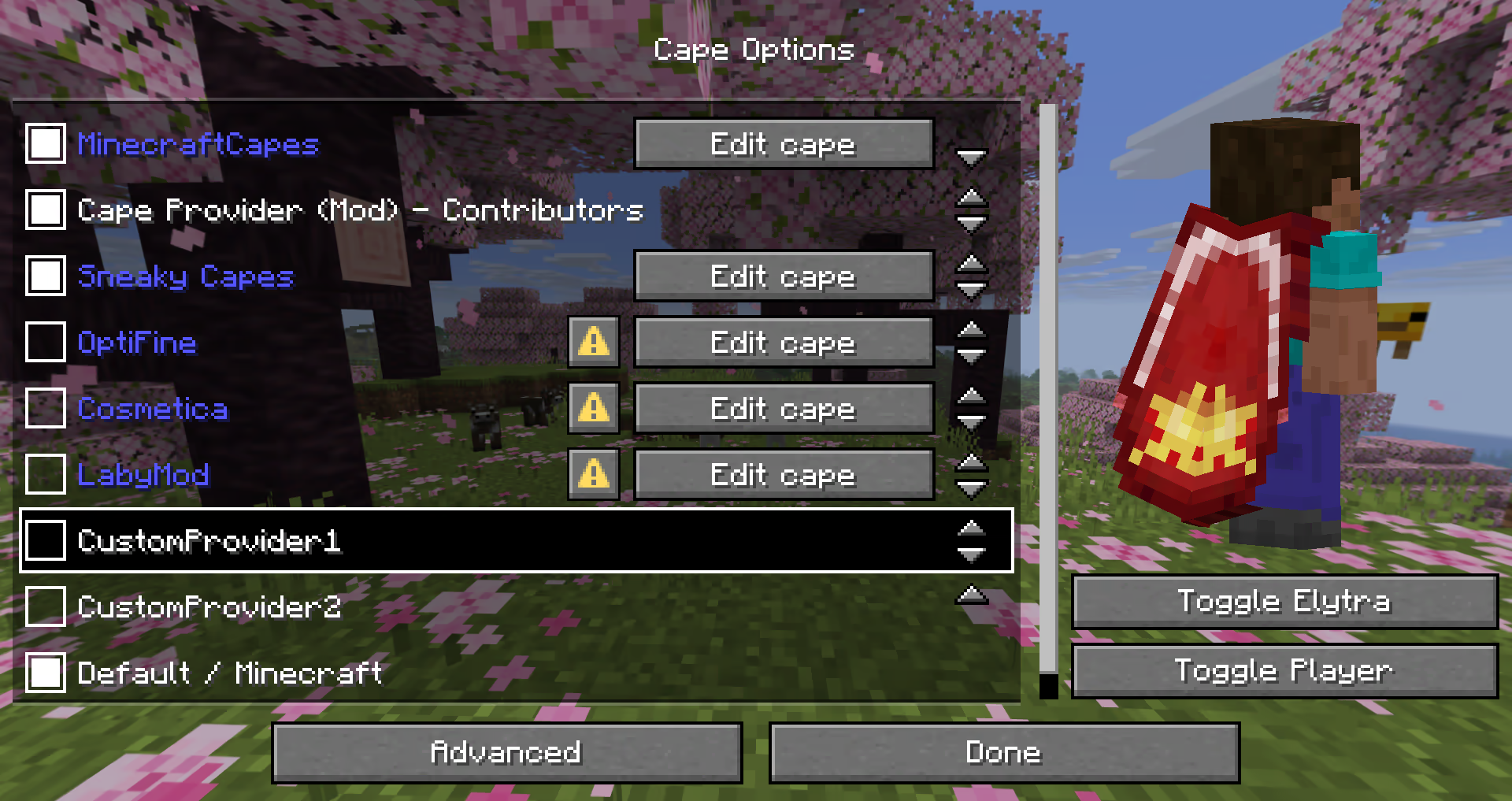
The mod provides many different ways how a provider can be added.
The following possibilities are sorted by simplicity:
Simple Local Provider
Recommended for:
- Users that just want a customizable cape
- Modpacks (using
config/cape-provider/simple-custom)
The simplest way to display a cape is by going into the config/cape-provider directory and creating a cape texture file named cape.png.
Additionally there are the following optional files:
owners.txt- Determines which player names or UUIDs will get the cape displayed. If this file is not present then all players will display with the cape.name.txt- To override the display name of the provider
You can also add more providers by creating corresponding directories in config/cape-provider/simple-custom.
Example: config/cape-provider/simple-custom/my-super-cool-provider/cape.png
Remote Provider in configuration
Recommended for:
- Users that want to add a custom remote provider
This demo showcases how to apply the capes inside custom-cape-demo.
-
Open the config file located in
config/cape-provider/config.json -
In the
remoteCustomProviderssection add the following entry:{ "id": "cp1", "name": "CustomProvider1", // You can replace uuid with $id, $name or $idNoHyphen to customize the cape per Player "uriTemplate": "https://raw.githubusercontent.com/litetex-oss/mcm-cape-provider/refs/heads/dev/custom-cape-demo/uuid.png" }Example for SkinMC
{ "id": "skinmc", "name": "SkinMC", "uriTemplate": "https://skinmc.net/api/v1/skinmcCape/$id" } -
Restart the game and activate the provider
For more details have a look at RemoteCustomProvider and RemoteCustomProviderConfig
NOTE: Texture resolvers can be selected using the textureResolverId attribute (see below for details).
via Mods
Recommended for:
- Mods
If you are a mod developer and want to e.g. display a cape for supporters or contributors of your mod, you can provide it using the mod's resources and/or metadata in fabric.mod.json.
The overall behavior is similar to how modmenu handles this.
Local/Simple (Recommended)
This approach requires no network communication and is the recommended way.
It works by reading metadata and resources from the cape directory.
Here is an example:
- Add the following mod metadata:
fabric.mod.json{ ... "custom": { "cape": "Contributors" } } - Create a
capedirectory insideresources - Add the cape texture in
cape/cape.png - Add the players that should be given the cape in
cape/owners.txtwith their UUIDs or names
Note: There is also a more detailed variant
fabric.mod.json
{
  "custom": {
    "cape": {
      "name-extra": "Contributors",
      "owners": {
        // You can also used UUIDs
        "names": [
          "Notch"
        ]
      }
    }
  }
}
The mod uses this strategy itself. See the fabric.mod.json or cape directory for details.
Remote
Here's an example implementation that shows how a remote cape provider can be added:
fabric.mod.json
{
  ...
  "custom": {
    "cape": "https://raw.githubusercontent.com/litetex-oss/mcm-cape-provider/refs/heads/dev/custom-cape-demo/uuid.png"
  }
}
Here's a more detailed variant
fabric.mod.json
{
  "custom": {
    "cape": {
      // Gives everyone a christmas cape
      // You can also use variables here, like $uuid. See above for more details
      // You may have to escape the $ with \ or you can alternatively use § instead of $
      // Alternative: "uriTemplate"
      "url": "https://example.org/textures/§uuid.png",
      "changeCapeUrl": "https://...",
      "rateLimitedReqPerSec": 20 // Default is 20
    }
  }
}
Programmatic
You can also create a programmatic cape provider.
Further notes
Maximum size
Images/Textures should not exceed 10MB. Otherwise they might be ignored.
Texture resolvers / Animated textures
The following resolvers are currently built-in:
| Resolver-ID | Animated | Format | Example | Notes |
|---|---|---|---|---|
default / null |
❌ | PNG | uuid.png | |
sprite |
✔ | Stacked PNG | animated.png | |
gif |
✔ | GIF | animated.gif | Usage not recommended GIFs require more resources when compared to more modern formats like PNG. |


Please note that animated textures can be frozen or completely disabled in the settings.