
Compatibility
Minecraft: Java Edition
Platforms


Links
Tags
Creators
Details
Coffres — everything in your chests, anywhere
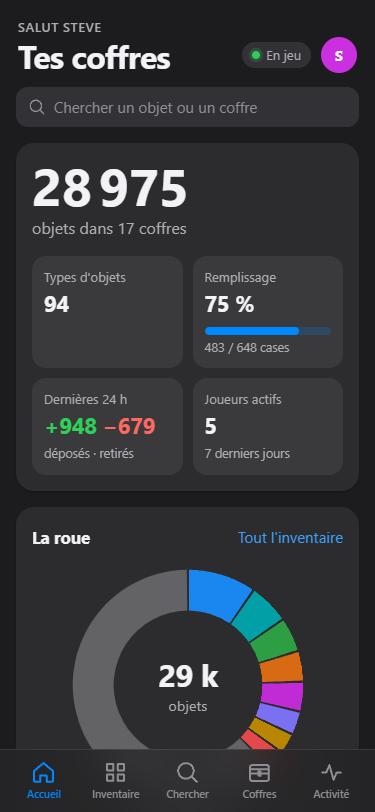
Coffres is a Paper plugin that tracks what's inside your server's chests, barrels and shulker boxes, and shows it on a website for phone and PC. You can install the site on iPhone, Android or PC like an app.
No more running across the base to find that one stack of redstone: open the site, search, and the plugin tells you where it is. Planning a big build? Upload its schematic and Coffres tells you what's placed, what's in your chests and what's still missing.
✨ Features
In game
- Choose which containers to track: run
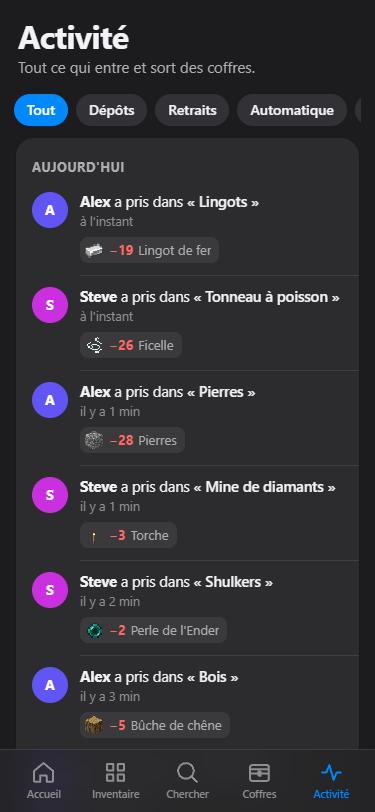
/coffres, turn on add mode, then right-click chests, barrels or shulker boxes. They are private as soon as you add them. - Full history: every deposit and withdrawal is logged with the player's name. Hoppers, copper golems and other machines are logged as automatic. Broken or blown-up containers are recorded too.
- Nested contents counted: items inside shulker boxes and bundles stored in tracked containers are included.
- Item search:
/coffres chercher <item>tells you where it is and highlights the nearest containers. - Build projects:
/coffres projetshows every project with a progress bar. Link chests with/coffres projet lier <name>and a right-click, or place the plan in the world with/coffres projet placer <name>.
On the website
- Two separate spaces: Mes coffres (my chests) and Communs (shared). They are never mixed. Admins also get an All view.
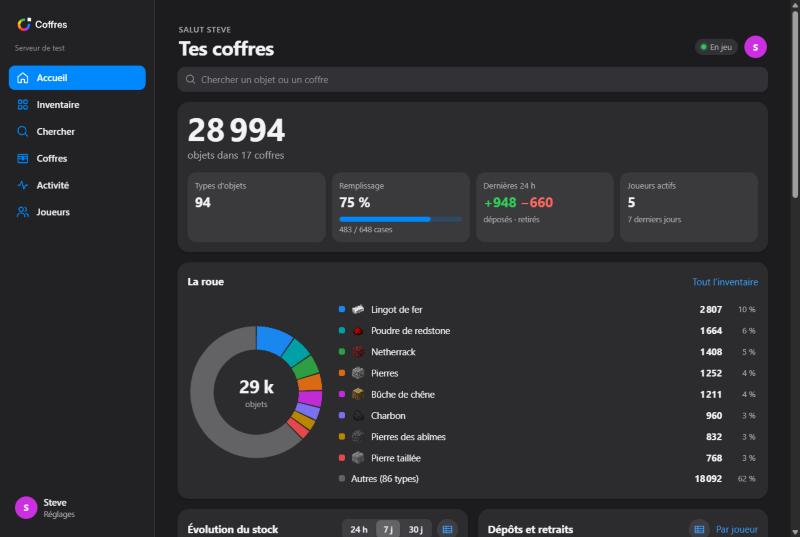
- Dashboard: totals, distribution chart, trends over 24h / 7d / 30d, top players and recent activity.
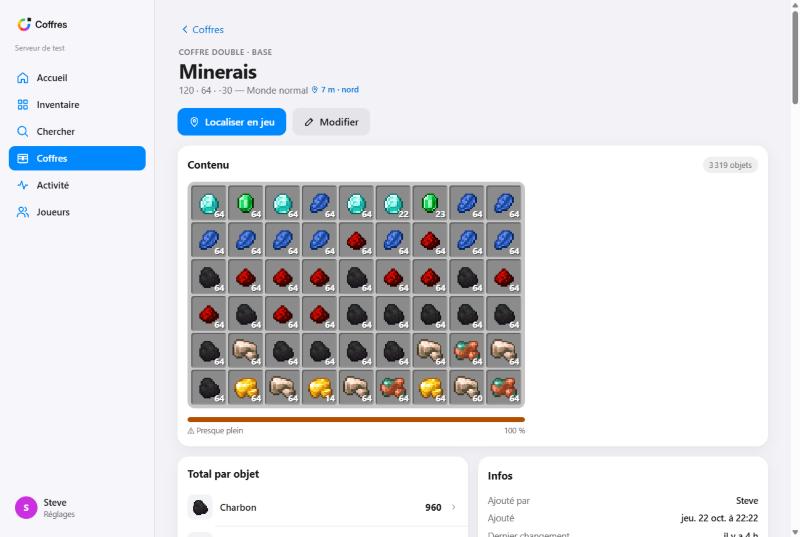
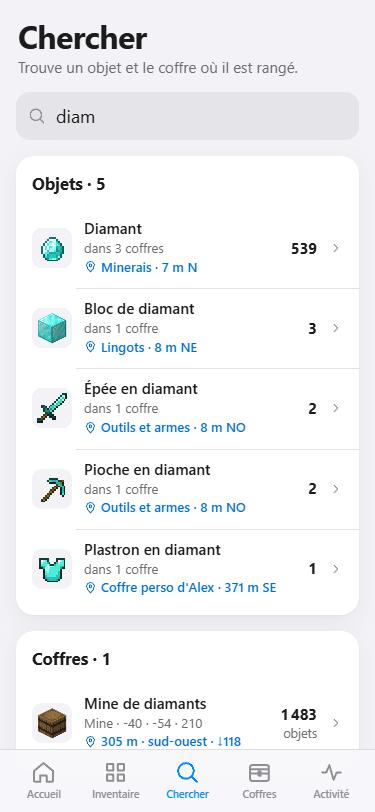
- Inventory, search (with distance from you), item pages, chests grouped by zone, plus a chest view that shows the slots like in game, with history, renaming and sharing.
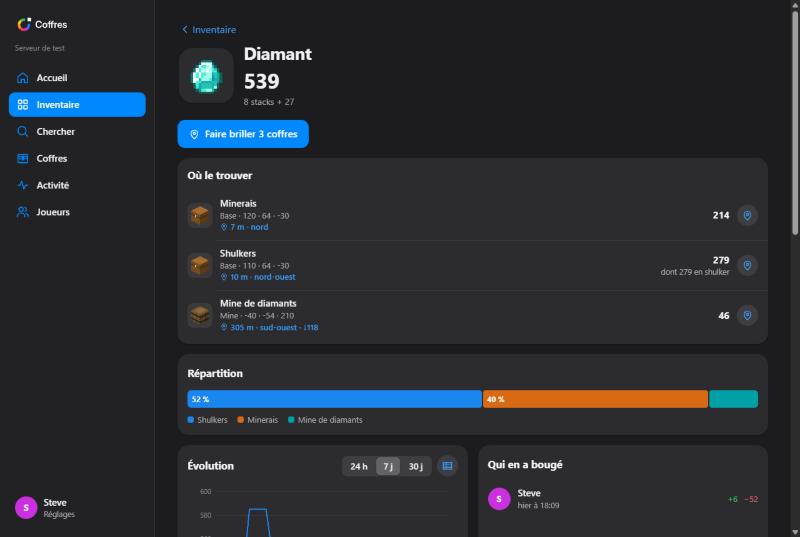
- Locate in game: makes a chest glow through walls, with a light beam and an arrow to guide you. Only you can see the glow, and it turns off as soon as you open the chest (60 seconds max).
- Light and dark themes, live updates every 5 seconds, and charts you can switch to tables.
- Simple login: type your Minecraft name and enter the 6-digit code sent to you in chat, or use the
/coffres weblink. No password, and sessions last 180 days.
🏗️ Build projects
Upload the plan of your castle, farm or base, and Coffres makes the shopping list.
- Supported files: Litematica
.litematic, Sponge.schem(WorldEdit 7+, FAWE, versions 1 to 3), legacy.schematic(MCEdit, old WorldEdit) and structure.nbt(structure blocks, Create). - Every block you need to place: material chart, total, stacks and shulker boxes. Doors and beds count once, a double slab counts as two slabs, a wall torch counts as a torch, and so on.
- Linked chests: link the chests where you store materials, on the site or in game. Their contents are counted live, shulker boxes included.
- Blocks already placed: place the project in the world with the same origin, rotation and mirror as in Litematica. Coffres checks which blocks are already built, then keeps it up to date live as blocks are placed or broken. Block orientation isn't checked, so you can always reach 100%.
- Inventories count too: blocks carried by online project members are included, even inside shulker boxes and bundles.
- Progress at a glance: placed (green) + in chests (blue) + on players (orange) + missing (grey). Copy the missing-blocks list in one click to paste it on Discord.
- Block details: click a block to see how many are placed, who is carrying some, and which chests have it, with a button to make those chests glow in game.
- Shared, friend group or solo: create a group once ("The crew") and pick it for as many projects as you want. Members can link their chests; only the project's creator (or an admin) can edit, place or delete it.
- Only the block list and block positions are stored, not the uploaded file.
On your phone
🔒 Privacy
- Every chest is private when added: only its owner and admins can see it (contents, position and history). There is no "public" option in game, so a secret base stays secret.
- Only the owner can share a chest, with the Rendre commun (make shared) button on its page. Admins can't share someone else's chest.
- Private chests never show up in other players' search, activity or player stats.
- Projects: shared projects are visible to everyone, group projects to the group's members, and solo projects only to their creator (admins can see all of them). A private chest linked to a project only counts for its owner (and admins).
- Region protections (claims) are respected: you can only add a container you are allowed to open.
📦 Installation
- Put the
.jarin yourplugins/folder and start the server. - Open the web port (8125 by default). This port is separate from the Minecraft port, so forward it on your router or add it in your host's panel.
- Set
web.public-urlinplugins/Coffres/config.ymlto the address players will use. - Run
/coffres reload.
On first start, the plugin downloads the official Mojang textures and item names once. You can turn this off with
assets.download-from-mojang: false, and the site will use simplified icons instead.
For HTTPS, run the site behind Caddy, Nginx or Cloudflare Tunnel and set web.bind to 127.0.0.1.
Updating: replace the old .jar and restart the server; your chests, history and projects are kept. Projects
created before 1.3.0 need their file uploaded once more (Modifier → Remplacer le fichier) to check placed blocks.
⌨️ Commands
| Command | Description |
|---|---|
/coffres |
Main menu |
/coffres ajouter |
Toggle add mode |
/coffres web |
Website link and login code |
/coffres chercher <item> |
Find an item |
/coffres liste |
List your tracked chests |
/coffres projet [name] |
List projects or show missing blocks |
/coffres projet lier <name> |
Link chests to a project |
/coffres projet placer <name> [rotation] [mirror] |
Place a project in the world, starting where you stand (project creator or admin) |
/coffres projet verifier <name> |
Recheck the placed blocks of a project |
/coffres nom / zone / info / retirer |
Rename, set zone, info, stop tracking |
/coffres prive [tout] |
Make one or all shared chests private |
/coffres deconnexion |
Log out all devices |
/coffres reload |
Reload config (admin) |
Aliases: /coffre, /stock
🔑 Permissions
coffres.use(everyone by default): track your own chests and use the sitecoffres.admin(ops by default): see and manage all chests and reload the config
ℹ️ Notes
- Requires Paper 26.1+ (built for 26.2) and Java 25. No other plugin needed: the web server is built in.
- The interface is in French: commands, in-game messages and the website. Item names on the site are French by
default; change
assets.language(e.g.en_us) for English. - Source code: GitHub