
Compatibility
Minecraft: Java Edition
Platforms


Links
Tags
Creators
Details
Licensed ARR
Published 13 hours ago
Updated last week
Coffres — everything in your chests, anywhere
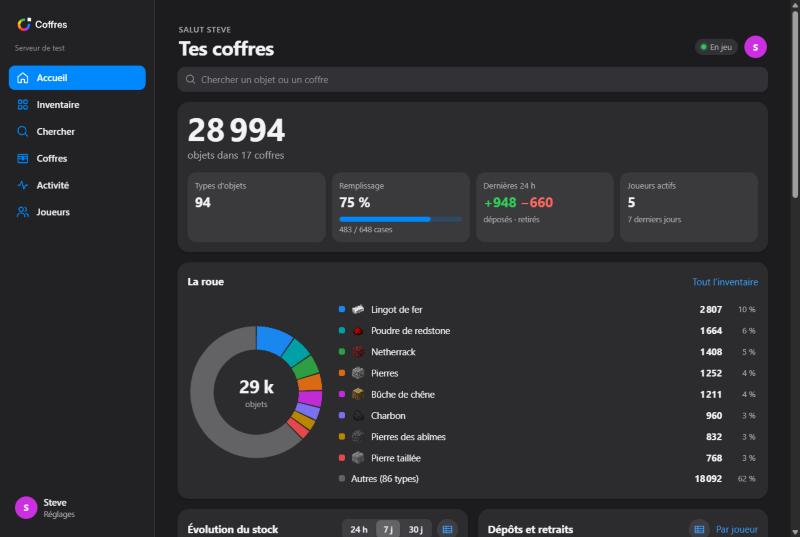
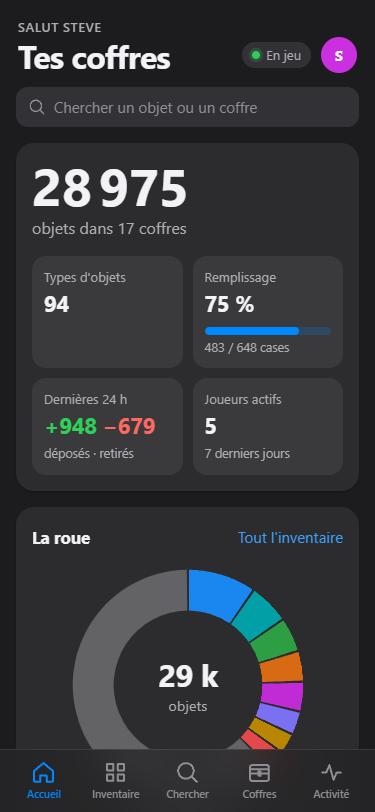
Coffres is a Paper plugin that tracks what's inside your server's chests, barrels and shulker boxes and shows it on a website for phone and PC. You can install the site on iPhone, Android or PC like an app.
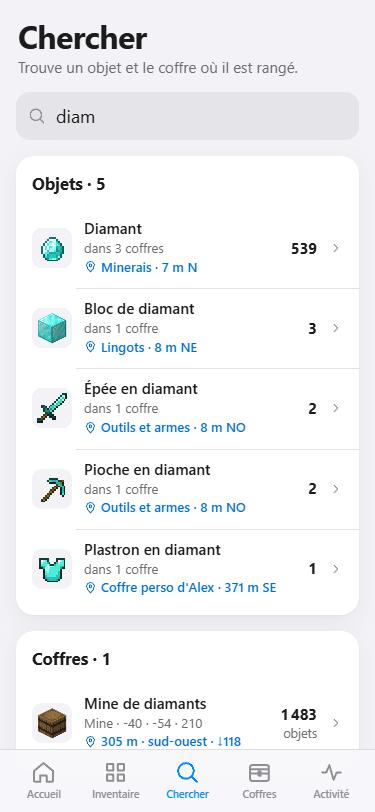
No more running across the base to find that one stack of redstone: open the site, search, and the plugin tells you where it is.
✨ Features
In game
- Choose which containers to track: run
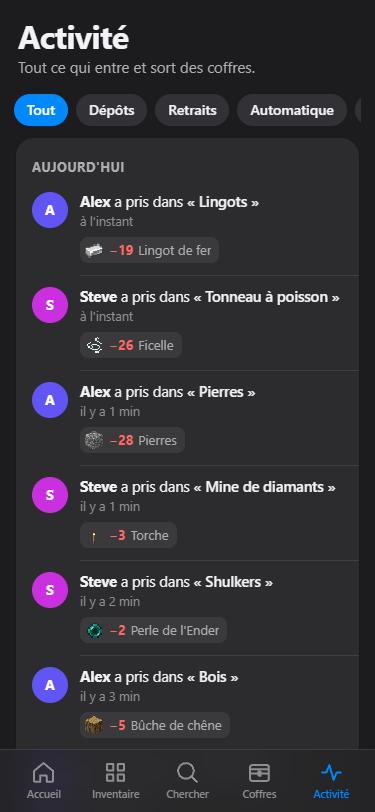
/coffres, turn on add mode, then right-click chests, barrels or shulker boxes. - Full history: every deposit and withdrawal is logged with the player's name. Hoppers and other machines are logged as automatic. Broken or blown-up containers are recorded too.
- Nested contents counted: items inside shulker boxes and bundles stored in tracked containers are included.
- Item search:
/coffres chercher <item>highlights the nearest containers that hold it. - Build projects: link chests to a project and see which blocks are still missing.
On the website
- Two separate spaces: My chests and Shared. They are never mixed.
- Dashboard: totals, distribution chart, trends over 24h / 7d / 30d, top players and recent activity.
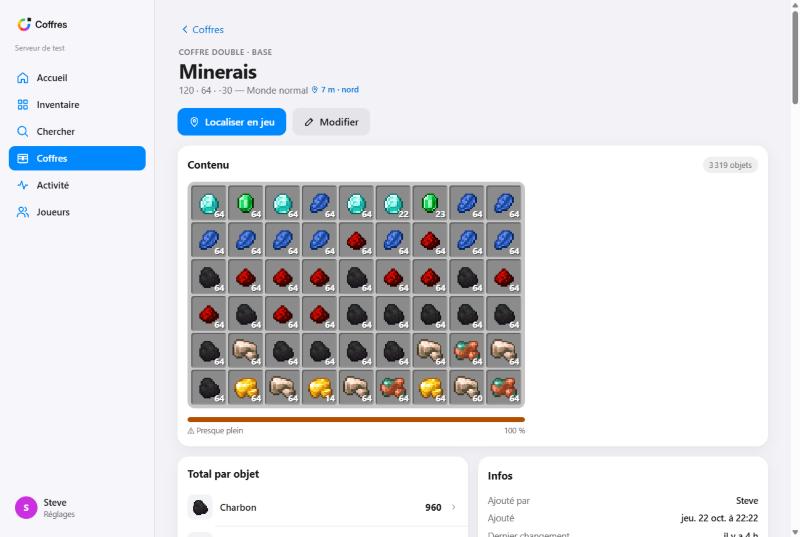
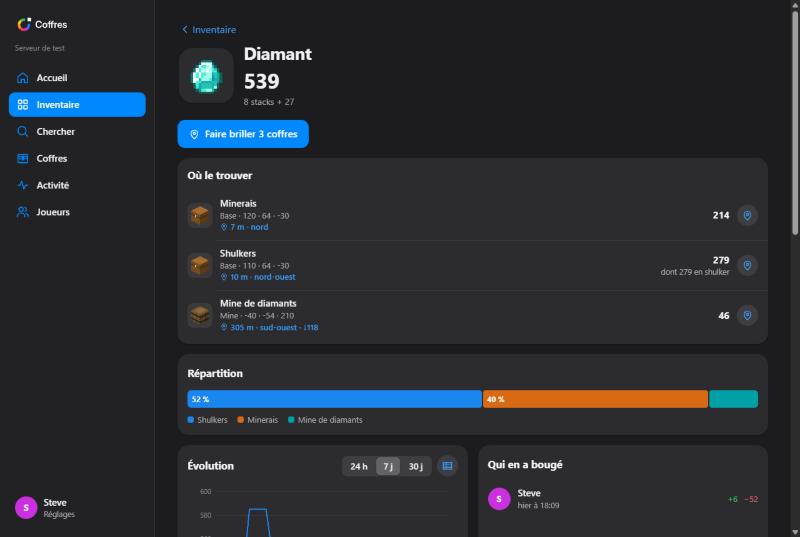
- Inventory, search (with distance from you), item pages, chests grouped by zone, plus a chest view that shows the slots like in game, with history, renaming and sharing.
- Locate in game: makes a chest glow through walls for 60 seconds. Only you can see the glow.
- Schematic projects: upload a Litematica, Sponge
.schem, legacy.schematicor structure.nbtfile. You get the material list, the percent done, and a missing-blocks list you can copy for Discord. Only the block list is stored, not the file. - Light and dark themes, live updates every 5 seconds, and charts you can switch to tables.
- Simple login: type your Minecraft name and enter the 6-digit code sent to you in chat, or use the
/coffres weblink. No password, and sessions last 180 days.
On your phone
🔒 Privacy
- Every chest is private when added: only its owner and admins can see it.
- Only the owner can share a chest. Admins can't make someone else's chest public.
- Shared projects are visible to everyone. Solo projects are visible only to their creator and admins.
📦 Installation
- Put the
.jarin yourplugins/folder and start the server. - Open the web port (8125 by default). This port is separate from the Minecraft port, so forward it on your router or add it in your host's panel.
- Set
web.public-urlinplugins/Coffres/config.ymlto the address players will use. - Run
/coffres reload.
On first start, the plugin downloads the official Mojang textures and item names once. You can turn this off with assets.download-from-mojang: false, and the site will use simplified icons instead.
For HTTPS, run the site behind Caddy, Nginx or Cloudflare Tunnel and set web.bind to 127.0.0.1.
⌨️ Commands
| Command | Description |
|---|---|
/coffres |
Main menu |
/coffres ajouter |
Toggle add mode |
/coffres web |
Website link and login code |
/coffres chercher <item> |
Find an item |
/coffres liste |
List your tracked chests |
/coffres projet [name] |
List projects or show missing blocks |
/coffres projet lier <name> |
Link chests to a project |
/coffres nom / zone / info / retirer |
Rename, set zone, info, stop tracking |
/coffres prive [tout] |
Make one or all shared chests private |
/coffres deconnexion |
Log out all devices |
/coffres reload |
Reload config (admin) |
Aliases: /coffre, /stock
🔑 Permissions
coffres.use(everyone by default): track your own chests and use the sitecoffres.admin(ops by default): see and manage all chests and reload the config
ℹ️ Notes
- Requires Paper 26.1+ (built for 26.2) and Java 25. No other plugin needed: the web server is built in.
- Commands are in French. Item names on the site are French by default; change
assets.language(e.g.en_us) for English. - Source code: GitHub