
Compatibility
Minecraft: Java Edition
Platforms
Supported environments


Links
Tags
Creators
Details
Licensed MIT
Published 4 months ago
Updated 3 weeks ago
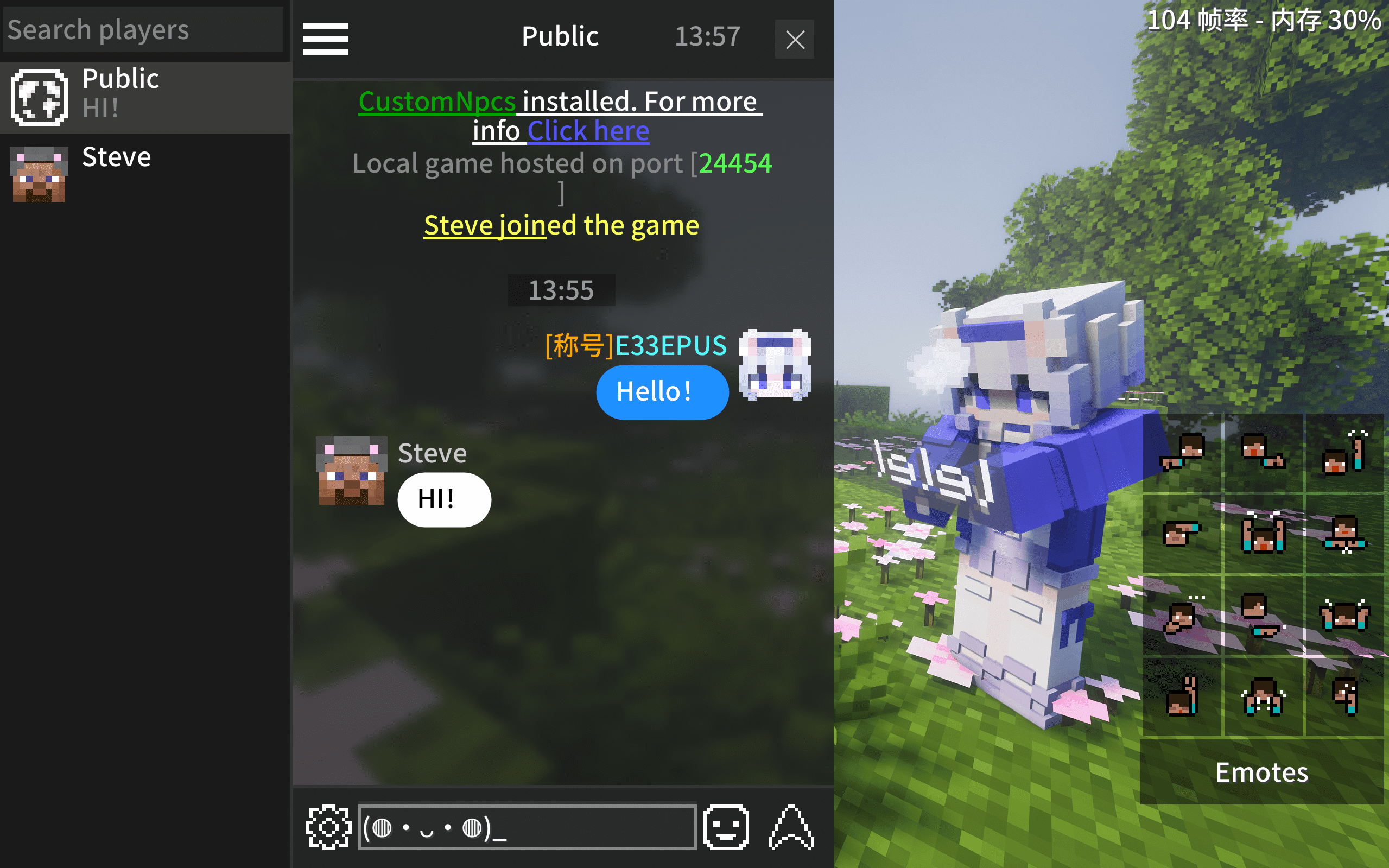
E33Chat
Rebuilds the vanilla chat HUD in chat-app style






Vanilla Improvements
- 💬 Chat bubbles — Messages with player heads and names
- 💾 Chat history — Saved per world / server, restored on rejoin
- 📝 Input preserved — Typed text kept when closing chat
- 🚫 Anti-spam — Consecutive duplicate messages merged with a counter (on by default)
Highlights
- 👥 Whisper sidebar — Online player list, click to whisper
- 🔍 Chat search — Keyword search with real-time matching
- @ Mention autocomplete — Type
@for a popup player list, or left-click a player head - 📌 Quick chat — Save and quick-fill common phrases
- 😊 Emoji & kaomoji — Emoji panel + kaomoji picker
- 📋 Copy & quote reply — Right-click a message to copy or quote reply
- 👤 Player head actions — Right-click a player head to teleport or whisper
- 🔔 Notification banners — Popup hints for @mentions, quotes, whispers and system messages (system banner on by default), with a jump-to-mention button
- 🔊 Notification sounds — Per-type toggles for system, @ / quote, whisper, and public messages
- 🎨 Themes — Dark/light theme with customizable bubble color, text color, and corner radius
- 🕐 Time separators — Timestamp dividers at configurable intervals
- 🌈 Colored messages — Supports
&color/format codes (for servers with a color plugin installed) - 🧩 Message templates — Servers that rewrite the chat format (plugins / No Chat Reports) can declare a template via
/e33chat gui, so names and bodies are parsed correctly on every client
Compatibility
| Mod / plugin | Status |
|---|---|
| No Chat Reports and similar no-report plugins | Auto-compatible since 2.1.0, no config needed |
| ChatHeads / ChatAnimation | Work by default (the vanilla chat box keeps rendering, just shifted clear of the HUD icon) |
| Quark and similar item sharing | Item icons in system messages render correctly |
| CustomSkinLoader | Shows offline players' heads once installed |
| ModernUI | Bounds-safe underlines / click regions on clickable text |
| Nickname plugins | Partially supported |
| Chat-format plugins (EssentialsChat / DeluxeChat / CMI, ...) | Adaptable via server-declared message templates (/e33chat gui) |
FAQ
Server required? No, but installing the server-side mod enables quote reply, @mention sync, chat history sync (new players receive recent messages), and the use_tpa option (player-head teleport uses /tpa).
How to configure? Gear icon (bottom-left) → Menu → Settings
- Client config:
config/e33chat-client.toml(Fabric:config/e33chat-client.json) - Server config:
saves/<world>/serverconfig/e33chat-server.toml(Fabric:.json)
Where is chat history? .minecraft/e33chat/history
How to disable chat history sync? Set history_enabled = false in the world's server config and restart.
Modpack? Go ahead.
Found a bug? Report it here