
Compatibility
Minecraft: Java Edition
Platforms
Supported environments


Links
Tags
Creators
Details
Licensed MIT
Published 5 months ago
Updated 3 months ago
Melodix is a client-side Fabric mod that lets you enjoy your own local music files or Minecraft's own soundtrack while playing, with a full-featured in-game player.
✨ Features
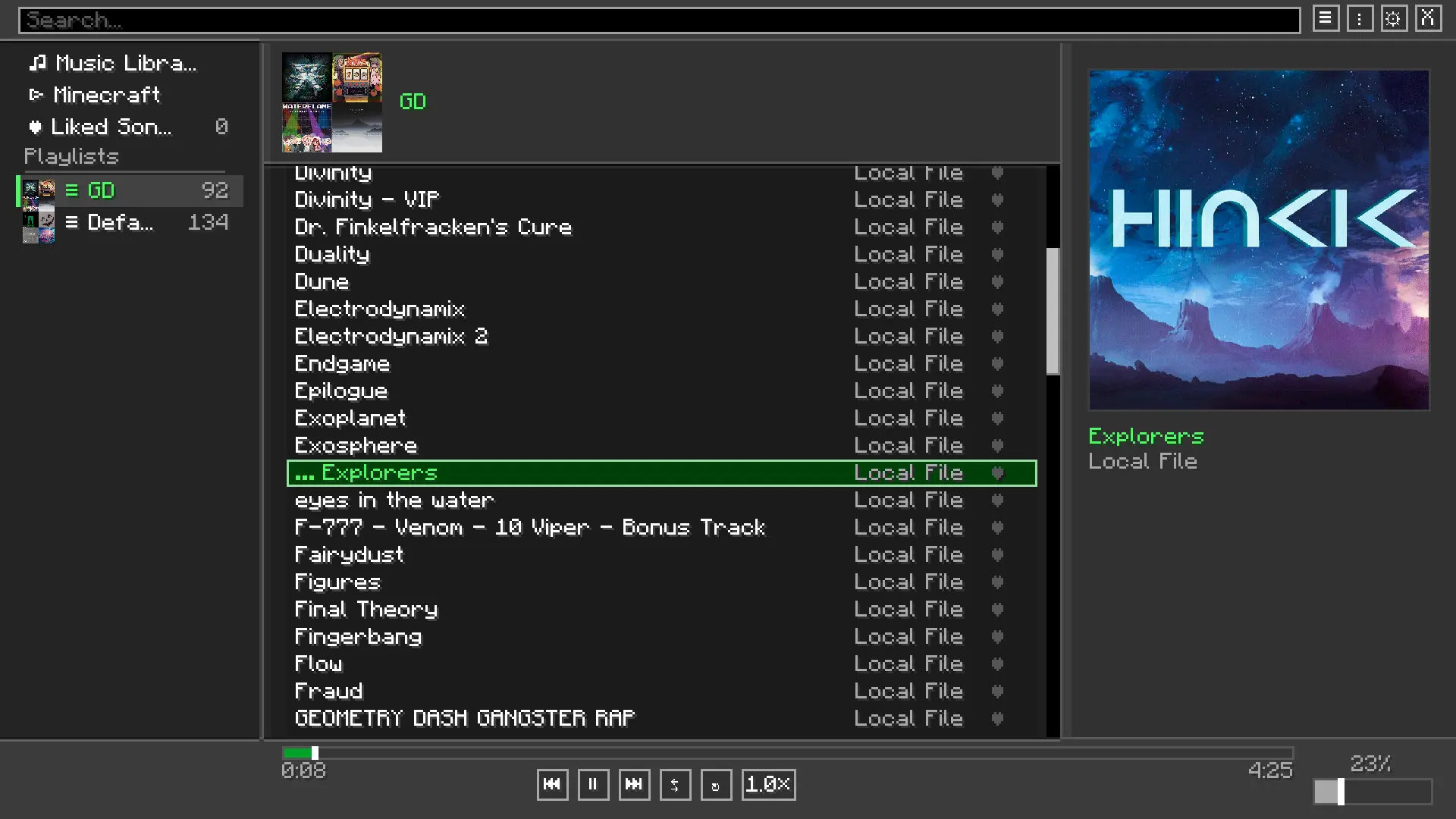
- Minecraft-native GUI: Open the full player with
Mto browse your library, manage a queue, and tweak every setting without leaving the game. - Format Support: Compatible with
.mp3and.wavaudio files. - Vanilla Soundtrack Control: Browse and play Minecraft's built-in music tracks from the same interface. Optionally suppress Minecraft's automatic music so you're always in control.
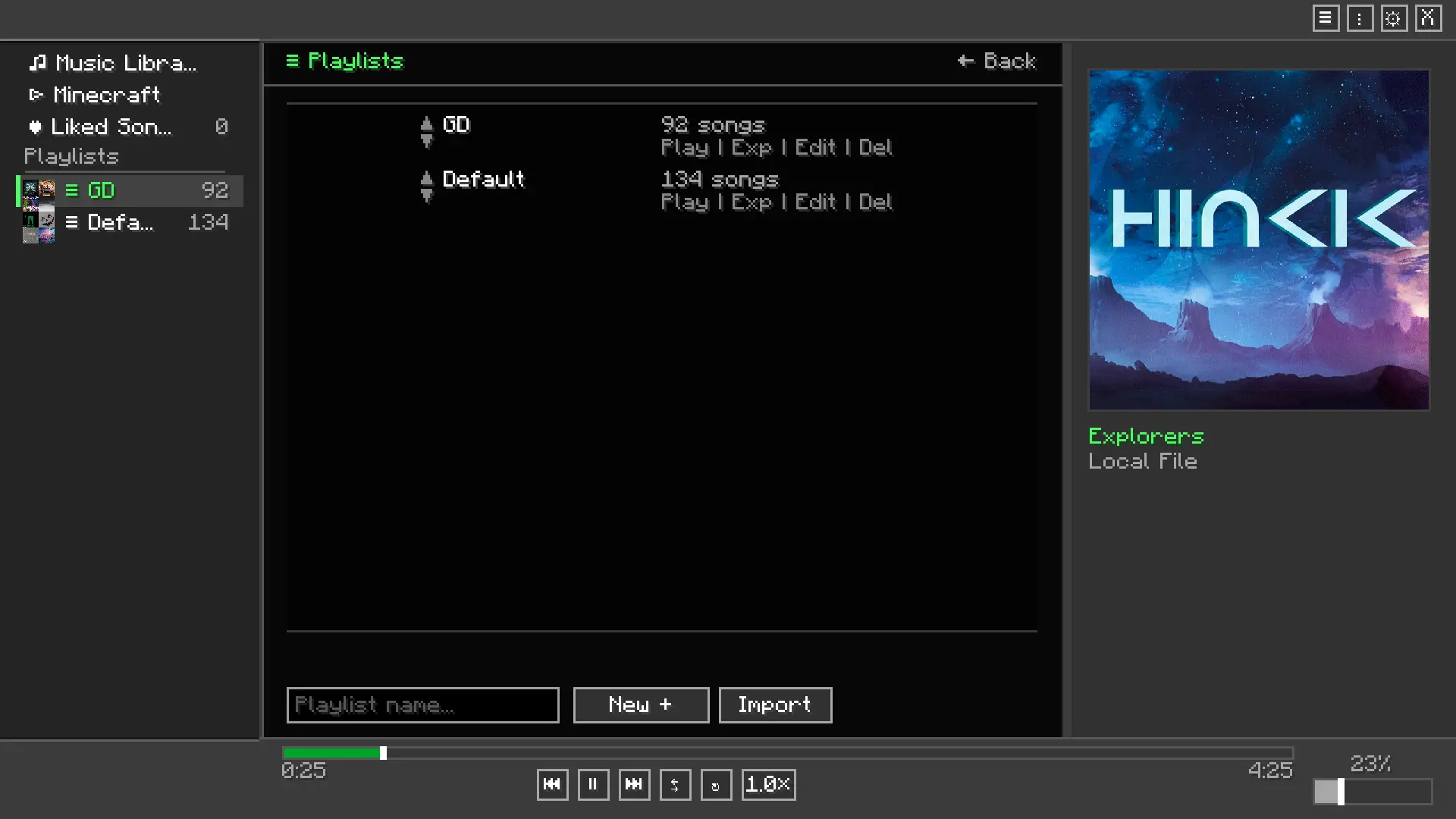
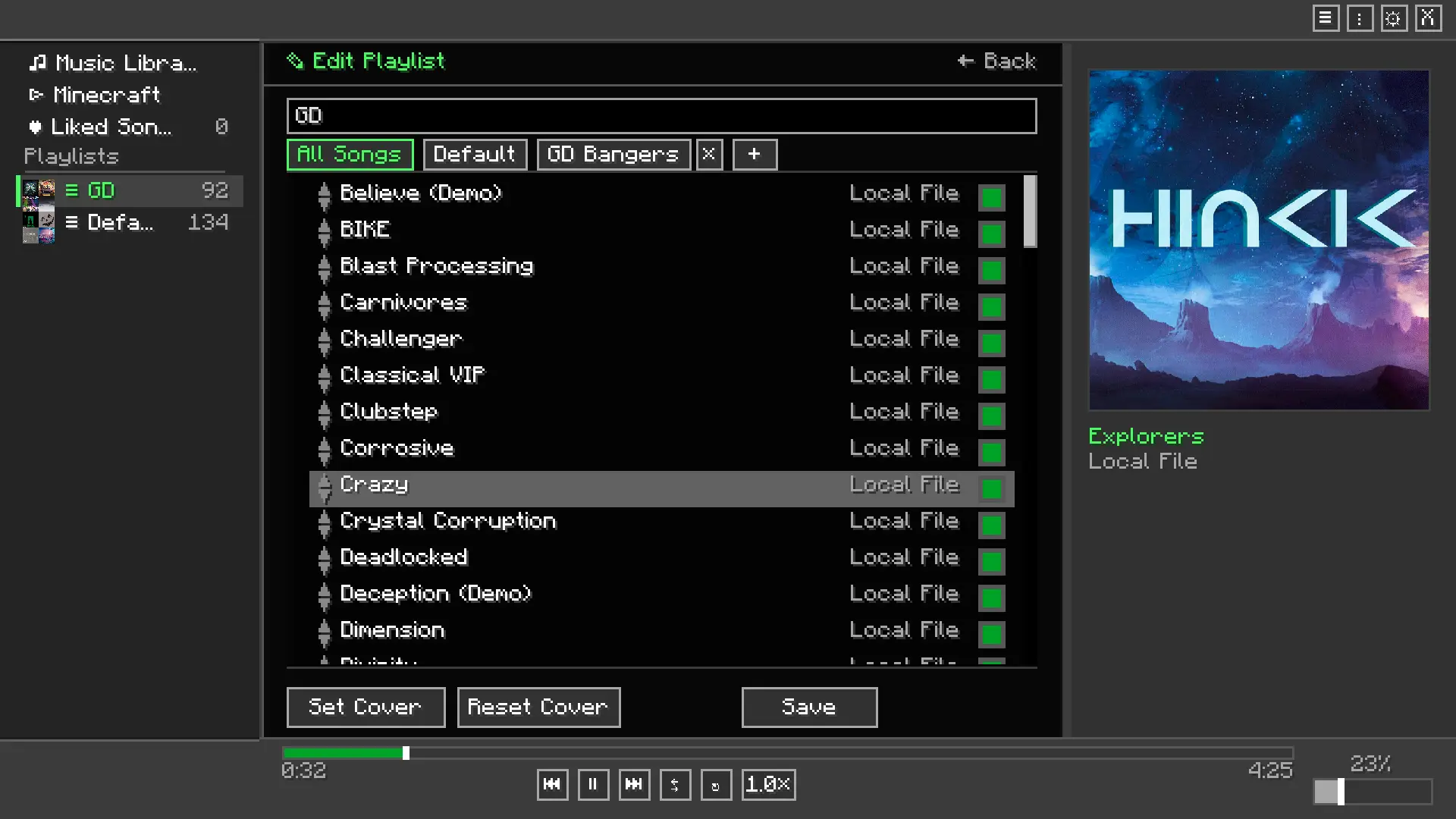
- Custom Playlists: Create, edit, and manage multiple playlists to suit any gameplay mood.
- Mini Player HUD: A compact, draggable overlay shows the current track on-screen at all times.
- Now Playing Display: Shows track info as a widget or above the hotbar, or turn it off entirely.
- Audio Visualizer: An optional frequency visualizer renders on-screen during playback.
- Album Art: Displays album art for Minecraft's official soundtrack releases, with a fallback image for custom tracks.
- Audio Effects: 5-band equalizer with preamp, reverb, crossfade between tracks, playback speed control, and fade-on-pause.
- Listening Statistics: See how long you've listened to each track from a dedicated stats screen.
- Liked Songs: Mark tracks as favorites for quick access.
- Playback Modes: Sequential, shuffle, and repeat.
- Volume Ducking: Music automatically lowers when you take damage, then restores itself.
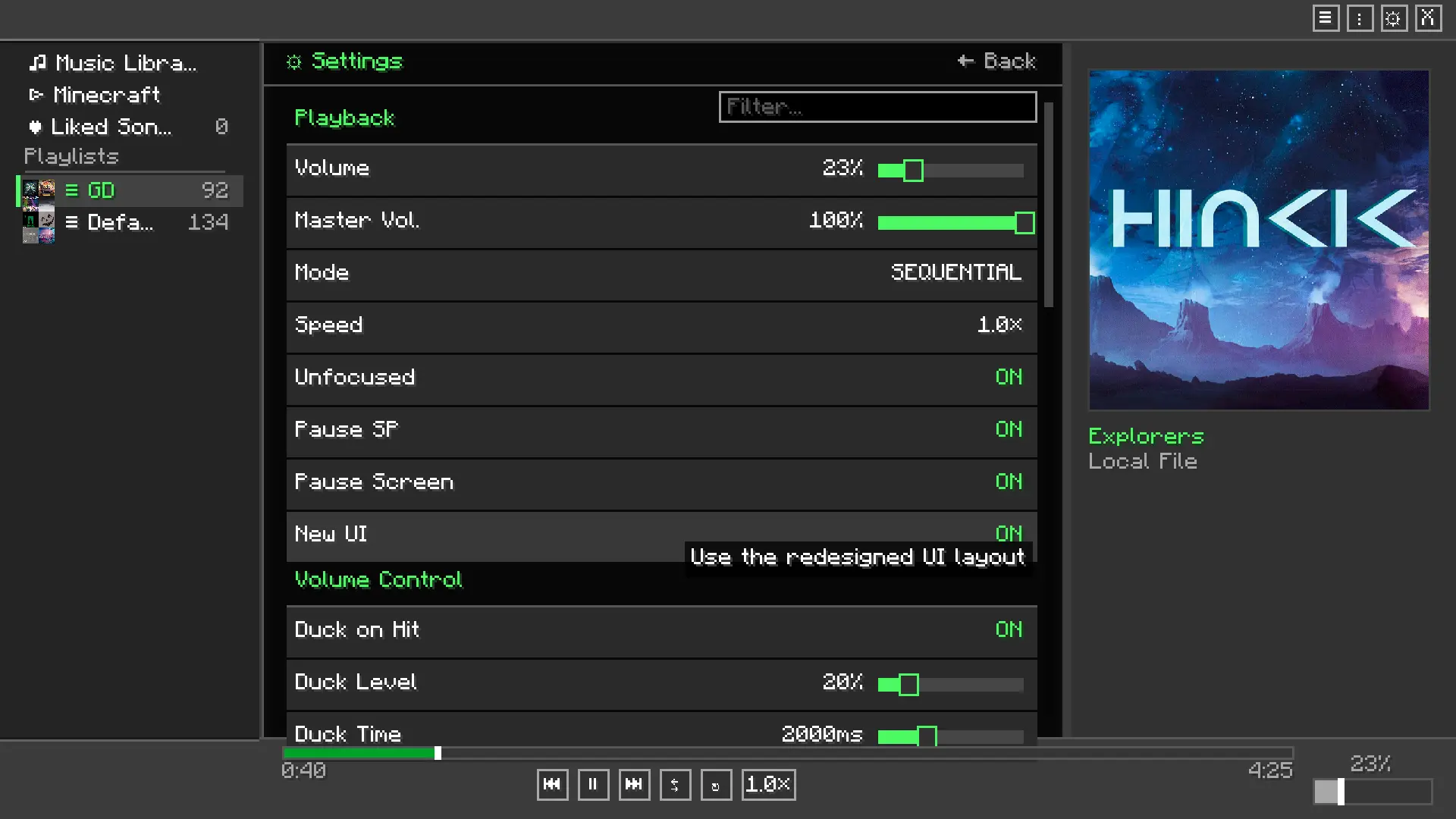
- Window Focus Handling: Optionally pause music when Minecraft loses focus.
- Keyboard Shortcuts: Play/pause (
P), next (→), previous (←), volume up/down (↑/↓), and a custom quick-volume keybind — all rebindable in the vanilla Controls menu. - Themes: Switch between color themes from the settings screen.
🖼️ Screenshots
Player Menu
 Playlist menu
 Playlist Editor
 Settings menu
🛠️ Installation
- Install Fabric Loader and Fabric API.
- Drop
melodix-<version>.jarinto your.minecraft/modsfolder. - Launch the game.
- Press
Min-game to open the player. - In the settings screen, set your music folder path to the folder containing your
.mp3or.wavfiles.
📦 Dependencies
- Fabric API — Required
- Java 25 or newer — Required
📜 Third-Party Libraries
Already bundled in the mod, no need to download separately
- JLayer by JavaZoom — Handles MP3 decoding and playback. Licensed under LGPL.