
Compatibility
Minecraft: Java Edition
Platforms
Supported environments


Links
Tags
Creators
Details
ItemDespawnToWhat
Let items about to despawn quietly transform into something else before they disappear.
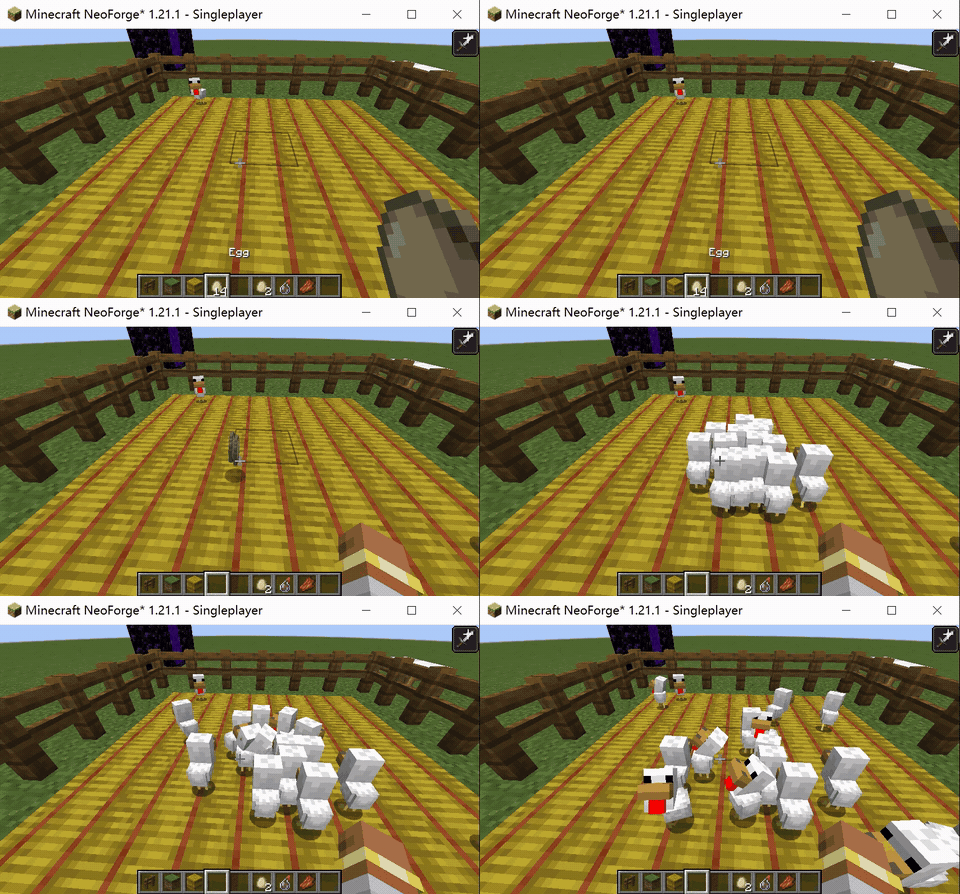
Chicken rotting into rotten flesh? Eggs hatching into chickens? Saplings planting themselves? — All fully customizable.
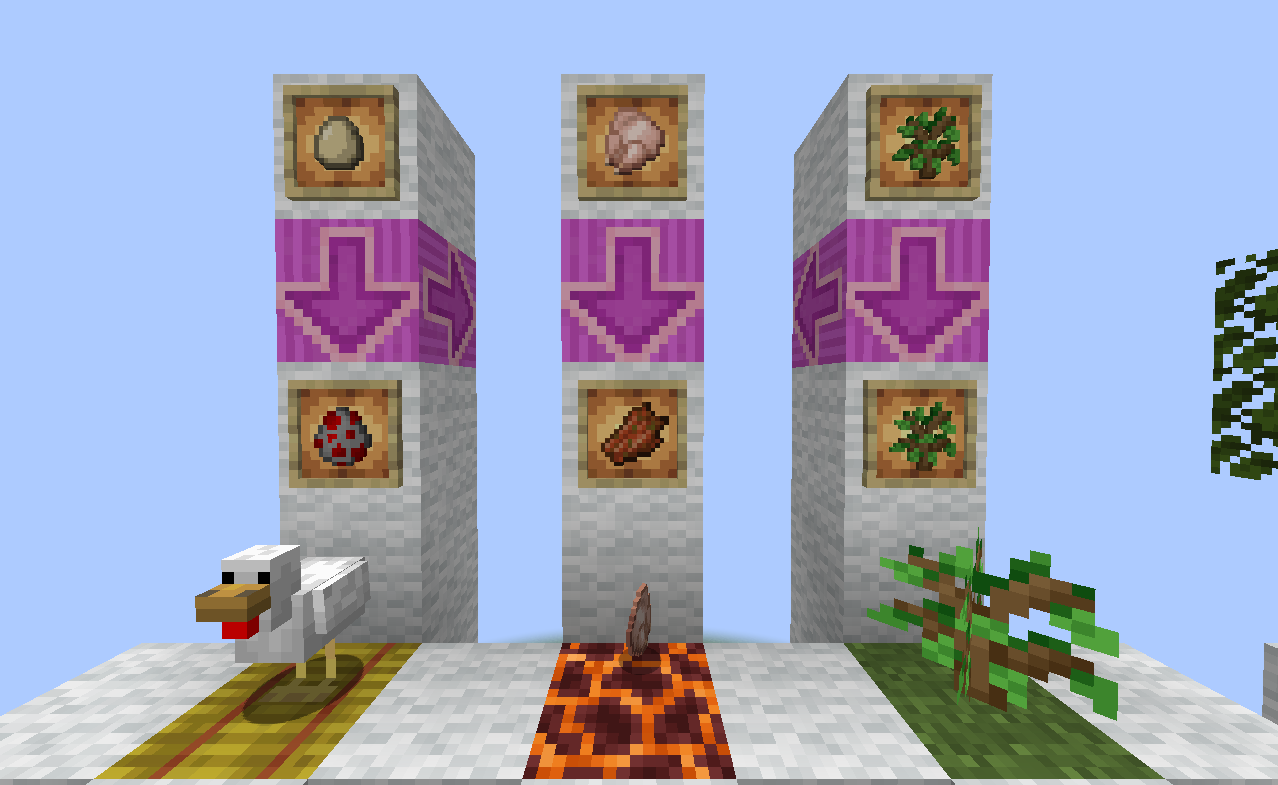
What This Mod Does
In vanilla Minecraft, dropped items on the ground disappear naturally after a while.
This mod lets you define custom conversion rules that trigger just before items despawn.
You can configure conversions through a GUI or config files, and attach optional conditions to each rule.
Three Conversion Types
| Type | Description |
|---|---|
| Item → Item | Spawns a new item drop when the source item despawns |
| Item → Entity | Spawns an entity when the source item despawns |
| Item → Block | Places a block nearby when the source item despawns |
Combinable Trigger Conditions
All conditions are optional. Leaving a condition blank means no restriction. When multiple conditions are set, all of them must be satisfied for the conversion to trigger.
| Condition | Description |
|---|---|
| Dimension | Only triggers in specified dimensions (e.g. Overworld, Nether, End) |
| Outdoor | No opaque blocks between the item and the sky above it |
| Surrounding Blocks | Checks all six adjacent directions; supports block IDs or block tags (prefix with #) |
| Catalyst Items | Requires a specific item drop to be in the same block space; optionally consumed |
| Inner Fluid | Requires the item's block to contain a specific fluid (supports waterlogged blocks); optionally consumed |
| Result Limit | Caps the number of existing conversion results within a radius to prevent infinite accumulation |
Getting Started
Visual Configuration GUI
This mod includes an easy-to-use rule editor GUI.
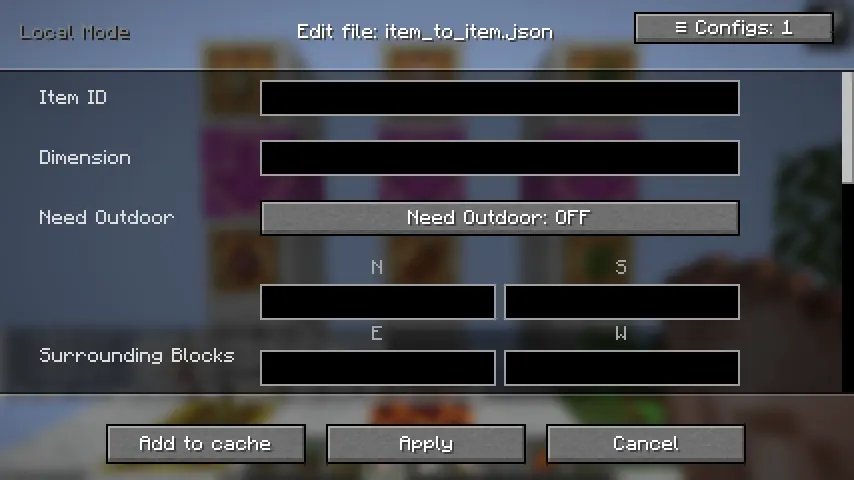
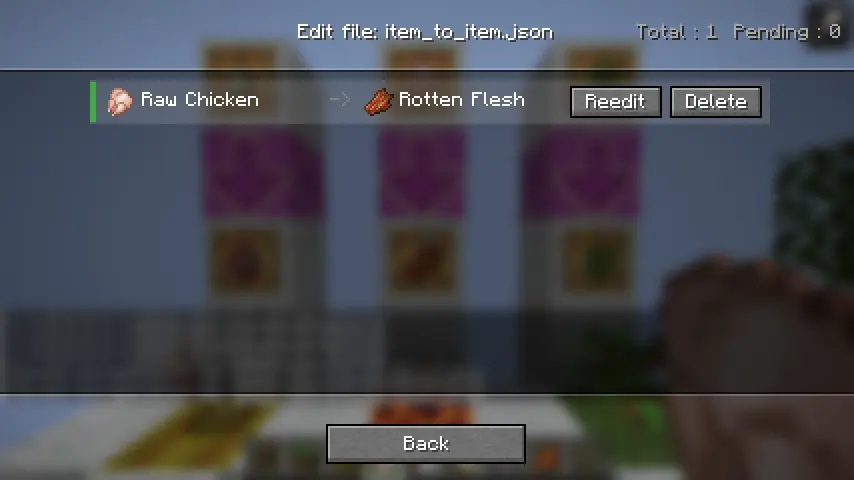
How to open it:
- Keybind: Unbound by default — assign one in Options → Controls
- Command:
/conversion_config edit(requires OP permission or singleplayer) - Main Menu Button: Top-right corner of the game's main screen
If you prefer editing JSON directly, config files are located in
.minecraft/config/itemdespawntowhat/.
Defining Conversion Rules
Common Fields
| Field | Description | Default | Constraints |
|---|---|---|---|
item |
Registry ID of the source item | — | Required |
result |
Registry ID of the conversion result | — | Required |
conversion_time |
Seconds the item must remain on the ground before converting | 300 |
1 – 300 |
result_multiple |
Output quantity multiplier per conversion | 1 |
At least 1 |
dimension |
Restricts the conversion to a specific dimension | (no restriction) | — |
need_outdoor |
Whether the item must be in an outdoor (sky-exposed) location | false |
— |
surrounding_blocks |
Block conditions for all six adjacent directions | (no restriction) | Supports tags |
catalyst_items |
Required co-located item drop condition | (no restriction) | — |
inner_fluid |
Required fluid condition in the item's block | (no restriction) | — |
Item → Entity Only
| Field | Description | Default |
|---|---|---|
result_limit |
Max number of the same entity type allowed nearby; skips conversion if exceeded | 30 |
entity_age |
Age of the spawned entity (negative values produce babies) | -24000 |
Item → Block Only
| Field | Description | Default |
|---|---|---|
radius_limit |
Maximum radius for outward block placement | 6 |
block_of_item |
When enabled, automatically uses the block form of the source item (source must be a block item) | false |
Saving & Reloading
In the GUI:
- Click Add to Cache to queue up more rules
- Click Apply to File to save all cached rules to disk
Then run in-game:
/conversion_config reload
This hot-reloads the config without restarting the server.
Configuration Examples
Chicken → Rotten Flesh (200 seconds, no conditions)
{
  "item": "minecraft:chicken",
  "result": "minecraft:rotten_flesh",
  "conversion_time": 200
}
Egg → Chicken (Overworld only, on a hay bale)
{
  "item": "minecraft:egg",
  "result": "minecraft:chicken",
  "conversion_time": 5,
  "dimension": "minecraft:overworld",
  "surrounding_blocks": {
    "down": "minecraft:hay_block"
  },
  "result_limit": 30
}
Sapling → Auto-planted (on dirt, must be outdoors)
{
  "item": "minecraft:oak_sapling",
  "result": "minecraft:oak_sapling",
  "block_of_item": true,
  "conversion_time": 30,
  "need_outdoor": true,
  "surrounding_blocks": {
    "down": "#minecraft:dirt"
  }
}
Notes
-
Conversion time is capped at 300 seconds, matching vanilla's maximum item lifetime. This mod does not modify the natural despawn timer — to extend it, pair this mod with something like
Custom Item Despawn Duration. -
Returned items and death drops are excluded from conversion checks. Items returned after a failed conversion, and items dropped on player death, must be picked up and re-thrown before re-entering the conversion pipeline.
-
Catalyst items cannot be the same as the source item — such a config will be rejected at load time.
-
Item → Item conversions cannot use the same item as both source and result, to prevent infinite conversion loops.
-
To find item IDs: Press
F3 + Hto enable advanced tooltips. Hover over any item and its registry name will appear at the bottom of the tooltip.
Multiplayer
- Config files are stored server-side and automatically synced to connecting clients.
- The hot-reload command requires OP permission.
- The config GUI and keybind are only available in singleplayer or on a local server.