Compatibility
Minecraft: Java Edition
Platforms
Supported environments
Tags
Creators
Details
Magic Storage
A Terraria-inspired and simple storage network solution mod for Minecraft 1.12.2. Centralize all your items into a single Storage Heart, access them from any Storage Access terminal, use the Crafting Access to craft with your entire network inventory.

Quick Start
- Craft a Storage Component (the base crafting material).
- Craft a Storage Heart and place it.
- Craft a Basic Storage Unit and place it adjacent to the Storage Heart.
- Craft a Storage Access or Crafting Access and place it anywhere connected to the heart.
- Open the access terminal. Items placed in storage units become accessible from every access point by placing Remote Access. To use the Crafting Access, put a crafting table inside the storage heart.
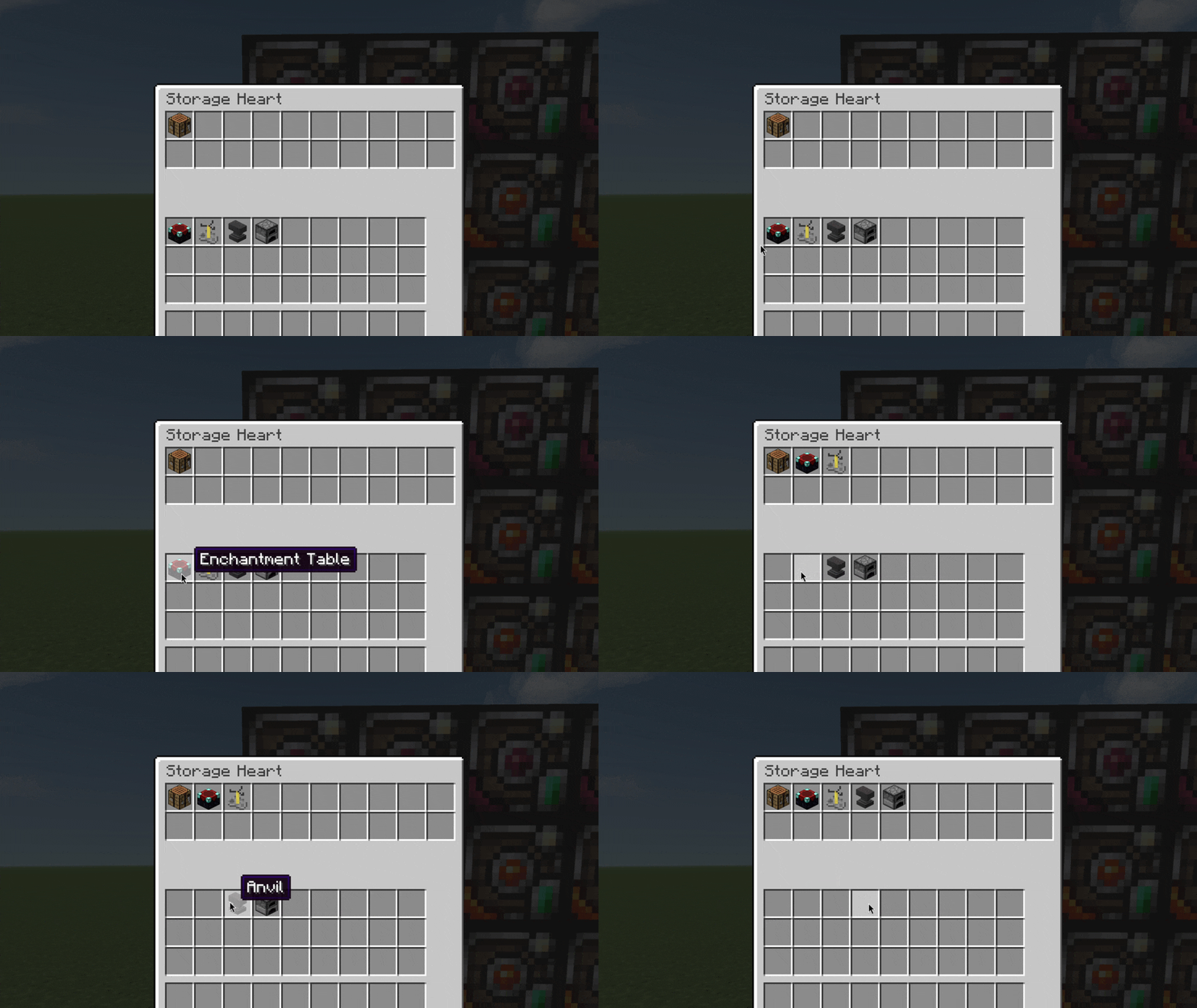
- (Optional) Feed your crafting stations into the Storage Heart's inventory (right-click the heart). Place brewing stands, furnaces, anvils, enchanting tables, and crafting tables there. The Crafting Access will detect them.
Blocks & Items
Storage Component
Iron ingots, chests, and redstone. Used in nearly every recipe.

Storage Heart
The core of your network. It has a 20-slot inventory for placing supported crafting stations (such as crafting tables, furnaces, anvils, enchanting tables, brewing stands, condensers, retorts, disenchantment tables, and reforging stations). The Heart strictly enforces a whitelist only allowed station items can be placed inside. The heart chunk-loads itself so remote access works across dimensions. Break it to disconnect the network.

Storage Access
Right-click to open a terminal. Browse all items in the network, search by name, sort by name/amount/mod. Click an item to pull it to your cursor. Shift+click to send it to your inventory. Insert items from your cursor into the network by clicking in the empty area.

Crafting Access
A crafting table that uses your network inventory. Place a crafting table in the Storage Heart to enable the basic 3x3 crafting grid. Place additional crafting stations in the heart to unlock more features:

Remote Access Block
Links portable access items to the Storage Heart. Place it adjacent to the heart. Portable items can access the network from anywhere (within range/dimension limits).

Hell Bricks
Material building block. Puts entities on fire that are standing on it if without fire resistance.

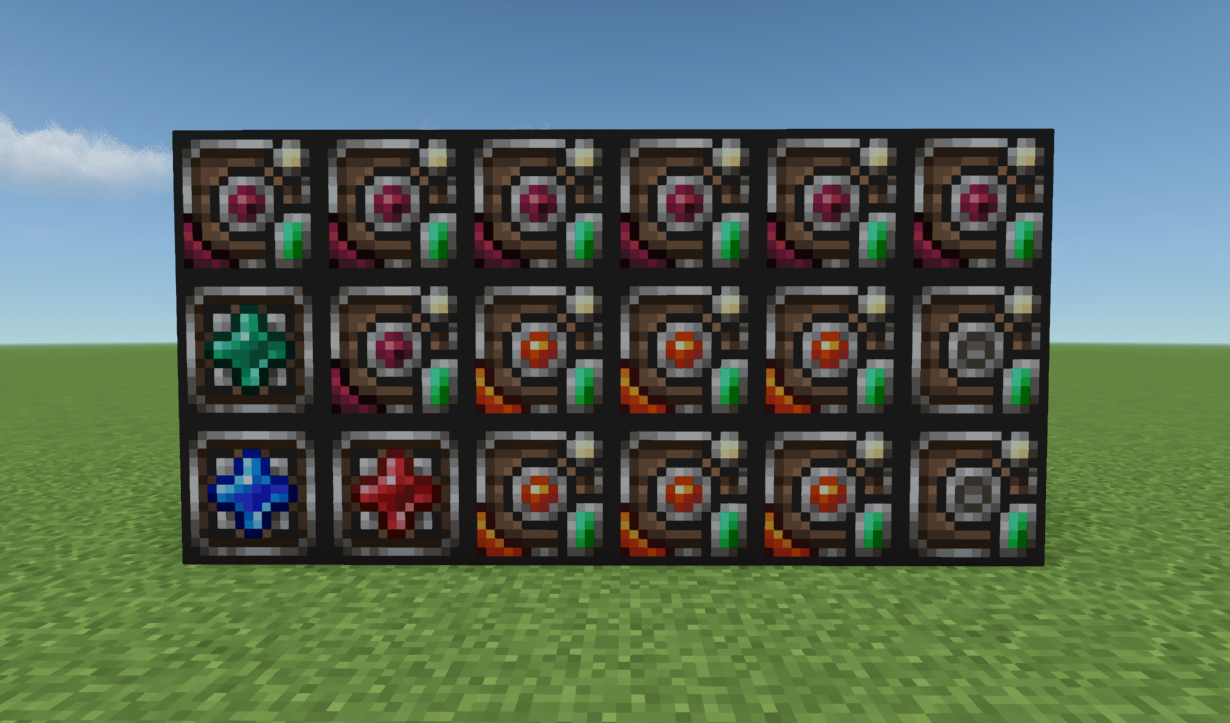
Storage Units (8 Tiers)
Place adjacent to the Storage Heart. Each tier has more capacity.
Shift+right-click a storage unit to see its usage. Right-click to open and manage its contents. Use upgrades by holding them and shift+right-clicking the unit to upgrade in place.
Basic Unit
Slots: 40

Crimtane Unit
Slots: 80

Demonite Unit
Slots: 80

Hellstone Unit
Slots: 120

Hallowed Unit
Slots: 160

Blue Chlorophyte Unit
Slots: 220

Luminite Unit
Slots: 300

Terra Unit
Slots: 600

Upgrades
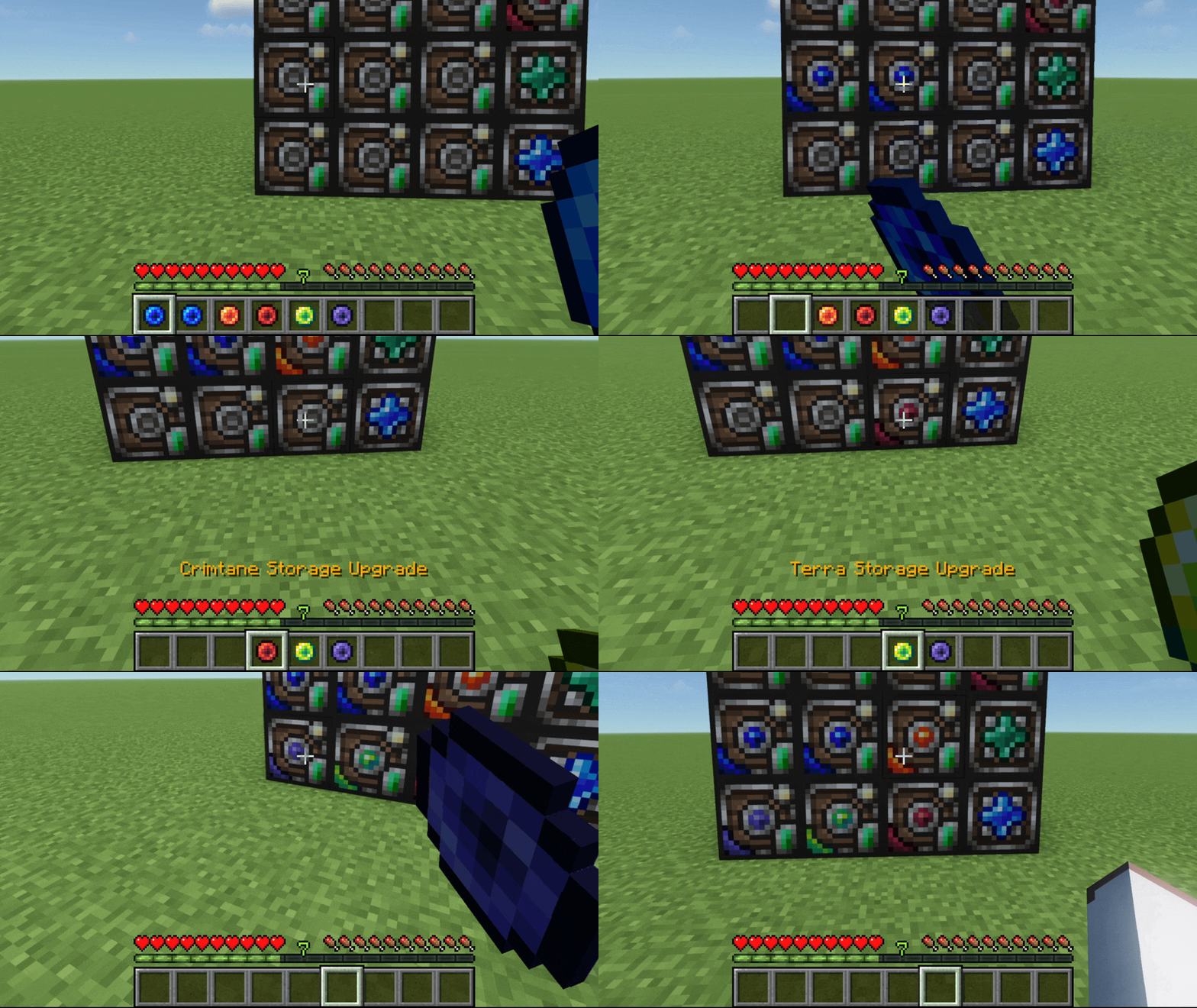
Shift+right-click a storage unit while holding an upgrade to apply it. The upgrade is consumed and the unit gains more slots.
Crimtane Upgrade

Demonite Upgrade

Hellstone Upgrade

Hallowed Upgrade

Blue Chlorophyte Upgrade

Luminite Upgrade

Terra Upgrade

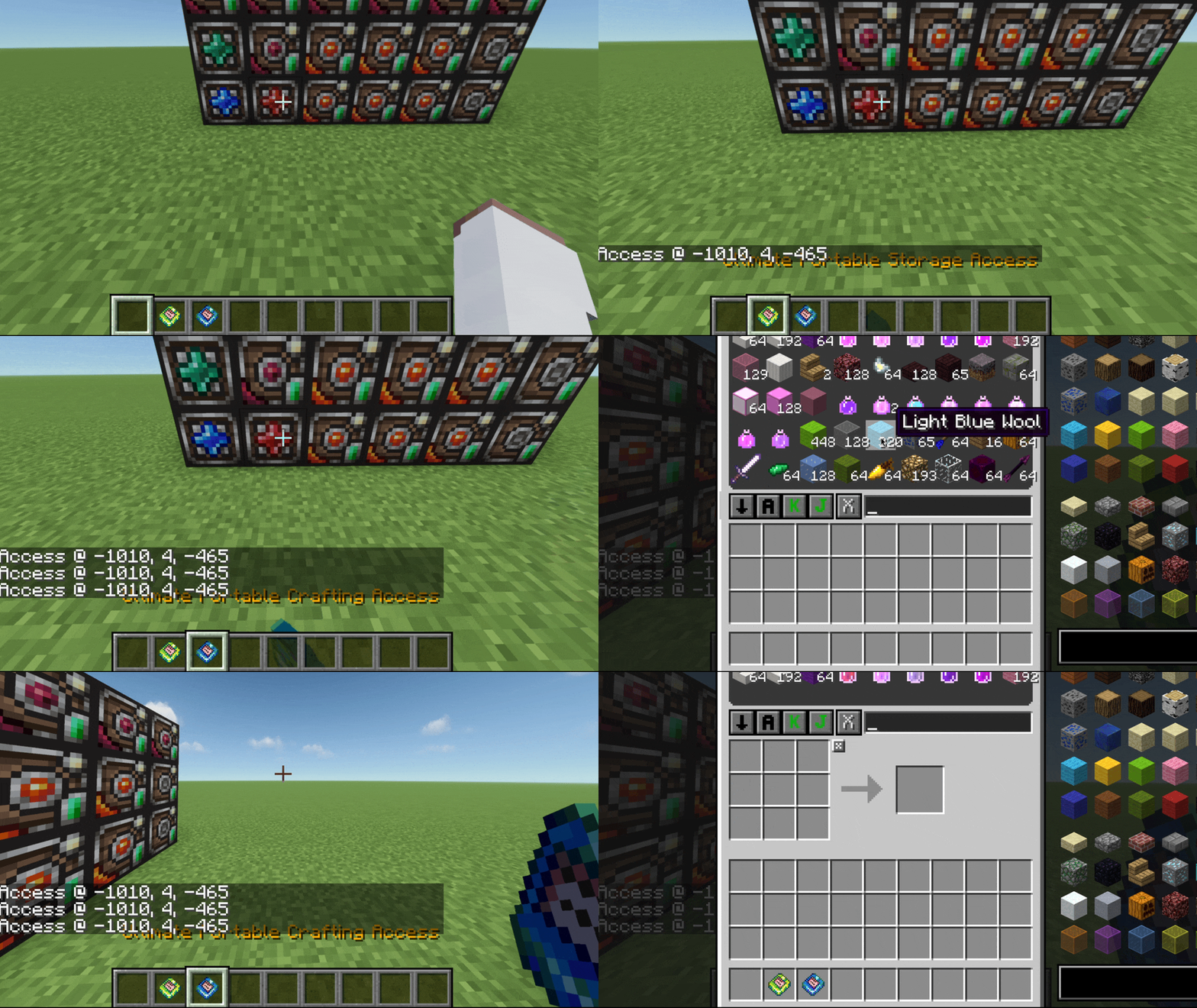
Portable Storage Access Remotes (3 Tiers)
Access your network from anywhere. Right-click to open. Two variants: Storage Access (browse + insert/extract) and Crafting Access (with crafting grid and station support).
Simple Remote Storage Access
Range: 200 blocks Cross-Dimension: No

Advanced Remote Storage Access
Range: Unlimited Cross-Dimension: No

Ultimate Remote Storage Access
Range: Unlimited Cross-Dimension: Yes

Portable Crafting Access Remotes (3 Tiers)
Simple Remote Crafting Access

Range: 200 blocks Cross-Dimension: No
Advanced Remote Crafting Access

Range: Unlimited Cross-Dimension: No
Ultimate Crafting Access

Range: Unlimited Cross-Dimension: Yes
Stations
Vanilla Stations
- Crafting Table: REQUIRED in order to operate the Crafting Access.
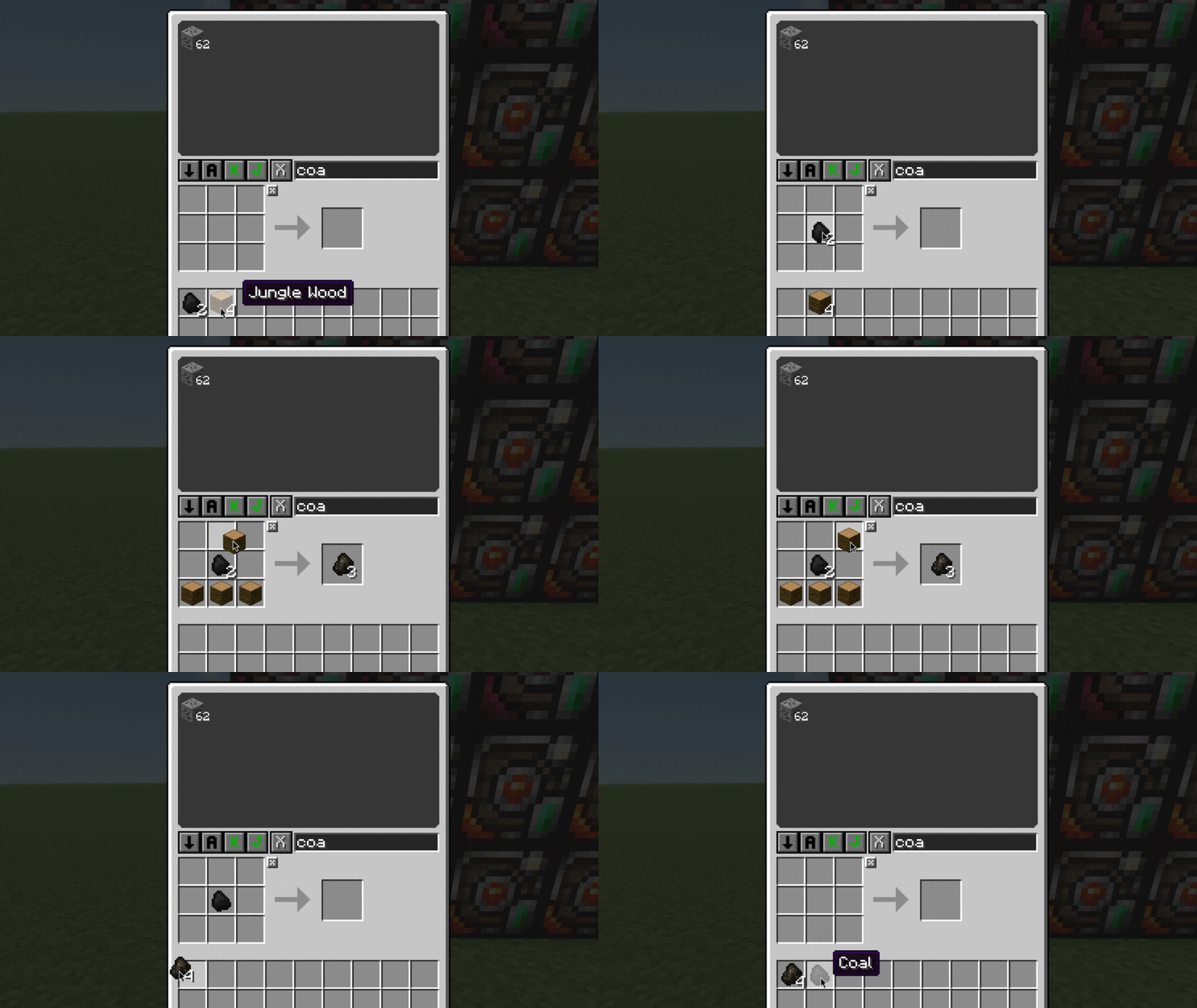
- Furnace: Smelt items directly from the crafting grid. Place fuel in the middle slot (currently supports coal or charcoal) and smeltable items in the rest of the slots.
- Enchanting Table: Enchant items using the grid. Place the item in slot 1, lapis lazuli in slots 4/5/6 (any position). Bookshelf power is calculated from bookshelf items in your network storage. Works with modded table enchants and modded bookshelves.
- Anvil: Combine enchantments or repair items. Place the target item in slot 1, the material or other item in slot 5. Uses real vanilla anvil logic including XP costs. Shows the final result before you commit.
- Brewing Stand: Brew potions. Place blaze powder in slot 1, the ingredient in slot 2, potion bottles in slots 4/5/6. Has 5% chance of consuming the blaze powder.
Modded Stations (So Far)
- Rustic Condenser & Retorts: Place 3 Retorts and 1 Condenser (Simple or Advanced) in the Heart to unlock alchemy crafting. Advanced stations also grant access to simple alchemy recipes. Coal has a 20% consumption chance per craft; Water Buckets have a 12.5% consumption chance (leaving behind an empty bucket).
- Rustic Brewing Barrel: Craft wines and elixirs directly in the interface. Multi-bottle batch brewing scales Blaze Powder consumption at N * 6.25% (1 bottle = 6.25%, 8 bottles = 50%).
- Rustic Crushing Tub: Crush fruits into juices directly in the network with authentic crushing sounds. Place 4 rustic fruit on the top left slot 1, and one bottle on the middle slot 5 to make a juice.
- Disenchanter Table: Place a Disenchantment Table in the Heart. Put the item to disenchant in the center slot (Slot 5) and a Book in the top-right slot (Slot 3) to extract enchantments into an Enchanted Book. Fully supports Voiding and Bulk Disenchantment Tables. Follows Disenchantment Table logic, so your item will break upon 0 durability!
- Bountiful Baubles Reforger: Place a Reforger in the Heart and place a Bauble in the bottom-right slot (Slot 9) to reforge modifiers. Displays required XP levels and enforces experience requirements.
- Quality Tools Reforging Station: Place a Reforging Station in the Heart, the tool or armor in the center slot (Slot 5), and repair material in the bottom-right slot (Slot 9) to reforge quality.
Other Mod Support
- Reskillable Requirements: Automatically checks player skill levels for stations placed inside the Storage Heart. For Rustic Alchemy, accessing the recipes requires meeting skill levels for both the Condenser and the Retort. Displays a red
✖ Insufficient Skill Leveltooltip when locked.
JEI Integration
All recipes of the mod items are accessible via JEI, besides for dynamic crafting using stations. In such case, JEI shows recipe categories for each crafting station. The Crafting Access acts as a catalyst for all categories.
Configuration
The config file is at .minecraft/config/magicstorage.cfg.
- softAutoSortEnabled: (default: true) When enabled, items are automatically moved into storage units that already contain matching items with available space. Thus, it is safe and does not move items to new slots! only consolidates into existing ones to save storage space.
- softAutoSortIntervalSeconds: (default: 60, range: 10-3600) How often in seconds the soft auto-sort runs to consolidate items across storage units.
Demos

Place stations into the Storage Heart to unlock features in the Crafting Access.

Smelt logs into charcoal using the furnace station.

Brew splash potions and use redstone to make them long lasting.

Enchant items on the crafting grid with 3 lapis. Add bookshelves to storage to increase levels. Enchants refresh in real time.

Repair two iron swords, combine them, and see the insufficient XP warning.

Bind and use portable remote access items.

Upgrade 6 storage units with upgrade items.

Brew Rustic mod juices with template modifier, or no modifier. Brew a rustic mod simple elixir potion, or advanced elixir potion. Crunch into rustic mod juice, disenchant, reforge your modifier using XP, reforge item quality.
Notes
- In contrast to SSN mod, The Storage Heart uses ForgeChunkManager to keep its chunk loaded for cross-dimensional access, and provides soft auto-sort which is enabled by default. Also includes added hotkeying/shift+click support in access inventories and various other fixes.
- Station items (furnace, anvil, brewing stand, etc.) must be IN the Storage Heart's inventory, not placed in the world.
- Bookshelf power for enchanting is calculated from bookshelf ITEMS in your network storage units, not from blocks placed in the world.
- The Crafting Access detects stations in real-time. Add or remove stations from the heart's inventory and the grid updates immediately.
- Items in the crafting grid return to the network when you close the GUI.
- If storage units are broken, if they are a part of a network, they move their items to units that are closest to the storage heart. If for any reason the network doesnt have enough space, it will move as many items as it can and the rest will drop upon breaking.
- Upgrading units in-place expands their storage (preserves their items)
- Storage units supports hoppers for automation
- The crafting access mirrors actual real station mechanics, so other behavior-changing or content-adding mods are compatible!
Compatibility
WARNING: This mod uses Java reflection to access vanilla ContainerRepair (for the anvil crafting feature). It has been tested with Forge 14.23.5.2864 client. Other versions may work but are not guaranteed. If you encounter crashes related to reflection, try updating or downgrading Forge to the tested version.
FAQ
Q: I found a bug or my game crashed. Where should I report it? A: Please open an issue on our GitHub Issue Tracker with your full log / crash log and Forge version so it can be investigated and fixed!
Q: Can I use this mod in my modpack ? A: Yes, you are free to include it in any modpack without asking for permission! Standard open-source credit (linking back to this CurseForge/GitHub page) is required and appreciated.
Q: Are you planning on expanding support to different versions / different mod loaders ? A: Right now, my main focus is polishing and maintaining the 1.12.2 Forge release! However, if there’s enough interest from the community (and as time permits), porting to newer versions or alternative loaders like Fabric/NeoForge is definitely on my radar. Feedback, support on Ko-fi, and community interest help me decide where to focus future development!
Q: Are you planning to add station support for other mods ? A: Optional station support is now available for Rustic, Disenchanter, Bountiful Baubles, Quality Tools, and Reskillable! If you have additional modded stations you'd love to see integrated, feel free to open a feature request on GitHub.
Credits & Third-Party Assets
This project is a Minecraft port inspired by the original Terraria mod and utilizes the following third-party components:
- Magic Storage (Terraria) by blushiemagic, Original mod concept, mechanics, and sprite/texture assets used under the MIT License.
- Storage Network by Lothrazar, Network storage logic adapted under the MIT License.
License
This mod is licensed under the GNU General Public License v3.0 (GPL-3.0). Portions of code and visual assets incorporated from third-party repositories remain under their respective MIT copyright notices.