
Compatibility
Minecraft: Java Edition
Platforms
Supported environments


Links
Tags
Creators
Details
Minecart Chain Train
Turn ordinary Minecraft minecarts into controllable train systems.
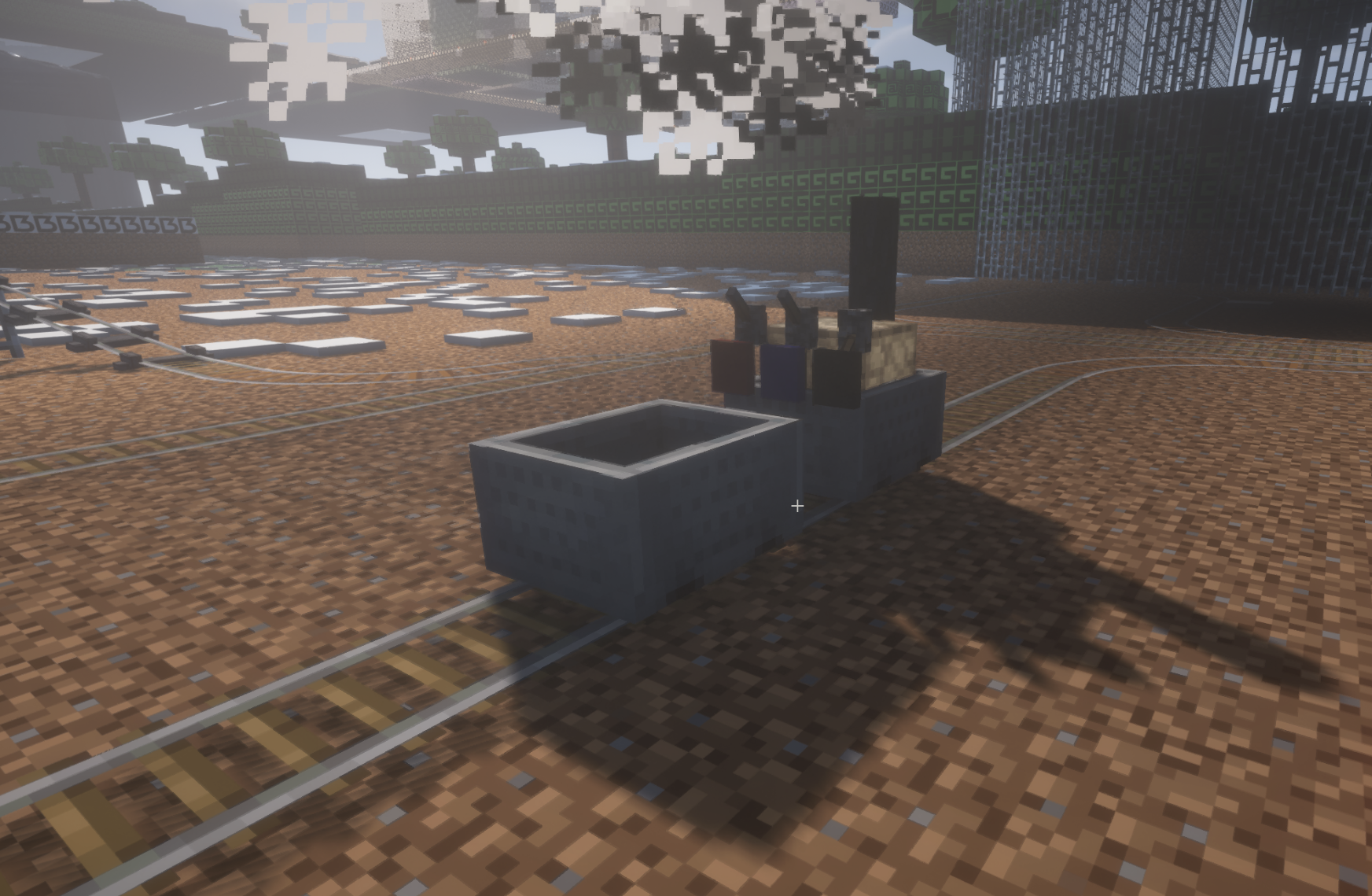
Minecart Chain lets you connect minecarts together and build simple vanilla-style trains.
Use chains to link carts into one train formation. Add a furnace minecart as the locomotive, then control the whole train with levers for braking, direction and throttle.
Build freight trains, passenger routes, industrial railways, station yards and redstone-controlled transport systems using familiar Minecraft mechanics expanded with more realistic train behavior.
Features
| Feature | Description |
|---|---|
| Chained minecarts | Connect multiple minecarts into one train |
| Steam locomotive | Use a furnace minecart as the engine |
| Train controls | Control brake, direction and throttle |
| Fuel system | Locomotives consume fuel while driving |
| Water system | Locomotives also require water |
| Signal Rail | Trigger locomotive controls with redstone |
| Leaning controls | Lean left or right while riding |
| Vanilla-style gameplay | Expands minecarts without replacing the Minecraft feel |
Connect Minecarts with Chains
Use chains to link minecarts together.
Connected carts move as one train, making minecart transport more useful for:
- freight lines
- passenger routes
- mining systems
- industrial railways
- station yards
- long-distance rail networks
Steam Locomotive
Place a furnace minecart at the front of a connected train to turn it into a controllable steam locomotive.
The locomotive can pull connected carts and reacts to:
- throttle
- brake
- direction
- fuel
- water
- signal rail controls
Fuel and Water System
Locomotives require both fuel and water to drive.
Supported fuel includes standard vanilla furnace fuels, such as:
- Coal
- Charcoal
- Logs
- Planks
- Sticks
- Wooden tools
- Lava buckets
- Other standard furnace fuels
Water can be added using water buckets.
Fuel is consumed only while the locomotive is driving.
Fuel and water usage scale with the number of connected minecarts in the train, so larger trains require more resources.
Locomotive Screen
Furnace minecart locomotives include a locomotive screen inspired by the vanilla furnace minecart.
The screen shows:
- current fuel reserves
- current water reserves
This makes long-distance railway travel easier to manage.
Train Controls
Minecart Chain adds simple lever-based locomotive controls.
| Lever | Function | Use |
|---|---|---|
| Red Lever | Brake | Slow down, stop at stations or control movement near junctions |
| Navy Lever | Direction | Switch between forward and reverse |
| Black Lever | Throttle | Choose low power or full power |
Throttle Modes
- 1/3 Throttle
- Full Throttle
Use lower throttle for precise movement.
Use full throttle when you need more speed or pulling power.
Signal Rail
Signal Rail is a powered-rail-looking track that sends a redstone-driven control signal to a connected train.
Right-clicking Signal Rail cycles its mode between:
- Throttle
- Brake
- Reverse
When powered by redstone, Signal Rail toggles the selected locomotive control once when any cart in the connected train passes over it.
Signal Rail works through the whole chained train.
This means a passenger cart or cargo cart can trigger locomotive controls, not only the locomotive itself.
Signal Rail Can Be Used For
- automatic braking zones
- direction switching
- station control systems
- yard automation
- redstone-based railway logic
Signal Rail Recipe
Shapeless recipe:
Powered Rail
Redstone Torch
Lever
Lean Out of the Wagon
Improve visibility while riding inside a minecart.
Controls:
| Key | Action |
|---|---|
| A | Lean left |
| D | Lean right |
Use this to:
- look around corners
- watch your train while riding
- check nearby wagons
- enjoy a more immersive railway experience
What You Can Build
With Minecart Chain, you can create:
- steam-powered freight trains
- passenger rail services
- industrial minecart systems
- automated redstone railways
- switching yards
- station control systems
- long-distance railway routes
- more realistic Minecraft train networks
Why Use Minecart Chain?
Vanilla minecarts are useful, but they do not feel like real trains.
Minecart Chain keeps the vanilla Minecraft style, but adds the missing train behavior:
- carts can be linked
- locomotives can pull wagons
- trains can be controlled
- stations can be automated
- railways can become real transport systems
If you want Minecraft minecarts to feel more like trains, this mod is for you.