
Mitra's Auto Sprinter
Auto-sprint that holds the sprint key for you, with a HUD that tells you why you can't sprint. 100% client-side and multiplayer-safe. Customizable (labels, colors, position, scale) and fixes MC-263293. Made for Hypixel Skyblock, works anywhere.
Compatibility
Minecraft: Java Edition
Platforms
Supported environments
Links
Tags
Creators
Details
Mitra's Auto Sprinter
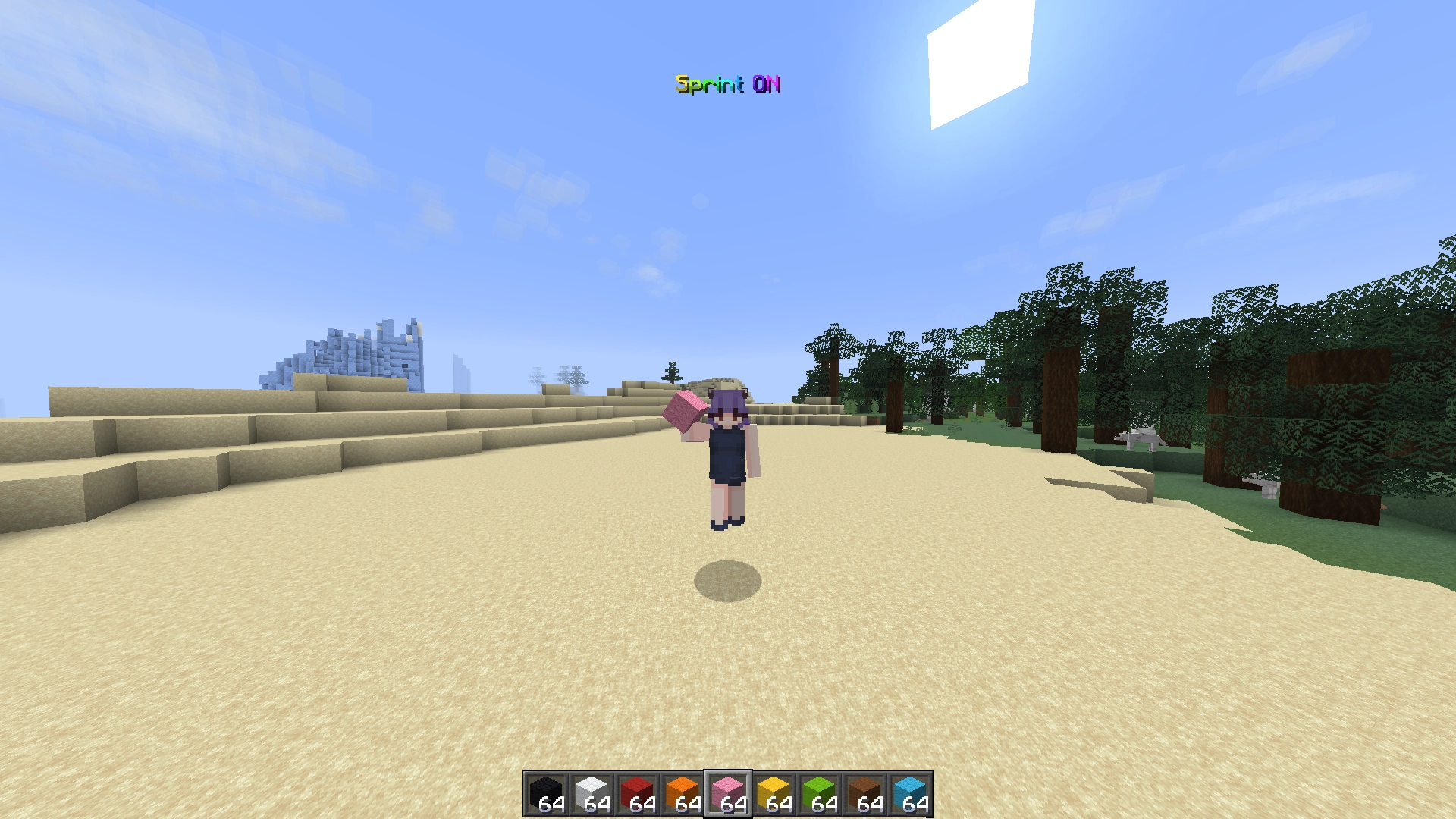
Press K to turn auto-sprint on or off. While it's on, you sprint automatically whenever you hold W. If something blocks the sprint, the HUD shows the reason.
Made with Hypixel Skyblock in mind, but it works anywhere, singleplayer and servers alike.
Also fixes MC-263293, where the game forgets your sprint toggle after dying or changing worlds.
Quick start
- Install Fabric Loader, Fabric API, and Fzzy Config. Mod Menu is optional but recommended, it's how you get to the settings.
- Drop the mod's
.jarinto yourmodsfolder. - Launch the game and join any world or server.
- Press K, then hold
W.
Press K again to turn it off. Your setting is remembered between sessions (it starts off the first time).
Supported Minecraft versions are listed on the Modrinth page. The GitHub releases sometimes lag behind (I'm lazy about updating them), so Modrinth is the safer bet.
What you'll see
- Sprint ON (green): sprinting.
- Sprint OFF (gray): auto-sprint is off.
- Sprint OFF (reason) (yellow): auto-sprint is on, but something is blocking it: Not Moving, Too Hungry, Sneaking, In Vehicle, Shallow Water, Using Item, Flying (elytra), Crawling, Hit Wall, Restricted, or Unknown Reason on a Minecraft version this mod hasn't learned yet.
- Joining... / Loading terrain... (gray): shown briefly after joining or teleporting, until the world is ready.
Icon mode replaces the text with the speed-effect icon, bright while sprinting and faded when not.
By default, the HUD sits top-center under the boss bar. You can put it anywhere.
Moving and resizing the HUD
Bind the HUD editor key in Options → Controls → Mitra's Auto Sprinter (unbound by default), or use the Open HUD Editor button in the config screen. Press it in-game, then:
- Drag the HUD to move it. It snaps to the screen edges, center lines, its default spot, and the safe area above the hotbar. Hold Ctrl to drag freely.
- Mouse wheel or + / - to resize.
- Arrow keys nudge it 1 pixel; Shift + arrows in bigger steps.
- Double-click to center it horizontally.
- G toggles an 8-pixel alignment grid, R resets the position.
- ESC saves everything.
Settings
Most things live on the keybind and HUD editor above. For everything else: Mod Menu → Mitra's Auto Sprinter → Configure. There you'll find show/hide rules (always / only when blocked / flash on change), text vs icon mode, background, shadow, scales, solid / rainbow / chroma text colors, and the text of every label the HUD can show, blocked reasons included.
Is it safe?
Yes. It's client-side only, nothing is ever sent to servers, and every vanilla sprint rule still applies. The plain-English explanation (and how to verify it yourself) is in PROOF.md.
Links
License
CC0 1.0. Do whatever you want with it. A shoutout is appreciated though (❁´◡`❁).
See the LICENSE file for the full text.

