
Compatibility
Minecraft: Java Edition
Platforms
Supported environments


Links
Tags
Creators
Details
MultiChat
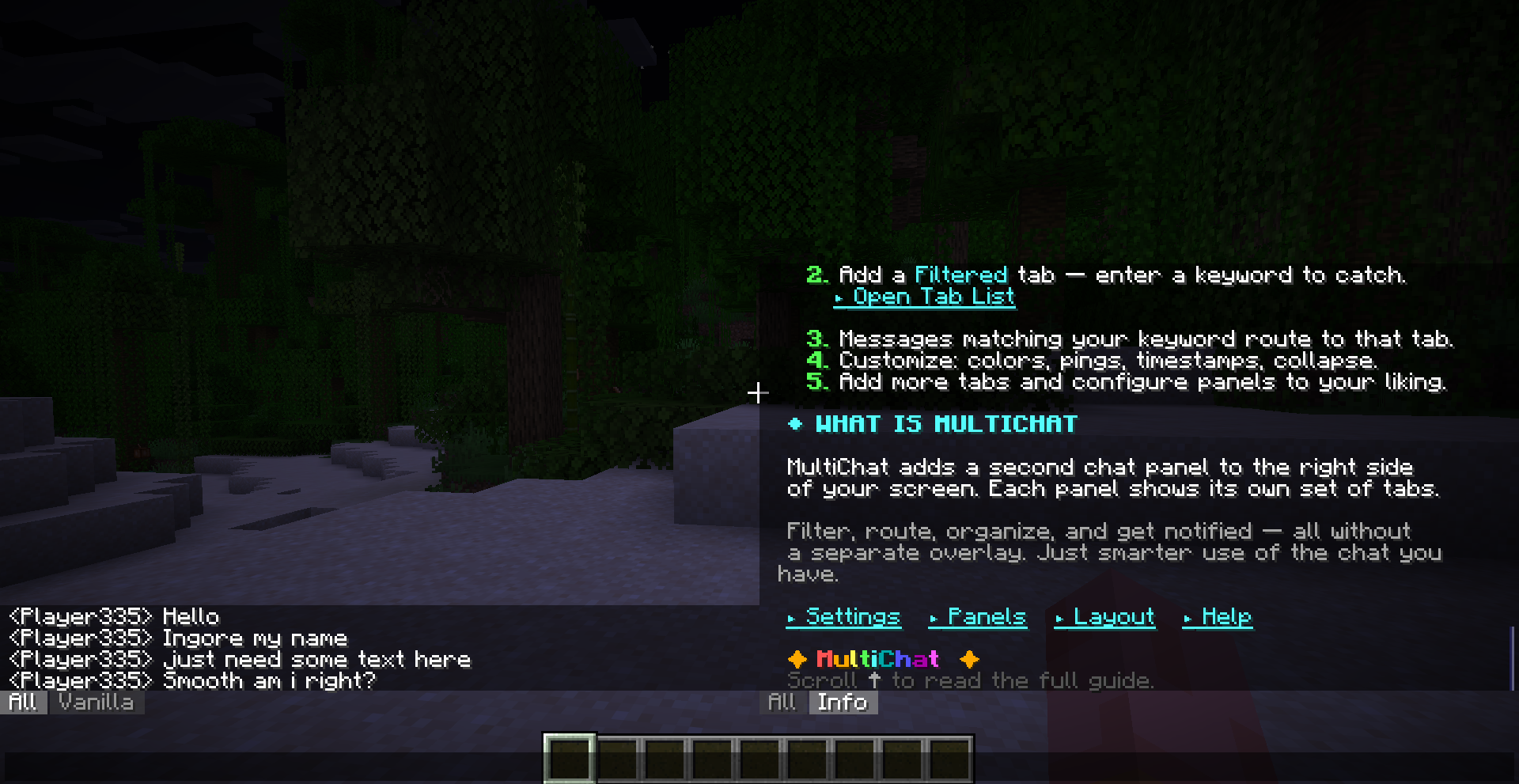
A complete rebuild of Minecraft's chat. Two independent panels, unlimited custom tabs, per-tab filtering, full-text search, note-taking, quick actions, sound pings, and a rich API for other mods to plug into — all client-side, no server required.
Why MultiChat
Vanilla chat is one scrolling feed. Every system message, every player, every plugin broadcast lands in the same place, and once it scrolls past it's effectively gone. MultiChat replaces that feed with a panel system: split your chat into as many tabs as you need, route messages into them automatically with whitelist/blacklist rules, search across everything instantly, and keep permanent notes without them ever mixing into game chat.
It's built for anyone who wants a better chat — works great for RP servers, guild/faction servers, SMPs with heavy plugin messaging, and server/mod developers who want a first-class place to put their own mod's output instead of spamming vanilla chat.
Feature Overview
Unlimited panels
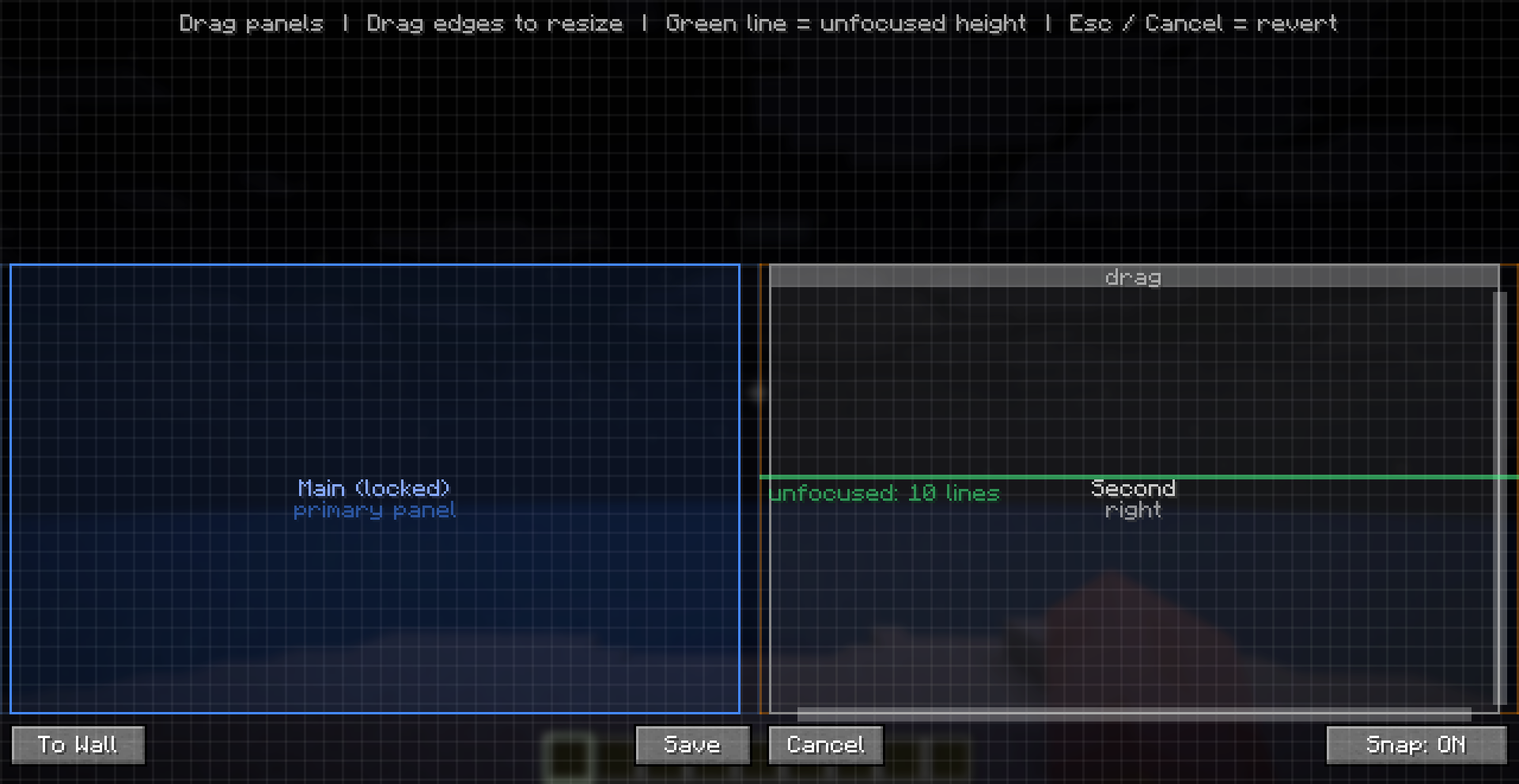
- Add as many panels as you want — not capped at two
- Default setup: left panel always on; right panel optional, toggle it on in Settings
- Each panel is fully configurable independently: anchor to left/right/custom position, custom width/height (in lines), custom scale, background/text opacity, whether it shows only while focused, whether its active tab drives the outgoing chat context
- Panel Layout GUI (
/multichat layout) — drag panels to reposition with grid-snap and wall-snap (docks within 24px of screen edges), drag edges to resize, drag the unfocused-height line separately, one-click "To Wall" docking
Unlimited custom tabs, 7 types
| Type | What it does |
|---|---|
ALL |
Every message, unfiltered, always present, non-deletable |
VANILLA |
Straight passthrough of the default Minecraft chat feed |
FILTERED |
Your own whitelist/blacklist rules decide what lands here |
SEARCH |
Temporary, session-only — the live result of a search |
NOTES |
A private scratchpad tab that never receives chat, only what you put in it |
INFO |
Built-in in-game guide/help tab |
API |
Owned and populated by other mods through the MultiChat API |
Powerful filtering
Each FILTERED tab runs a whitelist or blacklist of rules. Rule types: contains, starts with, ends with, exact match, whole word, fuzzy, and full regex (including regex-start/regex-end). Rules can also target message kind — player chat, system message, "not secure" flagged, modified, or chat error — not just text content.
For advanced setups, Difference Mode lets a tab sit at a priority layer in the routing pipeline, with exception/inclusion flags, so you can build layered "catch what nothing else caught" or "catch what X also caught" tabs.
Instant search
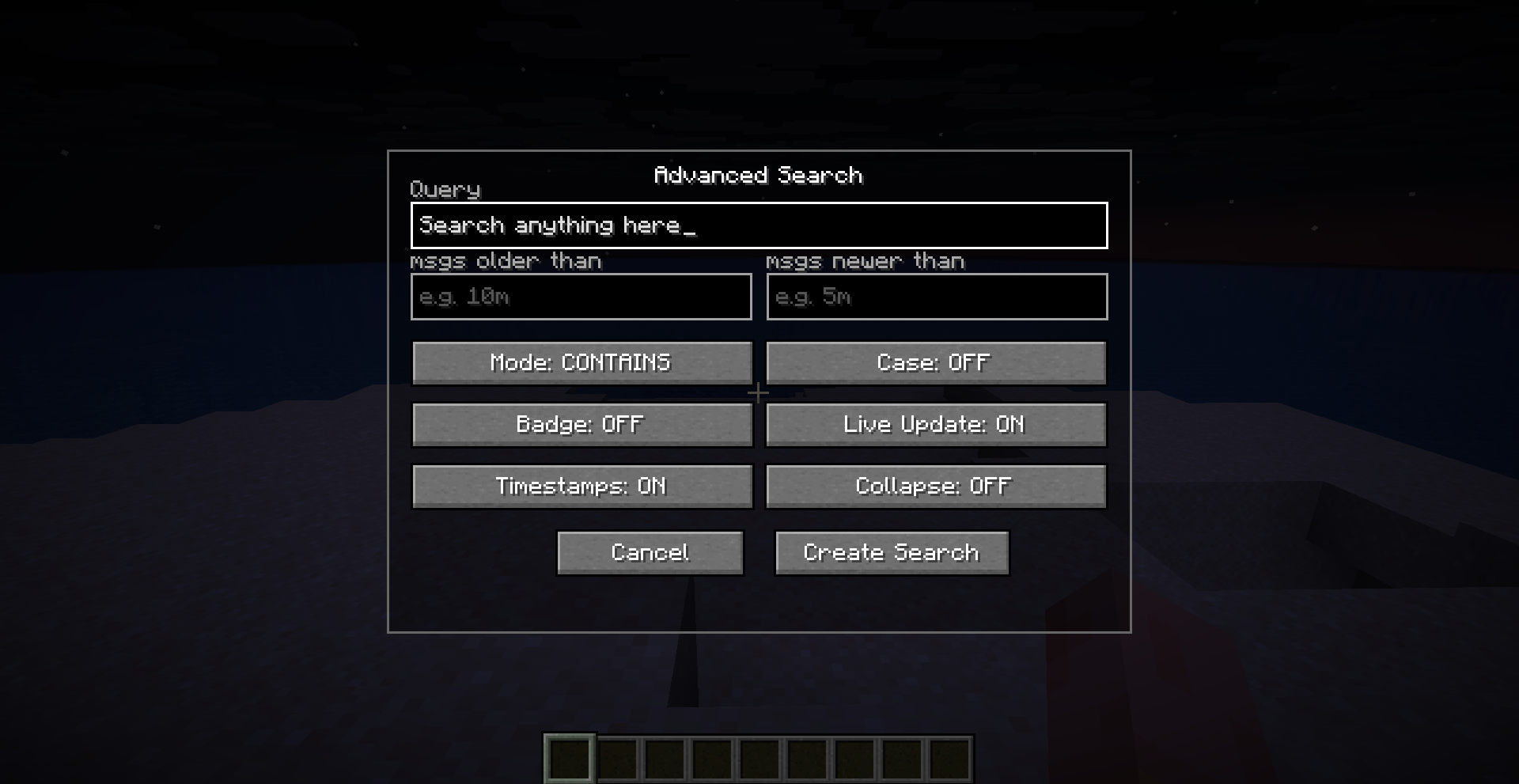
Ctrl+F opens Advanced Search: live-updating results, case sensitivity toggle, five match modes (contains/starts-with/word/fuzzy/regex), relative-time bounds ("only messages from the last 10m"), and the option to scope a search to one specific tab instead of everything. Results land in a disposable SEARCH tab you can close whenever.
Notes that never get lost in chat
Right-click any message → Add to Notes, or type /multichat note add <text>. Notes live in their own tab, are never touched by chat routing, and persist independently — a running log, a to-do list, coordinates, whatever you'd otherwise be scrolling back through chat history to re-find.
Quick Actions
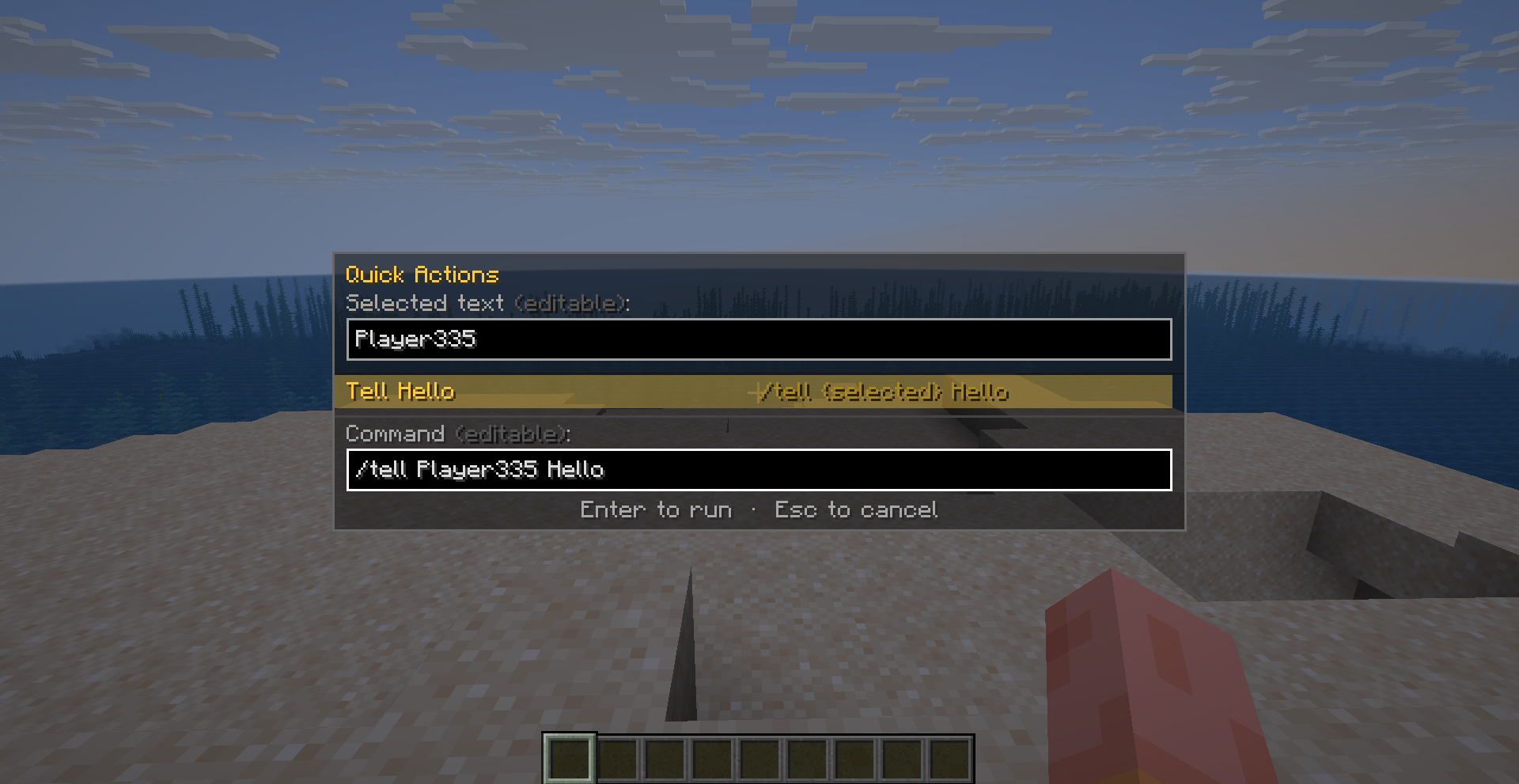
Select text in chat, hit Ctrl+Q (or right-click → Quick Actions), and fire a pre-built command template against it — /tell {selected} Hello, /report {selected}, anything with a {selected} placeholder. Configurable to run instantly or paste into the chat box for a final edit first.
Full message interaction
- Click-drag to select text; double-click a word, or double-click a player's name inside
<Name>brackets to select just the name - Right-click a message: Copy, Copy with Timestamp, Copy Selected, Search for this, Quick Actions, Add to Notes, Jump to All, Delete
- Right-click a tab: clear, edit, rename, toggle badge/timestamps/collapse, scroll to top/bottom, export all messages to clipboard, reorder, set as active note tab, toggle context, close (search tabs)
- Repeated identical messages auto-collapse into a single line with a
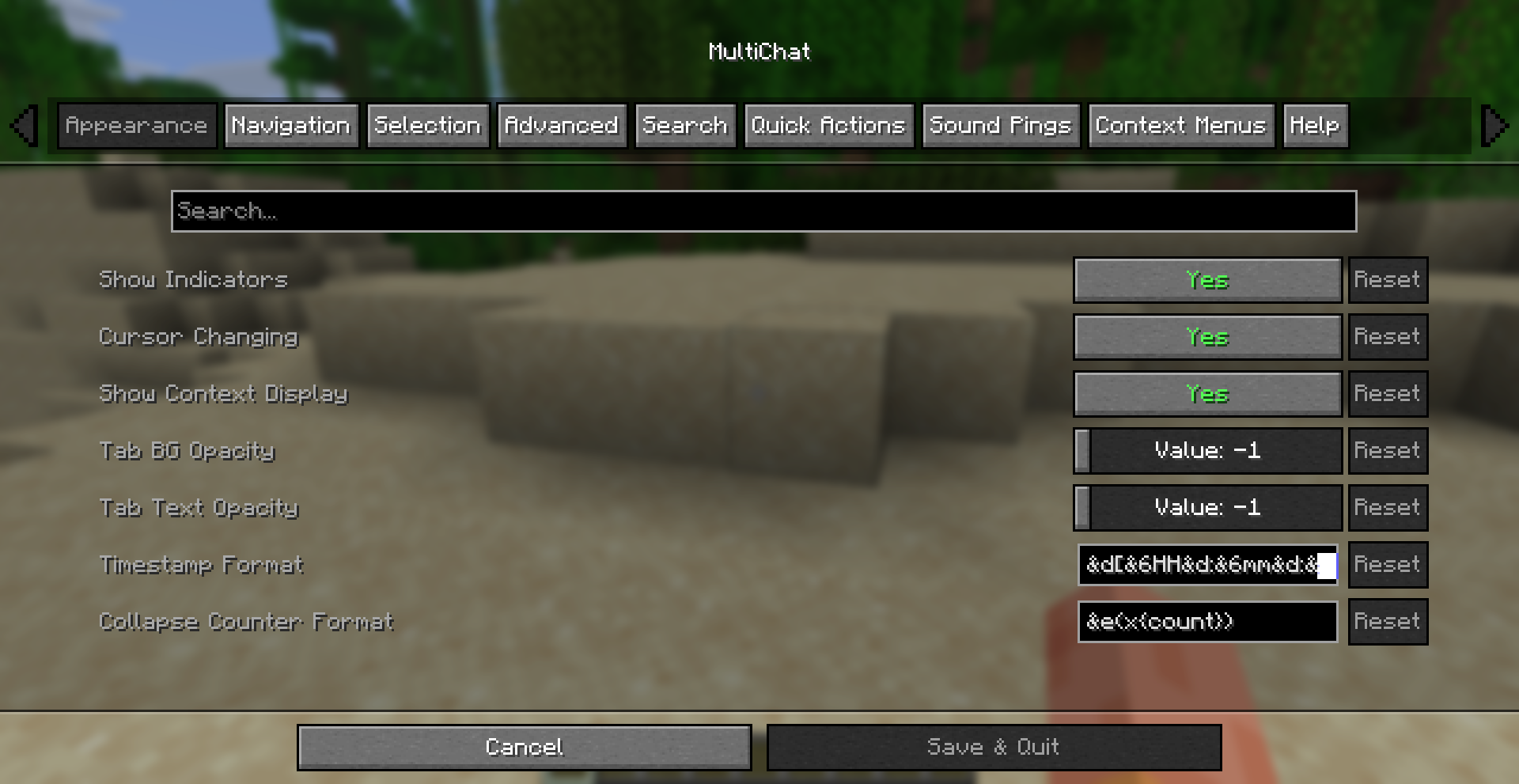
(x3)-style counter (fully customizable format)
Sound pings, done properly
Global default ping sound/volume/pitch, or override per tab entirely. Trigger conditions combine with OR/AND logic: always, only when the tab is inactive, only when the game window is unfocused, only while AFK, gated behind a "require silence" window with its own threshold — plus a cooldown so you're never spammed. Built-in sound browser to pick from every registered game sound.
Context-aware chat input
Set any tab as the active context and MultiChat prepends a prefix to everything you type — as a plain chat prefix or as a full /command — with a status line above the chat bar showing exactly what's active (▶ Tab: Alerts [msg Fred]). Perfect for private-message threads, faction chat, or any command-prefixed chat channel.
Deep customization
Timestamp format (your own DateTimeFormatter pattern with color codes), per-tab and per-panel background/text opacity, tab colors, message caps per tab, cursor-shape feedback on hover, arrow-key tab switching with optional flash feedback, text-selection freeze-while-selecting, and more — every screen is built on Cloth Config, so it's a native, familiar settings experience with full ModMenu integration.
Commands
| Command | Description |
|---|---|
/multichat |
Open Tab List screen |
/multichat tab add [name] |
Add a new filtered tab |
/multichat tab remove |
Remove the active tab on the focused panel |
/multichat tab edit <name> |
Open the tab editor |
/multichat panels [name] |
Open Panel List / edit a panel |
/multichat layout |
Open the drag-and-drop panel layout GUI |
/multichat settings |
Open settings |
/multichat quickactions |
Open quick actions overlay |
/multichat context [tab] |
Set/clear the outgoing chat context prefix |
/multichat note add <text> |
Append a line to the active note tab |
/multichat info show / hide |
Show/hide the built-in Info tab |
/multichat help |
Open the in-game help screen |
(Full command list in README.md.)
Chat Modification Compatibility
⚠️ Chat Heads and other chat-modifying mods
MultiChat uses Minecraft's native text components and performs additional processing on messages for features such as text selection, player-name detection, searching, filtering, message interaction, and quick actions.
Mods such as Chat Heads may modify chat messages by injecting additional characters or text components that are not visibly rendered. While these modifications can be useful for the mod itself, they can interfere with MultiChat's message processing and cause some features to behave incorrectly or stop working entirely.
This issue can also apply to other mods that modify chat messages by adding invisible characters, components, or metadata.
Until dedicated compatibility support is available, we recommend disabling Chat Heads and other mods that modify chat messages. This ensures that MultiChat's message processing and features work as intended.
Compatibility notice: Chat Heads is currently not officially supported by MultiChat. A future update may add dedicated compatibility support, or a separate compatible version may be provided if necessary.
Plans
This isn't going to be the final version of the mod of course. I expected there to be some bugs, and some small features to add. I'm going to add support for versions 1.20.x. I think i might update the api some more, but i realsesd it so i can just have it out so i can work on my other projects i have been putting on hold.
Built for mod developers
MultiChat ships a full client-side API (net.mobilelize.multichat.api) so other mods can register their own named tabs, push messages into them (with or without pings), silently manage tab content, drive the outgoing-chat context, and hook six Fabric events (message received, message added to tab, tab changed, message sent, panel focus, tab-action clicks). No network code, no server dependency — see README.md for the full integration guide and API reference.
Requirements
- Minecraft 1.21 (Fabric)
- Fabric Loader + Fabric API
- Cloth Config (required)
- ModMenu (optional, for in-game config access)
- Client-side only — no server installation needed, works on any server including vanilla