
Compatibility
Minecraft: Java Edition
Platforms
Supported environments


Links
Tags
Creators
Details
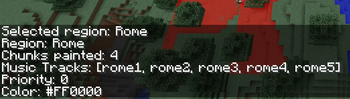
Info Command
Entering the /music info command will tell you what current region you have selected and give you information about that region, including the tracks involved and chunk count.
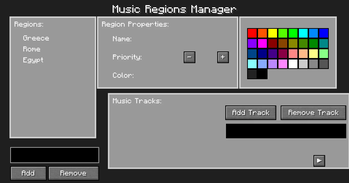
Music GUI
This is the GUI of the mod. Here, you can do everything for the mod except for painting chunks. This will make things much easier than pure commands.
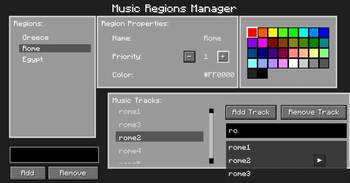
Music GUI Editing
As you can see, i have a selected region and can see everything about that region. Its properties, color, and the tracks assigned to that region. you can easily add and remove tracks and regions with the buttons.
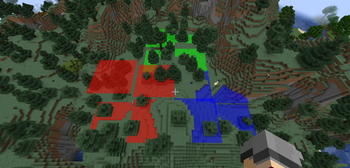
Editor Mode
This is what Editor mode looks like once you create regions. There are three here.
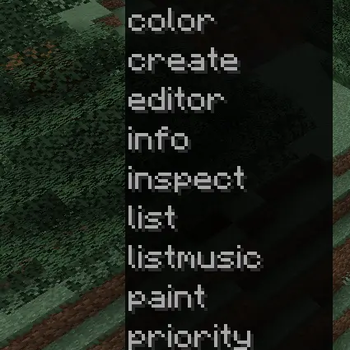
Command list
Just a picture of most of the command available when /music is typed.
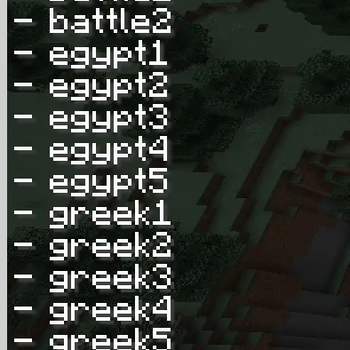
Song Scan
This mod also can scan the resource folder for sounds you put in and tell you the file name so you do not have to go back to remember what the file is called. Added bonus: this mod will also have these files on autotab when you enter the /music addmusic.
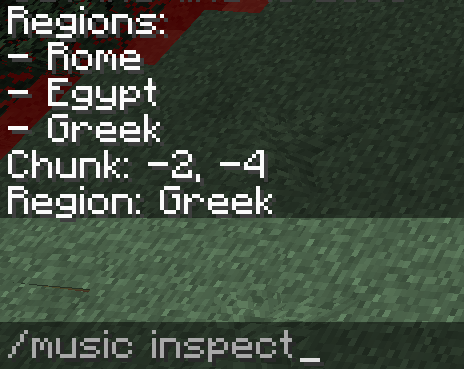
Inspect Command
Entering the /music inspect command will inspect the chunk you are currently in and tell you if it belongs to a region.
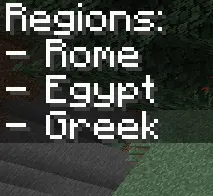
List Command
Entering /music list will tell you all of the regions you have created.