
Compatibility
Minecraft: Java Edition
Platforms
Supported environments


Tags
Creators
Details






Notebook is a highly customizable, lightweight client-side utility mod that brings interactive, draggable To-Do lists and Item Gathering trackers directly to your HUD.
Perfect for keeping track of your grinding quotas, daily server tasks, or building materials without needing external apps or constantly alt-tabbing!
📸 Previews
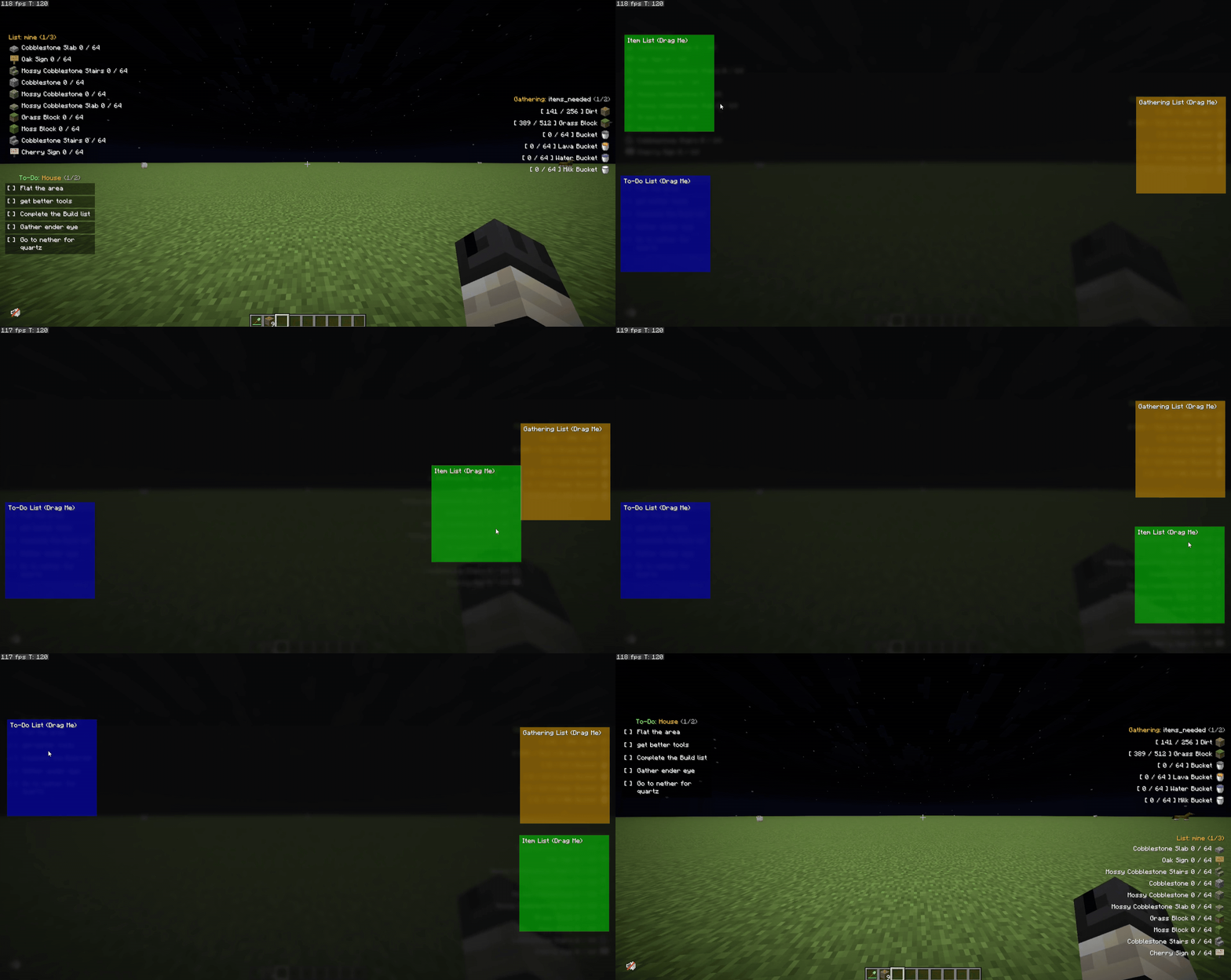
Draggable UI
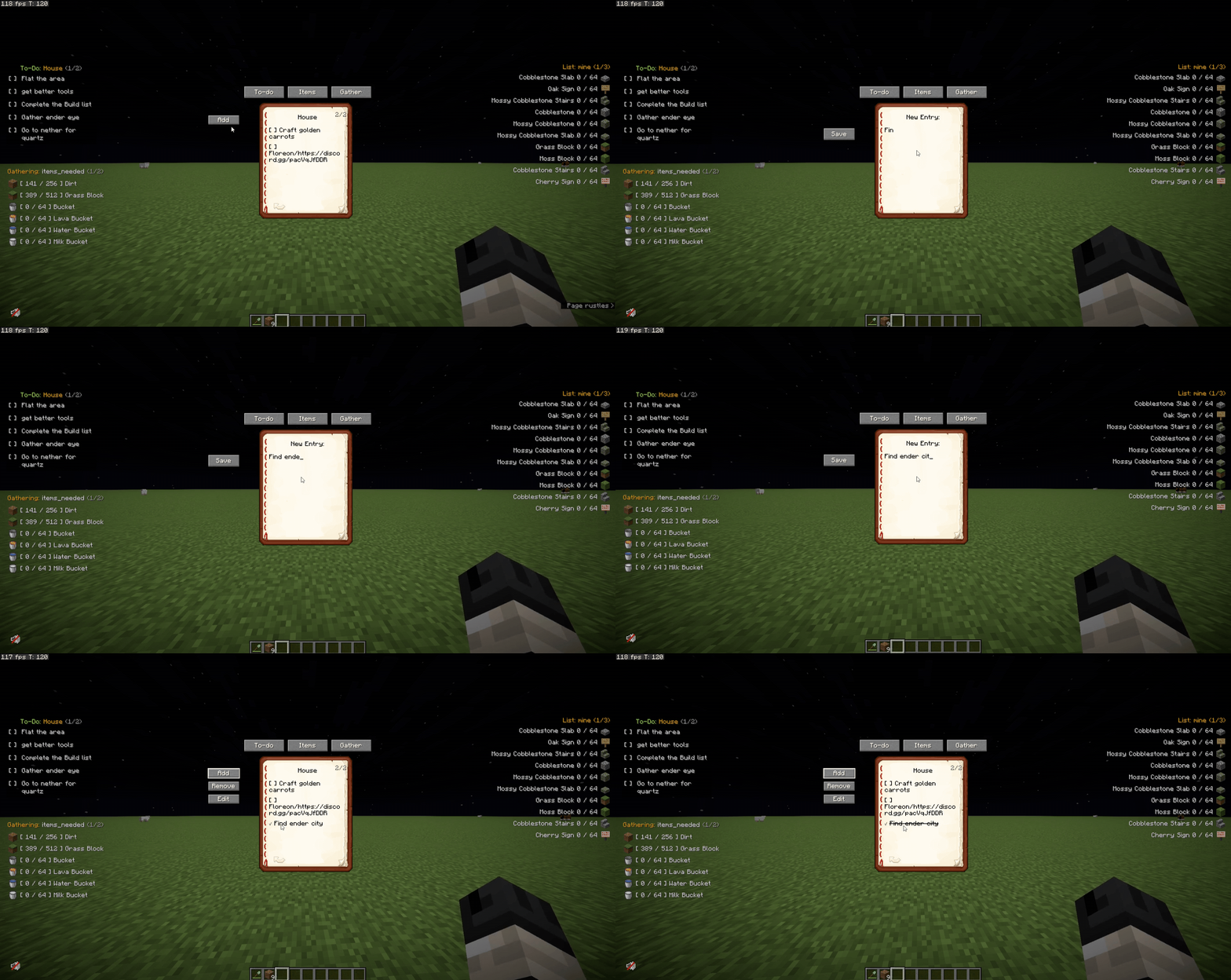
Adding & Managing Lists
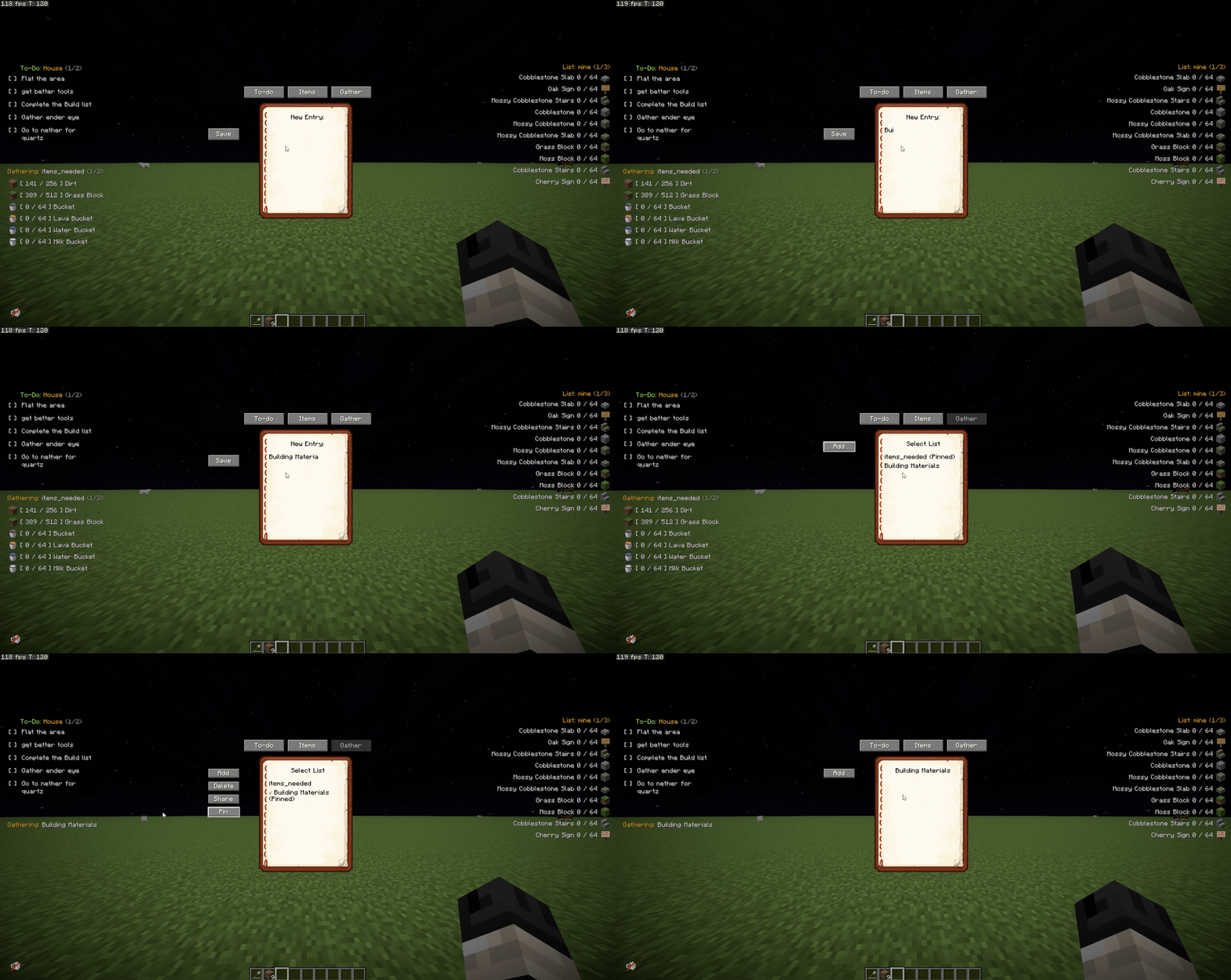
Pinning to HUD
✅ Features
- 📌 Draggable UI → Easily move your item and task lists around your screen using the Edit HUD menu.
- 📋 To-Do Lists → Track your daily goals. Check off completed tasks dynamically to cross them out.
- 📦 Item Gathering Tracker → Set a target amount for an item and track your inventory in real-time.
- 🚦 Smart Quota Colors → Item text turns Green when you hit your exact target, and Red when you exceed it!
- 🛡️ Typo Protection → Prevents you from accidentally adding invalid or misspelled items to your tracker.
- 💬 List Sharing → Share your active item list straight to the server chat for team collaboration.
- 📖 Pagination → Got a long list? Easily flip through pages using commands or customizable keybinds.
- 💻 100% Client-Side → Works perfectly on vanilla servers or modded SMPs.
⌨️ Commands
🎒 Item Lists (Aliases: /il)
- /itemlists → Shows all the item lists you have created.
- /il create <name> → Creates and displays a new item list.
- /il delete <name> → Deletes the specified list.
- /il display <name> → Switches your HUD to show this list.
- /il add <listName> <item> <quantity> → Adds an item quota to your list (example:
/il add base dirt 64). - /il remove <listName> <item> <quantity> → Removes an item from the list.
- /il share <name> → Shares the item list to the server chat.
- /il next or /il n → Flips to the next page of your item list.
- /il previous or /il p → Flips to the previous page.
📝 To-Do Lists (Command: /todo)
- /todo → Shows all your created To-Do lists.
- /todo create <name> → Creates a new To-Do list.
- /todo delete <name> → Deletes the specified To-Do list.
- /todo display <name> → Switches your HUD to show this To-Do list.
- /todo add <listName> <task> → Adds a new task to your list.
- /todo check <listName> <task> → Marks a task as completed.
- /todo uncheck <listName> <task> → Unmarks a task.
- /todo next or /todo n → Flips to the next page of tasks.
- /todo previous or /todo p → Flips to the previous page of tasks.
⛏️ Gathering Lists (Aliases: /gl)
- /gatheringlists → Shows all the gathering lists you have created.
- /gl create <name> → Creates and displays a new gathering list.
- /gl delete <name> → Deletes the specified list.
- /gl display <name> → Switches your HUD to show this list.
- /gl add <listName> <item> <quantity> → Adds an item to your gathering list.
- /gl remove <listName> <item> <quantity> → Removes an item from the gathering list.
- /gl share <name> → Shares the gathering list to the server chat.
- /gl next or /gl n → Flips to the next page of your gathering list.
- /gl previous or /gl p → Flips to the previous page.
- /gl import → Imports list data.
- /gl help → Displays general help instructions for gathering lists.
⚙️ Keybinds
(Customizable in Options -> Controls -> Notebook)
- Edit HUD →
](Click and drag your lists anywhere!) - Toggle Item List →
I - Toggle To-Do List →
O - Toggle Gather List →
G - Item List Next/Prev Page → (Unbound by default)
- To-Do Next/Prev Page → (Unbound by default)
- Gather Next/Prev Page → (Unbound by default)
🌟 Credits & Community
A massive thank you to Skia and Luriel for suggesting and inspiring this mod! Check out their awesome Minecraft Server community here: NeoCity SMP
🐞 Found a bug or have a suggestion? Want to request a mod for free? Join the Discord Server!
- Discord: Join the developer community
- GitHub: Notebook issues and suggestions