
Compatibility
Minecraft: Java Edition
Platforms
Supported environments


Links
Tags
Creators
Details
OmniBuild Wand · 全能建造杖
为大规模建造而生的 Fabric 建筑手杖 · A Fabric building wand built for large-scale construction
Minecraft 26.1.2 · Fabric | 必需 / Required: Fabric API · Litematica · MaLiLib
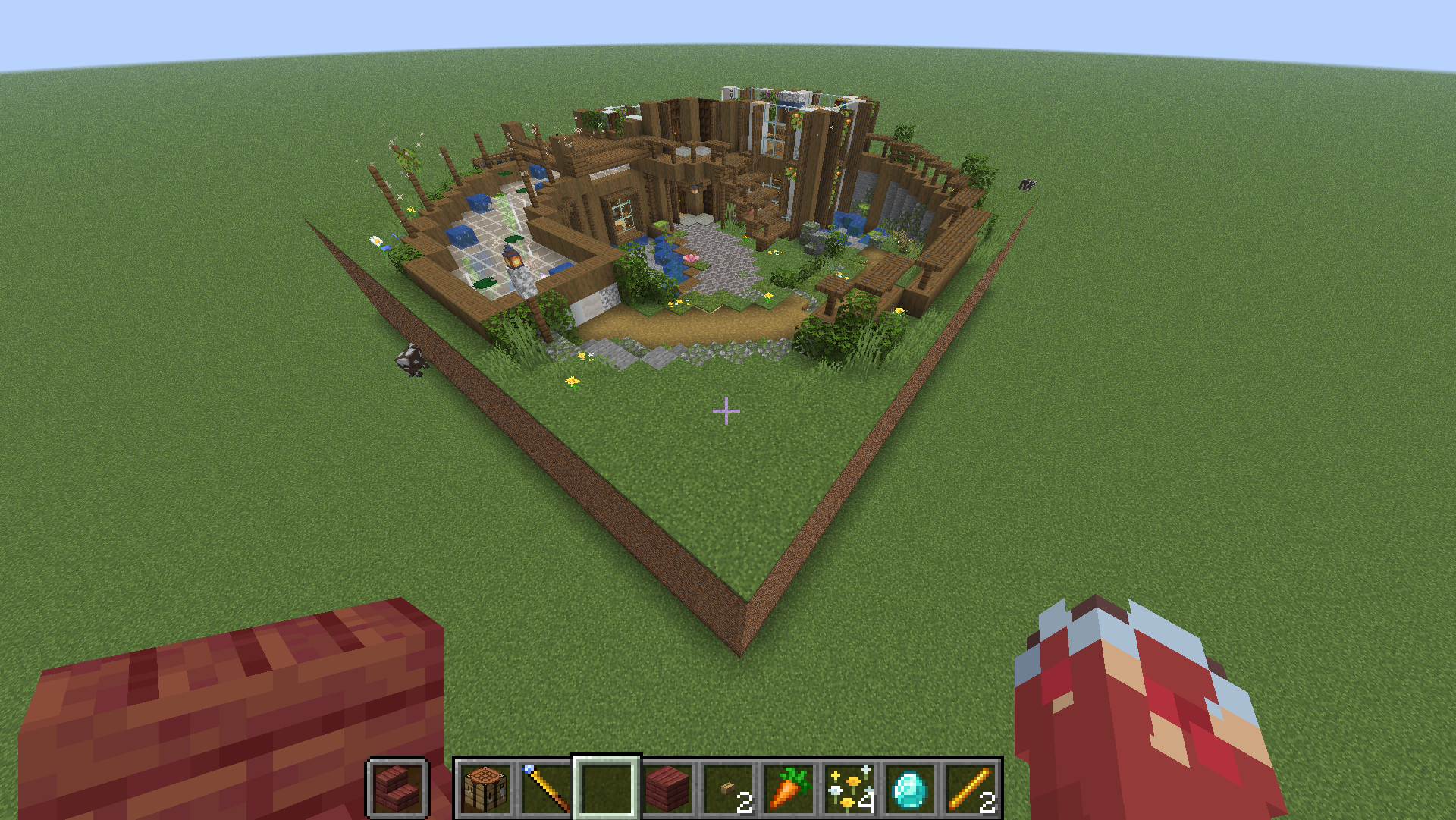
🌐 中文教程在上半部分,English guide is in the second half below. · GitHub
🇨🇳 中文教程
📦 安装
- 安装 Fabric Loader 与 Fabric API。
- 安装 Litematica + MaLiLib(蓝图与幽灵预览所需,必需)。
- 把
omnibuild-wand-x.x.x.jar放进.minecraft/mods/。
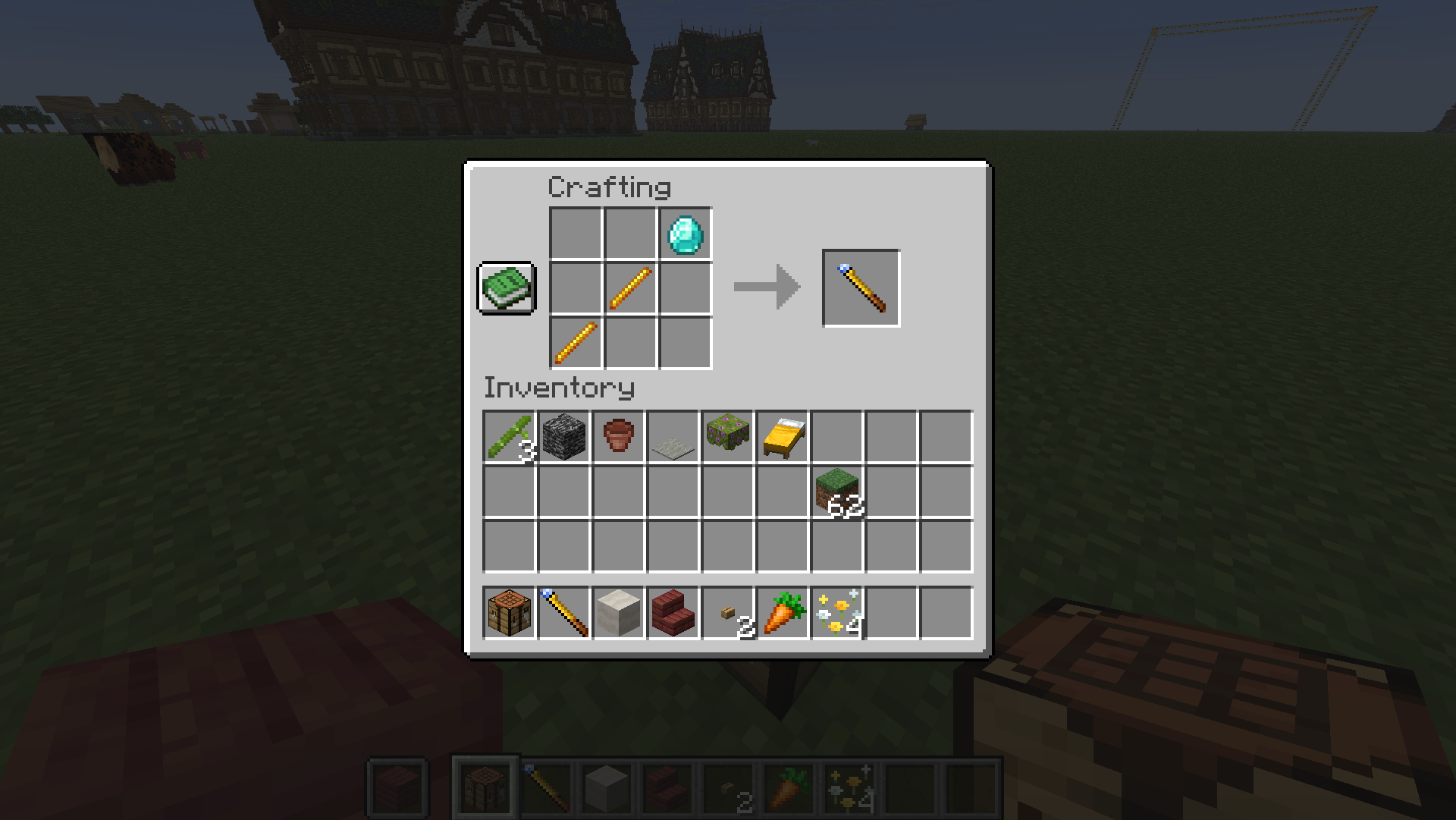
🛠️ 合成
钻石 ×1 + 烈焰棒 ×2,斜向排布(D=钻石,B=烈焰棒):
· · D
· B ·
B · ·
🎮 基础概念
- 手持手杖右键 = 选角 / 执行。多数操作是「右键选第一个角 → 再右键选对角 → 完成」。
- 按
N在五种模式间循环:填充 → 复制/粘贴 → 替换 → 移动 → 供料链接。 - 按
V在 方形选区 ↔ 智能选区 间切换。 Shift+ 右键 = 重置当前选区。- 生存模式会真实扣除背包材料(含潜影盒);材料不够时可改用「工地」慢慢囤料建造。
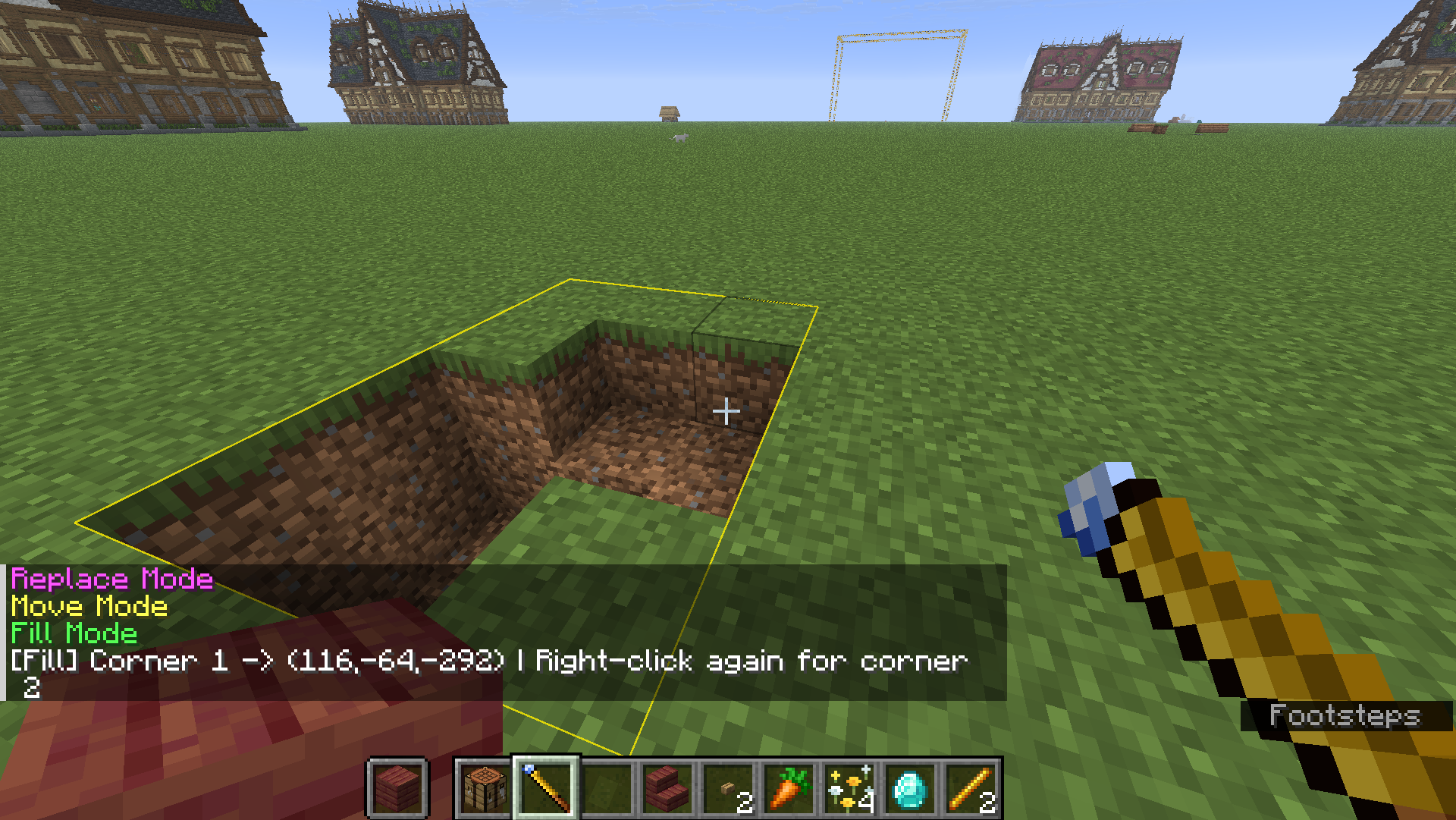
🟦 填充模式
框选两角,把范围内的空气填成手里的方块。
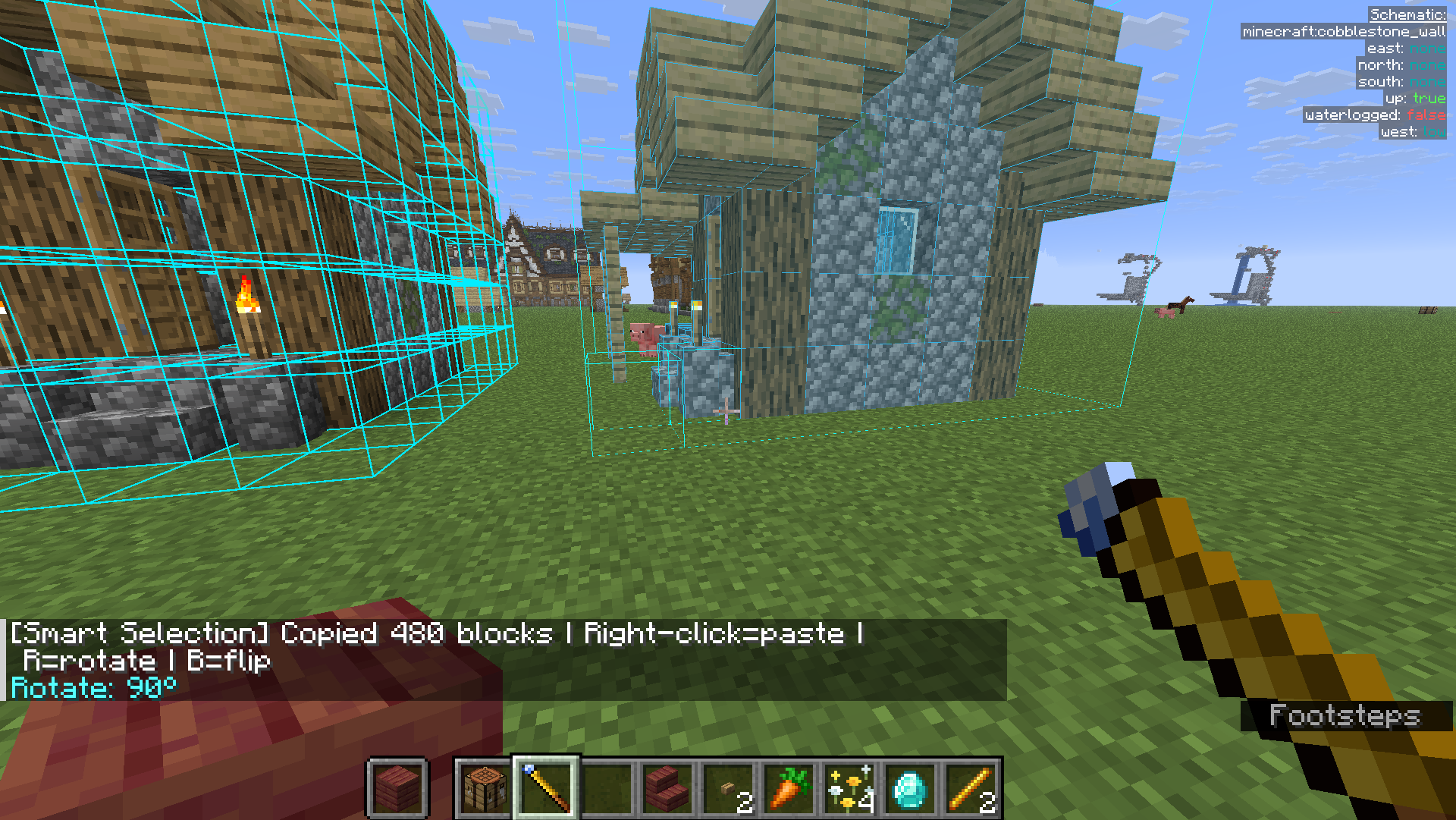
📋 复制 / 粘贴模式
右键选两个角框住结构(记录到剪贴板),到别处右键粘贴;粘贴前可按 R 旋转、B 镜像。
♻️ 替换模式
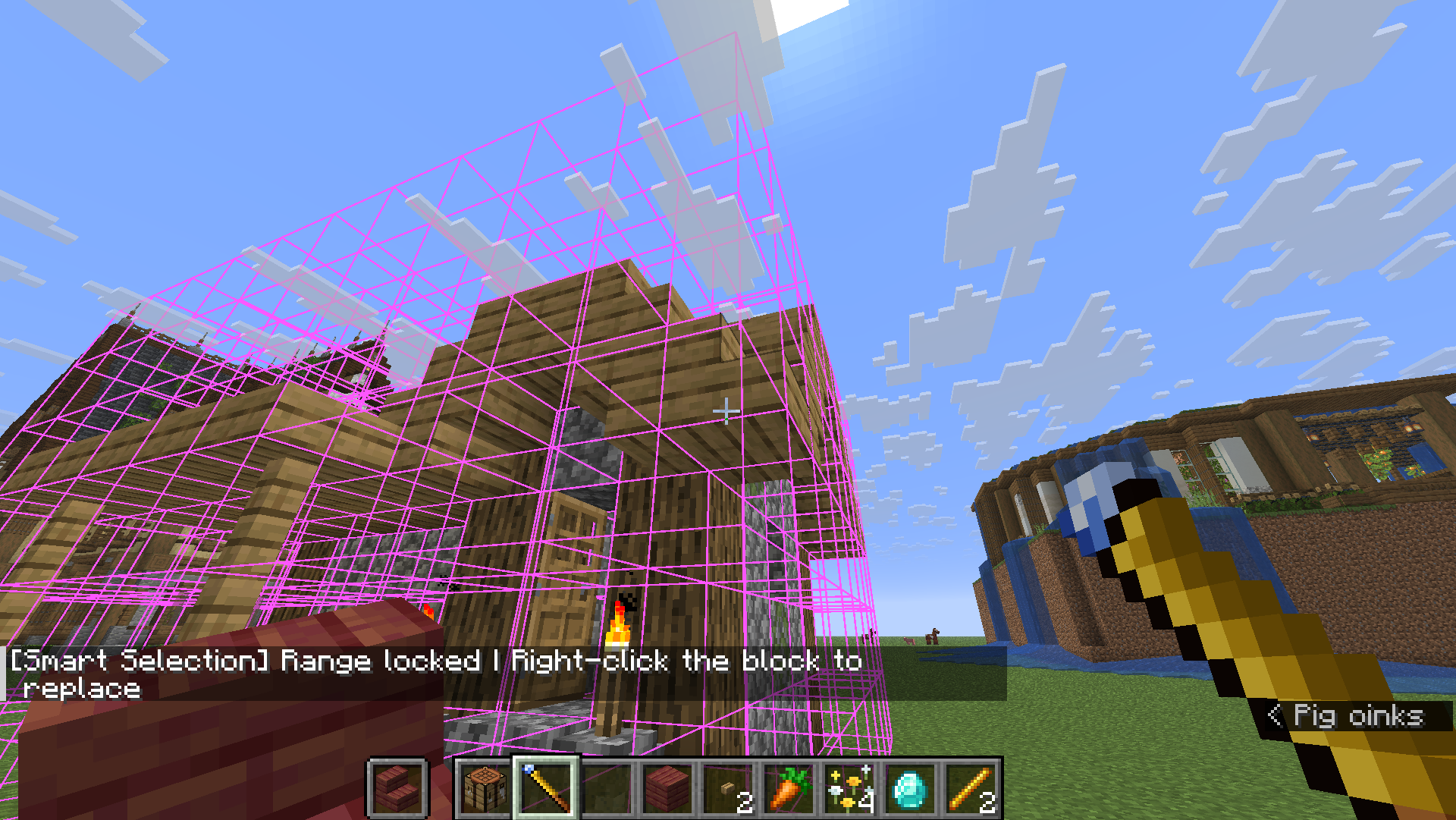
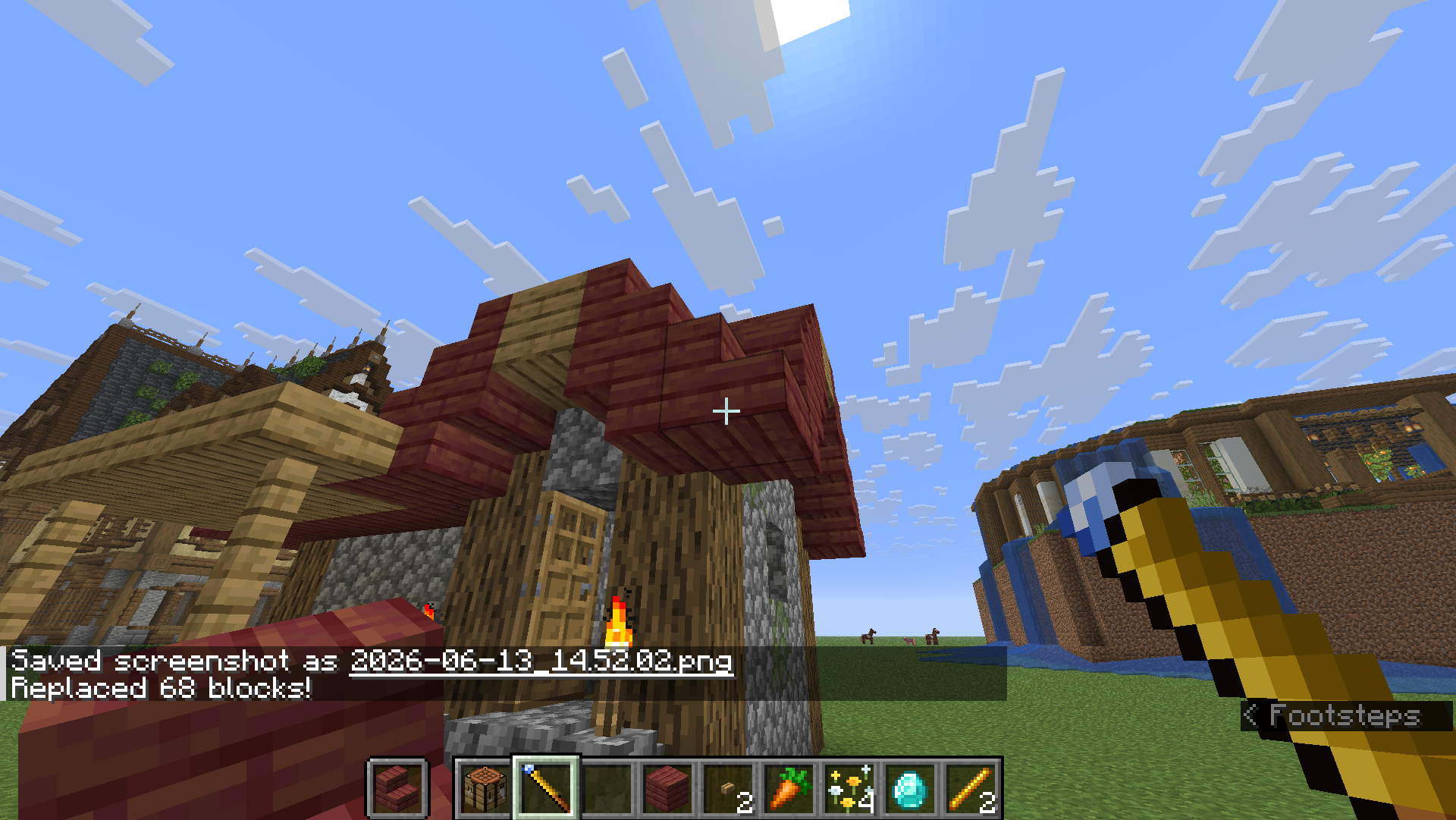
把要替换成的方块放手里 → 右键选两角 → 第三次右键点要被替换掉的方块,范围内同类全部替换。
🚚 移动模式
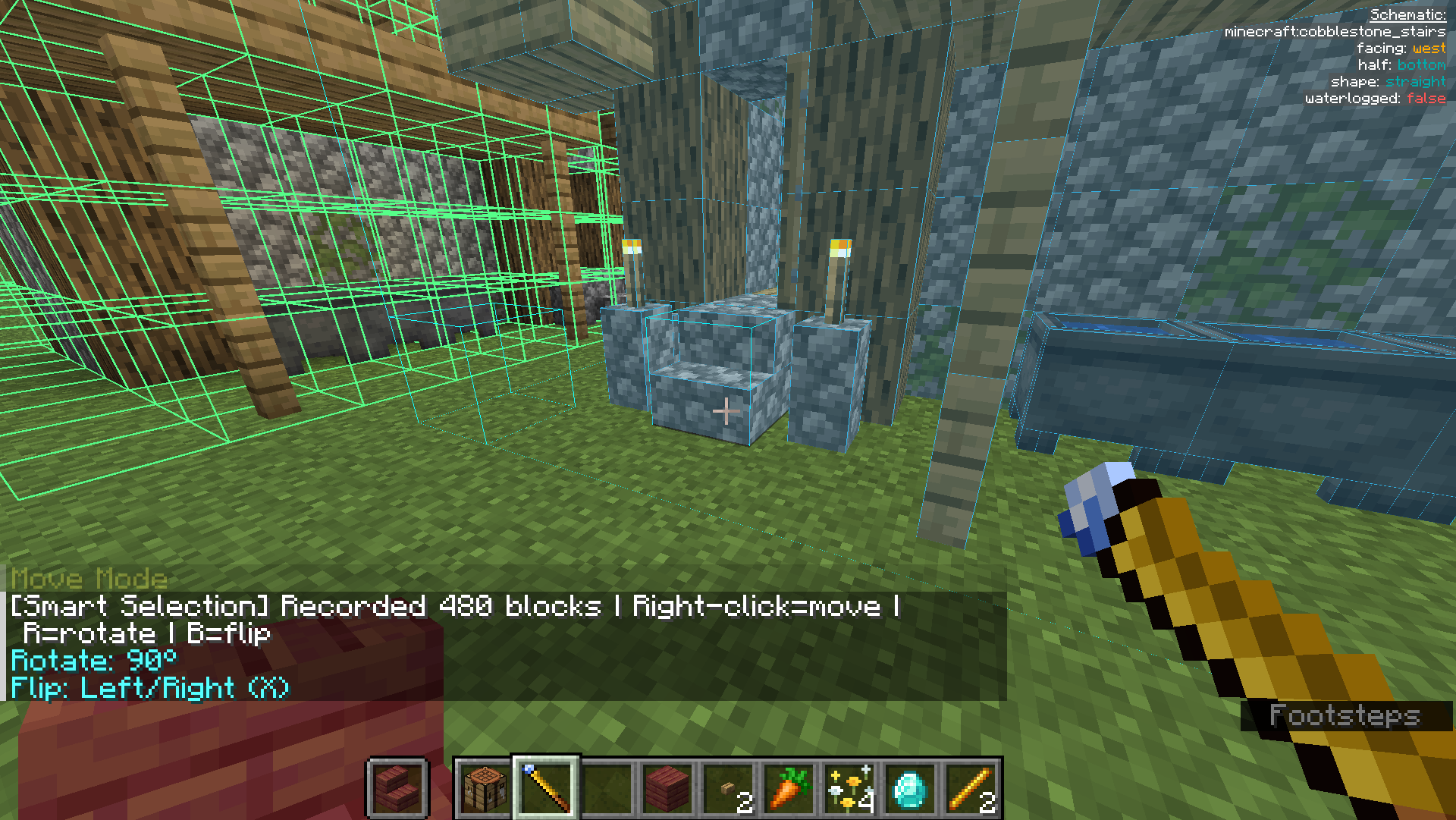
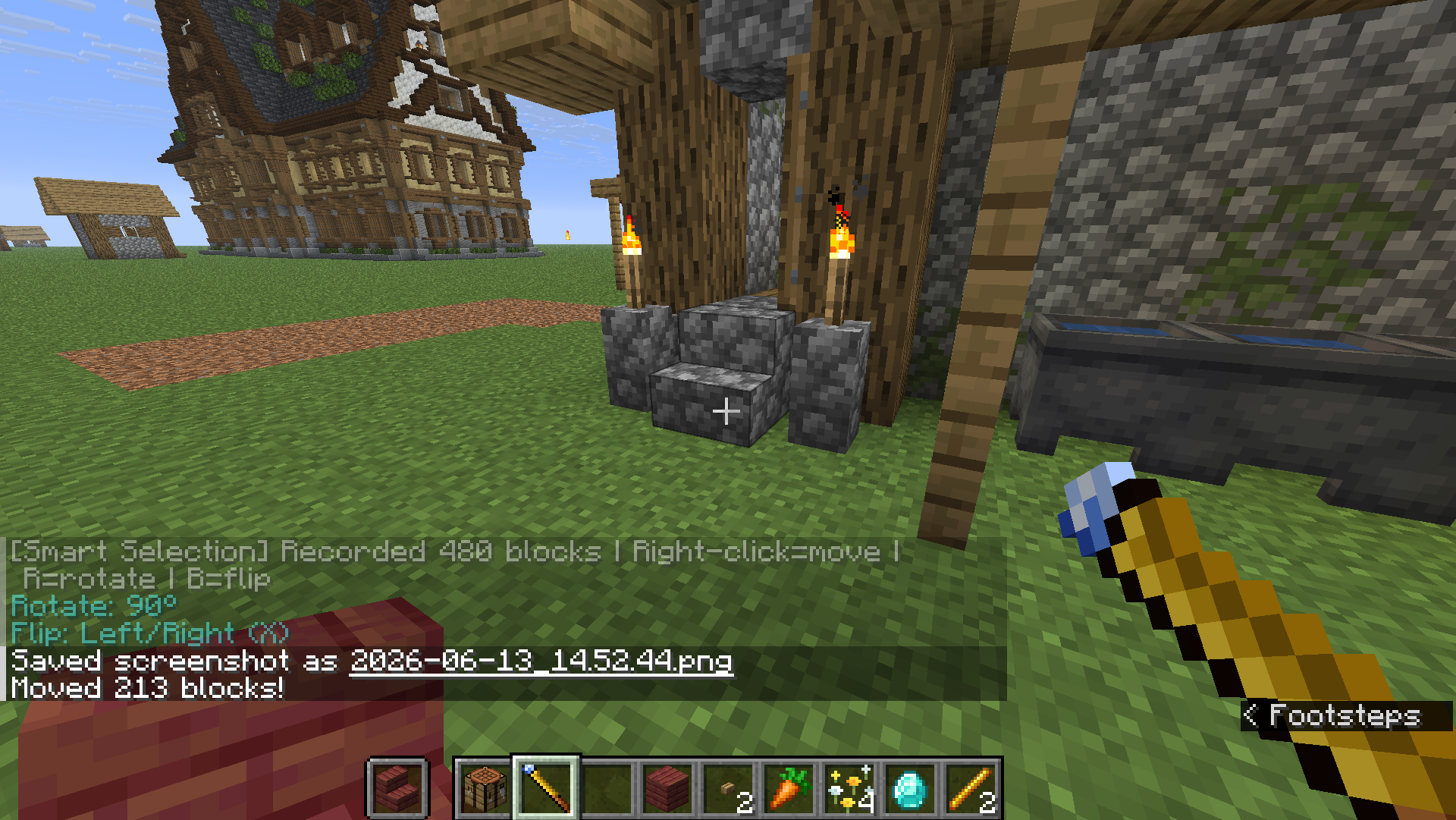
右键选两角框住建筑 → 右键目标位置整体移动(原地清空),支持 R / B。
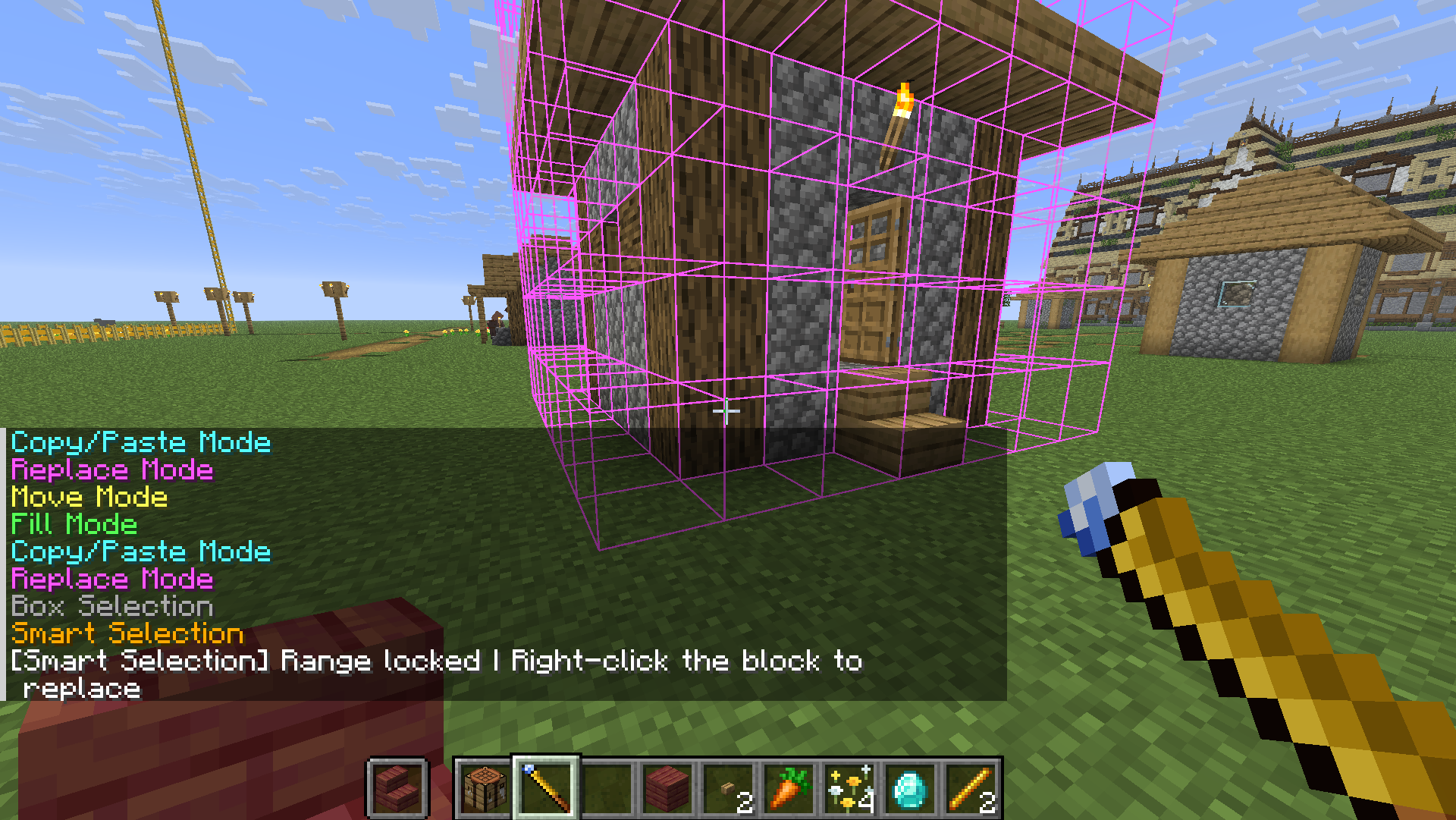
🧠 智能选区
按 V 切到智能选区,右键一个方块自动识别整片连续建筑并锁定,再次右键确认执行(复制 / 替换 / 移动 都能用)。上限可在 /wand settings 调。
🏗️ 工地系统(招牌功能)
大型工程不想一次掏空仓库?把它变成「工地」,慢慢囤料、自动施工。
- 材料不足会自动转为工地,地面立起工地牌。
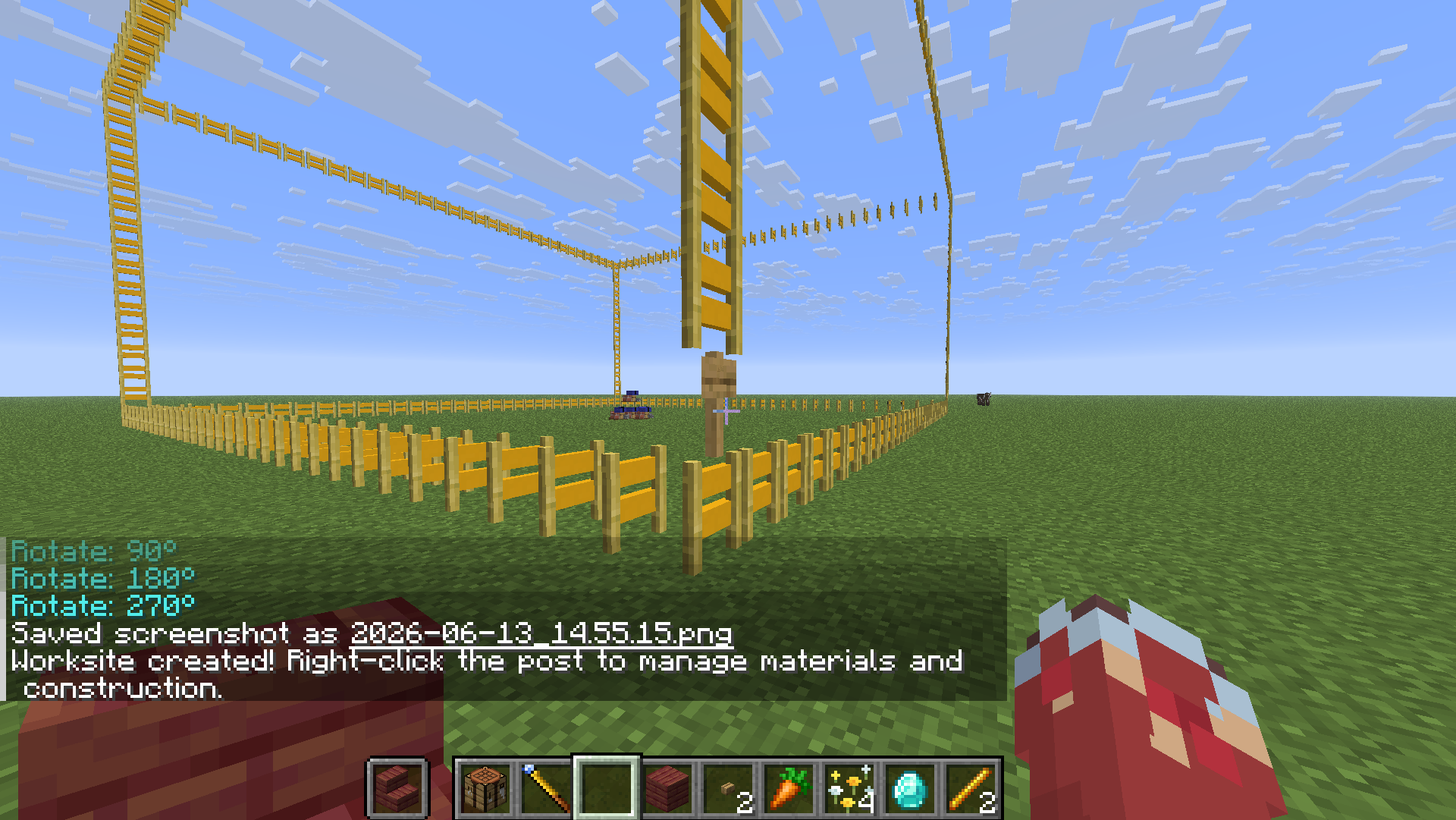
- 右键工地牌打开管理站,把材料丢进去「存入材料」。管理站还有「取回材料」(退回背包)与「从箱子补料」两个按钮。
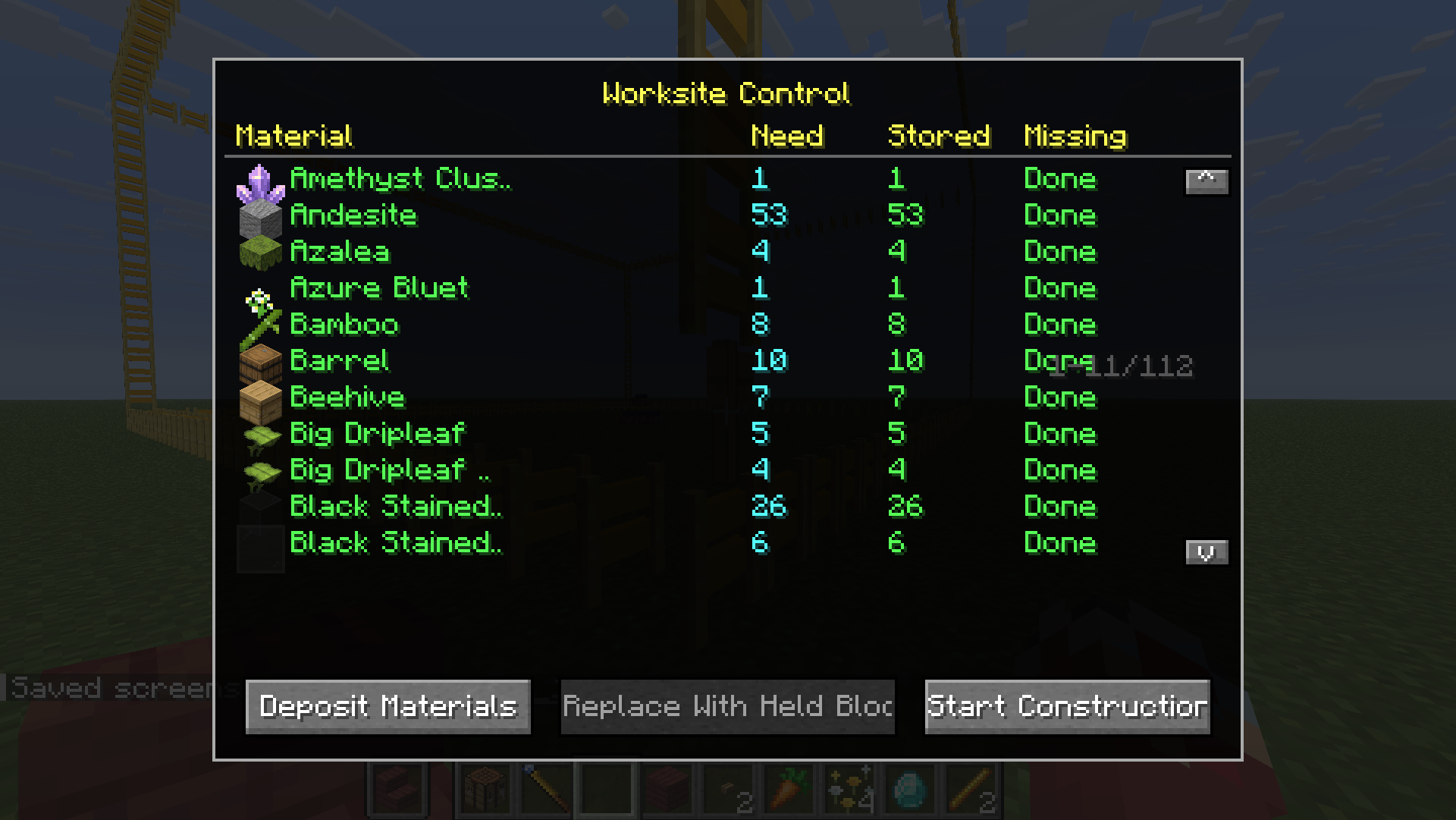
- 点「开始施工」,工地自动逐块建造直到完工。
🔗 供料链接(接箱子自动供料)★ 1.1.0 新增
懒得手动搬料?把附近的箱子接上,工地施工时自动取料。
- 按
N切到 供料链接 模式。 - 右键框选两个角,把装材料的箱子 / 木桶 / 潜影盒圈进去(箱子里的潜影盒也算)。
- 再右键工地牌完成链接(提示「已链接 N 个容器」)。
- 点「从箱子补料」或直接开始施工——施工时每秒自动从这些容器取料。
🛡️ 安全机制:每个容器、每种材料至少保留 1 个,绝不抽空箱子。
📐 Litematica 蓝图导入
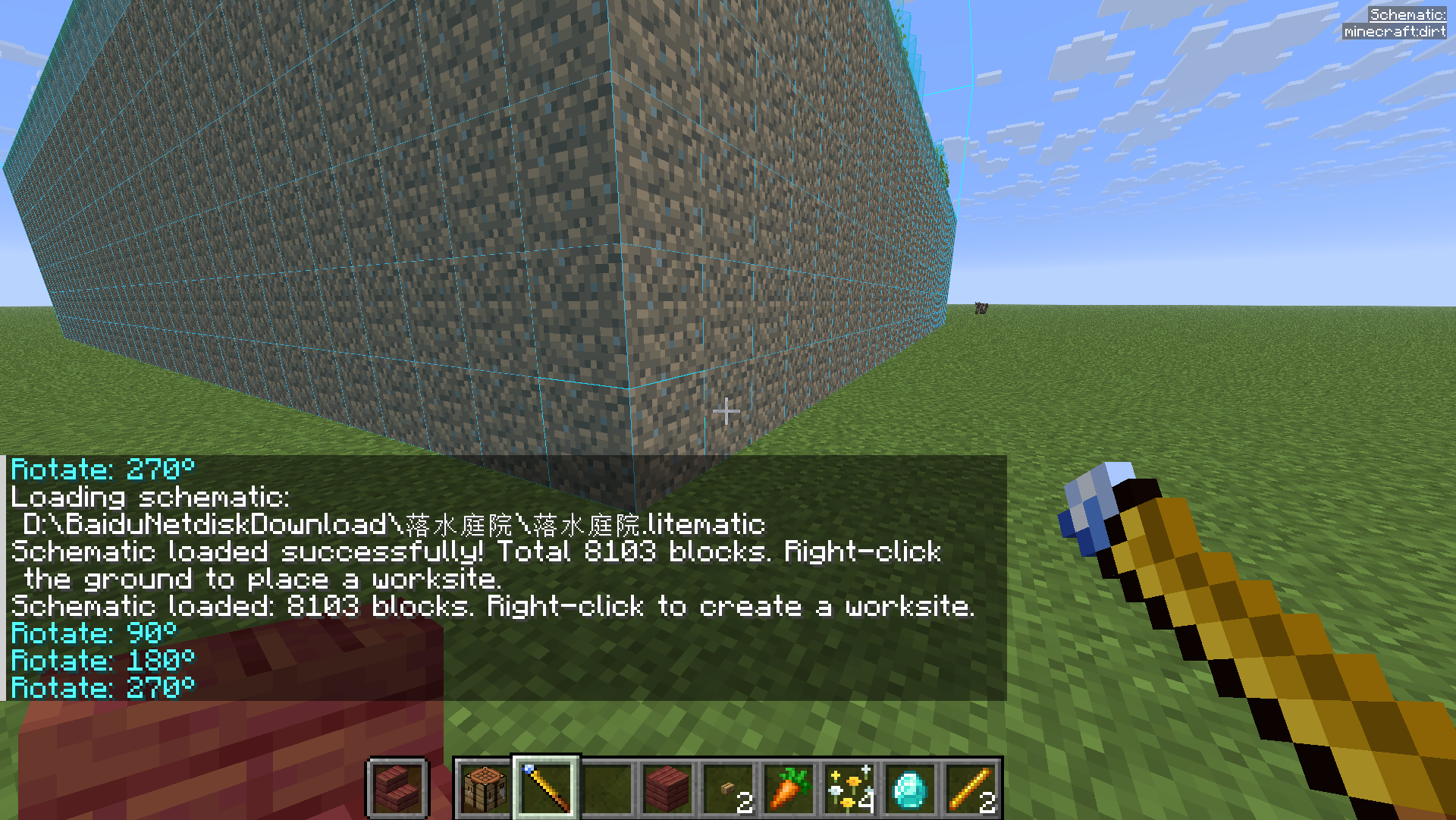
手持手杖输入 /wand load <蓝图文件路径>,右键地面生成对应工地,之后流程同上。
⌨️ 按键速查
| 按键 | 作用 |
|---|---|
| 右键 | 选角 / 执行 |
Shift + 右键 |
重置选区 |
R / B |
旋转 / 镜像 |
N |
切换模式(填充/复制/替换/移动/供料链接) |
V |
方形 / 智能选区 切换 |
/wand settings |
打开设置 |
/wand load <path> |
加载蓝图 |
🇬🇧 English Guide
📦 Installation
- Install Fabric Loader and Fabric API.
- Install Litematica + MaLiLib (required — blueprints & ghost preview).
- Drop
omnibuild-wand-x.x.x.jarinto.minecraft/mods/.
🛠️ Crafting
1× Diamond + 2× Blaze Rod, diagonal (D=Diamond, B=Blaze Rod):
· · D
· B ·
B · ·
🎮 Core concepts
- Right-click = pick a corner / execute (corner 1 → opposite corner → done).
- Press
Nto cycle five modes: Fill → Copy/Paste → Replace → Move → Supply Link. - Press
Vto toggle Box ↔ Smart Selection.Shift+ Right-click resets. - In Survival it consumes real materials (including shulker boxes). Short on materials? Use a worksite.
🟦 Fill Mode
Right-click two corners; the air in the box fills with the block in your hand.
📋 Copy / Paste Mode
Right-click two corners around a structure, then right-click elsewhere to paste. R rotate / B flip before pasting.
♻️ Replace Mode
Hold the replacement block → two corners → third right-click on the block to replace. All matching blocks swap.
🚚 Move Mode
Two corners around a build → right-click target to relocate it (source cleared). R / B supported.
🧠 Smart Selection
Press V, right-click one block and it auto-detects the whole contiguous structure; right-click again to confirm. Works with Copy / Replace / Move.
🏗️ Worksite System (headline feature)
Turn a big build into a worksite: a post appears, right-click it to open the dashboard, Deposit materials, then Start Construction — it builds itself block by block. The dashboard also has Withdraw Materials and Pull from Chests buttons.
🔗 Supply Link (auto-feed from chests) ★ New in 1.1.0
Don't want to haul materials by hand? Link nearby chests and the worksite pulls materials automatically while building.
- Press
Nto switch to Supply Link mode. - Right-click two corners around your chests / barrels / shulker boxes (shulkers inside chests count too).
- Right-click the worksite post to link ("Linked N containers").
- Click Pull from Chests, or just Start Construction — it pulls every second as it builds.
🛡️ Safety: each container always keeps at least one of every material — chests are never fully emptied.
📐 Litematica Blueprint Import
Hold the wand, run /wand load <path to .litematic>, then right-click the ground to spawn the matching worksite.
⌨️ Controls
| Key | Action |
|---|---|
| Right-click | Pick corner / execute |
Shift + Right-click |
Reset selection |
R / B |
Rotate / Flip |
N |
Switch mode (Fill/Copy/Replace/Move/Supply Link) |
V |
Toggle Box / Smart Selection |
/wand settings |
Open settings |
/wand load <path> |
Load a Litematica schematic |
License: MIT · Source & full README: https://github.com/binyxu/omnibuild-wand