Compatibility
Minecraft: Java Edition
Platforms
Supported environments


Tags
Creators
Details
Licensed MIT
Published 4 months ago
Updated 2 months ago
Outline Guard
Outline Guard is a fully client-side Fabric mod.
It helps prevent accidental vertical mining past your own outline markers while clearing an area. The mod only affects the player who has it installed. It does not protect blocks from other players, and it should not be installed server-side.
Features
- Client-side only
- Configurable marker block list
- In-game GUI opened with D + C
How to use
- Install the mod on your client.
- Join a world or server.
- Hold D and press C to open the Outline Guard GUI.
- Enter a block ID, such as
minecraft:netherrackorminecraft:red_concrete. - Click Set as only marker or Add marker.
- Place marker blocks around the area you want to clear.
When your crosshair reaches a protected block column, Outline Guard pauses your mining so you do not accidentally mine past the outline. When you move back to a safe block while still holding left click, mining resumes automatically.
GUI options
- Set as only marker: replaces your local marker list with the typed block ID.
- Add marker: adds the typed block ID to your local marker list.
- Remove marker: removes the typed block ID from your local marker list.
- Reload config: re-reads
.minecraft/config/outlineguard-client.jsonfrom disk. Most players do not need this button. It is only useful if you manually edit the config file while Minecraft is still open.
Config file
The config is saved locally at:
.minecraft/config/outlineguard-client.json
Default config:
{
  "marker_blocks": [
    "minecraft:netherrack"
  ]
}
Pictures
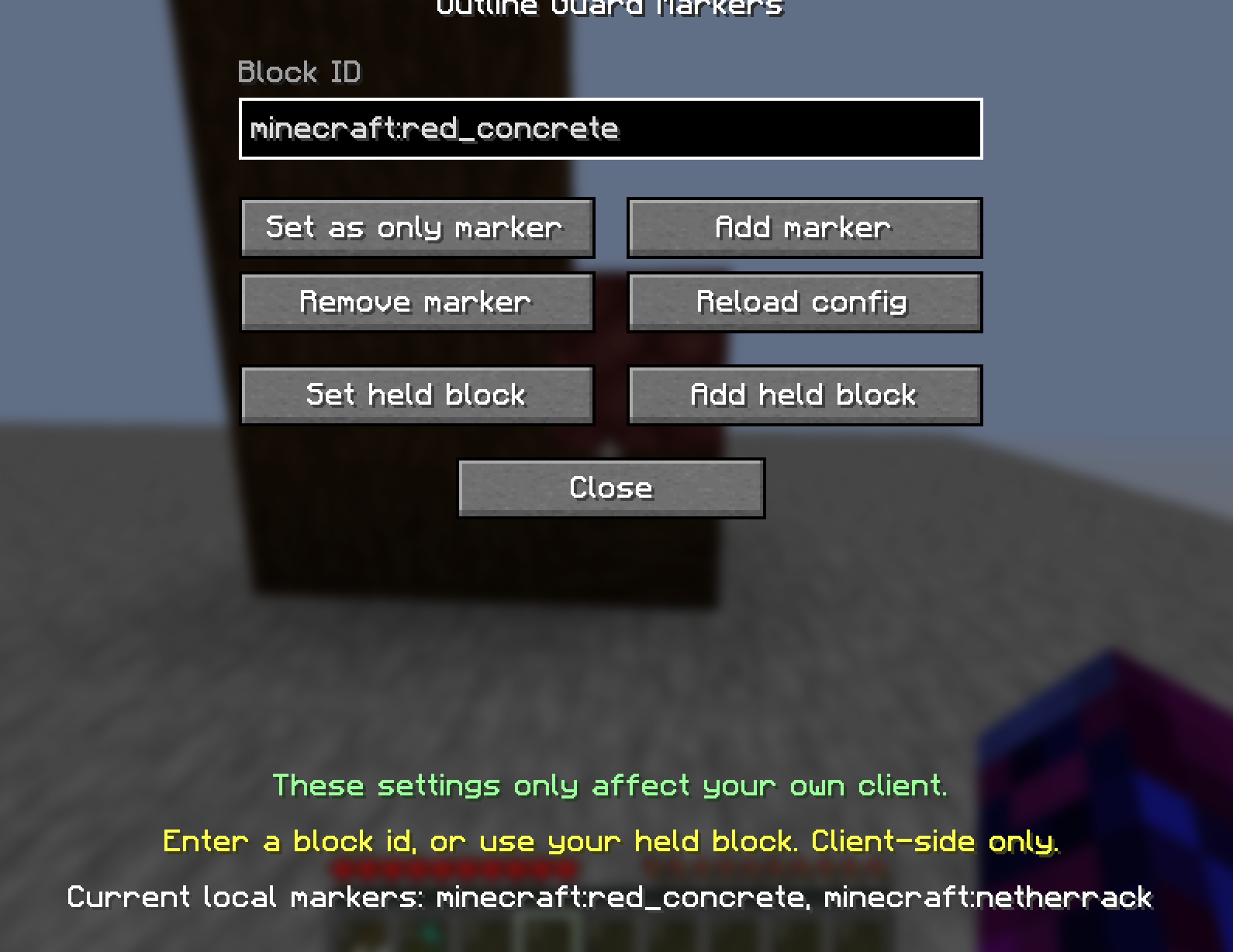 This is the UI for setting up your outline markers.
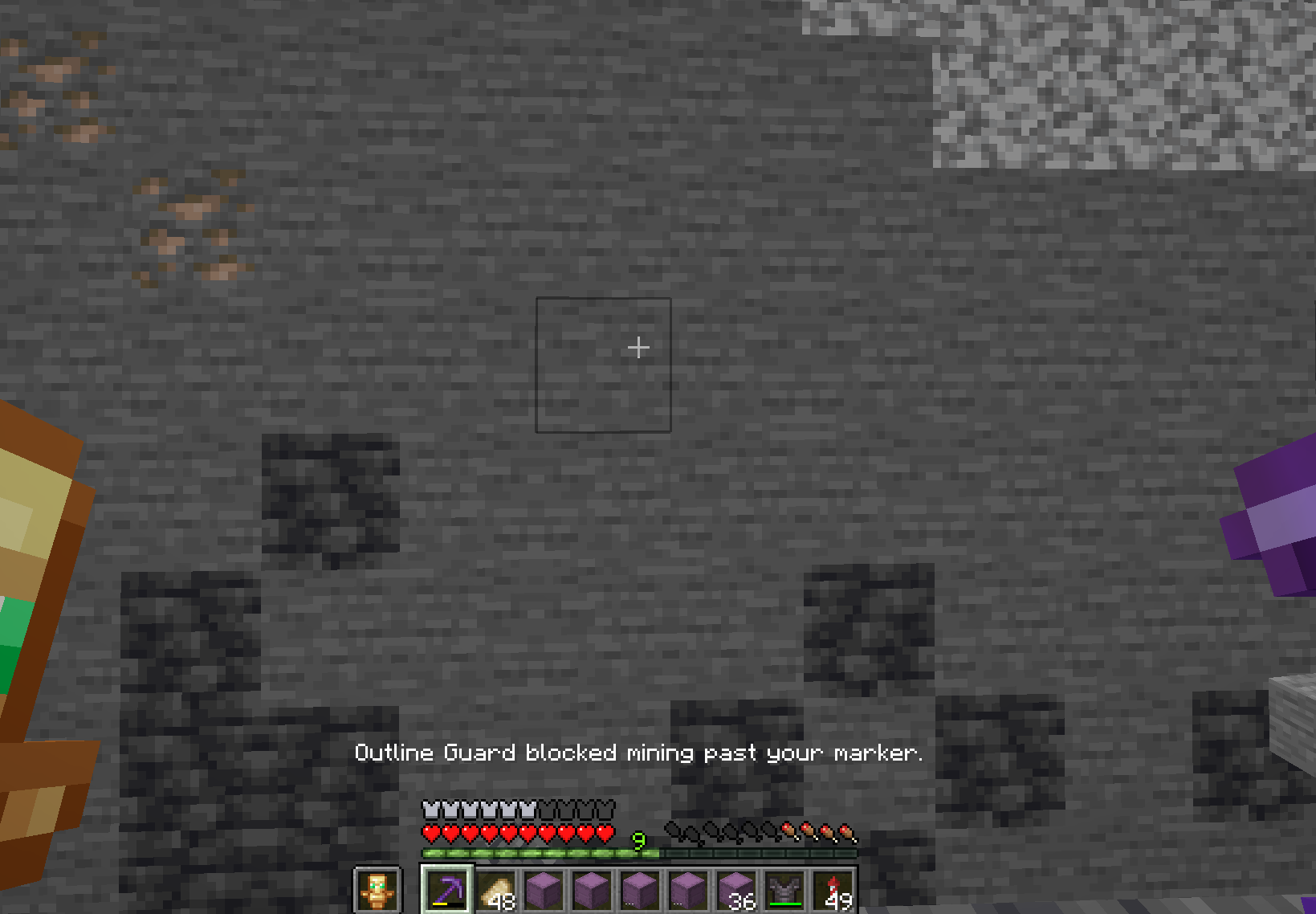 Here is an example of what happens when you attempt to mine blocks that are below your marker block.
Author
CSClub05
License
MIT