Compatibility
Minecraft: Java Edition
Platforms
Supported environments


Tags
Creators
Details
Pane
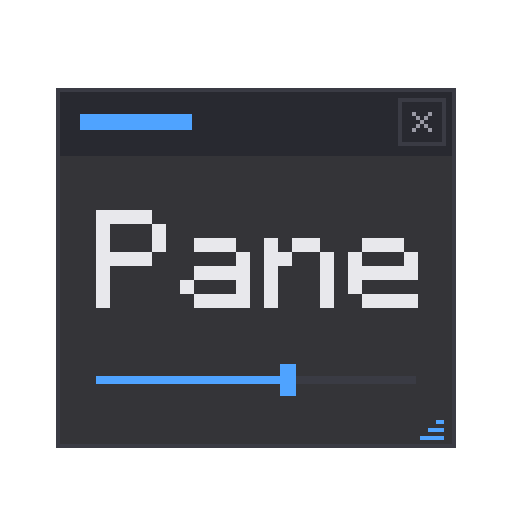
Pane is a GUI library for Fabric and NeoForge. I built it because I needed proper tool windows for my lighting editor and nothing out there did what I wanted without dragging in native libraries or fighting whatever other UI mods were installed. Pane draws everything through Minecraft's own DrawContext, so there's nothing to conflict with. It runs daily in a 150-mod pack next to Axiom, Flashback, Sodium and Iris without issues.
What it does
There are two ways to put UI on screen.
Overlay windows float over the game while it keeps running. They drag by the title bar, resize from any edge, and scroll when the content doesn't fit. Press a key (default P) to free the mouse, click the world to go back to playing. This is the mode built for editor-style tools.
Screens are normal modal menus made from the same widgets, hosted in a vanilla Screen, so they open, close and pause exactly like any other menu in the game.
Widgets
Buttons, checkboxes, sliders, dropdowns, text fields with copy and paste, number fields you can drag to nudge, color pickers, progress bars, tabs, scroll containers, tables, list views with multi-select and drag reorder, keybind capture, right-click context menus, confirm dialogs and toasts. 21 in total, all created the same way:
Window win = Window.of("My Tool").at(40, 40);
win.add(Label.of("Target"));
win.add(TextInput.of(name));
win.add(Slider.of(speed, 0f, 2f));
win.add(Button.of("Apply").onClick(() -> apply()));
PaneOverlay.addWindow(win);
Data binding
Widgets bind to State<T> objects. The widget writes into the state, your code reads it, and setting it from your code updates the widget. Bind one state to a slider and a number field and they stay in sync on their own:
State<Float> radius = State.of(16f);
Slider.of(radius, 0f, 256f);
NumberField.of(radius, 0f, 256f);
radius.onChange(v -> sendToServer(v));
Markup and styling
If you'd rather not build big layouts in Java, there's PML for structure and PSS for styling. PSS works like CSS: type, class and id selectors with normal specificity, and you can reload a sheet at runtime to restyle without recompiling.
button   { bg: #292A31; padding: 3; }
.warn    { fg: #FF5555; }
#saveBtn { border-color: #4FA3FF; }
Themes
Every widget paints from a set of eight color tokens. Three themes ship with the mod: Studio (dark, the default), Paper (light) and Vanilla (matches the game's own menus). A custom theme is just a record with your own colors in it.
Defaults
Window dragging, resizing, screen clamping, resize cursors and scroll-on-overflow are all on out of the box. If another mod frees the cursor (Flashback's replay editor, Axiom), Pane windows stay clickable and clicks anywhere else still go to that mod. Each one has a switch if you don't want it, like .draggable(false) or PaneOverlay.setCursorShapes(false).
For developers
Add the jar to your dev environment and depend on pane in your fabric.mod.json or neoforge.mods.toml:
repositories {
    exclusiveContent {
        forRepository { maven { url = "https://api.modrinth.com/maven" } }
        filter { includeGroup "maven.modrinth" }
    }
}

dependencies {
    modImplementation "maven.modrinth:pane:<version>"   // e.g. 0.4.0+1.21.11-fabric
    // add `include` in front to bundle Pane inside your jar, so players
    // don't install it separately:
    // include modImplementation("maven.modrinth:pane:<version>")
}
The API is the same on both loaders, so switching doesn't touch your code.
Docs (getting started, widget catalog, binding, PML/PSS reference) are on the Pane wiki.
Pane powers the whole editor in Luminary, my scenic lighting tool: three tool windows, a keyframe timeline and a painting canvas, all running live over the game. That's where it gets tested.