
Compatibility
Minecraft: Java Edition
Platforms
Supported environments


Links
Tags
Creators
Details
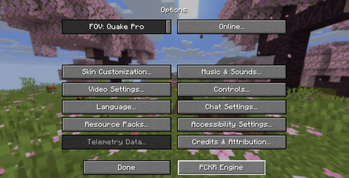
Acessing the Engine
The Engine appears in the Options menu, everywhere in Minecraft where you can access it. It is Shortened to Engine or PCKR Engine for Quality Of Life reasons.
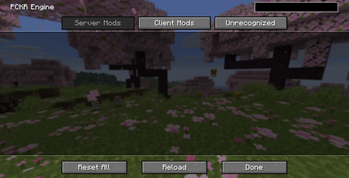
Server Mods List Without any Mods
This is the base Engine when you haven't added any other Protoncracker mods or supported mods in general. We're working on automatically adapting outside mods into the Engine for optimization and configuration.
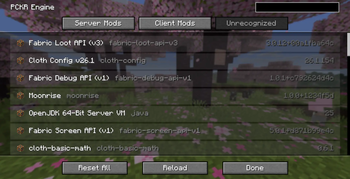
Unrecognized Mods list
Unrecognized Mods can't be altered and they default to the Engine's Icon, but The Engine doesn't alter their functionality in any way, shape, or form. As long as They don't do it either.
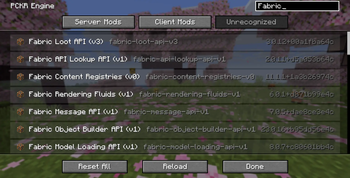
You Can Search Mods In The Search Bar
Our Search feature works in any tab, and there you can view any mods that match it, organized by a RegEX rule of Relevance.
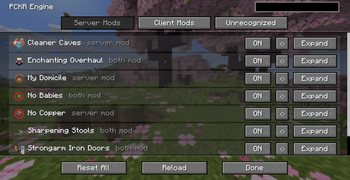
Engine on Server Mods
While on the Server Mods list, you can Enable/Disable, Reset, or Expand a mod. From left to right, it gives you the mod's Icon, Name, and if it is recognized as a Server, Client, or Both mod. Finally, we have the option to Reset All, Reload, and Done.
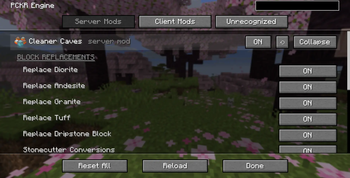
Configuring your Mods
Configuring your mods is simple now, thanks to the PCKR Engine. These are only a few examples, without a mod's own subpage. Reset All resets configurations of all mods. Reload reloads all mods' features.
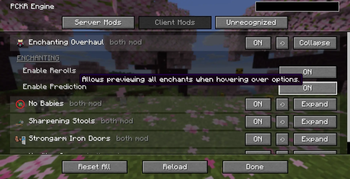
Hovering a Mod Gives You Tooltips
Remember to read the Tooltips for more information on the mod's workings before making changes that can alter your world, and maybe give undesirable outcomes.