
Compatibility
Minecraft: Java Edition
Platforms
Supported environments


Links
Tags
Creators
Details
Licensed MIT
Published 5 months ago
Updated 4 months ago
RealClockHUD
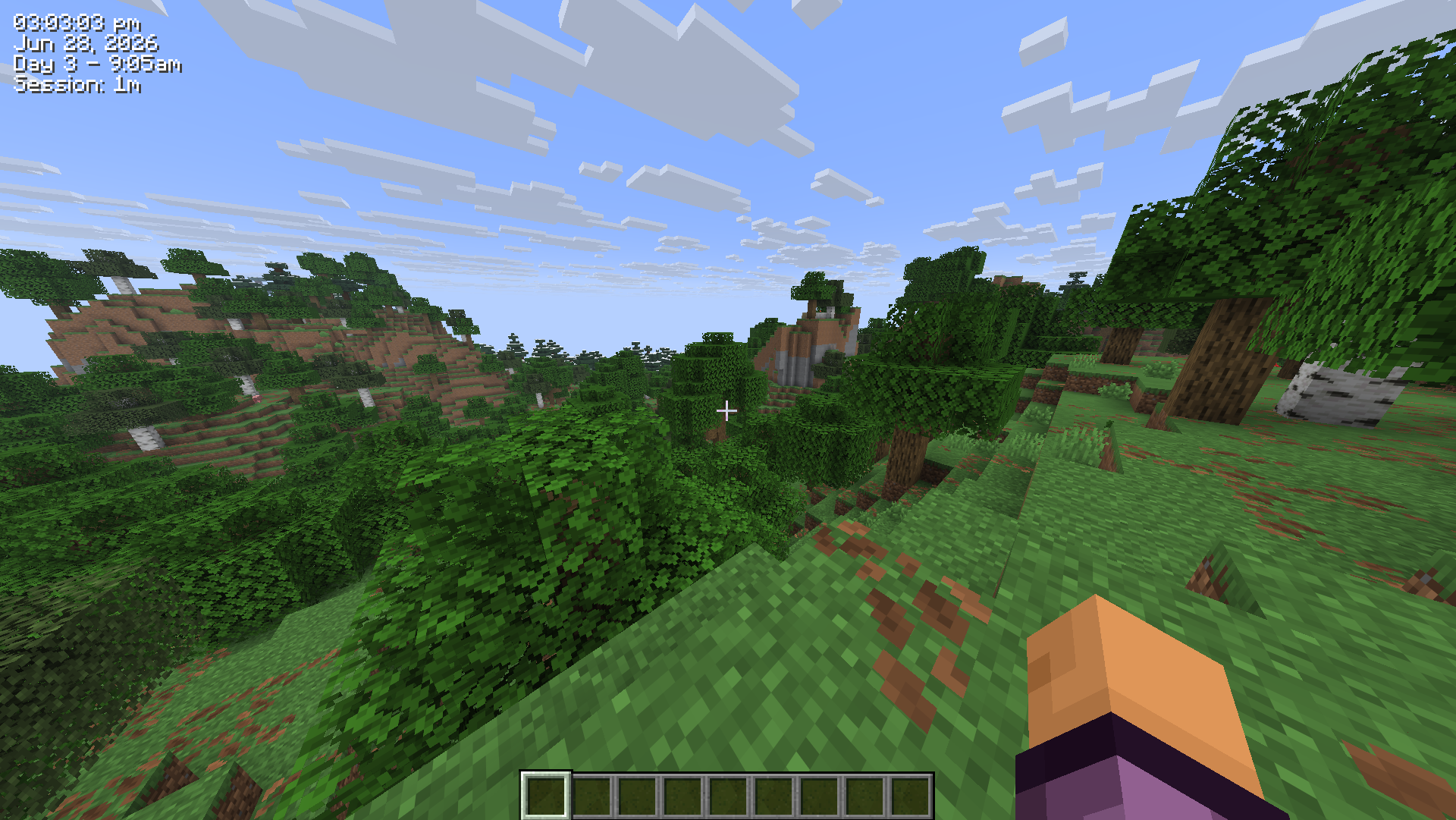
Displays the real-life system time as a HUD overlay in Minecraft.
Features
- Real-life clock displayed as an in-game HUD overlay
- 12-hour and 24-hour format toggle
- Optional seconds display
- Real-life date display (e.g.
Jun 28, 2026) - In-game time display (e.g.
Day 42 - 6:30am) - Session timer showing how long you've been playing (e.g.
Session: 1h 23m) - Configurable corner positioning (top-left, top-right, bottom-left, bottom-right)
- X/Y offset for fine-tuned placement
- Custom text color (hex)
- Optional background box
- Optional text shadow
- Keybind to toggle visibility (default:
K, rebindable in Controls) /realclockcommands for all settings- Self-healing config - invalid or missing values are corrected and re-saved automatically
- Hides during F1/F3 and screenshots
- Updated for 26.2
Settings/Commands
All settings are stored in .minecraft/config/realclock.json and can be edited manually.
The config is self-healing - any invalid values will be reset to defaults automatically on next launch.
You can also change any setting using the /realclock command - no need to edit the config file directly. Changes take effect immediately and are saved automatically.
The clock can also be toggled with the K keybind (rebindable in Options > Controls).
| Setting | Command | Default | Description |
|---|---|---|---|
24h |
/realclock 24h true |
false |
Use 24hr time format instead of 12hr |
background |
/realclock background true |
true |
Show a dark box behind the clock |
color |
/realclock color #FF0000 |
#FFFFFF |
Text color as a hex value |
corner |
/realclock corner top-left |
top-right |
Clock position - top-left, top-right, bottom-left, bottom-right |
date |
/realclock date true |
false |
Show the real-life date below the clock |
gametime |
/realclock gametime true |
false |
Show the in-game day and time of day |
offsetx |
/realclock offsetx 8 |
4 |
Horizontal nudge in pixels from the corner |
offsety |
/realclock offsety 8 |
4 |
Vertical nudge in pixels from the corner |
scale |
/realclock scale 1.5 |
1.0 |
Text scale - 1.0 is normal, 2.0 is double size |
seconds |
/realclock seconds true |
false |
Show seconds alongside the time |
sessiontimer |
/realclock sessiontimer true |
false |
Show how long you've been in the current session |
shadow |
/realclock shadow true |
true |
Render a drop shadow behind the text |
toggle |
/realclock toggle |
true |
Whether the clock is currently visible |
Configuration
Config file is created automatically at .minecraft/config/realclock.json on first launch.
{
  "visible": true,
  "corner": "TOP_RIGHT",
  "use24Hour": false,
  "showSeconds": false,
  "color": 16777215,
  "scale": 1.0,
  "showDate": false,
  "showGameTime": false,
  "showSessionTimer": false,
  "showBackground": true,
  "textShadow": true,
  "offsetX": 4,
  "offsetY": 4
}
color is stored as a decimal integer. 16777215 = #FFFFFF (white).