Compatibility
Minecraft: Java Edition
Platforms
Supported environments


Links
Tags
Creators
Details

Replaces the hunger bar with a beautiful food bar that shows what you ate
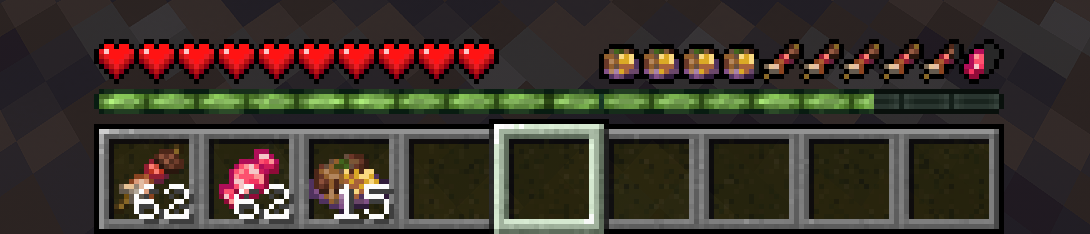
The hunger bar becomes a food bar. Every food item consumed takes its own slot and gives you bonuses. Compatible accross all the food mods you can think of.
|
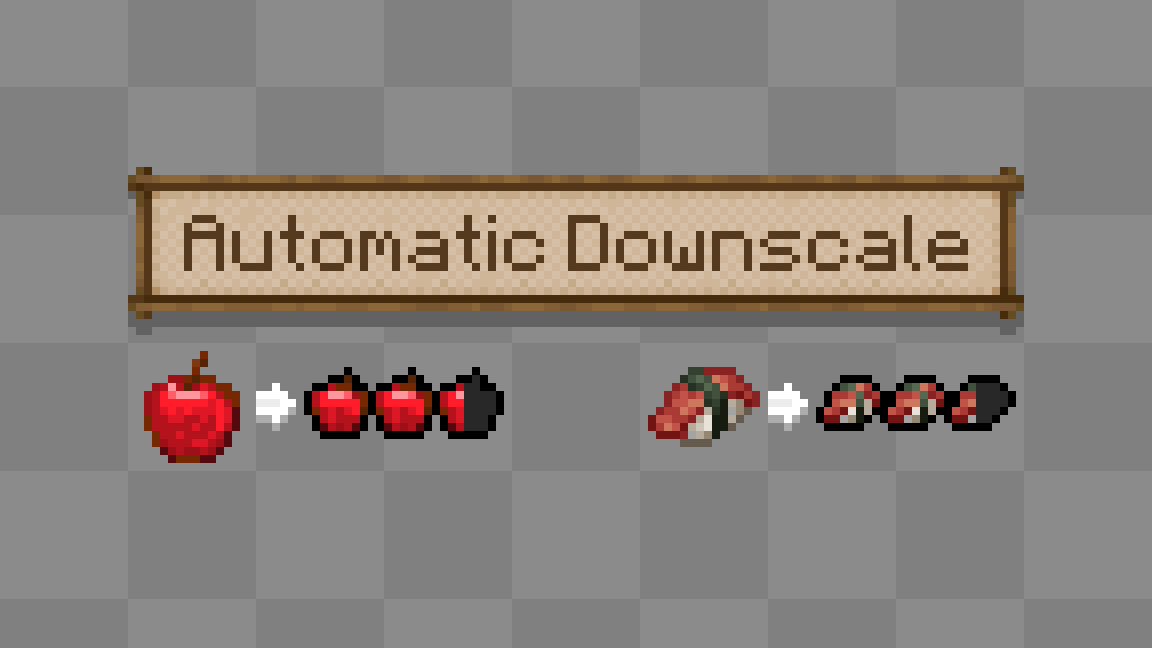
Cross-mod/resourcepack CompatibleFood icons are generated, each one is rendered from the item's own texture at load and downscaled to fit the bar, so modded food, custom resource packs and items added after the fact all show up correctly with no extra art needed. |
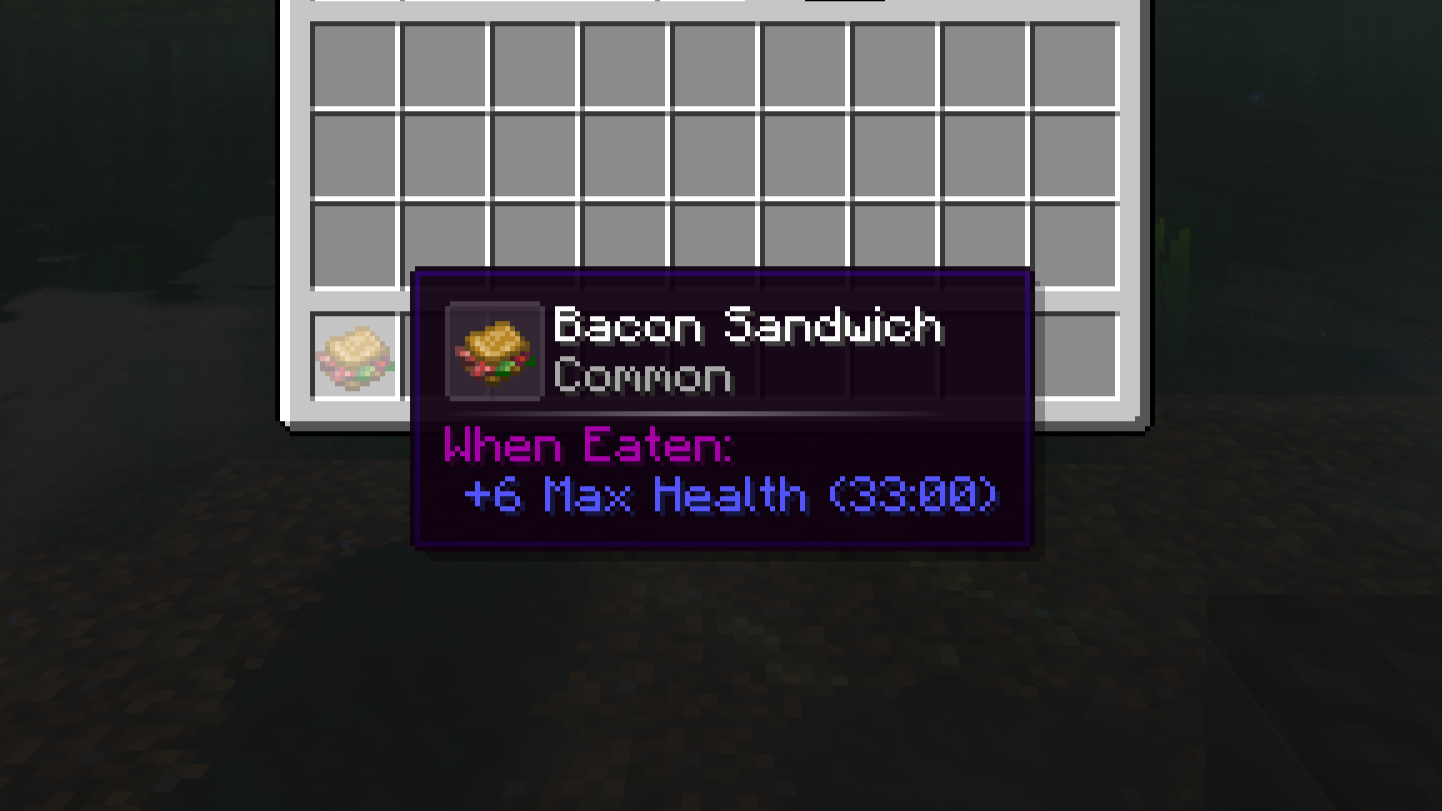
Food BonusesEvery food item consumed gives you increased max health for a set duration. Like the textures, these attributes are also generated based on the food's nutrition and saturation. The more varity you eat, the more max health you'll receive. |
|
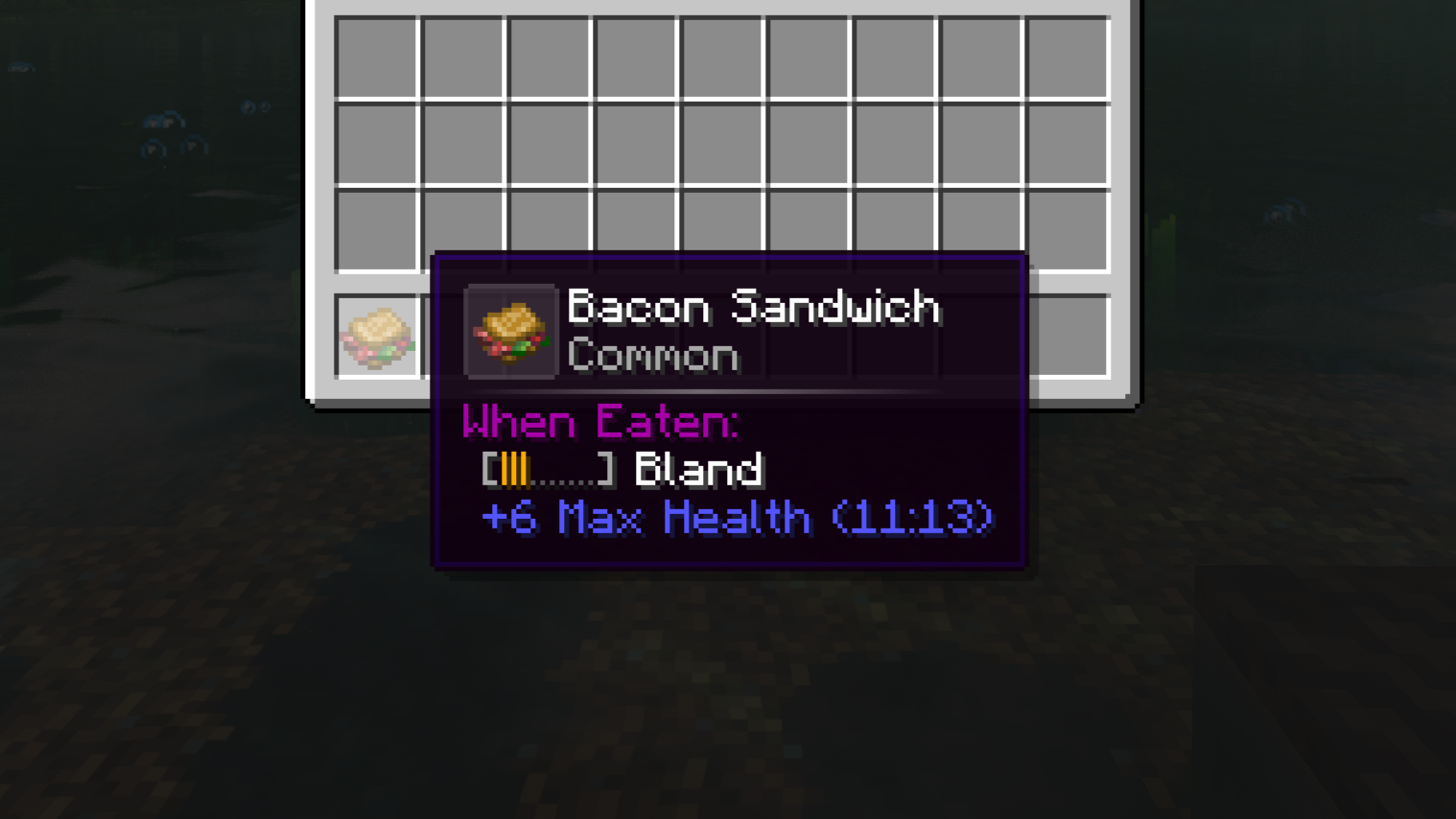
|
Nutrition Decay (Optional)
For those looking for a more in-depth eating experience, you can enable Nutrition Decay (via the This can be fun if you have multiple food mods and want to find a reason to cook various meals. |
Diet Restrictions (Optional)
Enable Diet Restrictions (via the There is nothing to set up. Ingredients are worked out from the item tags food mods already ship with, and from recipes, so a steak and a beef stew both count as beef. Hold Shift over a food to see its ingredients and whether you can eat it right now. |
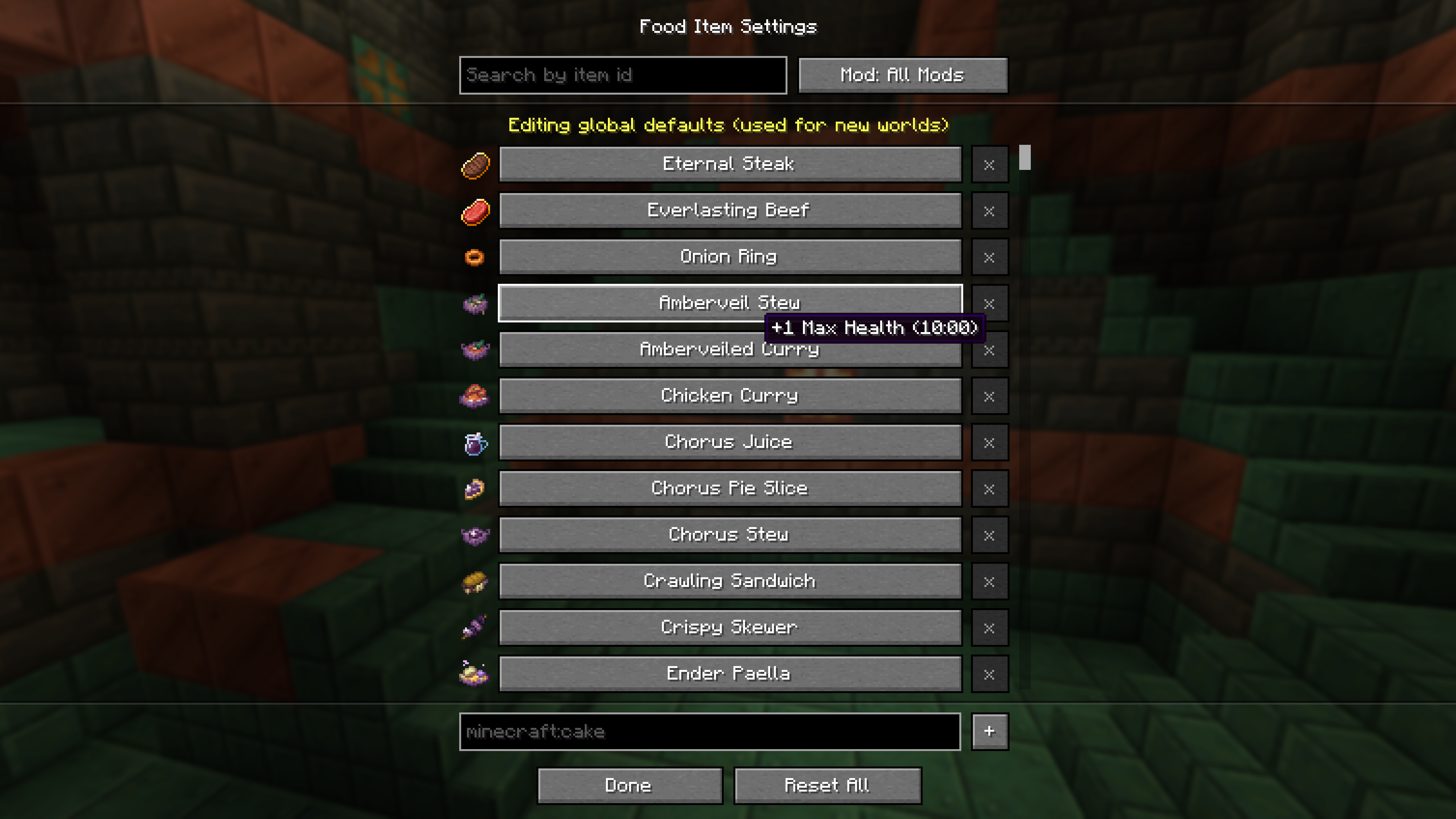
Highly ConfigurableNot happy with the attributes or duration? Want to make certain food items special? The in-game config menu lets you edit the bonuses of every food item, scale bonus durations per attribute, set up starvation effects, and tweak both the server rules and your own HUD. This mod is shipped with presets for certain mods like Farmer's Delight and Neapolitan to work with Iron's Spells 'n Spellbooks and the RPG series. If you want presets for a mod, make an issue here and I'll gladly look into it :) |
|
Configs
Everything below can be edited from the in-game config menu, or directly in the files under config/renourisheddelight/.
Client (client.json5) — your own display, never synced to servers.
foodBarOffsetX / foodBarOffsetY — moves the food bar, in pixels. Easiest to set by dragging it in the config menu. Default 0.
goldenPaletteItem — item whose colors tint the food icons gold while Nourishment is active. Default minecraft:golden_carrot.
showFoodDisplayInInventory — shows your active foods next to the inventory. Default false.
clipOddMaxHealthHeart — hides the half heart that can never fill when max health is odd. Default true.
compactHealthBar — keeps health to a single row of 10 hearts that fill proportionally. Default false.
Server (server.json5) — gameplay rules. On a dedicated server, edit the file on the server.
playerStartingHealth — base max health before any food bonuses. Default 20.
maxConsumableFood — how many foods can be active at once. Default 3.
foodDrainRate — how fast slots tick down, in percent. 50 is half speed, 0 never drains. Default 100.
regenHealthTickInterval — ticks between natural regen. Default 60.
regenDelayAfterDamage — ticks to wait after damage before regen resumes, skipped while nourished. Default 60.
nutritionDecayRate — percent of duration lost per meal, and won back once the food leaves your recent list. Default 1.
nutritionDecayWindow — how many other foods you must eat before one starts recovering. Default 3.
nutritionDecayFloor — lowest percent of its duration a food can drop to. Default 10.
doNutritionDecay — repeating a food shortens how long its bonuses last. Default false.
doSleepFoodDrain — skipping the night drains everyone's food. Default true.
doNourishment — a full bar of fresh food grants Nourishment. Default false.
doStarvation — apply starvation effects when the bar is empty. Default true.
doPreventSprint — players can't sprint until they've eaten something. Default false.
doReplaceLowestFood — eating with every slot full replaces the food closest to running out. When off, you have to wait for a slot to free up. Default true.
doDietRestrictions — eating a food that shares a main ingredient (beef, fish, berries...) with an active food swaps that food out, as long as only one active food shares it and doReplaceLowestFood is on. Otherwise you can't eat it. Ingredients are worked out automatically from item tags and recipes, so steak and beef stew both count as beef. Default false.
Common (common.json5) — the food bonuses, duration multipliers and starvation effects new worlds start with. Each world keeps its own copy once created, which operators can edit in-game from the food, duration and starvation screens.
Commands
Both need permission level 2.
/renourisheddelight clear [<targets>] empties a player's food bar.
/renourisheddelight decay reset [<targets>] [<item>] puts decayed foods back to full duration.
Modpacks
Presets are JSON in a datapack. Whatever you define becomes that item's default in the config screen, and players can still edit it or reset back to it.
your_pack/
  pack.mcmeta
  data/renourisheddelight/foodpresets/anything.json
pack.mcmeta needs "pack_format": 48 for 1.21.1. File names do not matter and you can split entries across as many as you like.
[
  {
    "item": "minecraft:cake",
    "attributes": [
      { "attribute": "minecraft:generic.max_health", "operation": "add_value", "amount": 4.0, "duration": 6000 }
    ]
  }
]
attributes is optional. operation is add_value, add_multiplied_base or add_multiplied_total, where 0.15 means 15%. duration is in ticks, 20 per second. Placeable foods use the item id, like minecraft:cake. The max health bonus derived from the food's nutrition and saturation is kept unless you declare your own minecraft:generic.max_health entry.
Diet restrictions
Restrictions come from the c:foods/* item tags, so a datapack can reshape them with ordinary tag files. Add items to an existing tag, or make a new tag to create a new restriction.
your_pack/
  pack.mcmeta
  data/c/tags/item/foods/beef.json
{
"replace": false,
"values": [ "minecraft:beef" ]
}Tag the raw ingredient rather than every dish: recipes carry it into anything made from it, so this one entry covers steak, stews and sandwiches. When a food is in both a broad tag and a narrower one, like c:foods/raw_meat and c:foods/beef, only the narrower one counts. c:foods/edible_when_placed, c:foods/food_poisoning and c:foods/golden are ignored since they describe how a food behaves, not what is in it. The name shown in tooltips comes from the tag.item.c.foods.beef translation key, falling back to the tag's name. Run /reload after editing.
Generating a preset with AI
Paste this into an assistant along with the mod's item list, then check the numbers before shipping.
Write a Renourished Delight food preset for Minecraft 1.21.1.

Output one JSON array, no commentary. Each entry:
{ "item": "namespace:id",
  "attributes": [ { "attribute": "...", "operation": "add_value|add_multiplied_base|add_multiplied_total",
                    "amount": 0, "duration": 0 } ] }

- Cover every edible item, including placeable ones like cakes, pies and stews.
  Use the item id, not the block id.
- Balance against crafting cost: rarer or multi step foods earn more.
- Keep it restrained. +1 to +3 max health is normal, +4 is a showpiece. Percentages
  sit between 0.05 and 0.2. Durations 2400 to 6000 ticks (20 ticks = 1 second).
- Theme each food after its ingredients instead of giving everything max health.
  Meat to damage and health, vegetables and soups to speed or mining speed,
  sweets to short bursts, fish to underwater traits.
- Use an occasional negative attribute to pay for an unusually strong food.
- Only real ids: minecraft:generic.max_health, minecraft:generic.movement_speed,
  minecraft:generic.armor, minecraft:generic.attack_damage,
  minecraft:generic.knockback_resistance, minecraft:generic.safe_fall_distance,
  minecraft:player.block_break_speed.

Item list:
Bugs and ideas go on the issue tracker.